FintechOS Platform 24.3
February 7th, 2025
This release introduces a reorganized SDK for improved developer experience, AI-powered assistants for Product and Journey Designers, and back-office flows that combine the flexibility of app data forms with the task-oriented focus of digital journeys. Additional updates include new Product Factory configurations, automated login theme deployment, detailed identity provider metrics, custom fonts for document templates, and other improvements to usability and performance.
What's New
SDK Namespace Restructuring for Improved Developer Experience
In this release, as part of the ongoing improvements to the MVCS (Model-View-Controller Service) architecture, we have made significant updates to the SDK namespace to enhance both the developer experience and code quality.
-
Reorganized SDK Methods: SDK methods have been restructured into more comprehensive and logically organized domains, with some methods further grouped into specific subdomains. This ensures a cleaner, more intuitive hierarchy that makes it easier for developers to navigate and work with the SDK.
-
Improved Intellisense Support: The new structure improves the discoverability of SDK methods in Intellisense, helping developers quickly find and apply the right methods without confusion.
These changes are designed to streamline development workflows, improve code maintainability, and ensure a smoother, more efficient coding experience. However, this also triggered several SDK methods to be deprecated: GetPaymentToken, GetWorkStepInfo, getReport, pdfPageToImage, encodeURI, decodeURI, encodeURIComponent, decodeURIComponent, escape, unescape, parseInt, parseFloat, eval, isFinite, isNaN, usersAboutToExpirePasswords, forceRelogin, runFormula, getObjectKeys, getPaymentToken, generateWorkstep, generateSignUrl, getWorkstepInfo, finishWorkstep, executeFluentQuery.
The use of these methods for new developments on 24.3 is discouraged. They can still be used for v24.2 and earlier.
New Digital Asset Type: Products
We’ve introduced a new digital asset type called Products, enabling you to include your financial products in packages that can be exported and imported between environments, just like you would other digital solution packages.
The following configuration item types can now be mapped within Products:
- Formula
- Formula Parameter Mapping
- Data Set
- Data Import Template
- Configuration Data Definition
- Digital Document
- Reports
This enhancement streamlines the process of transferring and managing your financial products across different environments.
Automatic Deployment of Login Theme
We’ve streamlined the deployment process for the Studio login page theme to accelerate time to market. You can now quickly deploy a custom login theme with changes that align to your branding. The theme is applied to the Studio login screen and can be exported and included in a deployment package, making it easy to import and deploy the same theme in other environments when needed.
When upgrading from v22.x to 24.x, the theme files are overwritten with the v24.x ones. If you have custom themes on v22.x, it is mandatory to manually adjust them for the upgrade.
ProviderName Parameter for Sending Emails
ftos.messaging.send and ftos.messaging.sendNoEx server SDK methods, previously sendMail and sendMailNoEx, now support providerName optional parameter for specifying the service used for sending emails to users.
Enhanced Identity Provider Login Metrics
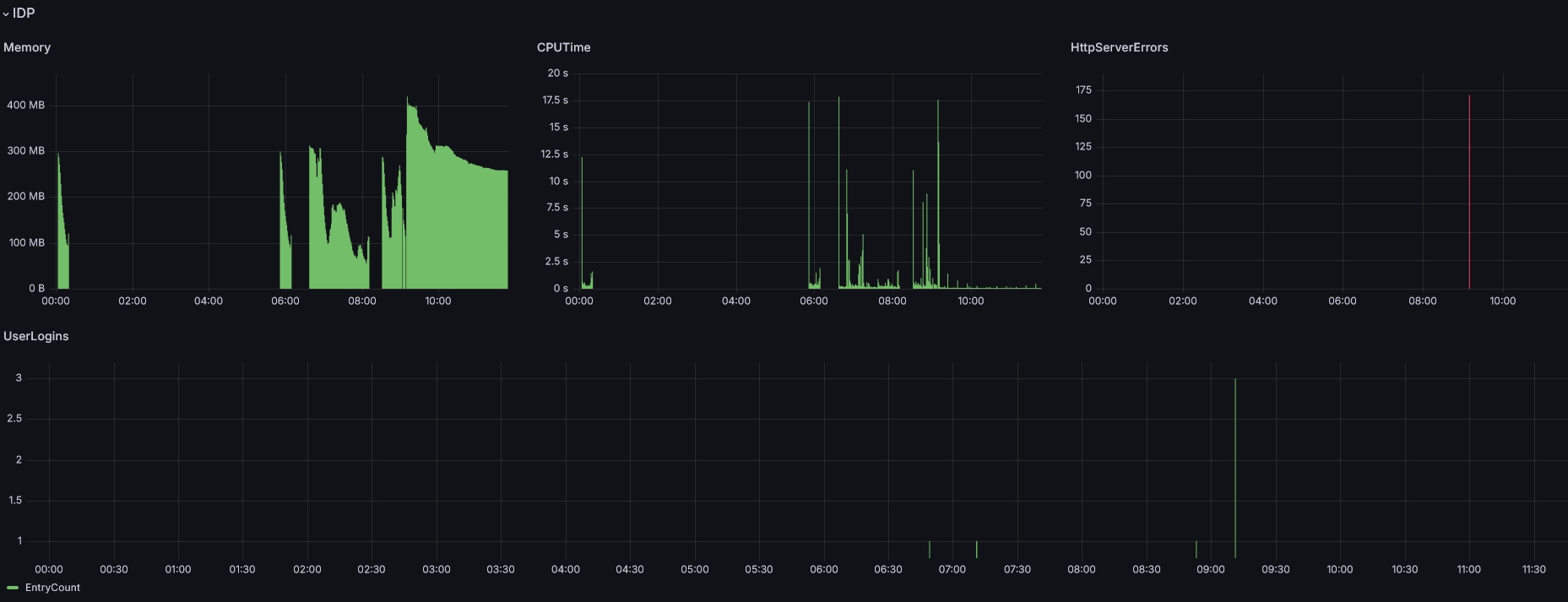
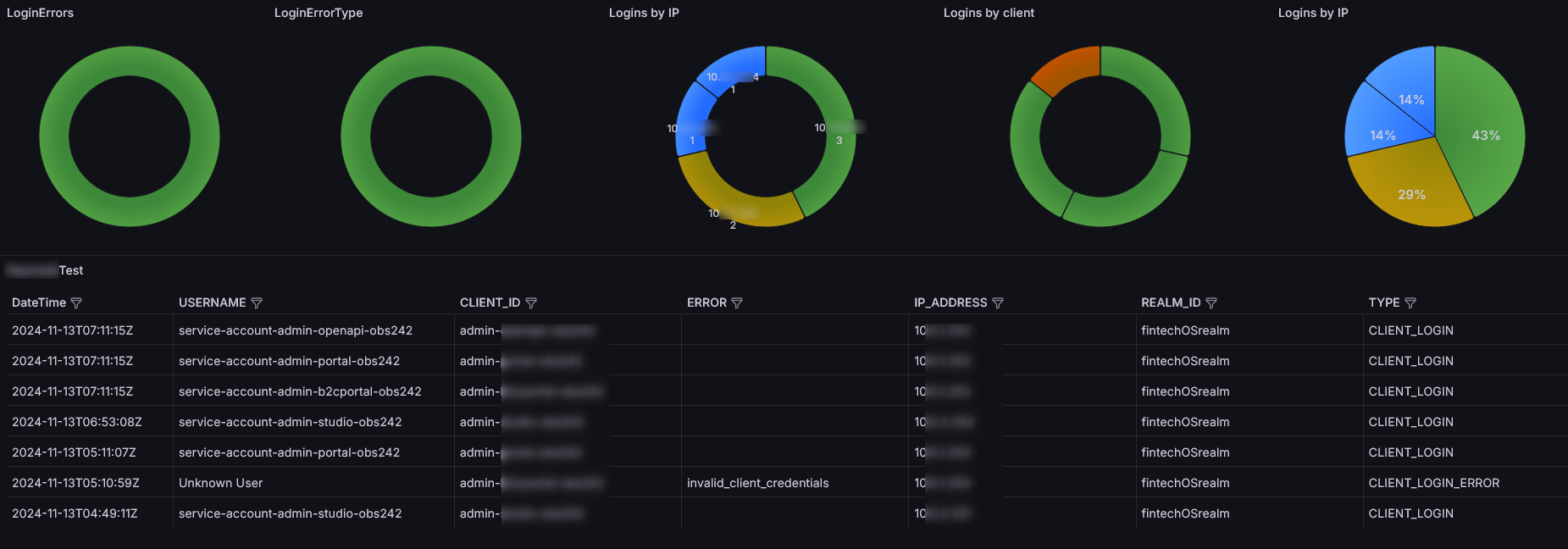
Our observability dashboard now includes detailed metrics for tracking FintechOS IDP login activity to provide a comprehensive view of both user authentication activity and system health, enabling faster detection and resolution of issues. Key additions include:
-
Login Error Metrics: track identity provider login errors and error types.
-
Login Insights: view logins by IP address, client, and logins by hour for more granular visibility.
-
User Login Details: a detailed table showing login date and time, IP address, and environment for each user.
-
System Performance Metrics: monitor memory usage and CPU time to track system performance.
-
HTTP Server Errors: get insights into HTTP server errors for improved debugging.
Inactive Account Deactivation
We are excited to introduce a new feature designed to enhance security and maintain a tidy IDP interface. You can now configure a period after which accounts with no activity—defined as the absence of a successful logout or session expiry—will be automatically deactivated. This helps ensure that inactive accounts do not clutter the platform while improving overall security.
MFA to FintechOS IDP via DCI Service
We've enhanced your account security with multi-factor authentication (MFA) through the DCI service. After you enter valid login credentials, you are prompted to provide a second authentication factor, such as an SMS OTP or email code, via DCI. You gain access to your account only after successfully verifying this second factor. If you enter incorrect, expired, or missing codes, access is denied. The system also enforces a retry limit to prevent abuse and keep your account secure. Read more in the documentation.
Product Factory
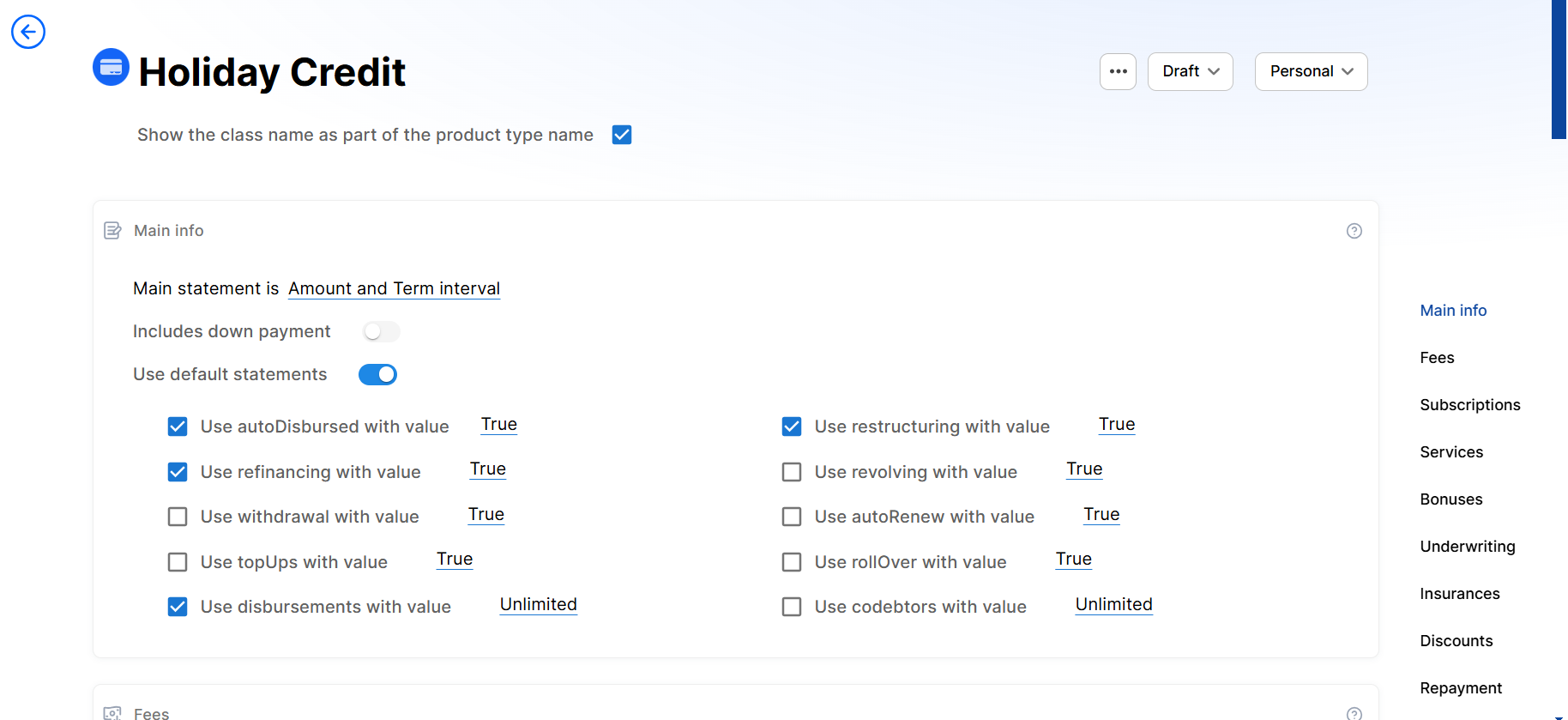
Custom Product Templates
In addition to the Product Factory's built-in product templates, you can now create custom templates tailored to your business requirements.
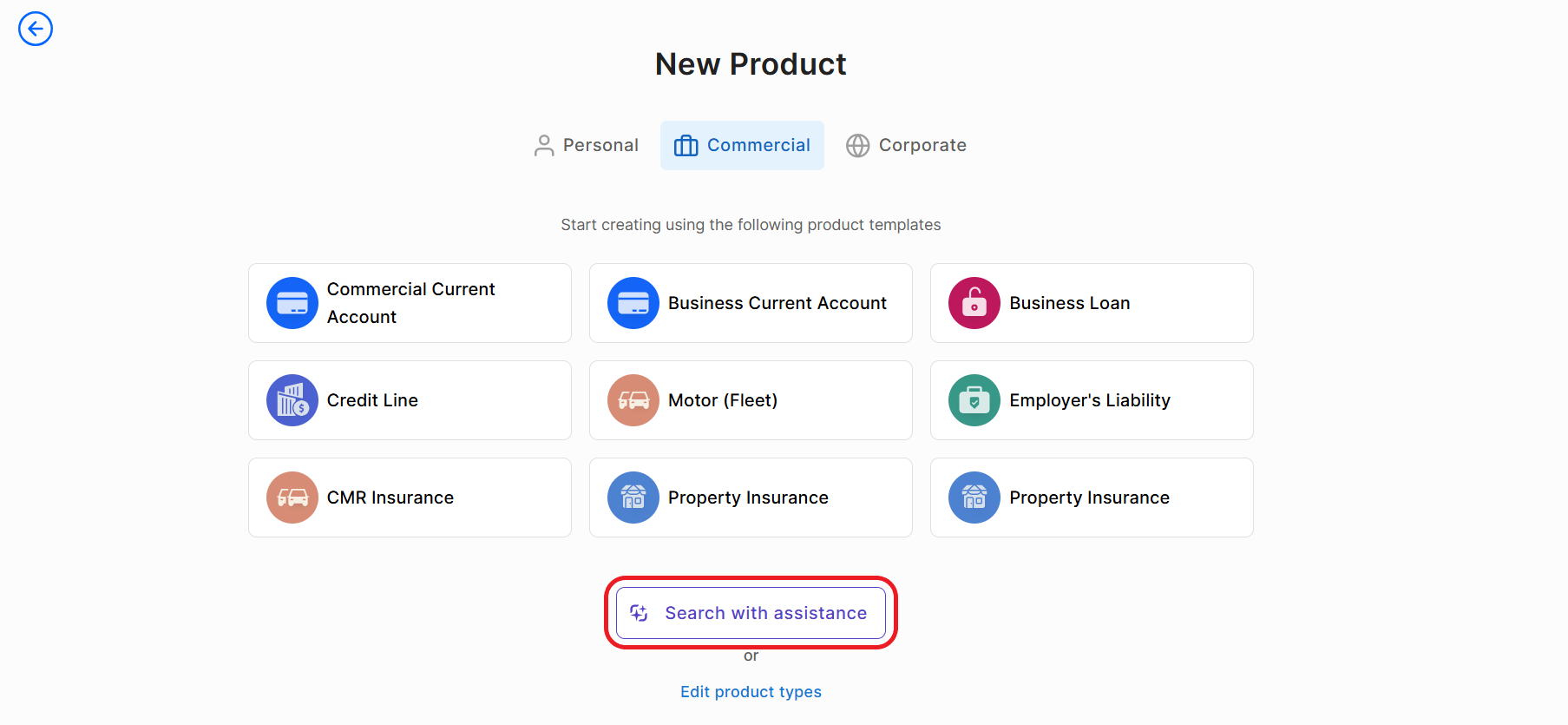
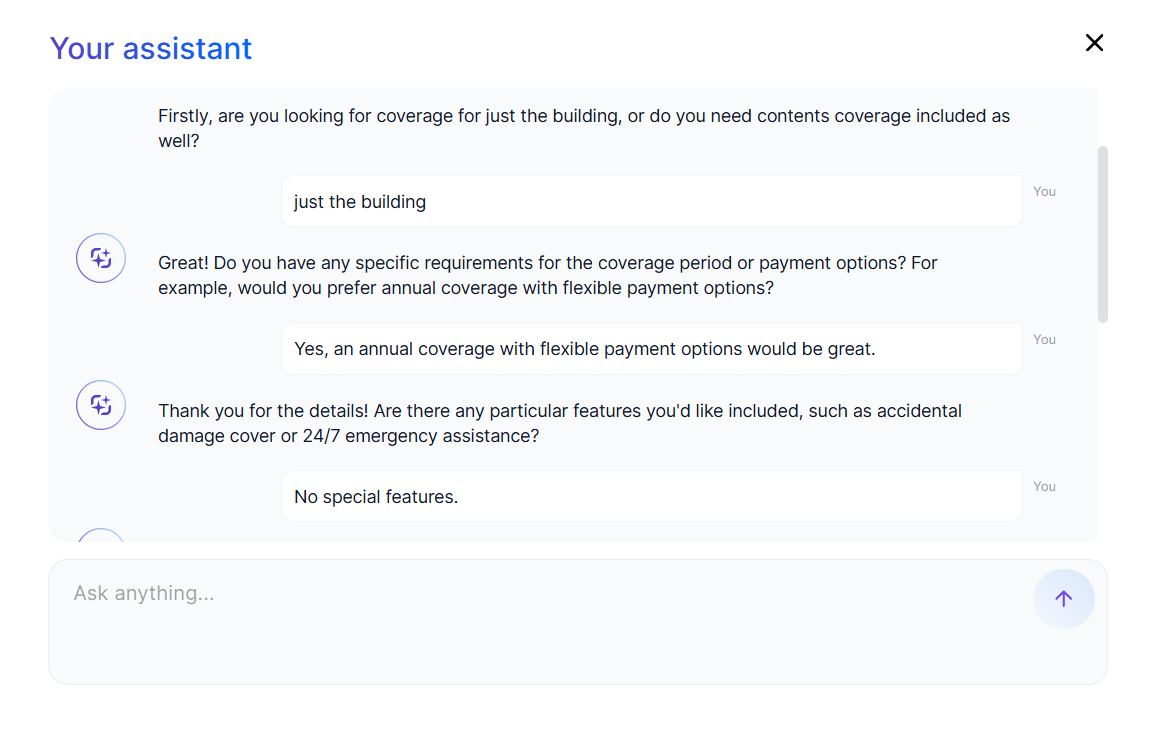
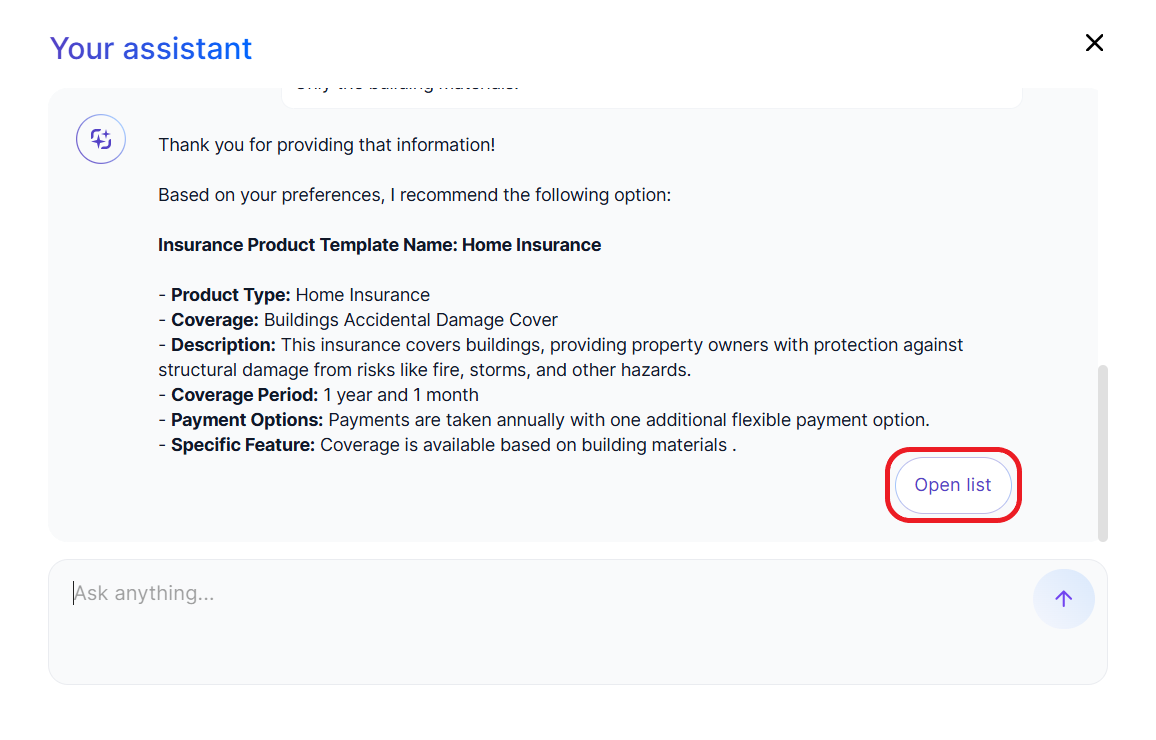
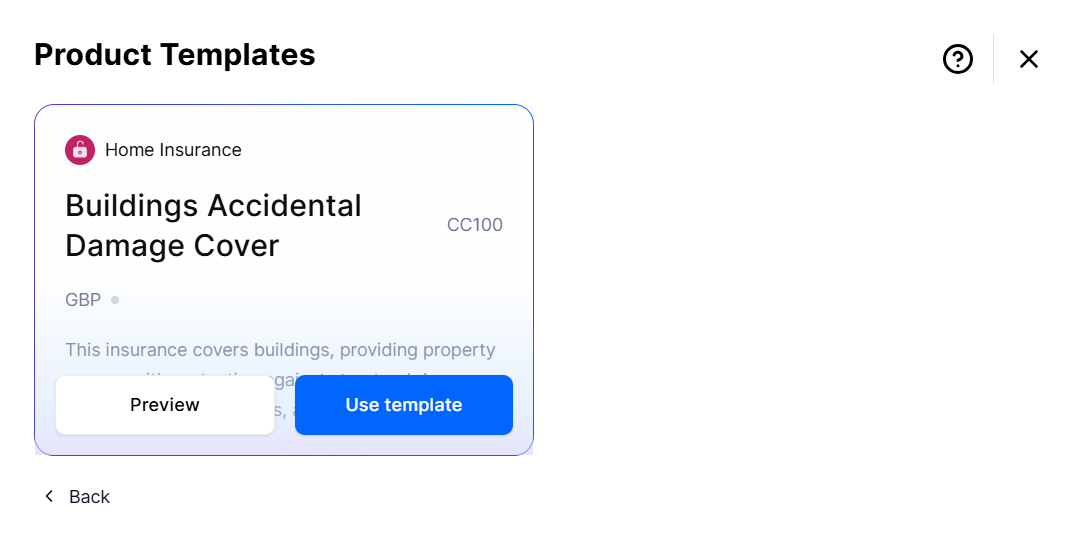
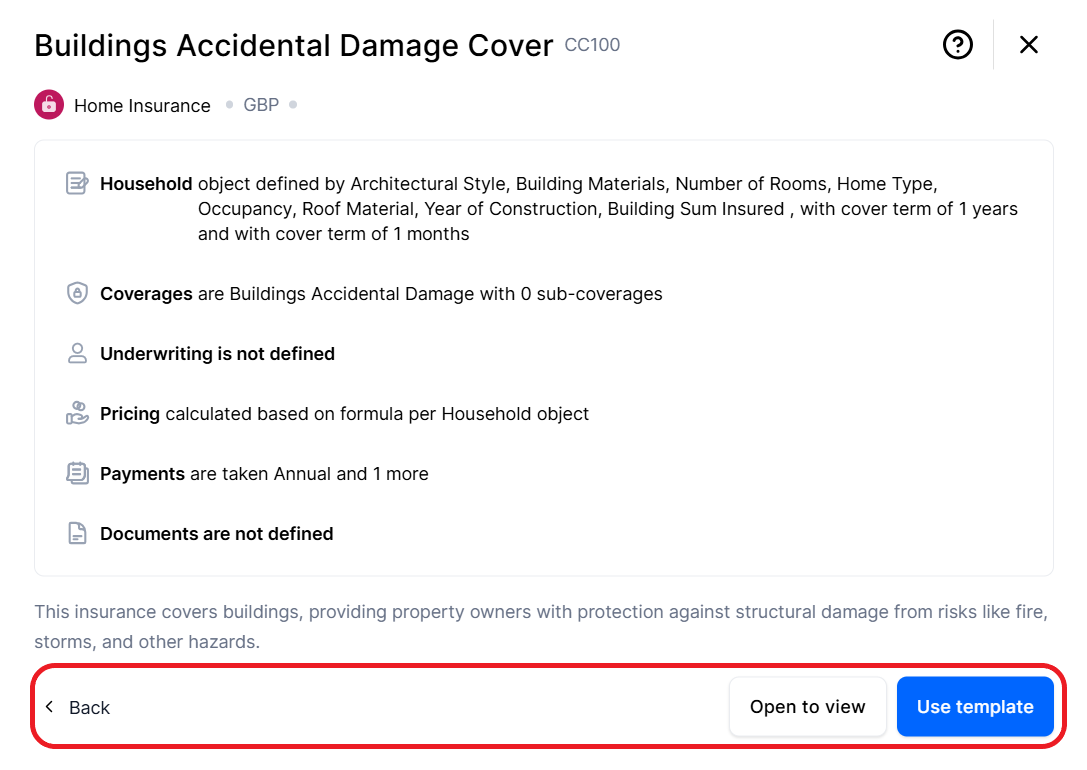
Product AI Assistant
The Product Designer now includes an AI assistant that can examine your requirements and help you select a relevant template for your product.
 →
→  →
→  →
→  →
→  →
→ 
Support for Multiple Insured Events per Coverage/Sub-Coverage
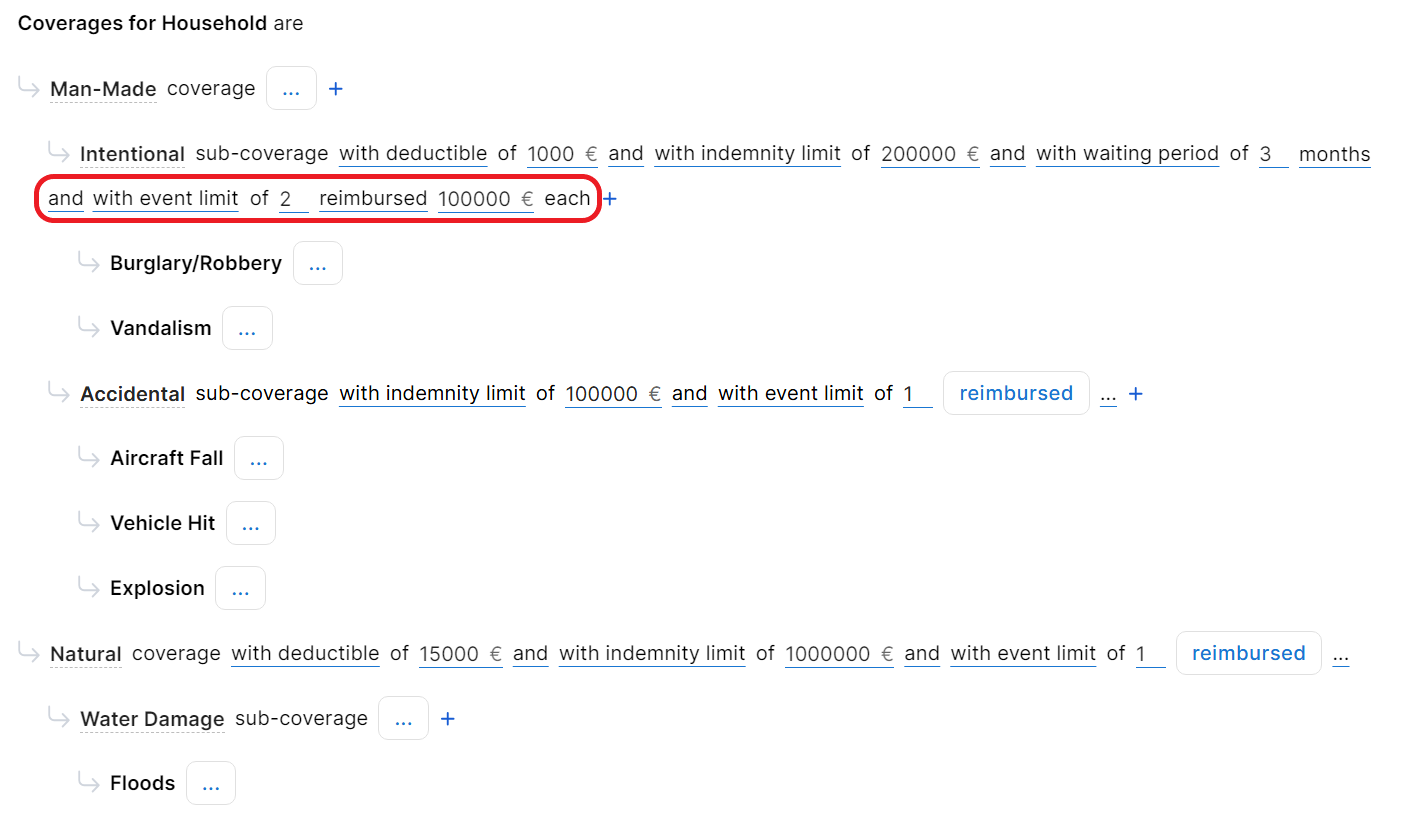
For insurance products, you can now configure claim rules to handle multiple occurrences of an insured event (peril) within the same coverage or sub-coverage. In addition to the indemnity limit, deductible amount, and waiting period, you can now define the maximum number of claims allowed under a coverage or sub-coverage, as well as an optional cap on the payout amount for each individual claim.
Override the Default Claim Rules at Plan Level
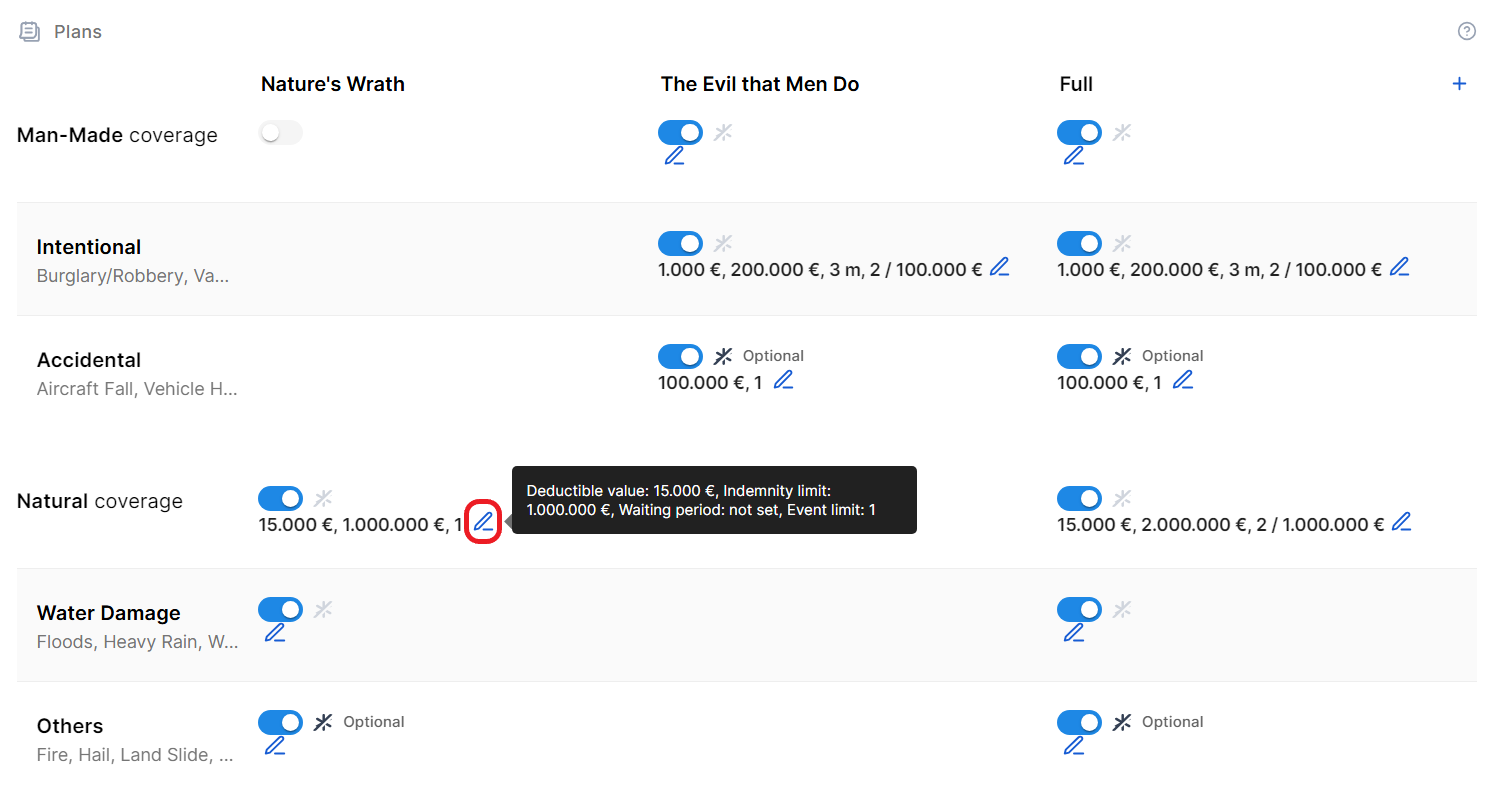
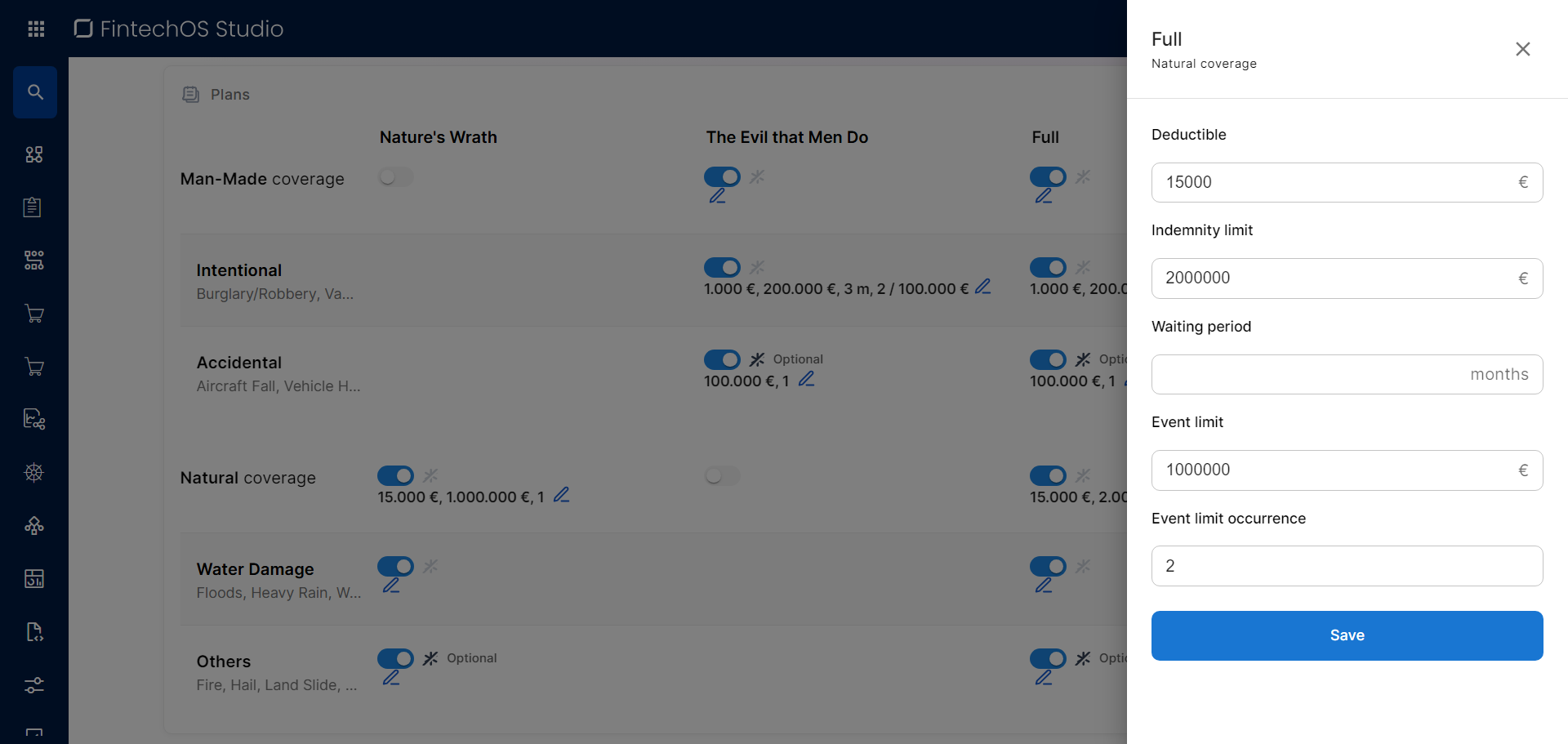
For insurance products, you can now customize the claim rules (such as the deductible, indemnity limit, waiting period, or event limits) of a coverage or sub-coverage for a specific plan.
 →
→ 
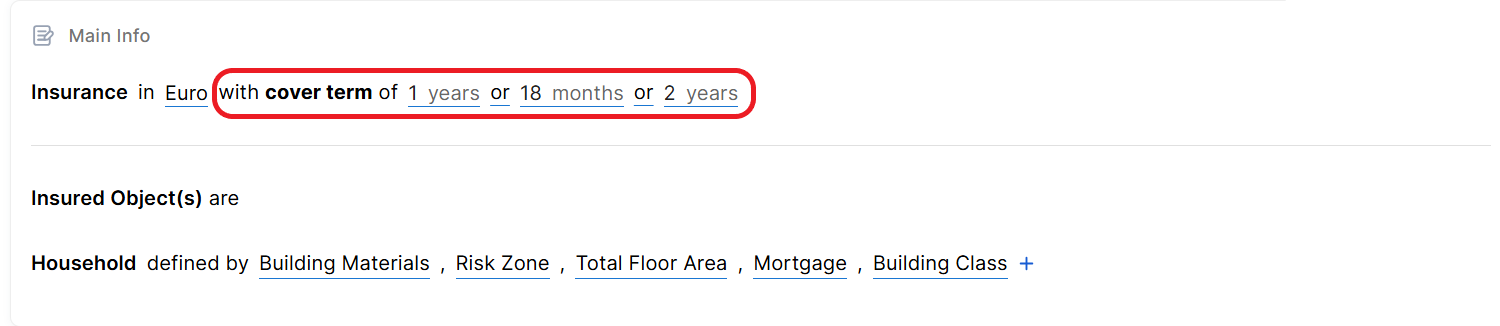
Configurable Cover Terms
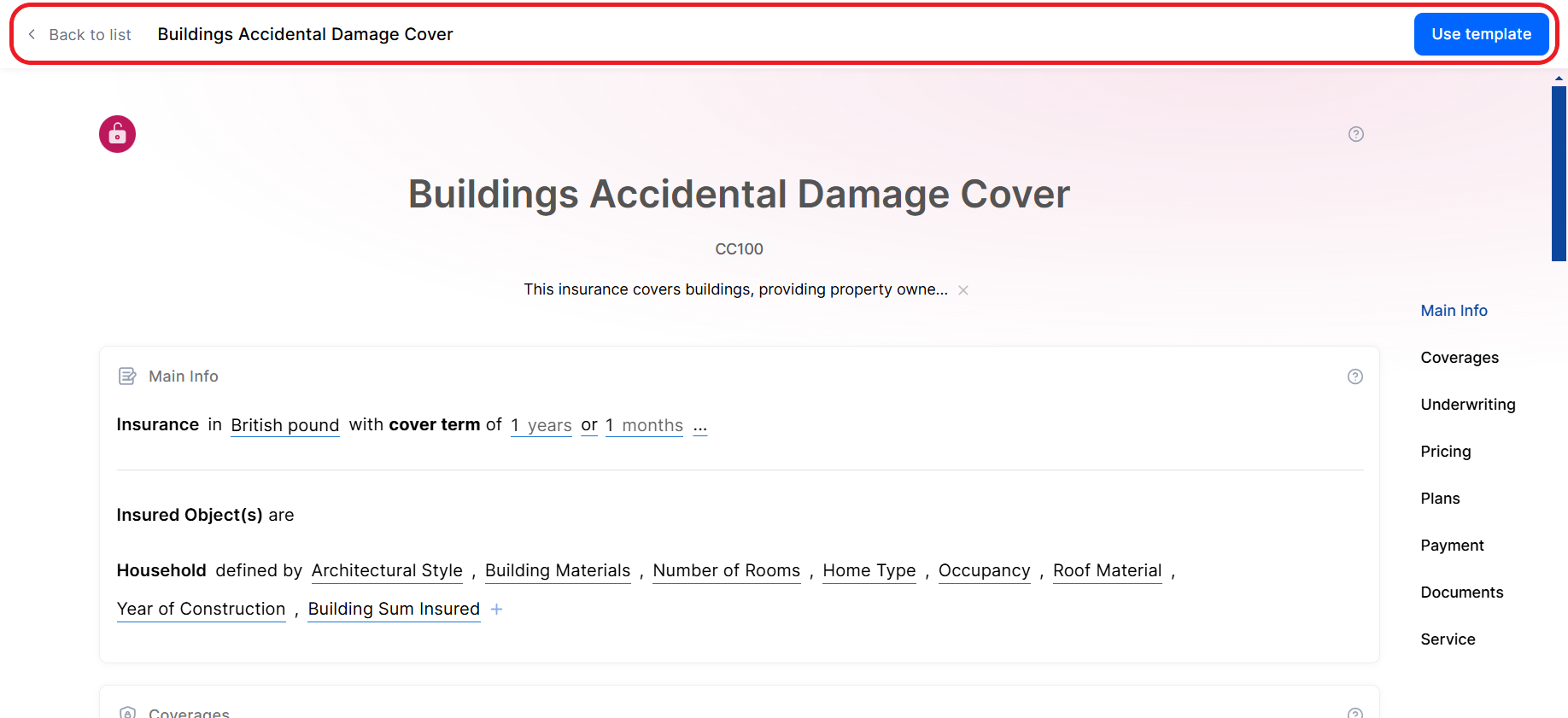
You can now configure for how long an insurance coverage is active from the Main Info section of the insurance product. You can define up to three options for the cover term.
Adjustable Payment Frequency for Insurance Premiums
Insurance products now feature a Payment section that allows you to configure the payment frequency for insurance premiums. This section supports multiple payment options, including weekly, monthly, and one-time payments, enabling applicants to choose their preferred frequency from the available periodicities.

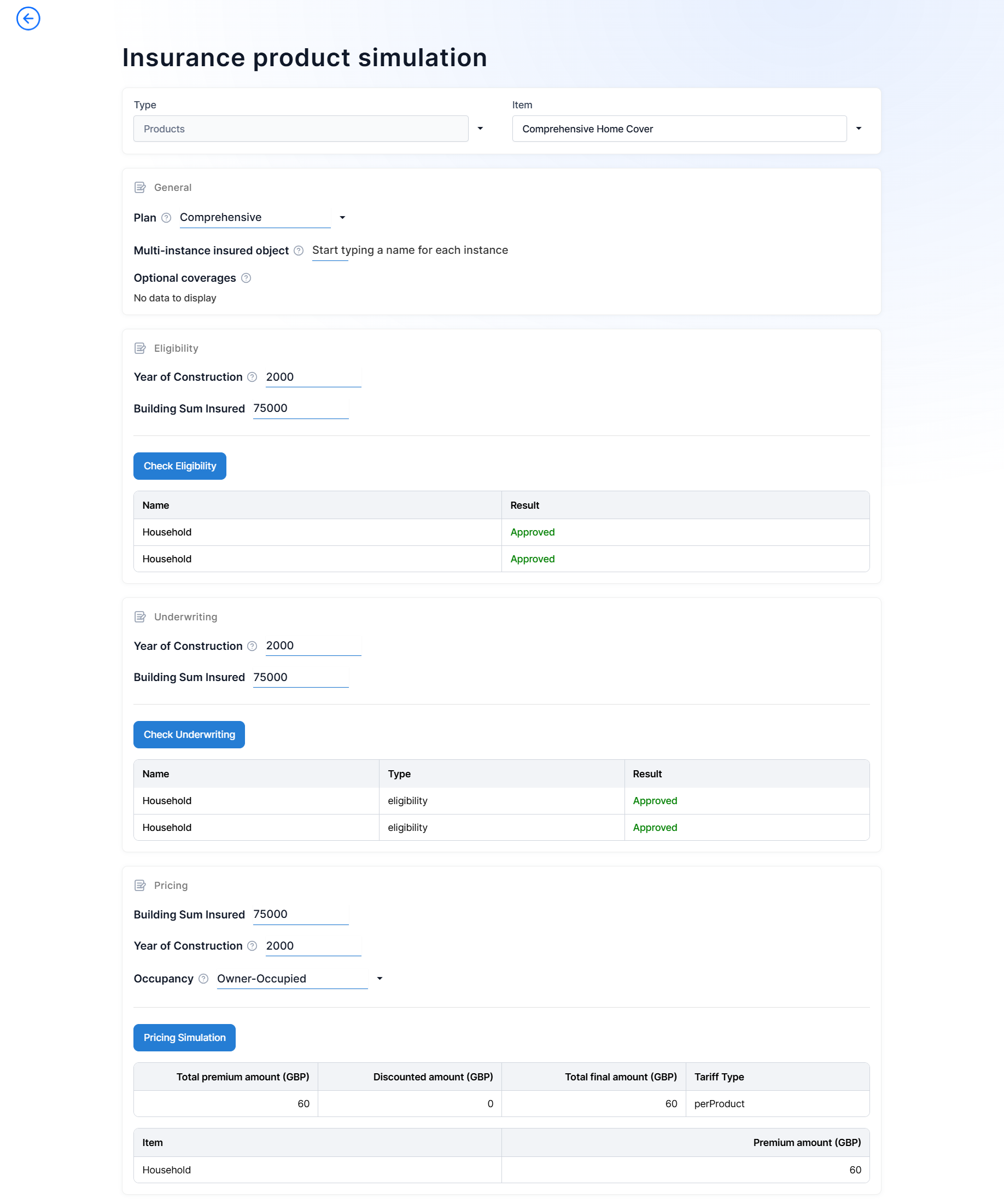
Product and Offer Testing: Upgraded UI and Support for Insurance Products
The user interface for testing products and offers has been upgraded to a sentence-based model to provide a streamlined experience consistent with the rest of the Product Factory.
Additionally, you can now test insurance products and offers, as the feature is no longer limited to banking products.
Improved Performance for Offers
The code used in Product Factory for operations such as creating offers, retrieving offers, deleting offers, duplicating offers, or updating offers has been refactored for better performance.
Product Export and Import APIs
The Product Factory APIs now support exporting and importing a list of product definitions. The export endpoint generates a JSON file containing all required product details and dependencies. This file can be imported (e.g.: on another environment) using the import endpoint, enabling product replication across environments.
API for Annualized IRR and APR Calculation
The Product Factory APIs now include an endpoint to calculate the annualized Internal Rate of Return (IRR) from a sequence of monthly cash flows. This can serve as reference for other metrics such as the Annual Percentage Rate (APR).
Journey Designer
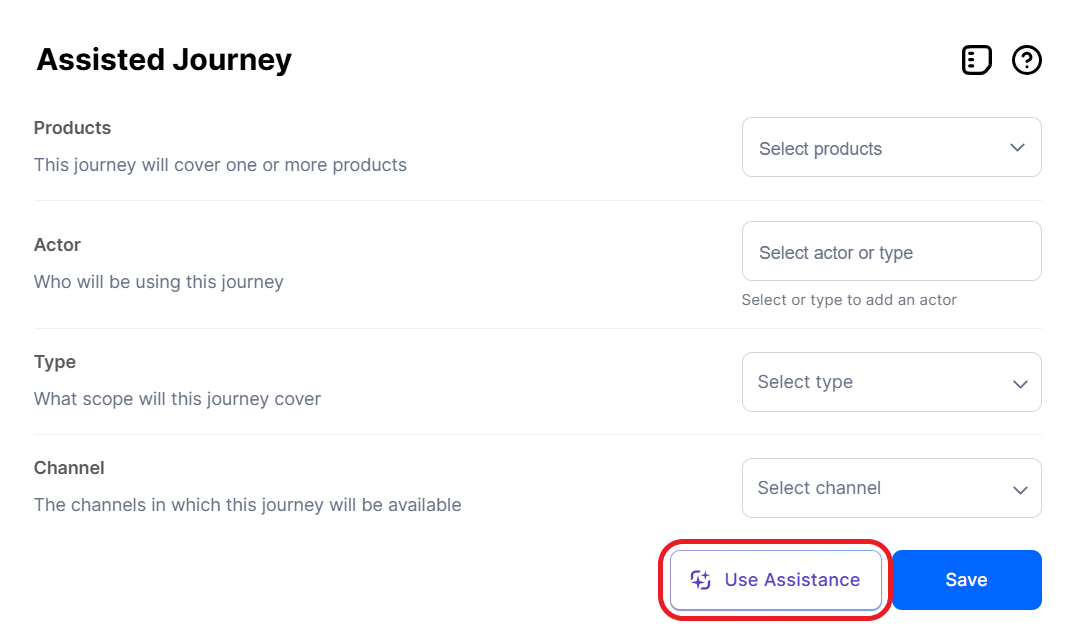
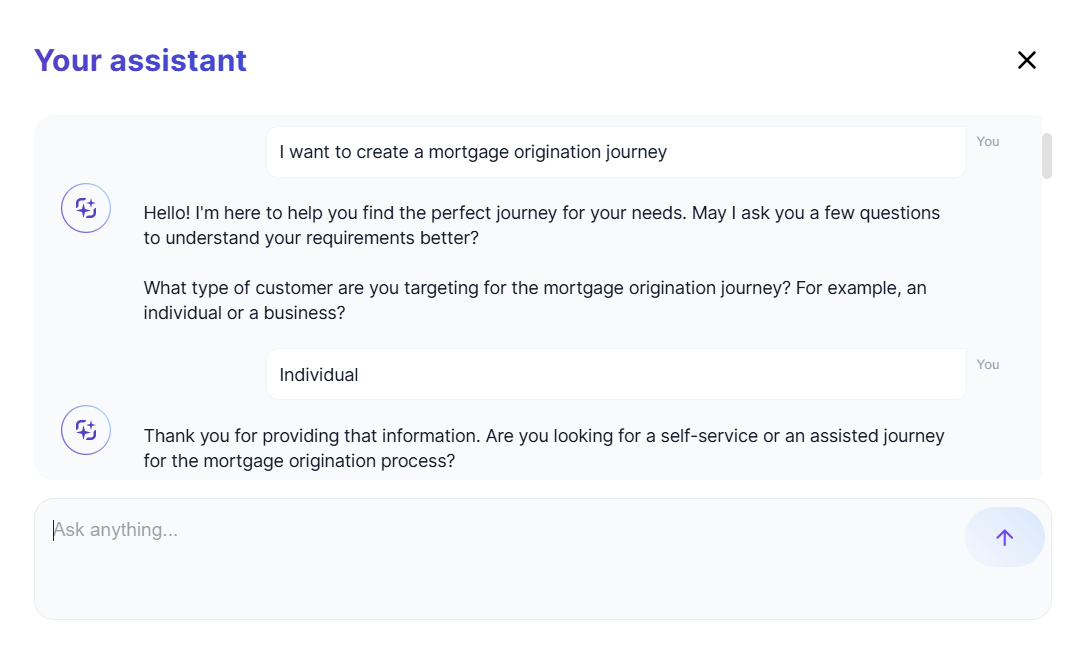
Journey AI Assistant
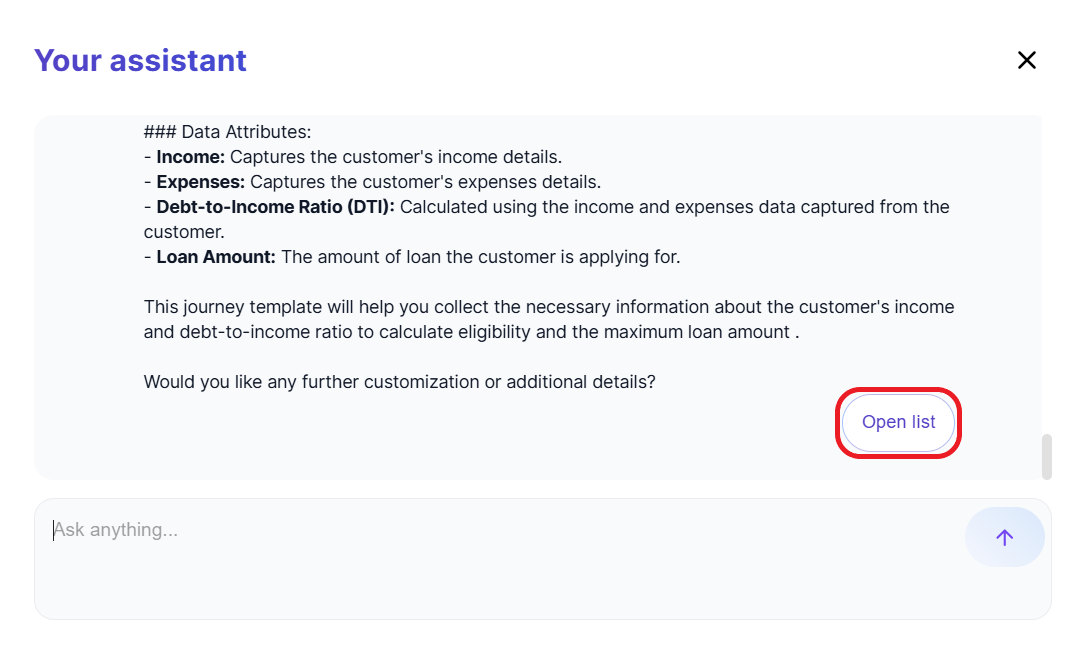
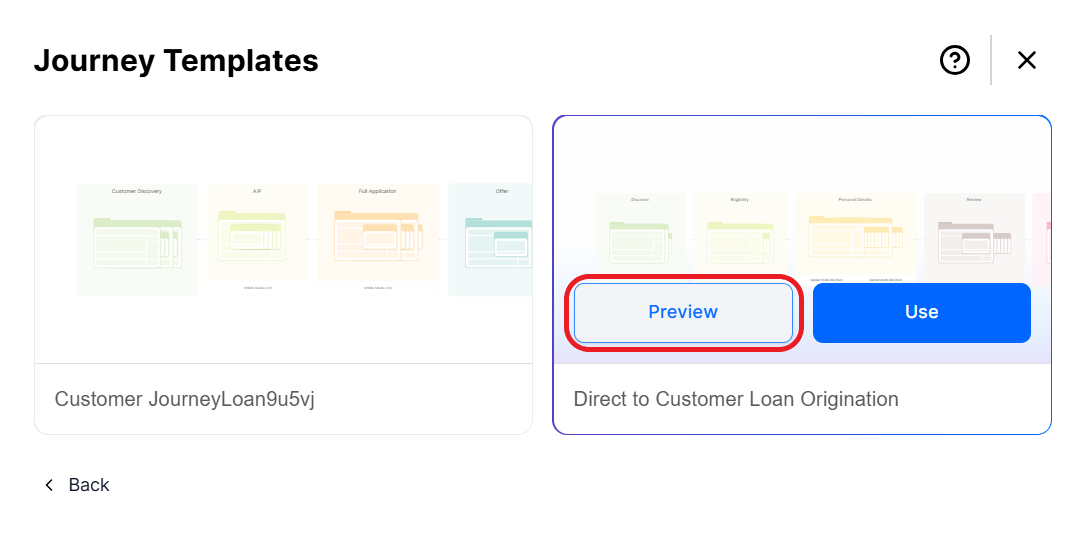
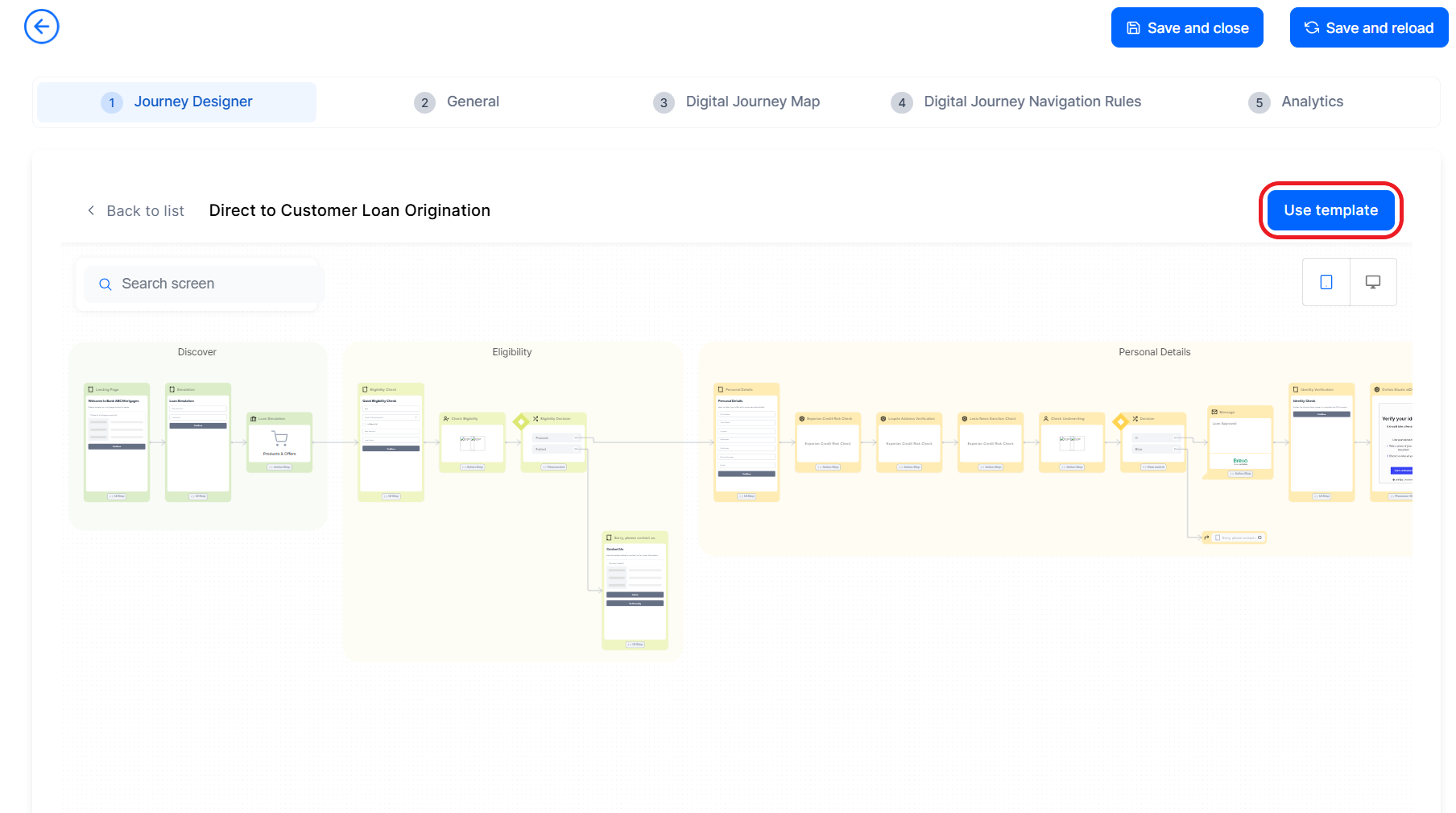
The Journey Designer now includes an AI assistant that can examine your requirements and help you select a relevant template to pre-populate the journey flow and data configuration.
 →
→  →
→  →
→  →
→ 
Integrations Catalog
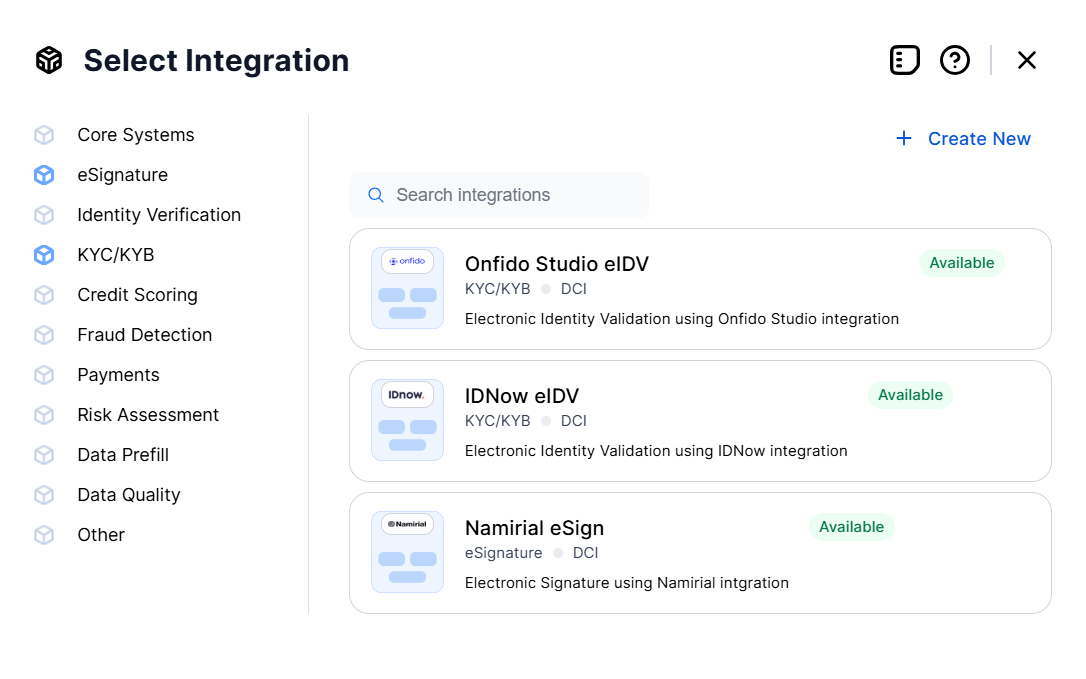
Existing integrations are now displayed in a catalog with filter and search options for easy browsing and selection.
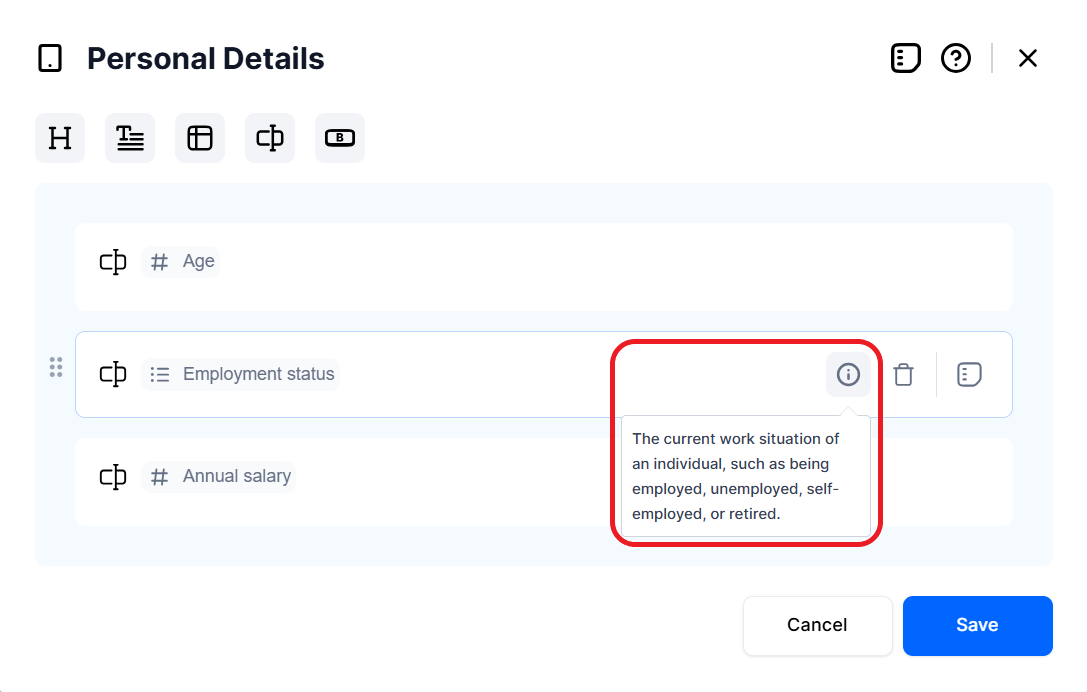
Attribute Tooltips
Attribute fields now include help bubbles, represented by an "i" icon. Hovering over these icons displays a tooltip with the definition of the respective attribute.
Quality of Life Improvements
- Subsequent stages can no longer have the same background color, so they are easier to distinguish on canvas.
- The search bar now has search-as-you-type, dynamically displaying potential search results in real-time as you type your search query.
- When clicking and holding a stage, the mouse pointer changes from the grab cursor (open hand) to a grabbing cursor (closed hand) to provide visual feedback that the stage is currently selected and can be dragged on the canvas.
- Buttons change color to a darker hue when hovering over them with the mouse cursor.
Back-Office Flows
You can now enhance your app data forms with back-office flows—dedicated digital journeys that users can trigger from the form on demand. Back-office flows run within the data context of the app data form that initiated them. Once the flow is completed, users are returned to the form at the point where they left off. For more information, see the FintechOS Studio documentation.
To integrate the back-office flows with existing functionalities, the following changes have been implemented in FintechOS Studio:
- In app data forms, the Actions tab has been renamed to Configs. The tab now includes a Back-Office Flows section allowing you to attach back-office flows to the app data form.
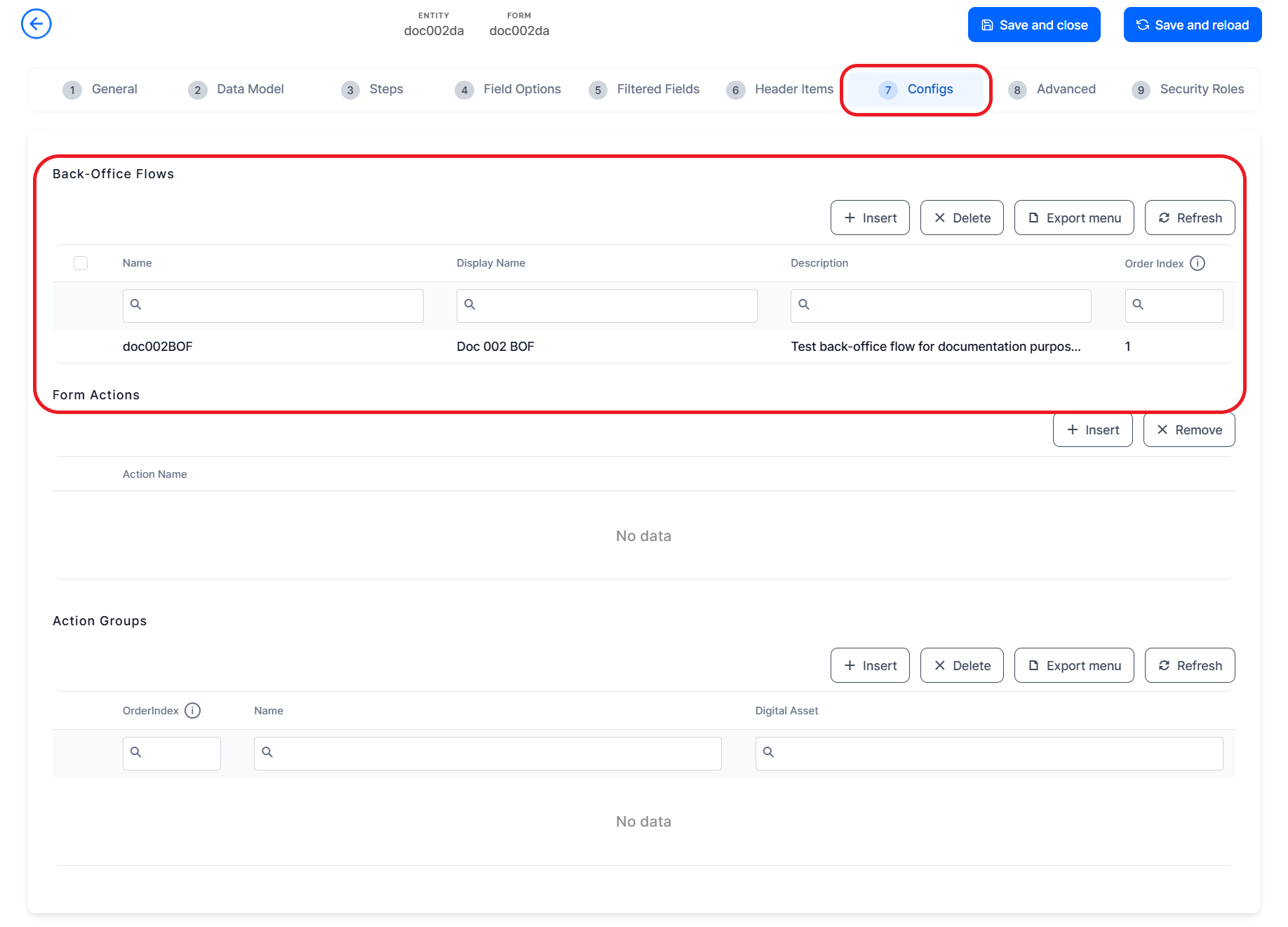
- An App Data Form x Back-Office Flow configuration item has been introduced. This item represents the association between an app data form and a back-office flow and is available in Digital Journey and Digital App digital assets.NOTE
Back-office flows are saved as Digital Journey configuration items. - A new ftos.backOffice.flows.close Server SDK method has been created, allowing you to close a back-office flow programatically.
Custom Fonts for Document Templates
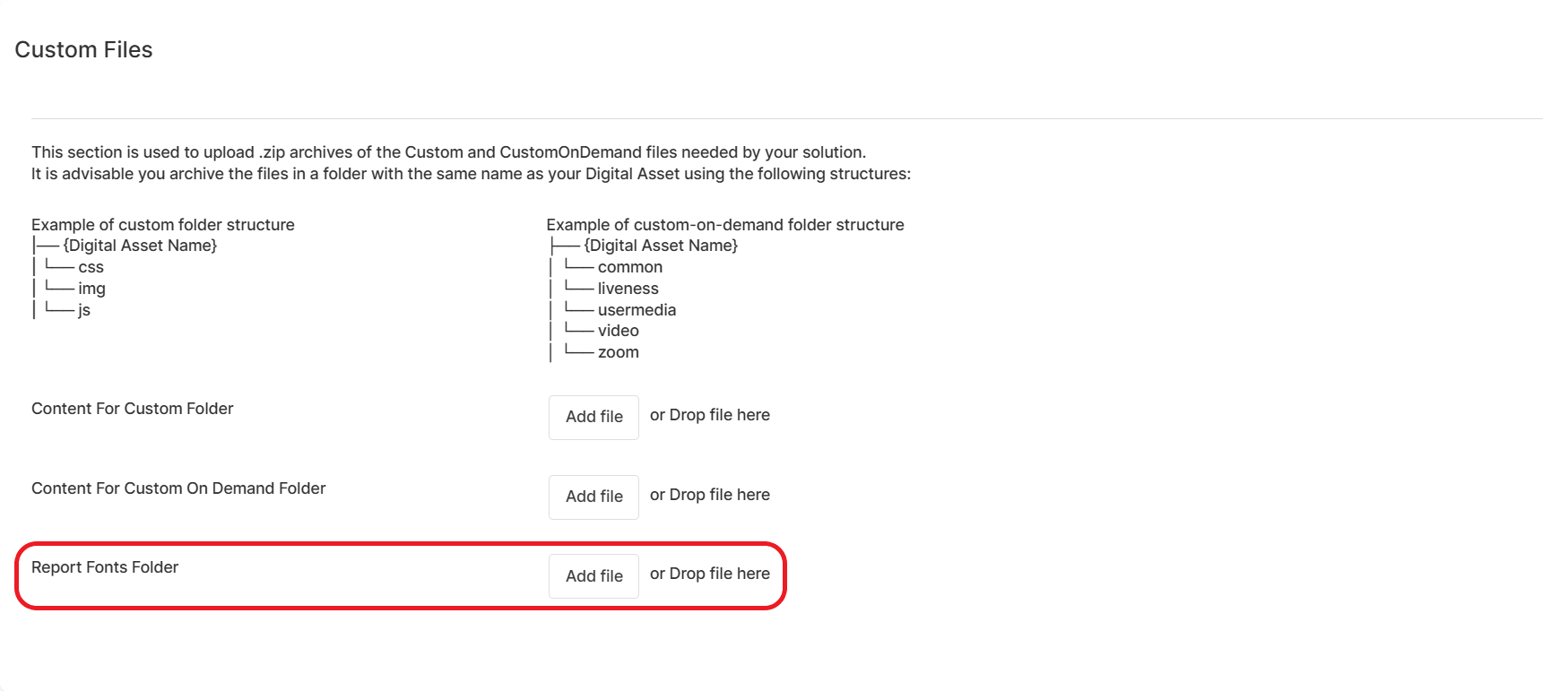
You can now use custom files to manage font files for your document templates. This allows you to deploy custom fonts on your environments by importing digital solution packages.
Fixed Issues
| No. | Summary |
|---|---|
| 59735 | Under high database loads, the journey analytics were skipping records and experiencing delays in display times. |
| 60138, 66927 | When generating reports, missing font files required by the report's document template defaulted to a generic font. This issue has been resolved with the introduction of a new feature which enables users to include Custom Fonts for Document Templates in their custom files. |
| 61247, 66838 | The authentication token API was experiencing extended response times and timeouts. |
| 64775 | The Product Factory interface would freeze when mapping formula steps to lexicon terms. |
| 66221 | Attempting to display a view for roles with business unit or parental scope produced an error. |
| 67640 | An error message was displayed when attempting to reorder option set items and the reorder failed. |
| 67731 | The generate quote API did not accept array input values. |
| 68926 | Virtual attributes from flow control rules were not visible in the Flow Control and Actions tabs. |
| 69975 | Custom favicons applied in portal profiles were not displayed correctly in FintechOS Portal. |
| 70153 | The placeholder and preferred countries for the phone placeholder UI templates did not work as expected. |
| 70260 | Attributes ebs.UserRoleNames and ebs.UserId were no longer available. |
| 70349 | When attempting to retrieve attributes metadata for a record, the payload did not match the expected structure. |
| When switching the Journey Designer view from desktop to mobile, integration elements remained in desktop mode. | |
| In the Journey Designer integrations editor, the logo and tags container widths were not limited, leading to situations that required horizontal scrolling to compensate content overflow. | |
| n/a | Fixed a previous known issue where Campaign Management stopped working if the number of stages currently exceeds 50,000. The limit was previously set at 5,000 |
Known Issues
-
If a deployment package contains a form that hasn't changed from the previous version which has a default navigation step enabled, the import will fail.
Workaround: Make a dummy change to the form or import a package that does not include the unmodified form.
-
Deployment packages from version 24.2.0 or earlier that contain form section rules will be ignored during import.
Workaround: Re-export the package from a 24.2.1 environment.