Login Screen Themes
The FintechOS platform offers a variety of tools to personalize the appearance and functionality of your digital solutions. You can design and customize B2C Portals to present your solutions to customers, or refer to this guide for detailed customization options. Additionally, you can modify the login screen themes for both your Studio and Portal. FintechOS Platform v24.3 provides enhanced tools that make this process even more seamless.
Edit the Theme
-
Go to an environment with v24.3 and create a digital solution package, as explained on the Digital Solutions Packages page.
-
Include the UI theme associated with the Portal Profile in the package. Export the package.
-
Open the package locally and edit the themes, as explained on the themes documentation page.
-
Import the edited package in Studio, as explained on the Digital Solutions Packages page.
If you're using the SysPackageDeployer to upload the package, make sure to configure the settings added for IDP themes in the .config file as explained on the Importing and Exporting Packages page.
Update and Upgrade
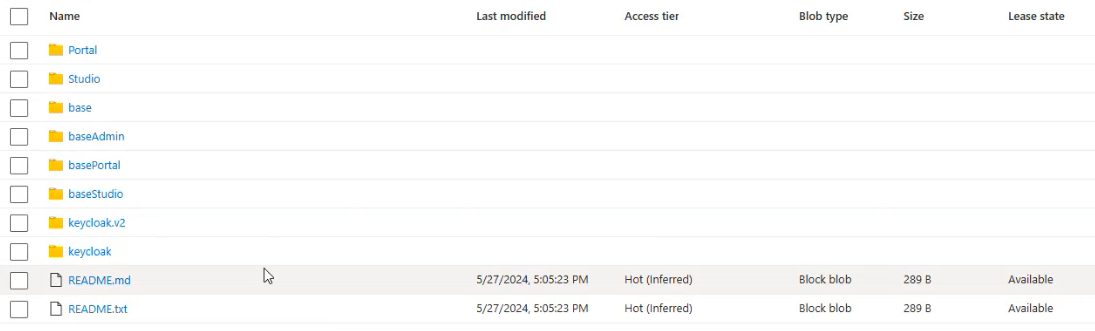
At clean install, the themes are automatically applied to the environment. If you've customized the Studio and Portal themes in versions prior to v24.3, you should considering several changes when updating or upgrading. One of the change is that the themes are now hosted in the container named container-keycloack-themes in Azure, and not the idpthemes container as in previous versions.
When you're updating from a minor version to another, for example from v24.2 to v24.3, the IDP themes should automatically be updated with the latest changes.
When upgrading from one major version to another, for example from v22.x to v24.3, the theme files are overwritten with the v24.x ones. If you have custom themes on v22.x, it is mandatory to manually adjust them for the upgrade.
Be aware that a number of files have changes in the 24.3 version, for example, in the baseStudio/login/login.ftl file, the "loginAccountTitle" parameter was removed. So you should be aware of this at upgrade. Another changed file is index.ftl, the productNameFull was removed.