Create Products
The core of Product Factory is the Product Designer, FintechOS’ solution for building banking and insurance products. The products are based on types that allow you to customize key features like amounts, durations, fees, interests, etc., all streamlined in a unified user experience that is highly configurable and easy to use. To create products, you can either:
- Use Built-In Product Types that are available out-of-the box for a variety of use cases, such as BNPL, current accounts, mortgages, or insurances.
- Create your own Custom Product Types tailored to your specific business requirements.
- Use Templates which are based on existing product types, but also include pre-populated data that illustrates the supported capabilities and possible configuration options for that product type.
Create a Product Based on a Product Type
- Go to Main Menu > Products > Products.
- Click + New Product.
- Browse the available product types and select one.
- Use the sentence-based interface to configure your product (see Built-In Product Types for information on how to configure the various built-in product types).
Use Dex to Create a Product Based on a Template
HINT
You can also choose a product template directly from the Templates screen. For more information, see Create a Product Based on a Template.
You can also choose a product template directly from the Templates screen. For more information, see Create a Product Based on a Template.
Dex can help you select a product template that matches your requirements. Either click the Dex assistant button in the top right corner of FintechOS Studio, or, at the bottom of the New Product screen, click the Search with Assistance button.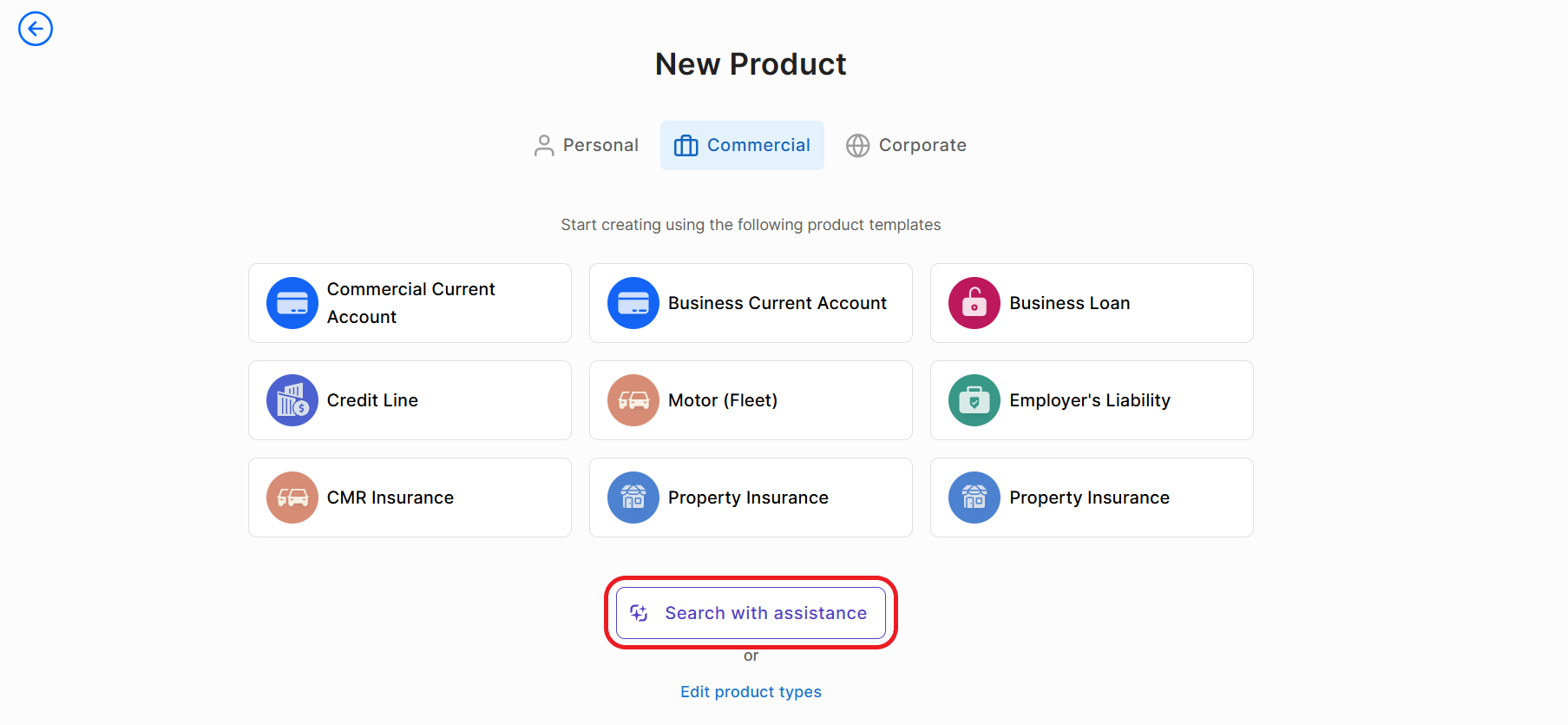
- Interact with Dex to provide details about the product you want to create.
- After collecting enough information, Dex generates a list of relevant templates. Click the Open list button to view the suggestions.
- Hover over a proposed template and click either Use to pre-populate the product settings or Preview to examine the template further before making a decision.