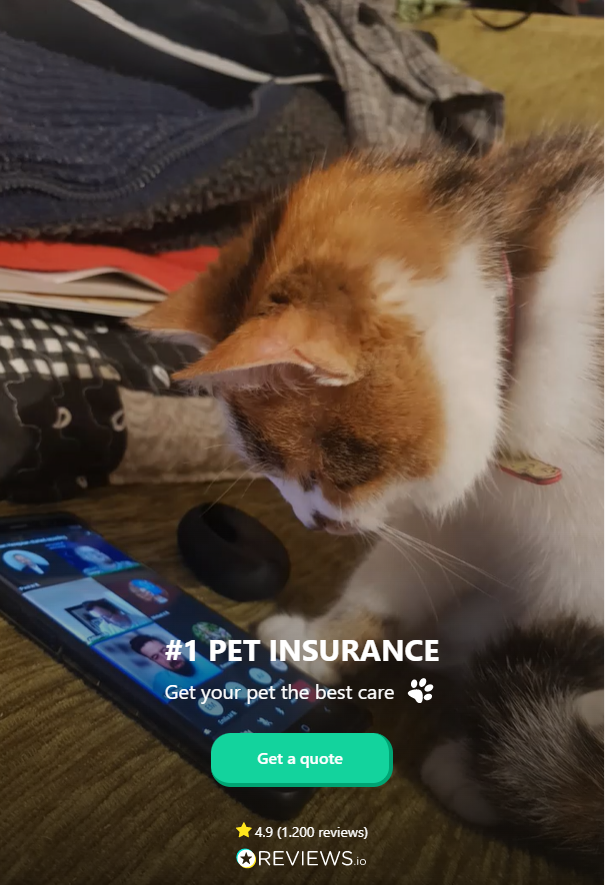
Landing Page
This screen allows the pet owner to easily initiate the pet insurance quote and buy flow. Since this step is configurable, the insurer can easily add their logo and a picture or video of choice, in order to make this step relevant and also engaging to both cat and dog owners.
From here: When the user taps Get a quote!, the flow is launched and the Pet Name screen is displayed.
On-Screen Assets
The following user interface components are included with the Landing Page screen:
| UI Components | Description |
|---|---|
| Heading Title | The following heading title is displayed in the bottom section: #1 PET INSURANCE |
| Subtitle | The following subtitle is displayed under the heading title: Get your pet the best care |
| Text | The following text is displayed above the Reviews.io logo: Rated 4.9 (1.200 reviews) |
| Action Button | Get a quote! - button used to launch the quote and buy flow. |
| Image 1 | Reviews.io logo - From the public domain, released under the Creative Commons (CC0) license. |
| Image 2 | Pet paw - From the public domain, released under the Creative Commons (CC0) license. |
| Video | Happy pets (background video) - From the public domain, released under the Creative Commons (CC0) license. |
For details about the default UI style components used for creating the journey, consult the UI Style Components list on the Customer Journey page.
Below is an example of the Landing Page screen: