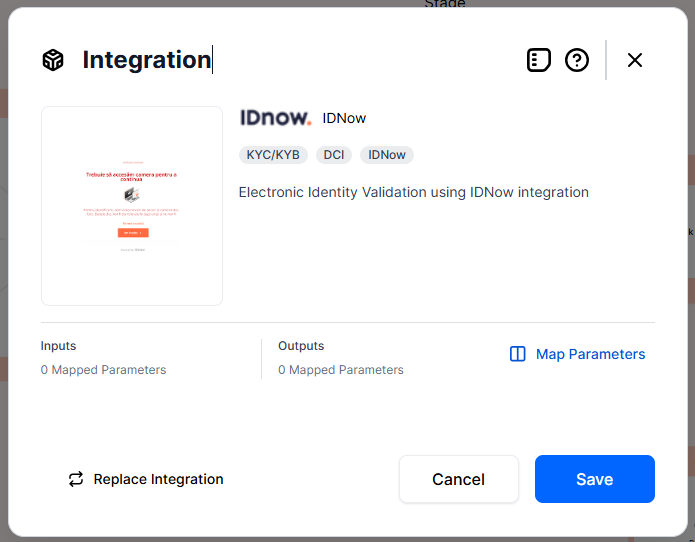
IDnow
IDnow (formerly AriadNext) is a digital identity verification provider that delivers complete KYC (Know Your Customer) flows — including ID document scanning, document validation, document biometric liveness, and user liveness checks. It operates through two main products:
-
ADR flow (IPS – Identity Proofing Service) — eIDAS-certified and ADR RO-Gov certified for Romanian documents. FintechOS is also ADR certified through IDnow.
-
Non-ADR flow (CIS – Customer Identity Service) — for the rest of the world.
Map Parameters
-
To add IDnow integration to your Customer or Backoffice Workflow, click the "+" symbol and pick Integration from the modal.
-
Click IDNow eIDV. Add a name to the integration.
-
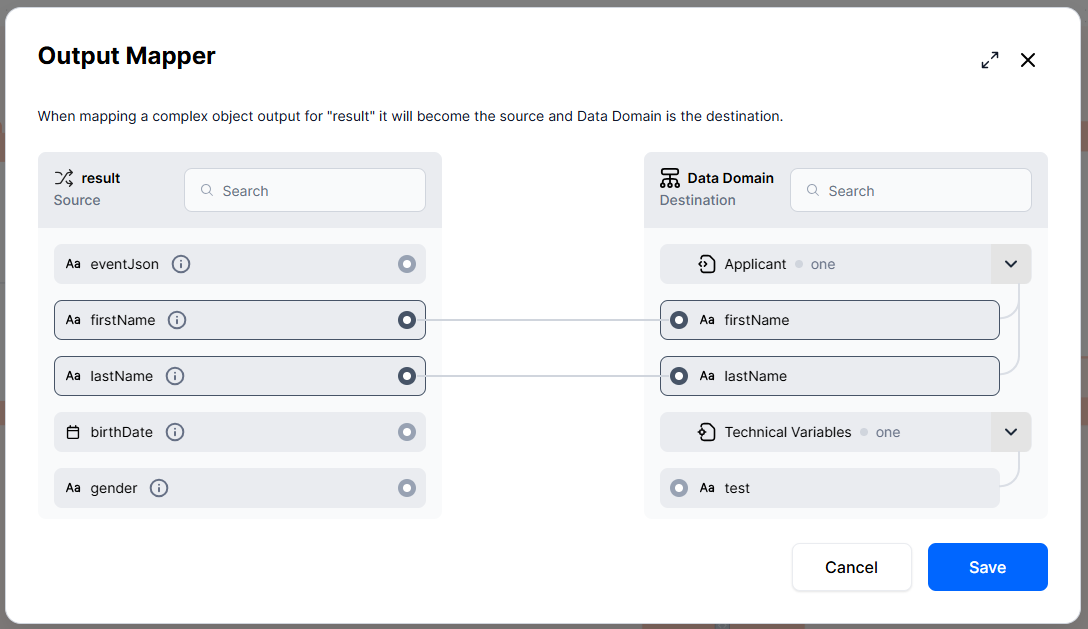
Click Map Parameters. This opens a data mapper where you link each parameter to a Data Domain attribute. The values are retrieved async.
 NOTE
NOTE
The IDnow integration does not receive input parameters, it simply performs the KYC process and returns the values that you then map in Outputs.
Configure Integration
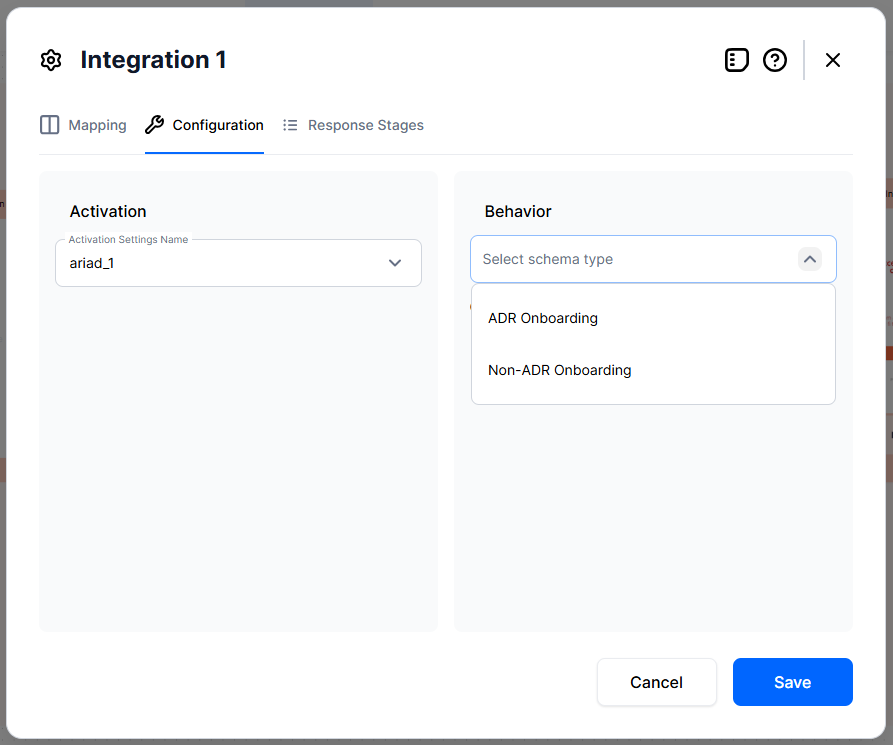
After mapping parameters, the Configuration section lets you define how the platform authenticates to IDnow and how it behaves at runtime, including UI branding. If an integration does not support complex configuration, both Activation Settings and Behavior Settings are disabled. An informational message explains why the settings cannot be interacted with. This applies by default to all custom services.
Activation
In Configuration Manager, you define how you want the IDnow service to authenticate. Some services use bearer, webhook, subscription keys. Here, you add the settings name.
Behavior
IDnow automation block has two possible behavior schemas:
-
ADR Onboarding: mandatory flow for Romania;
-
Non-ADR Onboarding: flow for the rest of the world.
The behavior schema functions based on JSON schema, with a JSON Editor built especially for this to make it easier to work with. Keep in mind, that fields with "*" are required. The available settings are different for each behavior schema.
Set Response Stages
This is especially created for asynchronous integrations, which usually generate events or callbacks (webhooks). This automation block has an async integration because it does not instantly send its responses back.
This section normalizes the data generated after the event, that is to say after the service completes the identity verification and sends back the results to FintechOS. Part of the data is handled by FintechOS Studio in the Output Mapper section, where it stores the returned results from the event back into the Data Domain. The fields here come back asynchronous via the webhook.
On response stages, a provider can send multiple webhooks depending on your settings at provider level. Here, you can instruct the service to let FintechOS Studio know after the user's facial identity was successfully validated, or their ID card, or even after they've signed a document, in the case of other providers. This can act a decision stage to progress the user to a certain screen, for example.
If no response stage is set, the platform considers that there was one single webhook, it maps it and completes the stage.
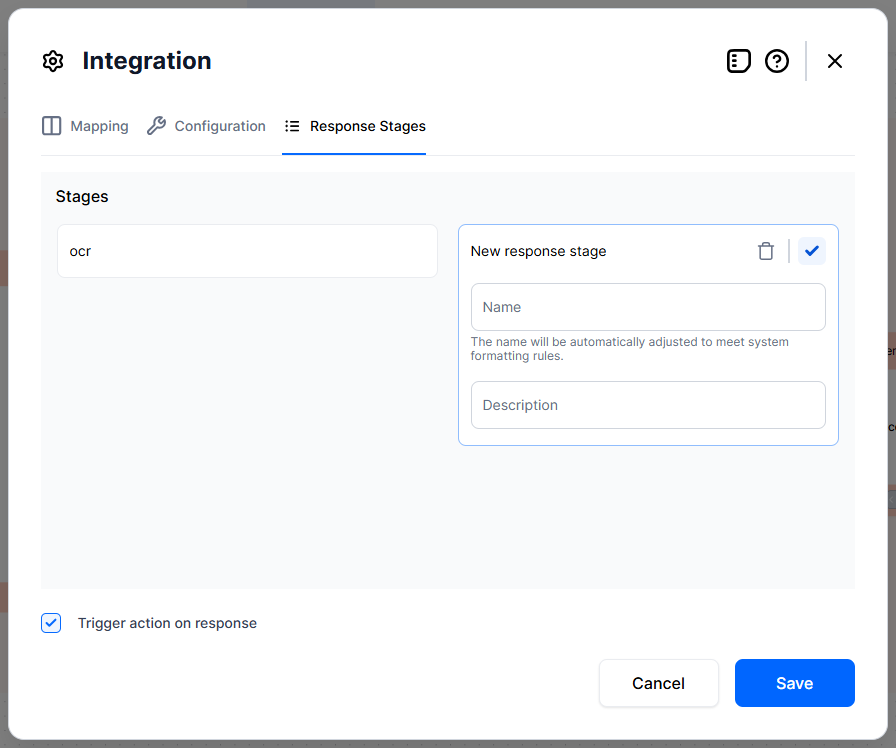
If you know you must receive several stages, you need to define them here. One example is you're expecting to receive the OCR information from an ID (name, address, etc) and the status of the identity verification (passed, failed, etc.). To handle these:
-
Click Add response stage. Add a name and description of the stage.
-
Click Trigger action on response. This automatically generates a BSC service in flow attached to your Integration where you need to specifically code the behavior.
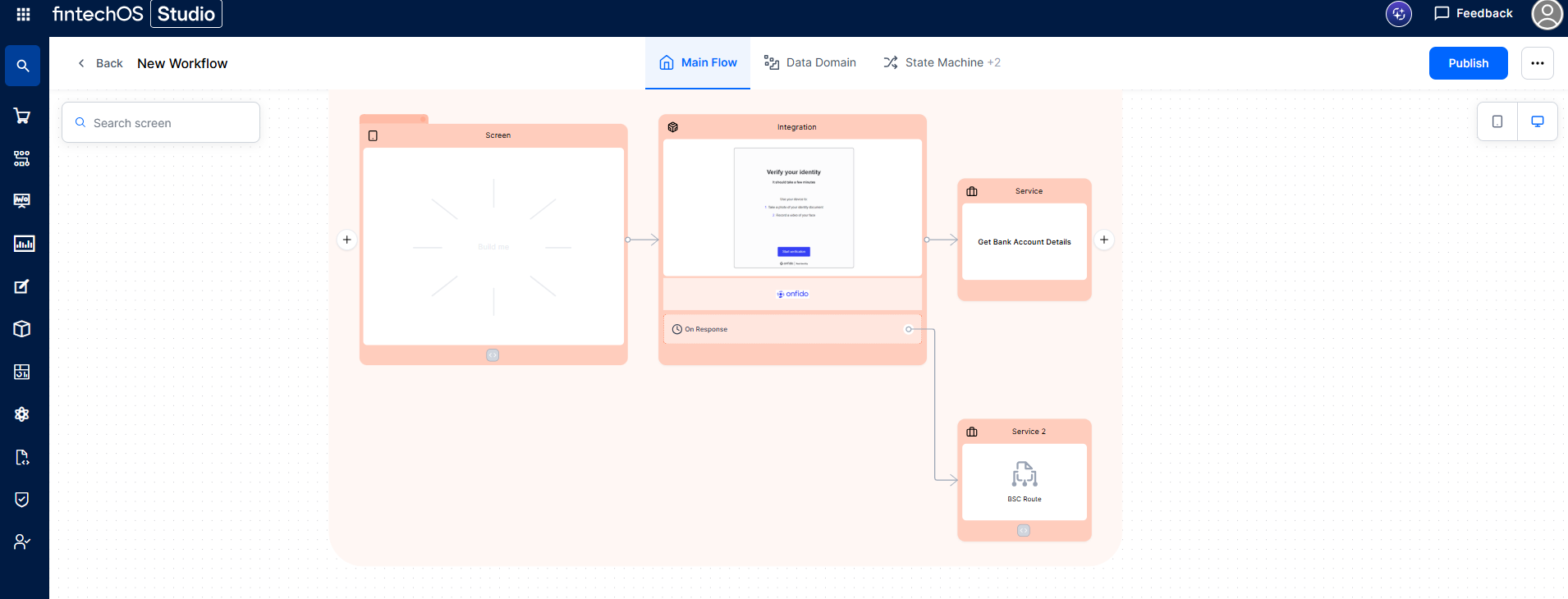
-
Click the BSC Route to open the editor. The payload is in the Output Mapper screen, the
resultin our case.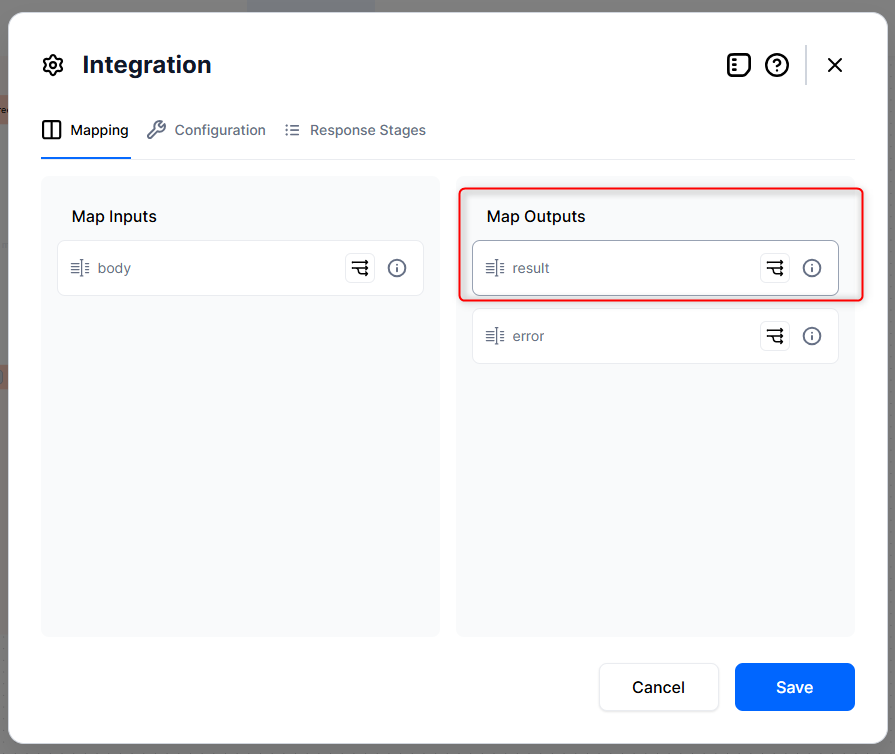
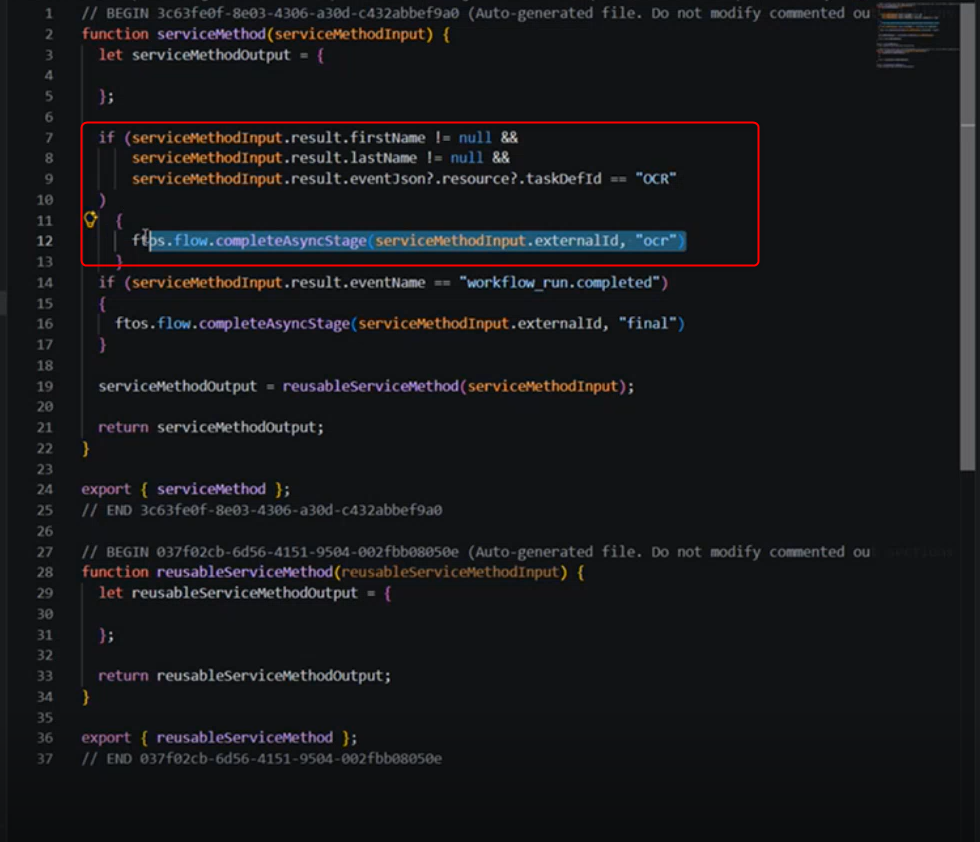
Let's say we receive 12 events back from the service. If inside the OCR event, I get the firstName, lastName, then I want the OCR stage to be marked as completed.
The ftos.flow.completeAsyncStage method marks the specified async stage as completed. You call this method with the appropriate stage name inside the on-response BSC, after inspecting the webhook result data to determine which stage(s) should be progressed.
The flow can contain On Hold screens. This is a process stage in which the workflow is paused and awaiting an action. This handles situations when the data is received async.
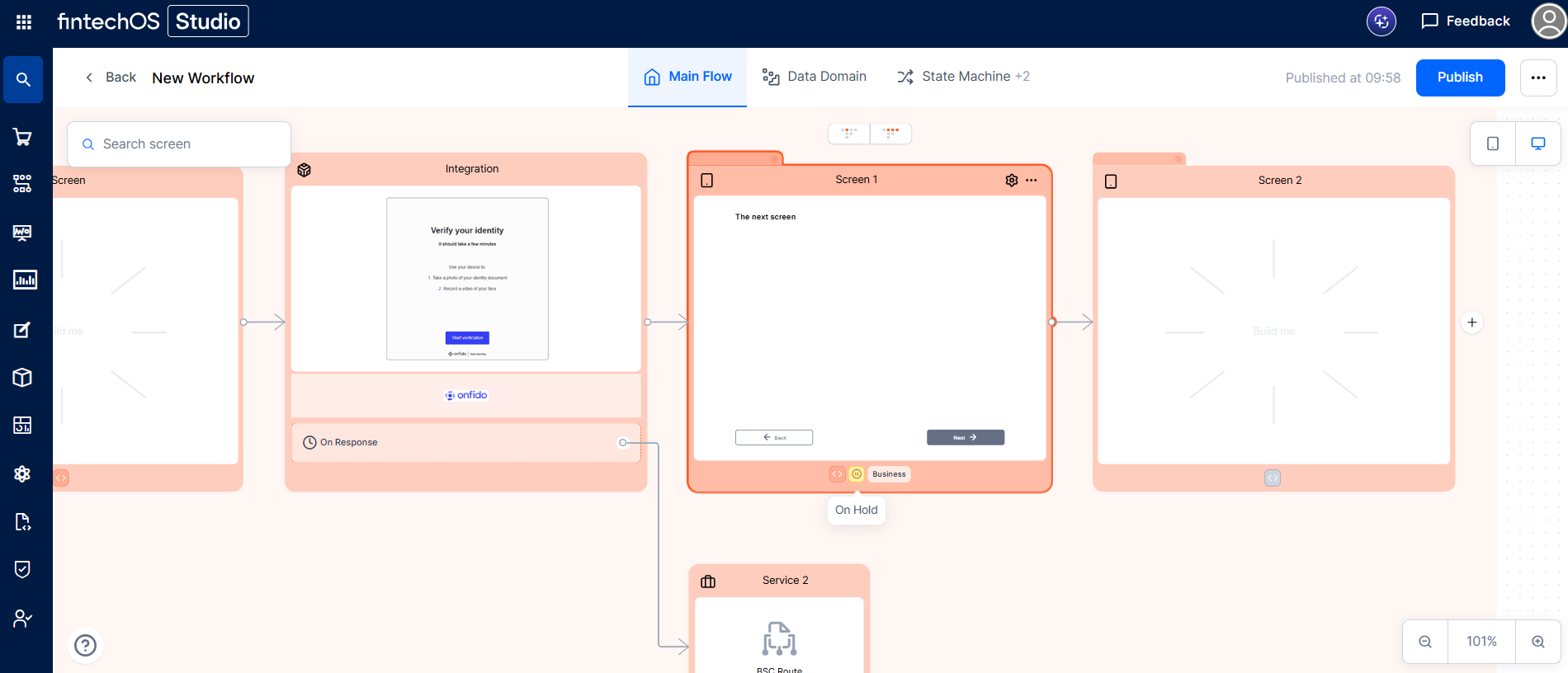
The data flow is like this: the Integration step sends data to the service, which async sends back bits of data through multiple webhooks. The data is processed in the Service: BSC Route, which then send the data to the On Hold screen depending on the response stage, which is set in the Screen's Settings modal > Resume Behavior:
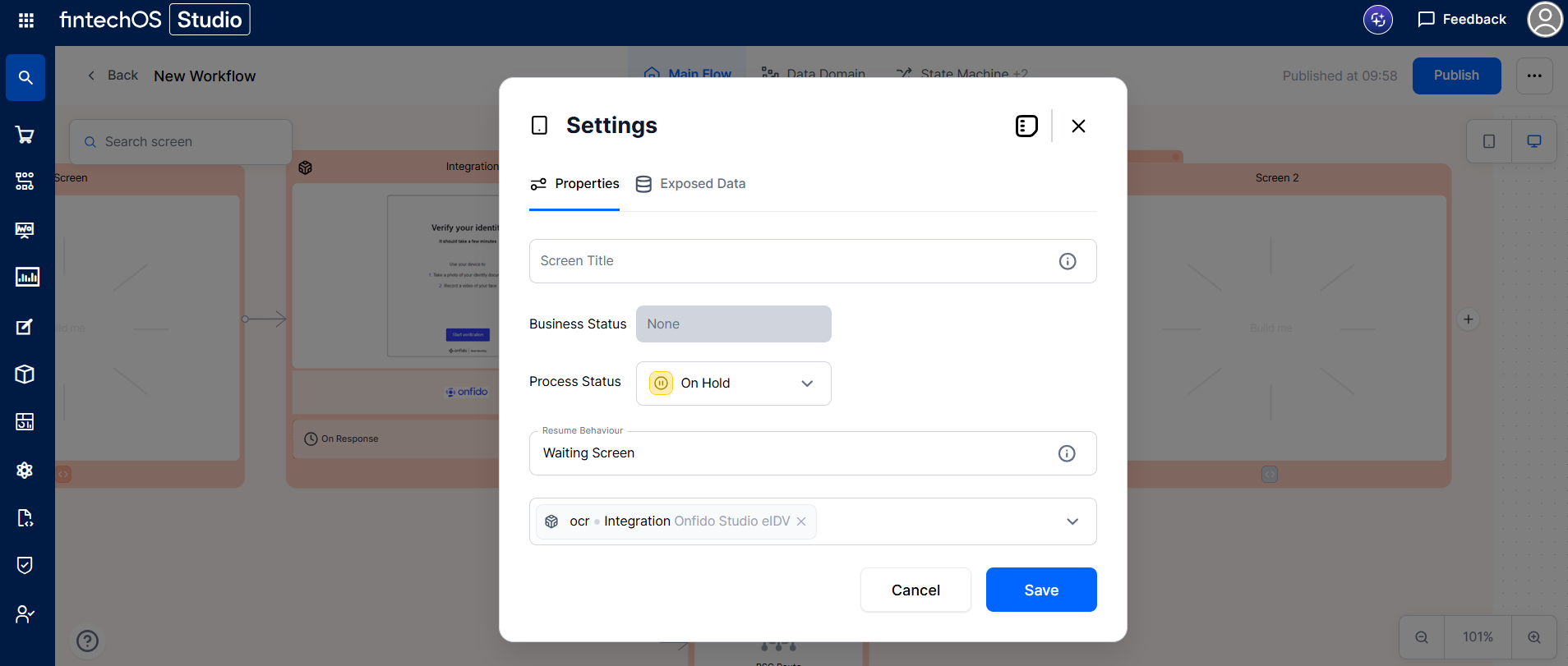
The On Hold screen is unblocked, and the user can progress to the next screen.