Rule Parameters Mapping
After defining a business rule (see Define Business Rule Expressions), you can map its inputs or outputs to a master entity's attributes. To do so:
- In FintechOS Studio, select Main Menu > Products > Rule Parameters Mapping.
- Select Insert to add a new one, or Delete to erase a mapping.
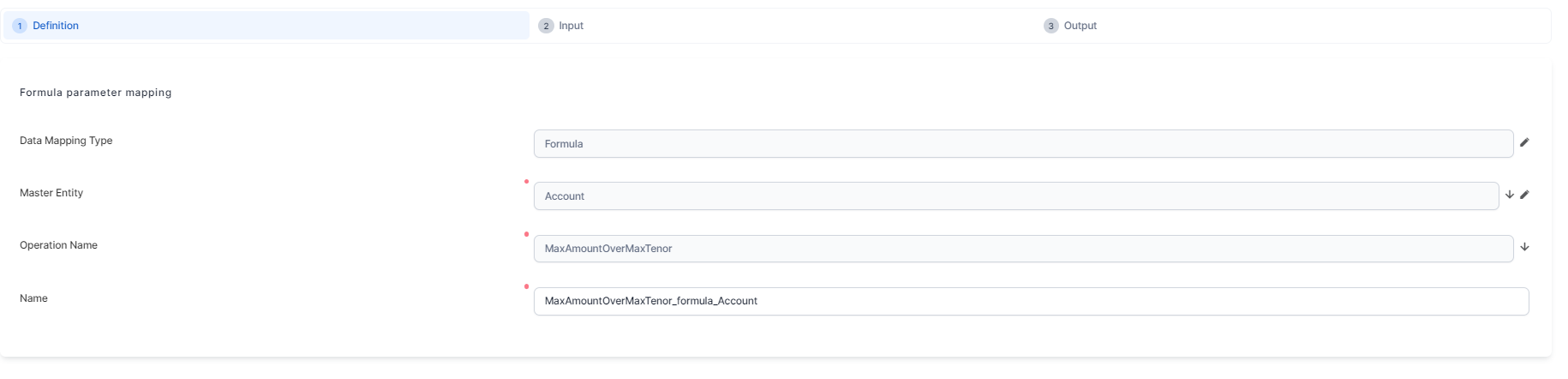
- To create a new one, fill in the following:
- Data Mapping Type:
- formula
- insurance type.
- Master Entity: Choose the entity from where you wish to retrieve/save the data.
- Operation Name: Choose the desired business rule.
- Name: Insert a name for the mapping.
- Data Mapping Type:
- Click Save and reload.
- Click Input to map the rule inputs to the entity attributes.
- Click Save and reload.
- Select the Output tab to map the rule results to the entity attributes.
- Click Save and Reload.