ftos.flow.completeAsyncStage
(FintechOS v8.1 and later)
Marks a specific completion stage as complete within an async integration process (FlowProcessItem). This is used in multi-stage async integration workflows where a single async process has multiple completion checkpoints.
This is used in Integration or ExternalStep flow steps that require multiple asynchronous callbacks to complete. For example:
- A document processing workflow that needs OCR → extraction → validation callbacks
- A payment process requiring authorization → capture → settlement notifications
- An underwriting process with multiple decision stages.
This method should be called only when the user will define in workflow On Response for an async integration:
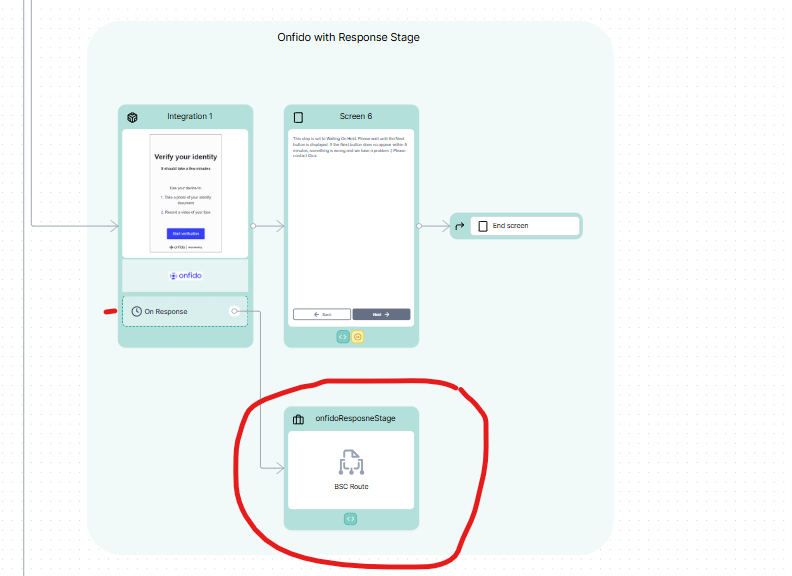
For this step onfidoResponseStage, a method in BSC will be automatically generated. This method will be called automatically by the webhook of the integration and it will receive as parameters an object with properties: externalId (string) and result (any).
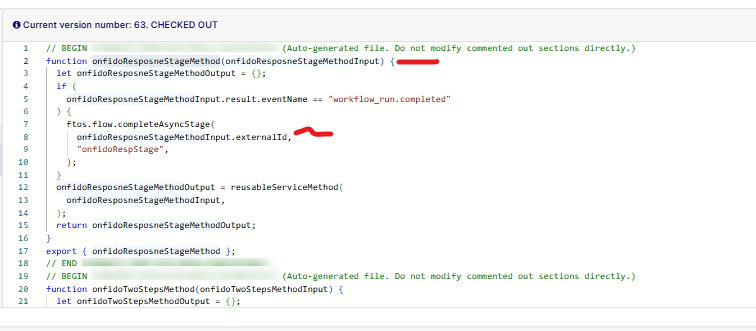
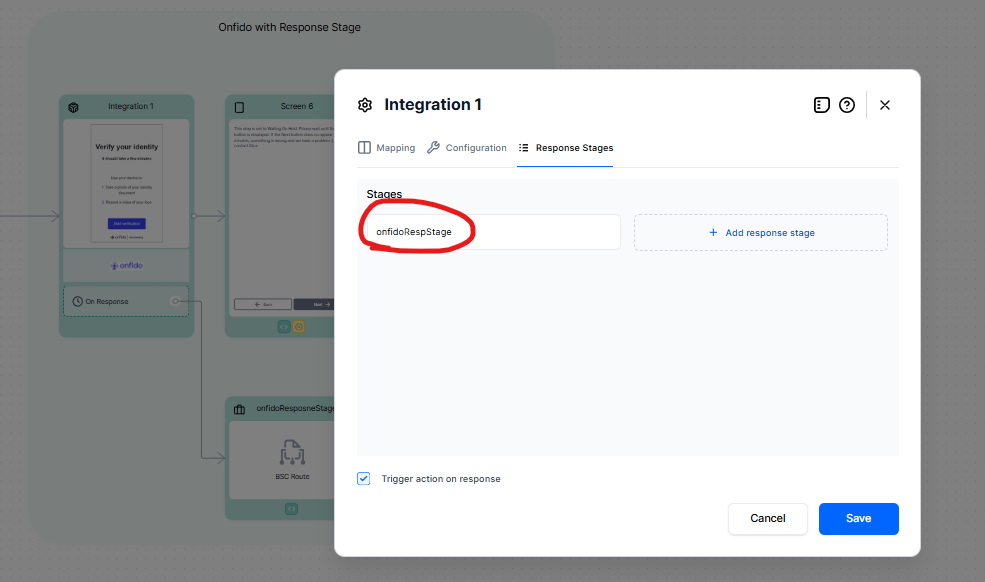
So for calling ftos.flow.completeAsyncStage(externalId: string, stageName: string), externalId will be taken from the input of the method. The stageName should be one of the stages defined by the user in Response Stages:
Syntax
ftos.flow.completeAsyncStage(externalId: string, stageName: string)| Parameter | Description |
|---|---|
externalId
|
The external ID of the FlowProcessItem (async process tracking record). |
stageName
|
The name of the stage to mark as complete. |
Result
It performs the database update and returns nothing. You use it for its side effect (marking a stage as complete), not for a return value.
Example
Scenario: External webhook completing a stage
 // Example: Webhook handler in a BSC route after receiving external system callback
 async function handleDocumentProcessingCallback(payload) {
     try {
         // Extract the external ID from the webhook payload
         const externalId = payload.processId; // e.g., "3fa85f64-5717-4562-b4fd-2c963f66afa6"
         const stageName = "ocr_complete"; // Stage name defined in flow configuration

         // Mark the OCR stage as complete
         await ftos.flow.completeAsyncStage(externalId, stageName);

         // No return value - just continues execution
         console.log(`Stage ${stageName} completed for process ${externalId}`);

     } catch (error) {
         console.error("Error completing stage:", error.message);
         throw error;
     }
 }
Multi-Stage Example
// Flow configuration defines multiple stages
 // ConfigurationJson.ExternalEngineSettings.Stages: ["authorization", "capture", "settlement"]

 // First callback - authorization complete
 await ftos.flow.completeAsyncStage("abc-123", "authorization");
 // Process status is still "waiting" (2 more stages to go)

 // Second callback - capture complete
 await ftos.flow.completeAsyncStage("abc-123", "capture");
 // Process status is still "waiting" (1 more stage to go)

 // Third callback - settlement complete
 await ftos.flow.completeAsyncStage("abc-123", "settlement");
 // NOW the entire FlowProcessItem is marked "completed" and flow resumes
Default Stage Example
// If no custom stages are defined, a default stage is created automatically
 // Stage name: "ftos_default_stage"

 await ftos.flow.completeAsyncStage(externalId, "ftos_default_stage");
 // This immediately completes the entire async process