FintechOS Platform 24.2.1
October 30th, 2024
This release of the FintechOS Platform brings improvements to the Product Factory, Journey Designer, the FintechOS IDP, and other platform functionalities.
Mandatory Changes
The following input parameters for the Product Factory's Calculate Annuity API have been renamed:
PeriodicityTypewas renamed toPeriodType.ActivationDatewas renamed toFirstDueDate.
What's New
Business Unit Sync with IDP
In an earlier release, we integrated business units with IDP, where you could source business unit definition and assignment directly from the Identity Provider (IDP). Now, we are introducing a new configuration key to enable or disable the sync between business units and data access in FintechOS, ensuring that these groupings are consistently reflected in access permissions.
These enhancements streamline data governance and improve access management across teams. Read more in the documentation.
SSRS Custom Reports
Custom reports based on SQL Server Reporting Services (SSRS) have been re-enabled, allowing you to generate reports that meet financial compliance standards.
Digital Journey Clones
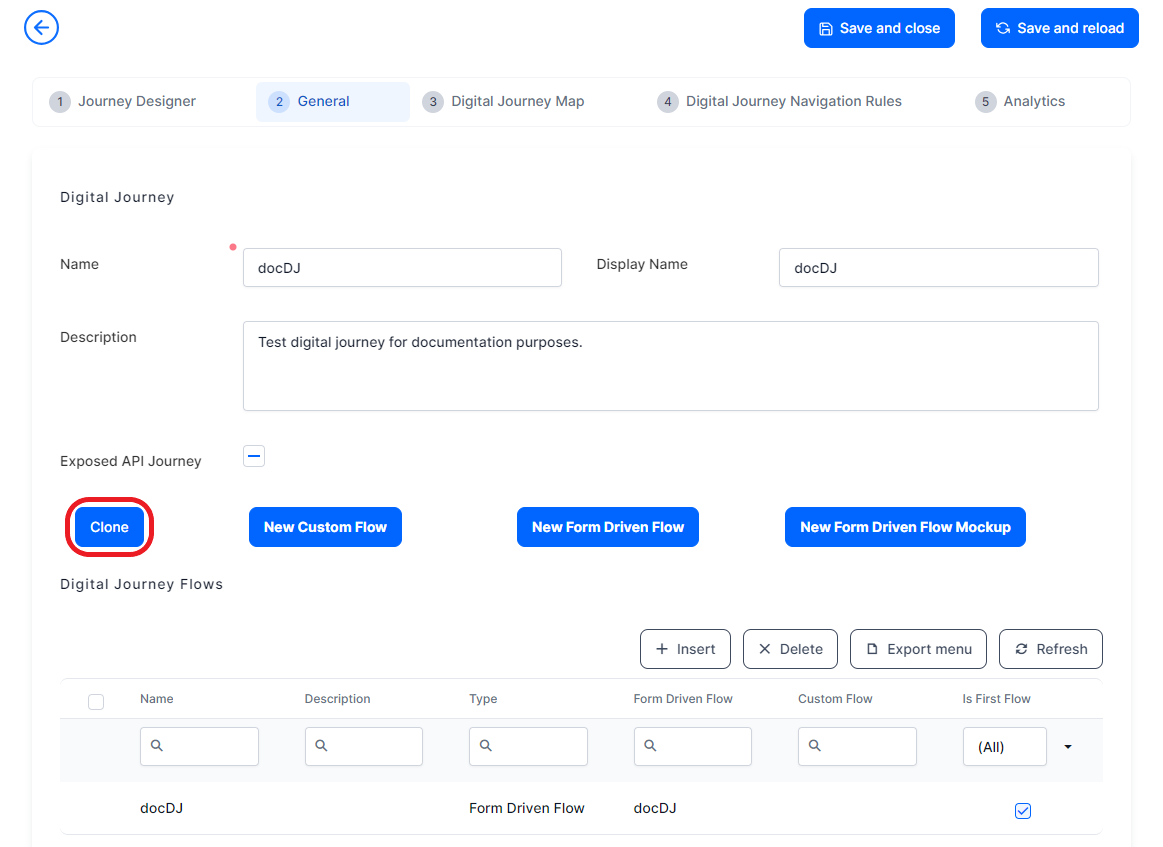
The cloning functionality has been extended to digital journeys. A new Clone button is available in FintechOS Studio under the General tab of digital journeys, enabling you to easily replicate both the journey and its associated flows.
Simplified Form Fields for Lookup Attributes (Select Box)
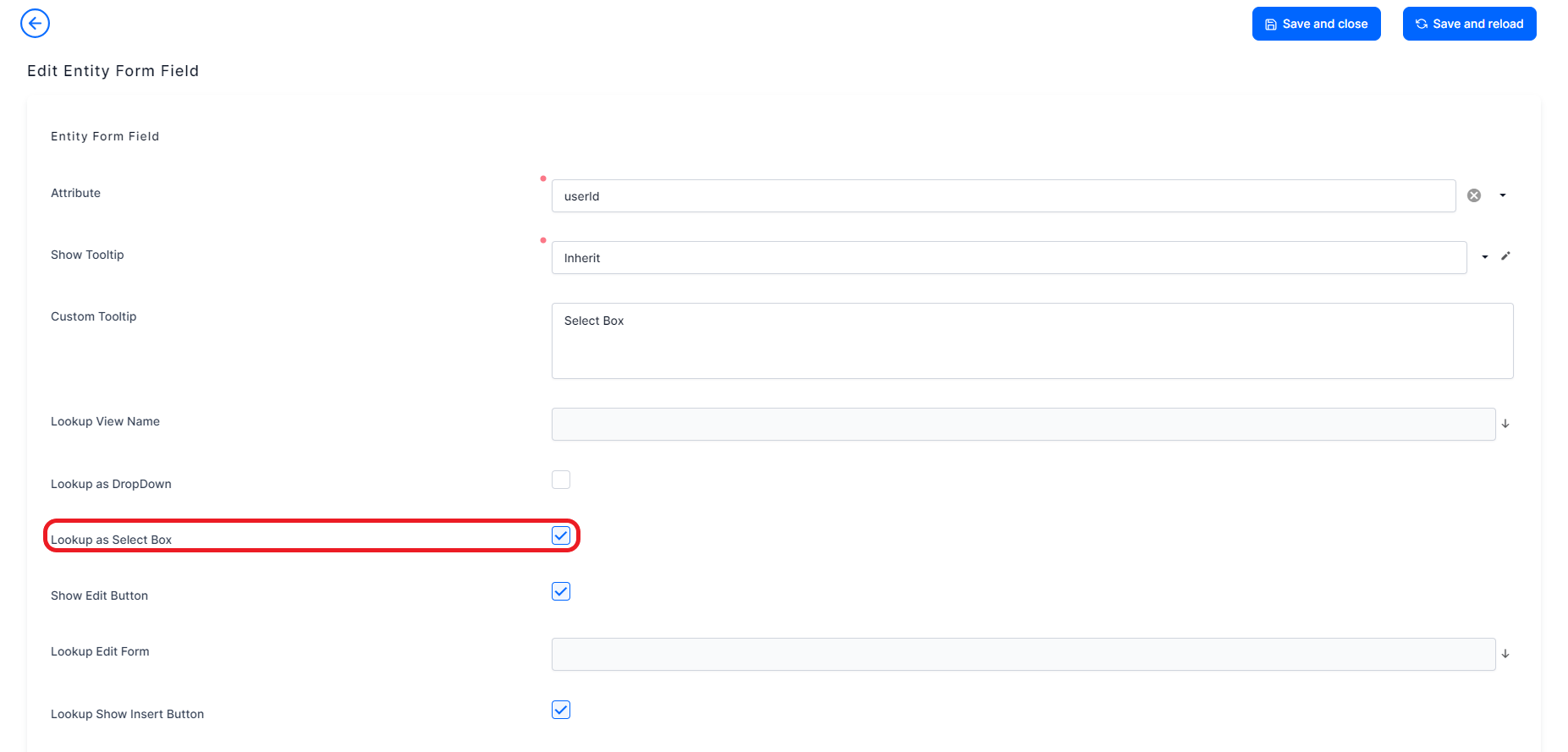
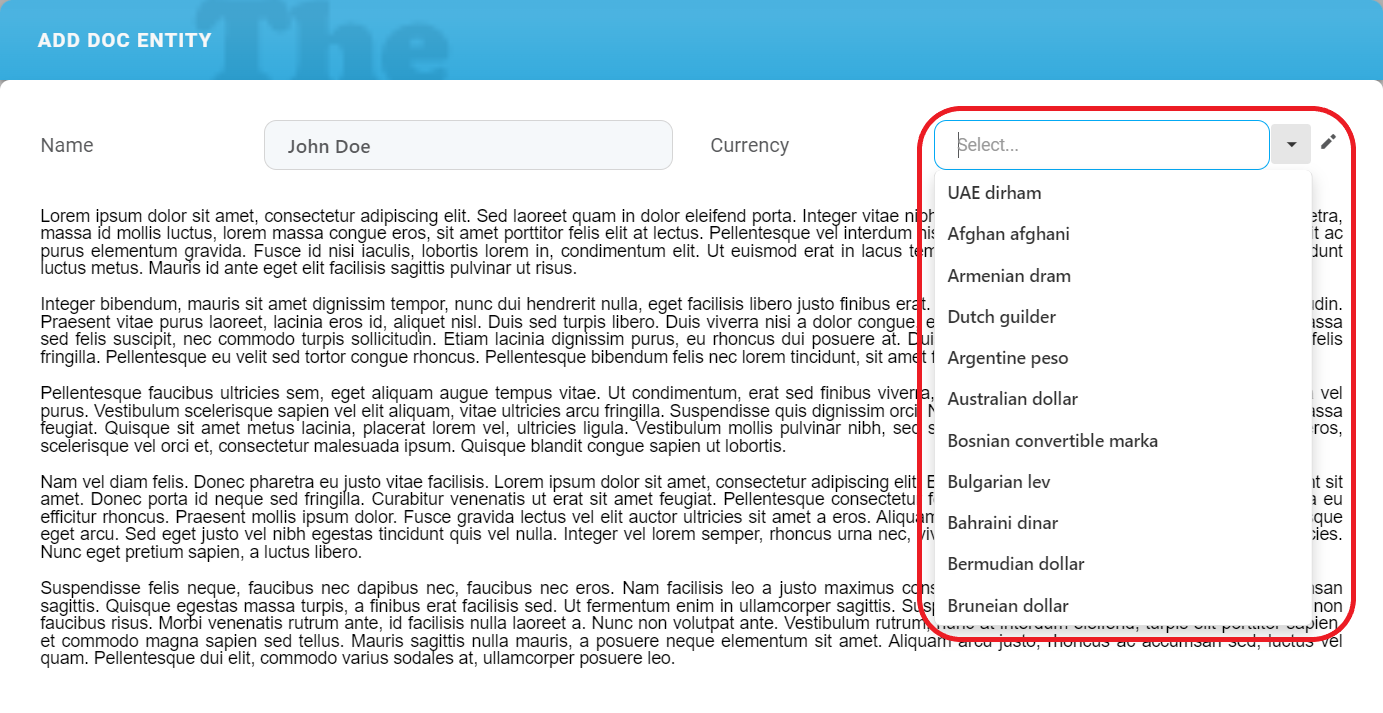
A new option, Lookup as Select Box, is now available in the FintechOS Studio Field Options screen for lookup attributes. This option displays a simplified list containing only the values from the first column of the referenced entity’s data view. This streamlines the user experience for simple selection tasks, by eliminating unnecessary grids and headers.
 →
→ 
Product Factory
Automatic Trimming of Leading/Trailing Whitespace in Product Data Sets
When passing values into product data sets, all leading and trailing whitespace (including spaces, tabs, and other blank characters) is automatically removed. This ensures accurate data type deserialization for numeric values and prevents incorrect values from being assigned to string data types.
Product Metadata APIs - Enhanced Responses
The product metadata APIs for both insurance and banking products now return additional details to provide more comprehensive information.
API responses for insurance products include new fields under the coverages, subCoverages, and perils properties that outline disbursement conditions:
deductibleValue: The amount that the insured party must pay before the insurance policy starts covering expenses.waitingPeriod: The duration the insured party must wait before the coverage takes effect.waitingPeriodType: The type of waiting period (e.g., days, months).indemnityLimit: The maximum amount payable for claims under the policy.indemnityLimitCurrency: The currency associated with the indemnity limit.indemnityLimitPercentage: The percentage of the policy limit applicable to claims.
API responses for banking products include new attributes that provide full details on repayment and collateral:
repayment: Includes details on repayment schedules, grace periods, and holiday shifts.collateral: Specifies guarantees, coverage percentages, and whether partial releases of collateral are allowed.
These enhancements have been applied to the following APIs:
Pricing APIs - Enhanced Premium Calculation Results
The pricing APIs have been updated to include additional details in their responses. Each object in the premiumCalculationResults property now contains the following fields:
itemId: Unique identifier for the coverage or sub-coverage, useful for distinguishing between items with identical names.itemType: Specifies if the item is a coverage or sub-coverage.parentItemId: If the item is a sub-coverage, provides the ID of the parent coverage.parentItemName: If the item is a sub-coverage, provides the name of the parent coverage.
These enhancements have been applied to the following APIs:
- Get offer pricing calculation
- Get product pricing calculation by product code
- Get product pricing calculation by product ID
Underwriting and Eligibility APIs - Enhanced Underwriting Rules Details
The underwriting and eligibility APIs have been updated to include additional details in their responses. Each object in the rulesResult property now contains the following fields:
formulaId: Identifies the specific formula applied to the rule.lexiconTermName: Indicates the lexicon term associated with the rule.
These enhancements have been applied to the following APIs:
- Run underwriting rules for offer
- Run eligibility rules for offer
- Run underwriting rules by product code
- Run underwriting rules by product ID
- Run eligibility rules by product code
- Run eligibility rules by product ID
Annuity Calculation API - More Meaningful Input Parameters
The input parameters for the Calculate Annuity API have been updated as follows:
PeriodicityTypewas renamed asPeriodTypeActivationDatewas renamed toFirstDueDate
Journey Designer
Default Navigation Paths Labels for Journey Designer Decisions
In the Journey Designer, the previewer now labels the implicit navigation path (used when no conditions are met) as Default navigation. For other conditions, if no specific names are provided, the navigation paths will automatically be labeled as If or Else, depending on the condition type.
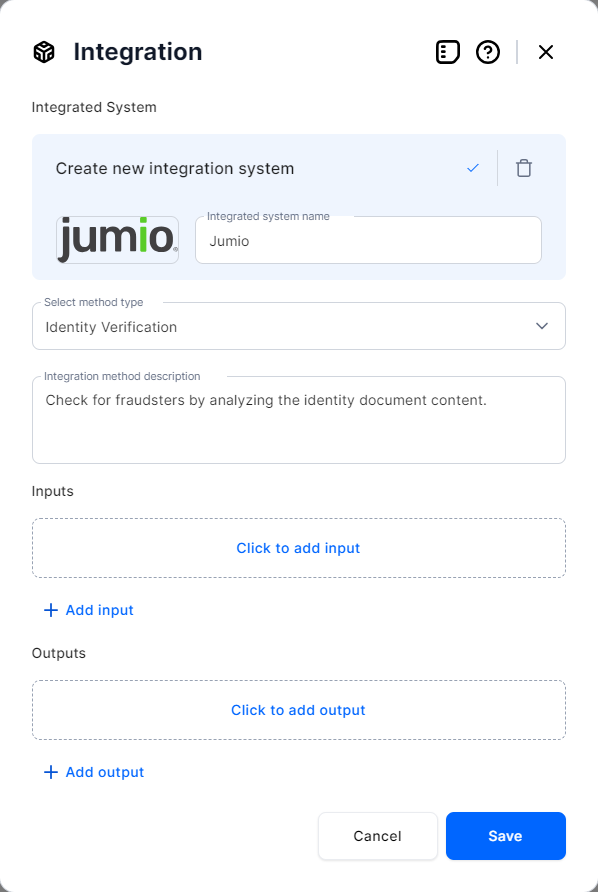
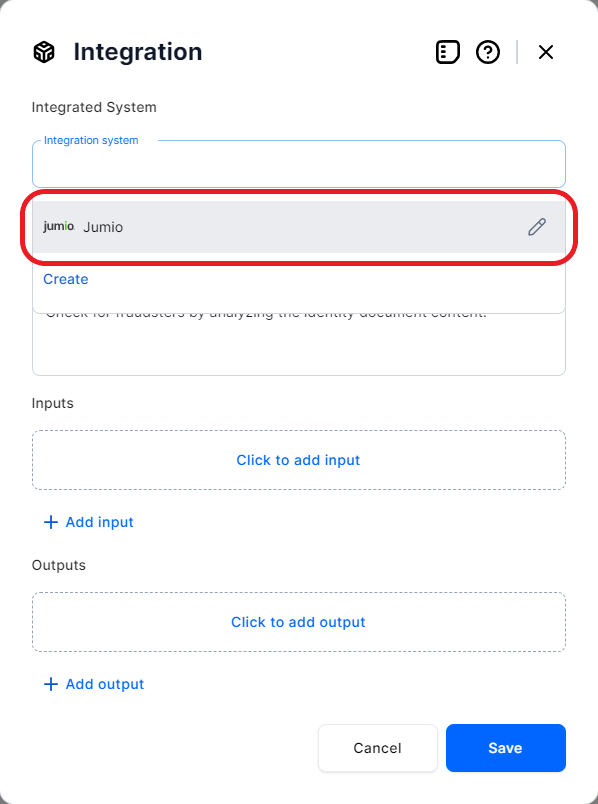
Persistent Integrations
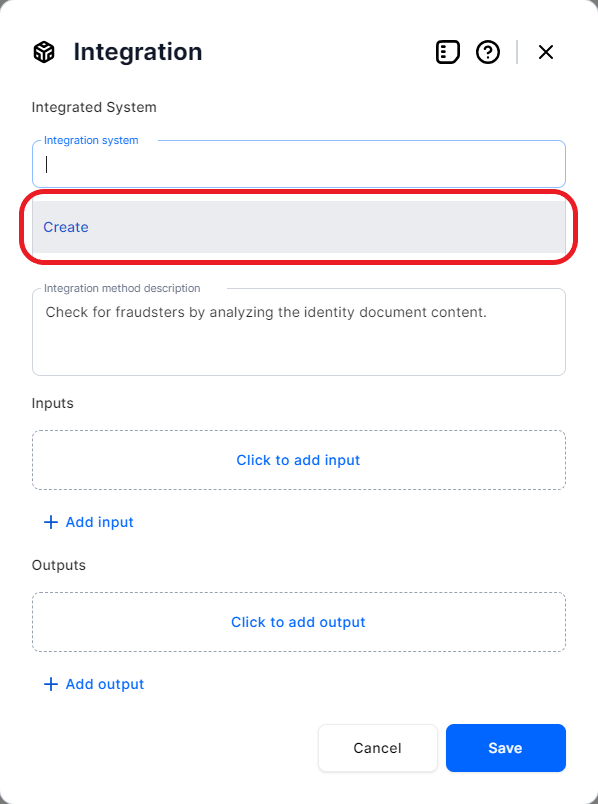
You can now create and reuse integration elements across journeys.
 →
→  →
→ 
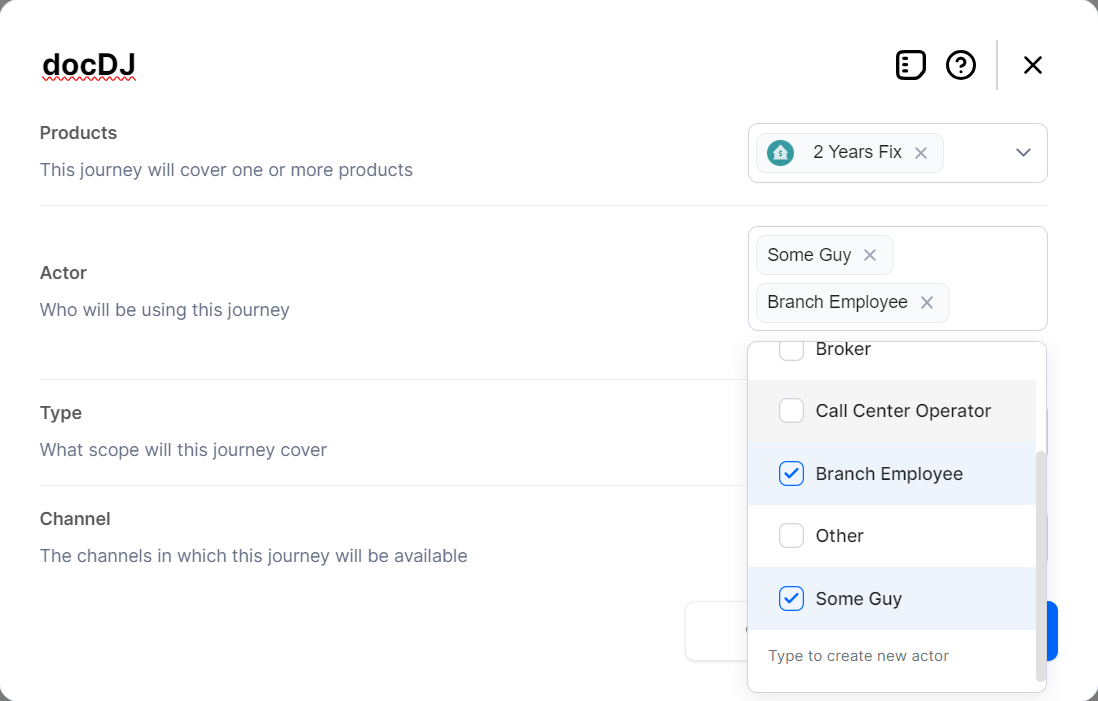
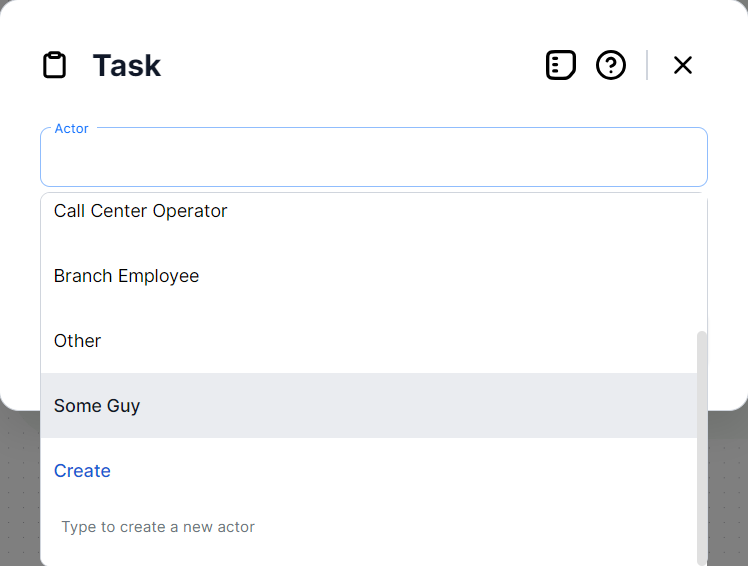
Persistent Actors
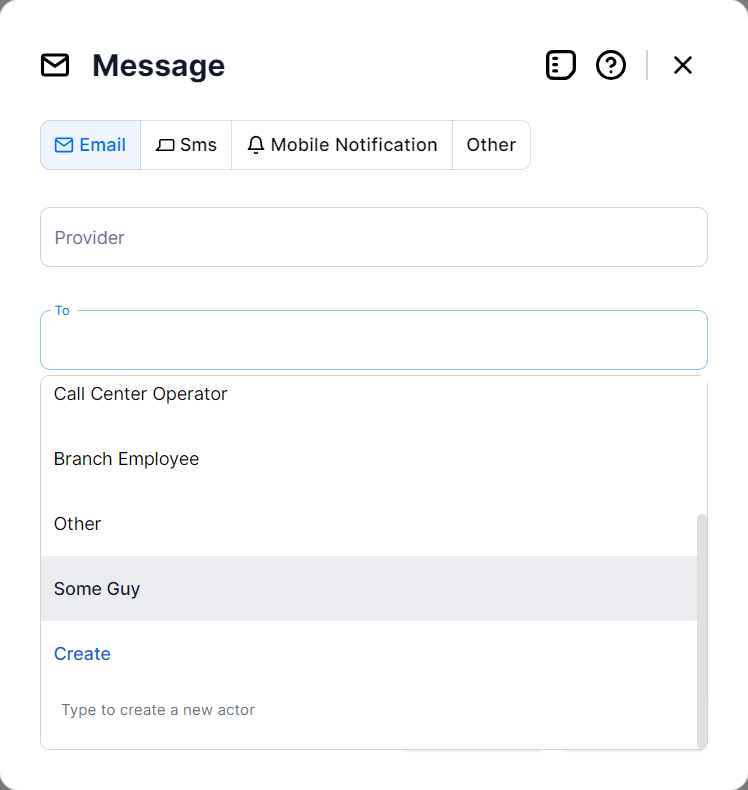
You can now create and reuse actors across journey settings, tasks, and message recipients.
Lock Journeys after Attaching a Data Model to the Associated Flow
Once you convert a digital journey's associated mock-up flow to a regular form driven flow (by attaching a data model), you can no longer make changes to the journey. If you attempt to re-publish the journey, an error message will appear:

Tooltips for Proper Placement of Journey Elements
The pop-up window for adding journey elements now displays tooltips for Stage and Connect To elements if they cannot be placed at the selected location (grayed out), i.e.:
- You cannot add a Stage between two elements.
- A Connect To can only be added at the endpoints of the journey.
Distinct Icons for Filled vs. Empty Specifications Fields
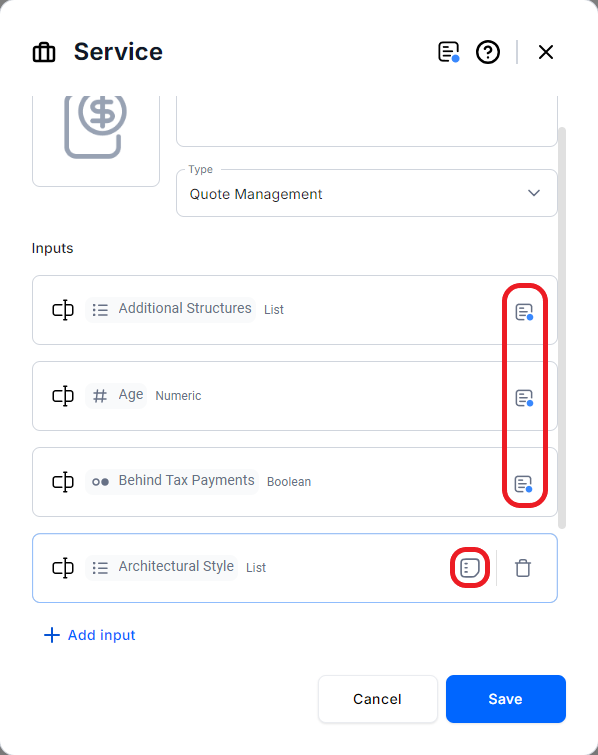
When editing journey elements, item specifications fields with saved content are now marked with a blue dot icon, to distinguish them from items where specifications are still undefined.
Size Limits for Elements on the Journey Designer Canvas
For improved readability, the following elements have text size limits when previewed on the Journey Designer canvas:
- Buttons: 1 row
- Attributes: 1 row
- Tables: 2 rows
Other Quality-of-Life Improvements
- Error Messages for Unnamed Documents - When attempting to save a Document element without providing a name, a reminder will prompt you to fill in the required field before saving.
- Quick Access for Stage Overviews: On the Journey Designer canvas, you can now open a collapsed stage with a single click instead of a double click.
- Highlighted Active Element in Screens: When designing screens, the currently active element has a highlighted border to indicate it is in focus.
- Support for File Attributes: Attributes in screen elements now support file data types.
- Editable Connect To Elements: You can now edit the target navigation of a Connect To element after it has been saved instead of having to delete it and create a new one.
Fixed Issues
| No. | Summary |
|---|---|
| 56172 | App data forms could not be cloned when a digital asset was set as context. |
| 59692 | The maximum length for Email attributes was limited to 50 characters when set to a higher value. |
| 63010 | Fixed a bug that caused the Code Editor to add empty lines to the code every time the file was edited. |
| 63554 | PDF files were rendered incorrectly in B2C flows. |
| 63743 | Adding new languages did not create corresponding localization resources for existing option sets (only for their option set items). |
| 64531 | The code editor didn't open an automation script that was not part of a digital solution package. |
| 64669 | Selecting the false option on a boolean field marked as required triggered a mandatory field exception. |
| 65013 | The ebs.generateGenericControl function was not rendering form controls. |
| n/a | Fixed an issue that prevented Intellisense for imported business service components from working in the Code Editor. |