Accounting Models Scopes
You can manage relevant financial information using the Accounting Scope menu. This menu introduces the scope for accounting a financial transaction.
Creating Accounting Scopes
-
In FintechOS Portal, click the main menu > Ledger > Operational Ledger Settings > Accounting Models Scope.
-
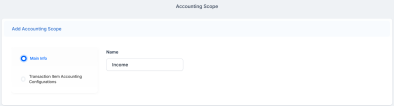
Click the Insert button to add a new accounting scope. The Add Accounting Scope page opens.
-
Fill in the accounting scope Name.
-
Click the Save and reload button.

From here, you can export the transactions displayed in the Transaction Item Accounting Configuration sections.
NOTE
View the configuration of each transaction in the Transaction Item Accounting Configuration section. For more details on creating such transaction configurations, see the Transaction Item Accounting Configuration chapter.
View the configuration of each transaction in the Transaction Item Accounting Configuration section. For more details on creating such transaction configurations, see the Transaction Item Accounting Configuration chapter.