Solution Walkthrough
The Mobile Retail Loan Origination digital journey enables a user to apply for a loan and receive it at the end of the process. It is powered by automation processors such as Predefined Banking Products, Configuring the Business Formulas, and Configuring the Business Workflows Processor. It is configurable to fit the business needs of any financial institution by use of such micro-services.
For example, Jane Doe wishes to travel to the Canary Islands this summer, but she has already spent her wage on car repairs. She scans the loan market and arrives to this solution. Within a few clicks, FintechOS has identified her, has confirmed her income and expenses, has calculated her DTI and can safely approve her a loan to buy the vacation.
The type of destinations for the loan are:
-
Car Loan
- Home Renovation Loan
- Do-it-yourself project
- Medical Loan
- Consumer Loan
-
Vacation Loan
- Not specified.
Below is a UML diagram showing the main actions that the user takes to create a loan. For details, see Configuring the Business Workflows Processor.
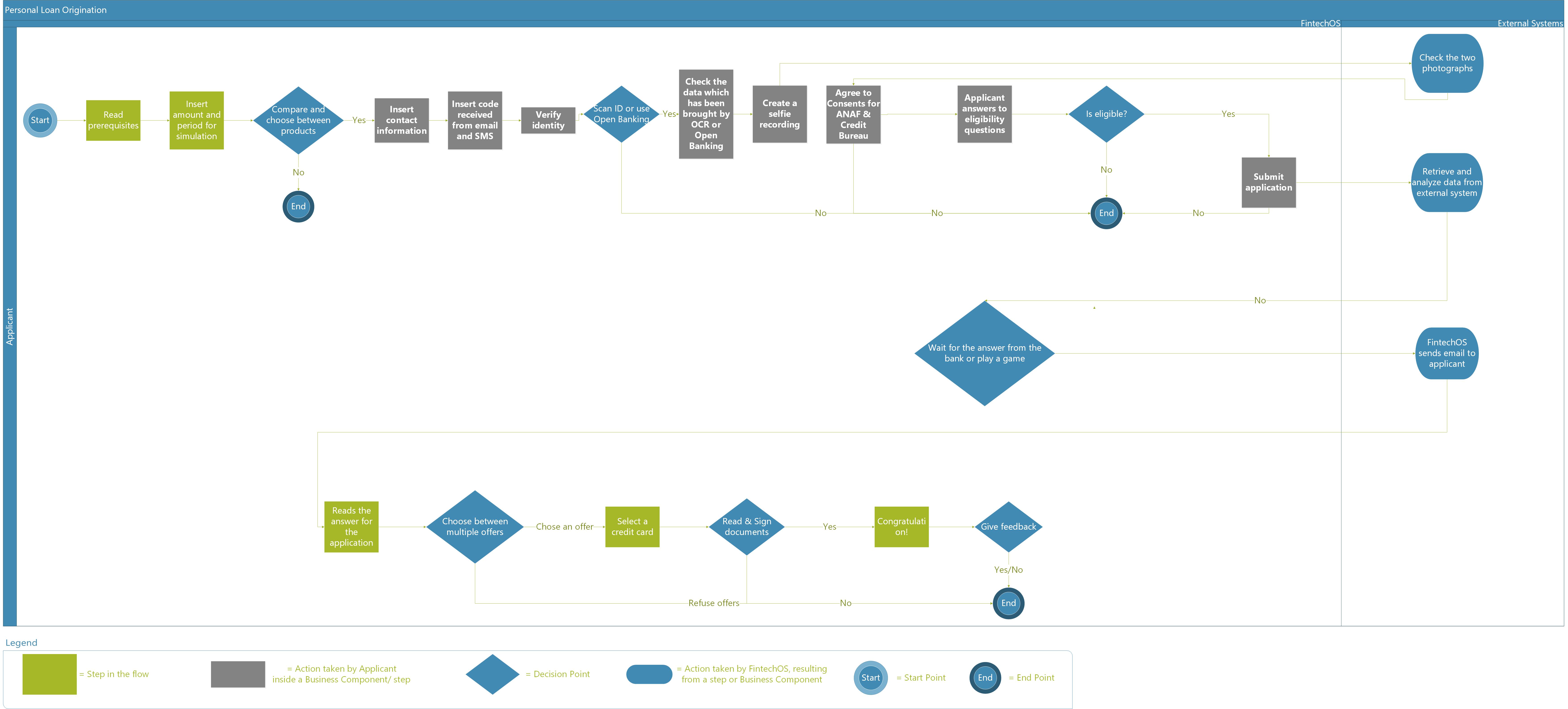
To download the diagram, click here.
The image below describes a detailed Mobile Retail Loan Origination workflow containing the statuses the journey passes through. For each status, there is an explanation as to what action it corresponds to. The transitions between statuses are displayed as well.
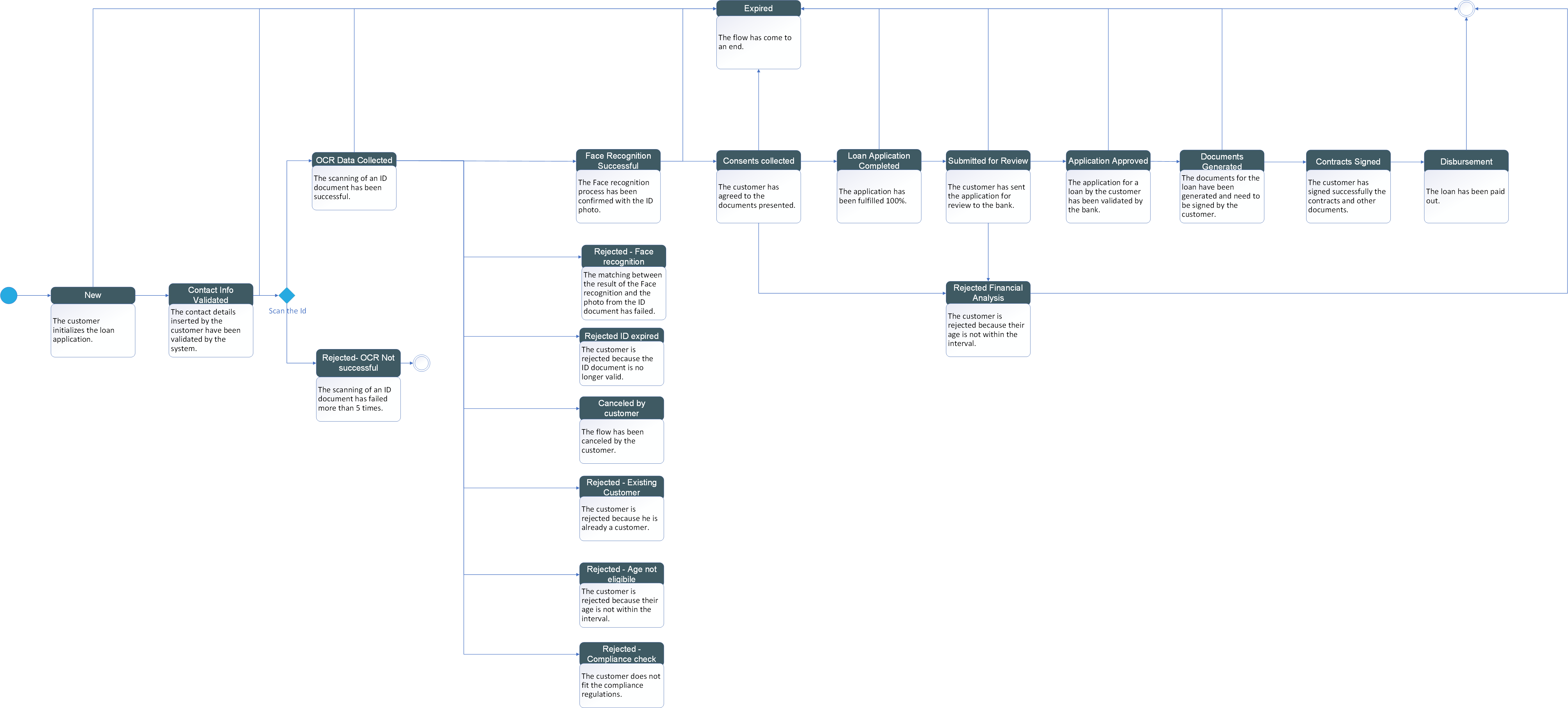
To download the diagram, click here.
To receive a loan (opening a current account, contracting a loan and optionally a credit card), an un-autheticated customer visits the following pages which mark milestones in the process: