Help Center
This solution accommodates a help button found on every page of the flow. It was configured in After Events of every form driven flow to be displayed.
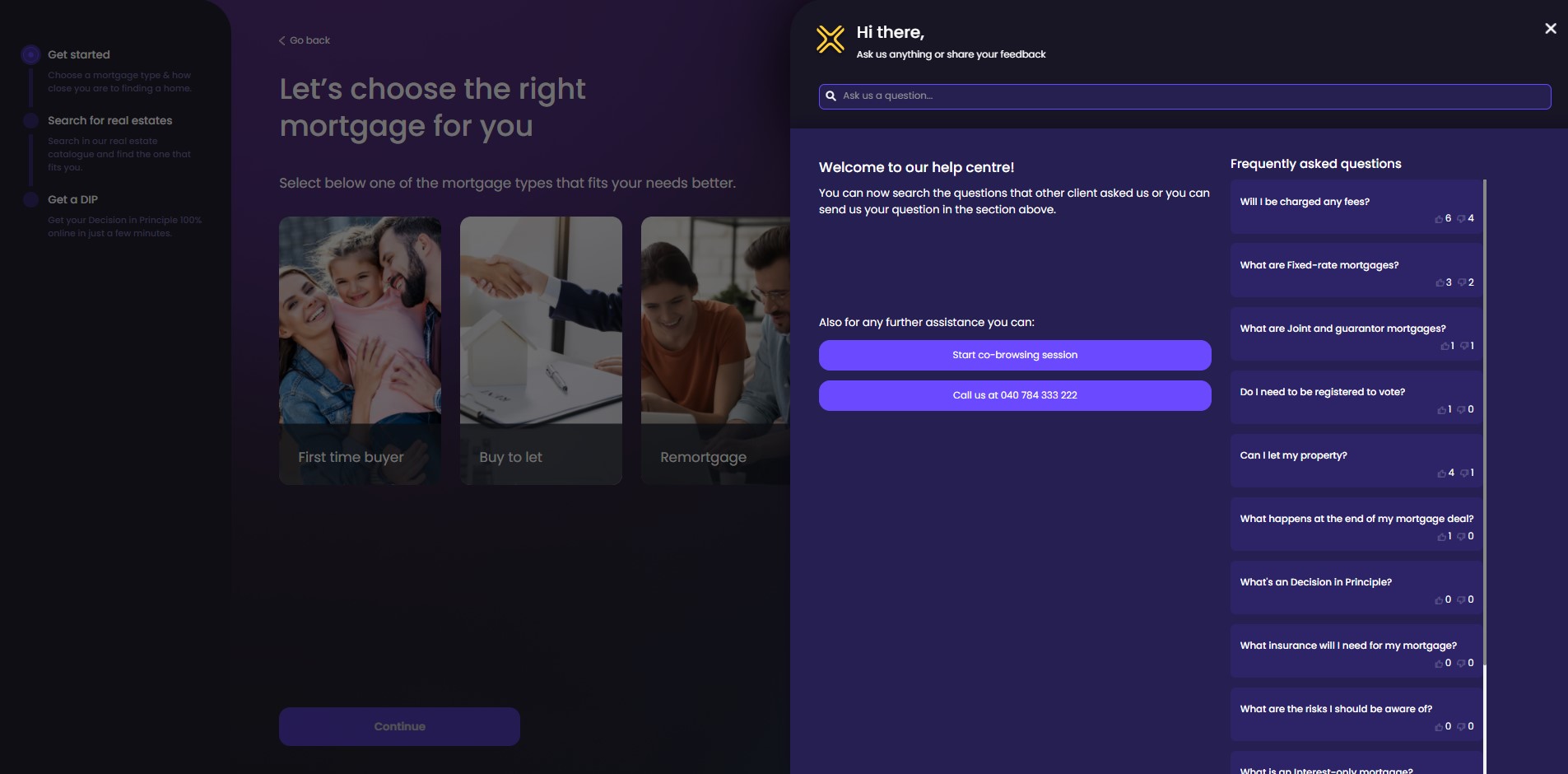
Click the button displayed at the top right-hand corner of the screen to expand the FAQs section dedicated to helping you find the support you need. It contains a search button. Type in some keywords to browse between the topics covered. The system displays a list with the questions that contain the keywords.
Under the search bar, there are two columns. The first column contains the message: Welcome to our help center! You can now search the questions that other clients asked us or you can send us your question in the section above.
Underneath, there are two buttons:
- Start a co-browsing
 It is the joint navigation through the solution by two or more people (in this case the customer and bank employee) accessing the same webpage at the same time. session: Click this button to launch a video call with a bank employee. A pop-up message is displayed: You’ve requested assistance and a secure co-browsing session will be prepared to facilitate this request. The agent that will assist you will not be able to see any open tabs in your browser or sensitive information such as passwords. Do you want to proceed to connect with the agent? Click Connect.
- Call us on 09 0999 0999: Click this button to open the caller application.
 Co-browsing for customers
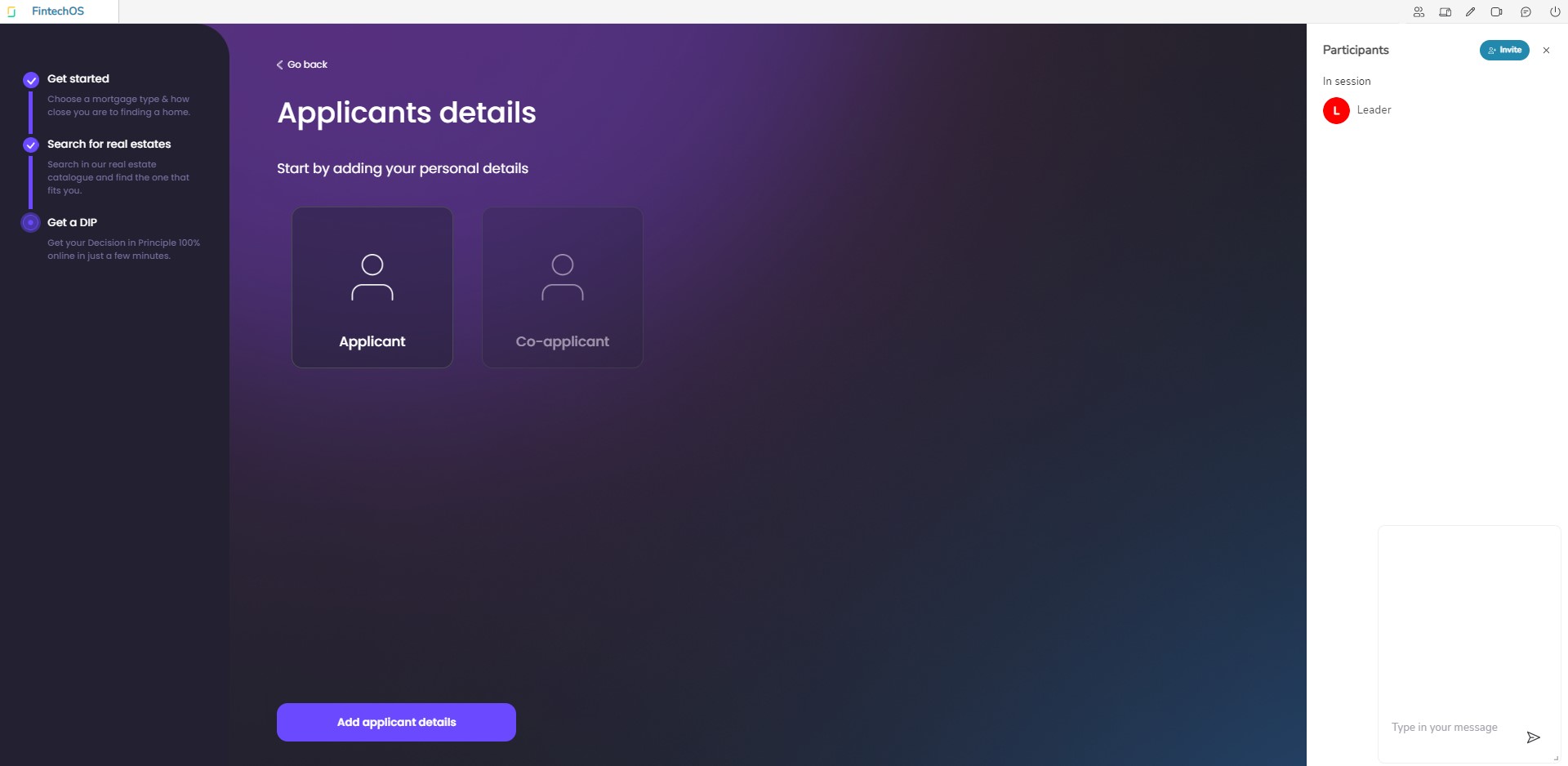
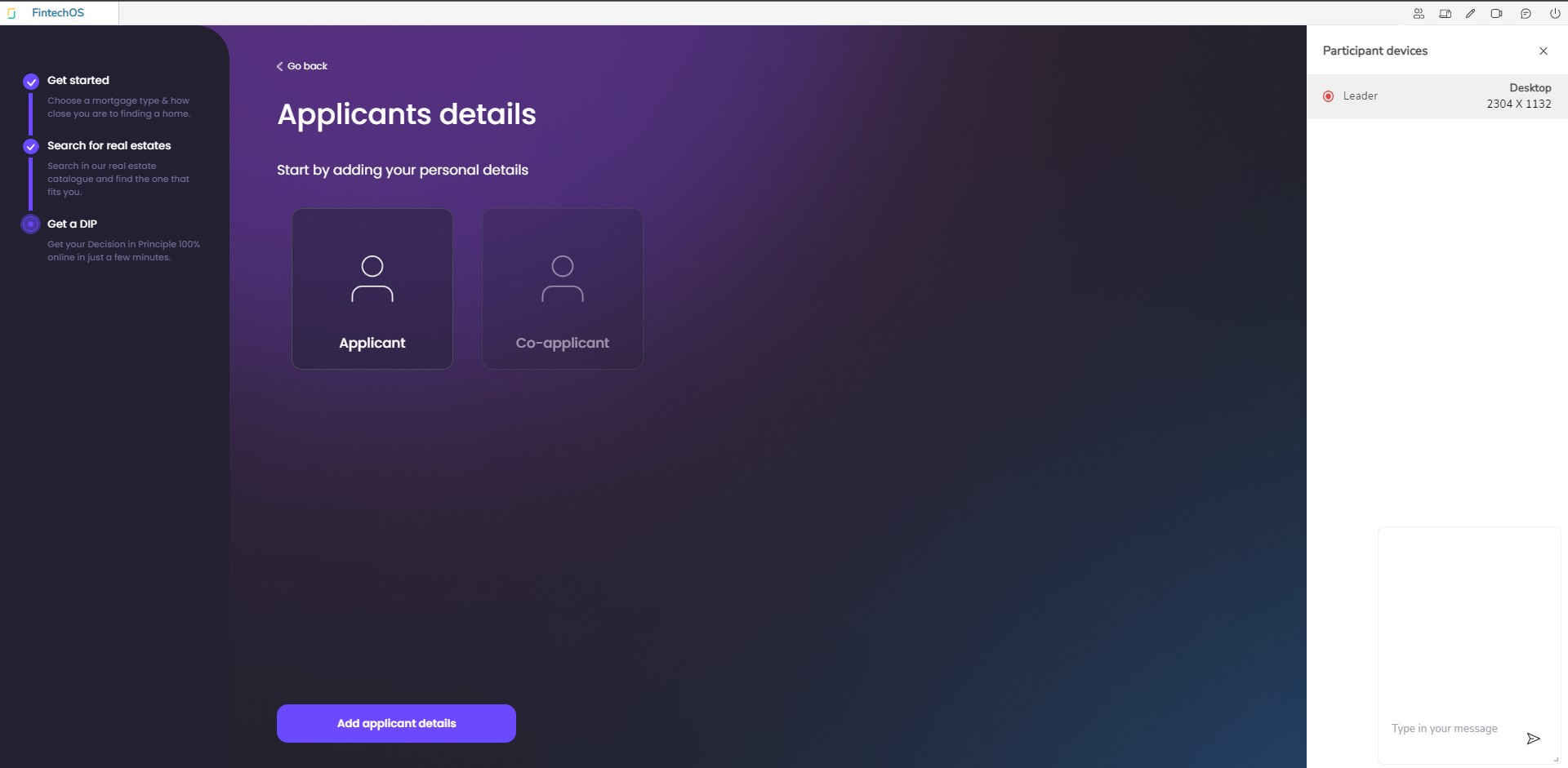
After the connection is initiated a white header is displayed with the options to communicate with the bank employee:
- Participants
- Set screen size
- Enter drawing mode: enables a pencil for drawing on the screen
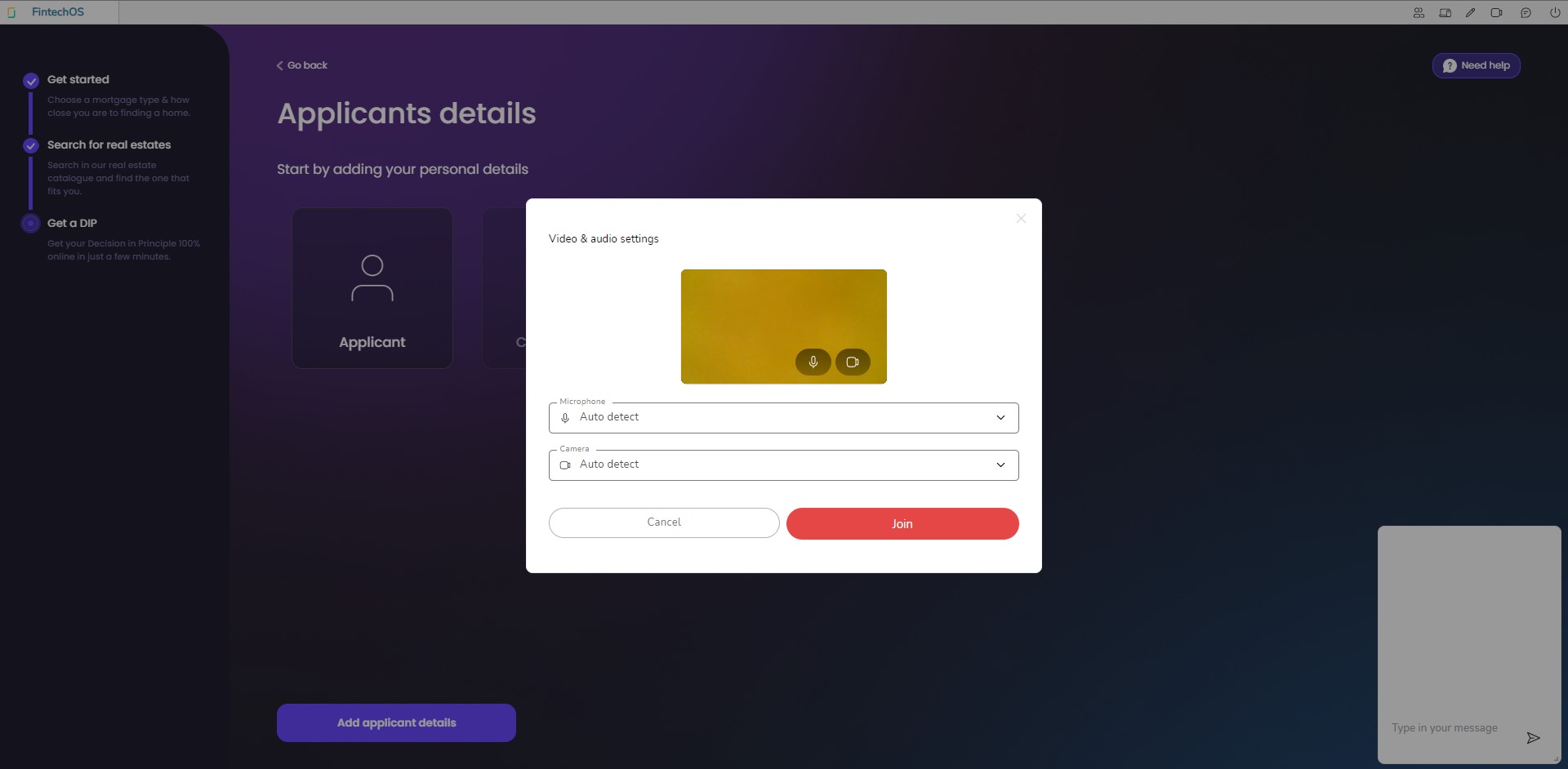
- Join videochat: select a microphone and camera to join the discussion
- Chat: opens a chatbox to write messages
- End session.
 Co-browsing for the Back-Office
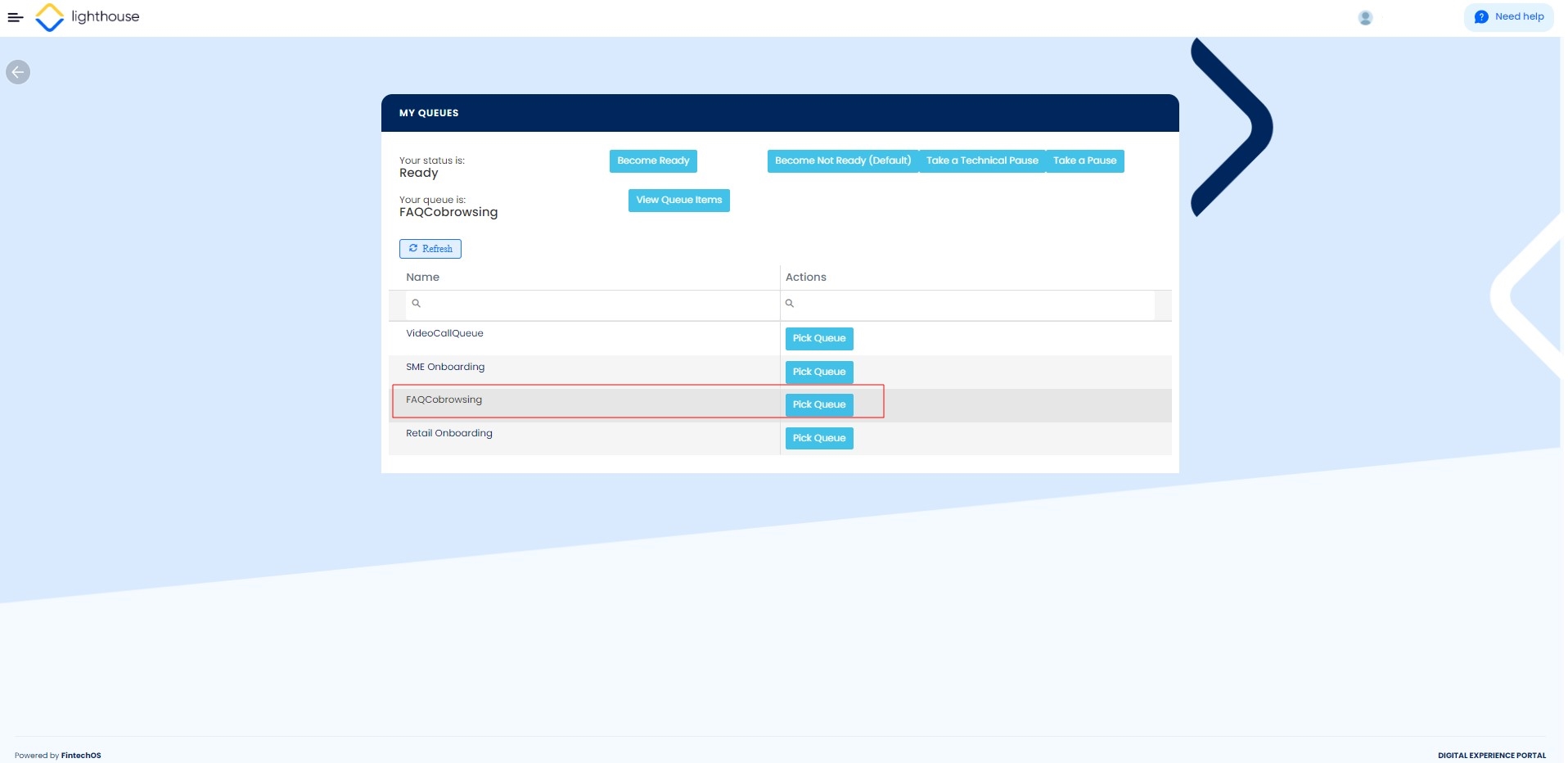
- Access the FintechOS Portal > open the main menu > Banking Accelerators > My queues.
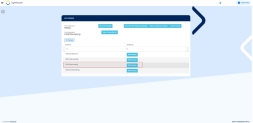
- Click Pick queue.
- Select the customer and join the discussion.
Further on the extreme right-side, all the questions in the database are displayed. To navigate between them, scroll down. Click a question to expand it and view the answer as well. If the answer was helpful, vote it by clicking the thumbs-up symbol. You can only vote once for one answer. You can delete a vote, by tapping again on the symbol. Click it again to compress the text.
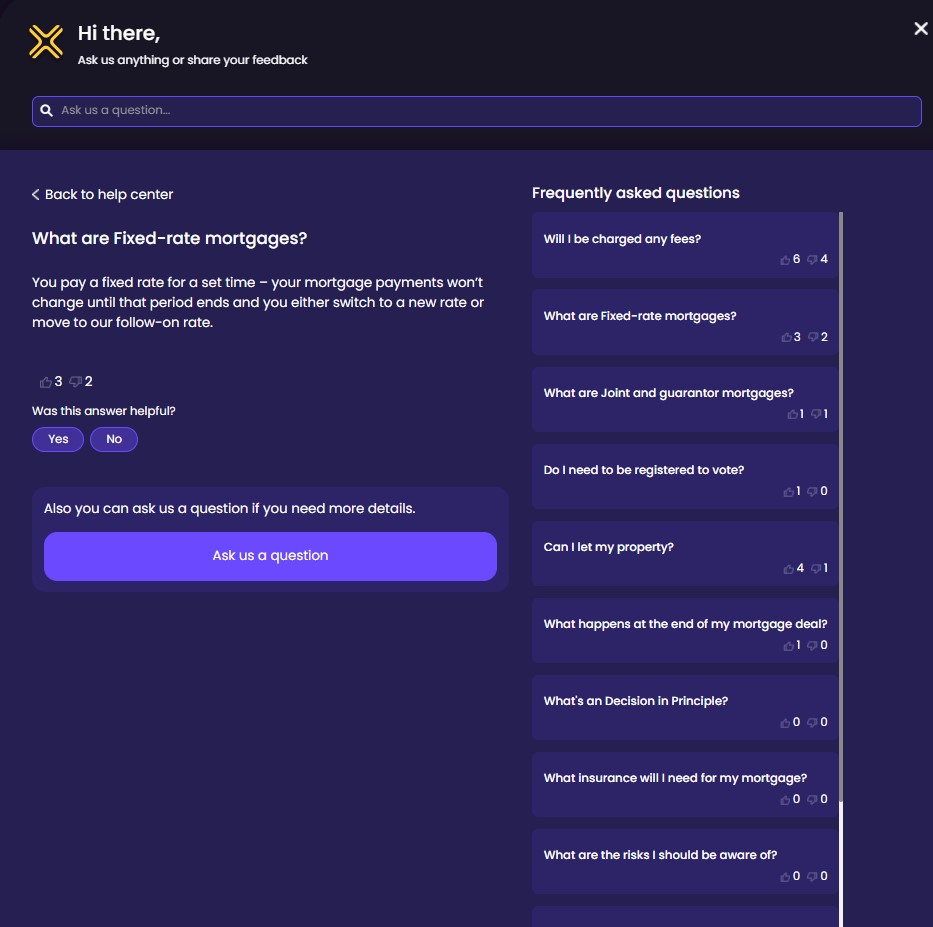
When a question is expanded, you can insert your question by clicking the Ask a question yourself. It opens two text fields to insert your email address and the text field for the question. After you type in the question, click Submit question.
The answers are available in the database:
What is an Interest-only mortgage?
Pay the mortgage interest The interest rate is the amount a lender charges a borrower and is a percentage of the principal, i.e., the amount loaned. each month without reducing the balance. You’ll need to have a plan to repay the balance by the time the mortgage term ends.
What are Buy-to-let mortgages?
Buy-to-let mortgages are designed to help you buy a property that you intend to rent out to other people, rather than to live in. The amount you can borrow usually depends on the rental income you expect to earn from tenants, although we might consider other income in some circumstances.
What are Fixed-rate mortgages?
You pay a fixed rate for a set time – your mortgage payments won’t change until that period ends and you either switch to a new rate or move to our follow-on rate It is the lender's standard variable rate (SVR), and this is the default interest rate that you are charged if you don't remortgage..
What are Joint and guarantor mortgages?
A joint mortgage means two or more of you apply together. A guarantor is someone liable for making payments if you can’t – without any legal claim.
What is a green home mortgage?
Green home mortgages offer a lower interest rate for homes that are energy deficient.
What's a Decision in Principle?
A Decision in Principle (DIP) provides you with a personalized commitment, a free indication of how much we might be able to lend you.
What insurance will I need for my mortgage?
It is a requirement of your mortgage to have buildings insurance. This covers the bricks and mortar, fixtures and fittings. It's also a good idea to take out contents insurance as well - this protects all your possessions in your home, from furniture to jewelry.
What happens at the end of my mortgage deal?
When you take out your mortgage, you arrange to have a fixed or variable rate product for a period of time.
At the end of this time, the product will end and your loan will usually be transferred to one of our lender variable rates. At this point, you may choose to move it to a new product for a further period of time.
Can I let my property?
We lend you the money on the basis that you are using the property as your main residence.
If your circumstances change after you take the mortgage, and you want to let the property you must ask our permission.
Will I be charged any fees?
This will depend on the mortgage product, there may be a product fee to pay and early repayment charges if you repay early.
Do I need to be registered to vote?
You need to be registered on the electoral roll so lenders can confirm your address and trace your credit history. If you’re not registered, the lender might not have enough information to progress your mortgage application.
What are the risks I should be aware of?
A mortgage It is a legal agreement by which a bank lends money at interest in exchange for taking title of the debtor's property, with the condition that the conveyance of title becomes void upon the payment of the debt. has one key difference from other loans – it is secured against your home. If you cannot keep up with your monthly repayments or you get into financial difficulties you should contact us straight away so we can give you the help you need.