Checkout
The chart displays the product selected (a picture, a product description, a price, the number of products selected from that category with the options to increase/decrease the number) and the total sum to be paid. To delete an item from the chart, decrease the number to zero.
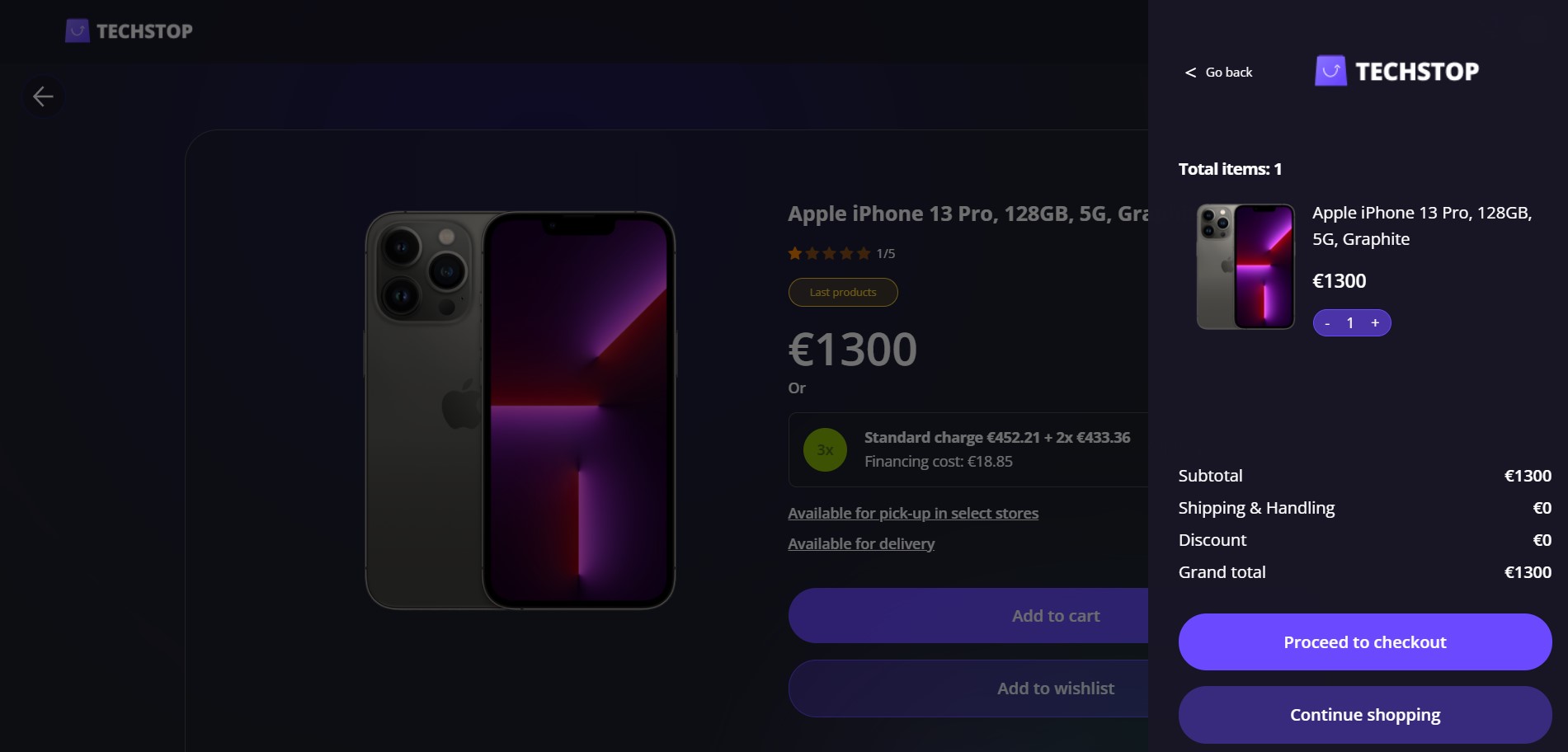
The cost is outlined:
- Subtotal: the price for the goods
- Shipping: free
- Discount: not applied
- Grand total: the sum of the subtotal, shipping and discount.
Click the Proceed to checkout button to continue to the next step. This button triggers the calculations of the formulas:
Click Continue shopping to return to the listings.
Payment
The system asks you to select a payment method from the list:
- Credit Card
- PayPal
- PAY AFTER 30 DAYS (if you choose this option, then the slider to choose the number of instalments is no longer editable since the full amount is to be payed after 30 days)
- the first instalment + the number of instalments times the value, i.e., €174.25 + 8x €145.45 (the first payment followed by eight instalments, each valued at €145.45).
This option is selected by default.
Use the slider to select the number of instalments from 3 to 12 instalments are available. Drag the slider from left to right to increase the number of instalment. The payment options refresh after each time you choose a number on this slider.
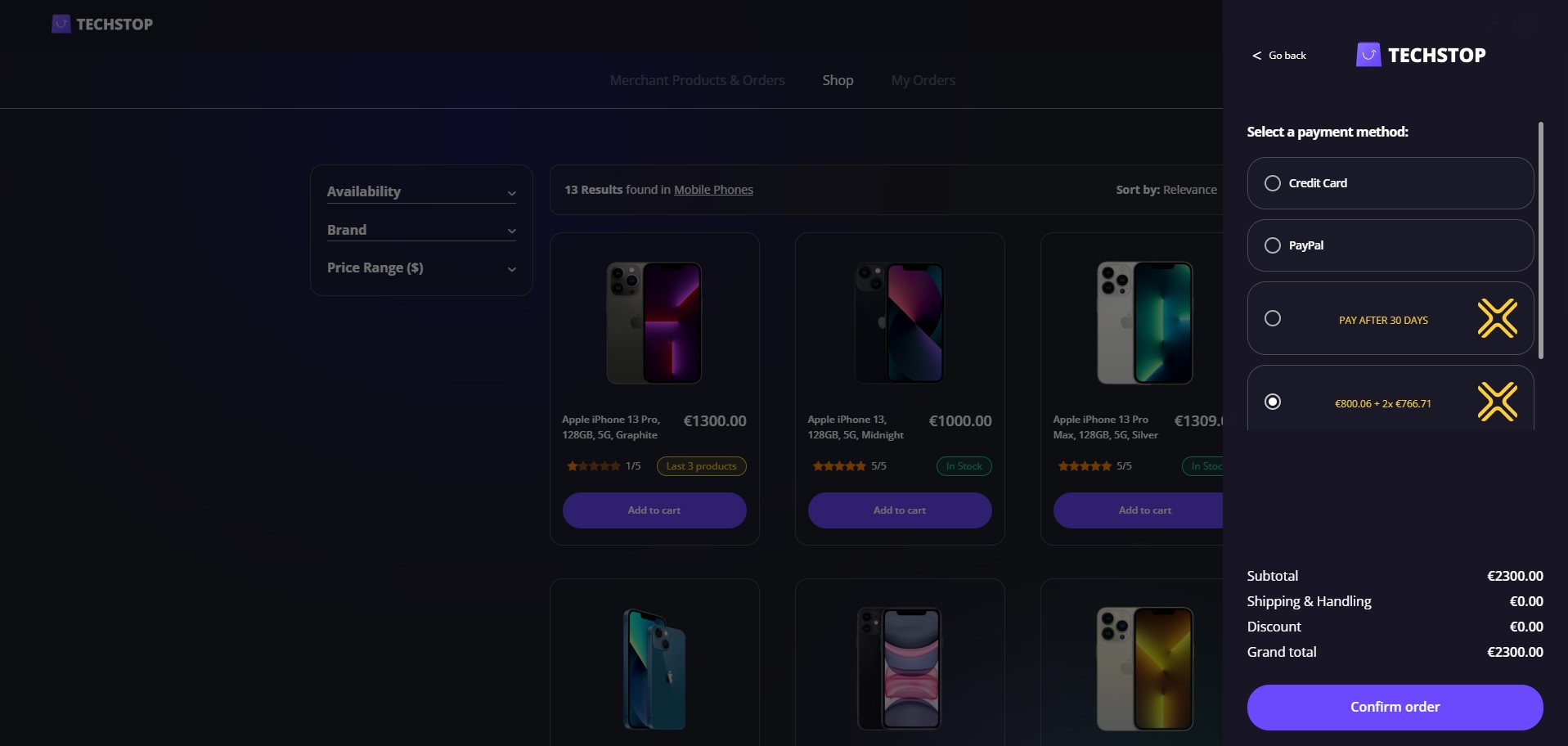
For each of the BNPL loans above, i.e., each number of instalments, e.g., 3, 4, 10, have a product was defined. For details, see Configuring the Banking Products.
Click Confirm order to continue.