Configure Channel Providers
The FtosProvider uses SendGrid in order to send emails. SendGrid is a cloud-based platform that solves the challenge of email delivery. SendGrid provides and manages an email server on your company's behalf, so your communications with customers are reliably sent and delivered as needed.
1 Apply for subscription key
Go to the FintechOS Services Portal and apply for a subscription key for the FintechOS Omnichannel Communication Automation processor. You need the subscription key to configure the automation processor, which is editing the FTOSEmailGateway channel provider so that it uses this processor.
2 Edit the FTOSEmailGateway channel provider
To configure the Automation Blocks you need to edit the FTOSEmailGateway channel provider:
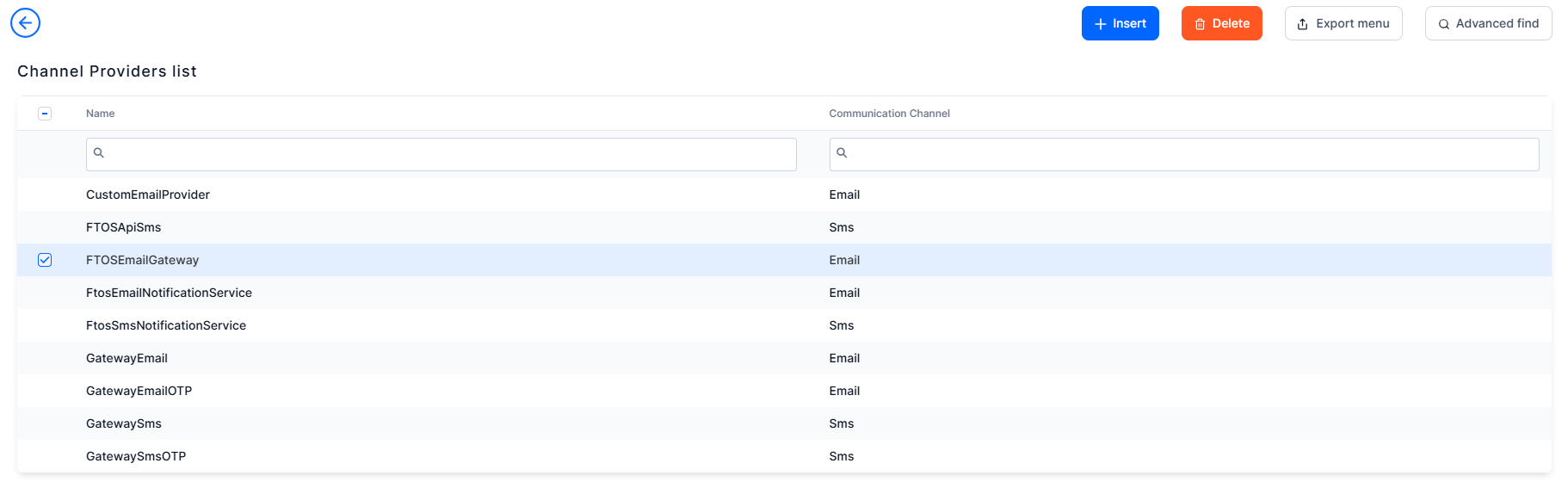
- Log into the FintechOS Studio. From the menu, click Admin > Omnichannel Communication Automation > Channel Providers.
- Double click the 'FTOSEmailGateway' record.
- Fill in the following mandatory fields:
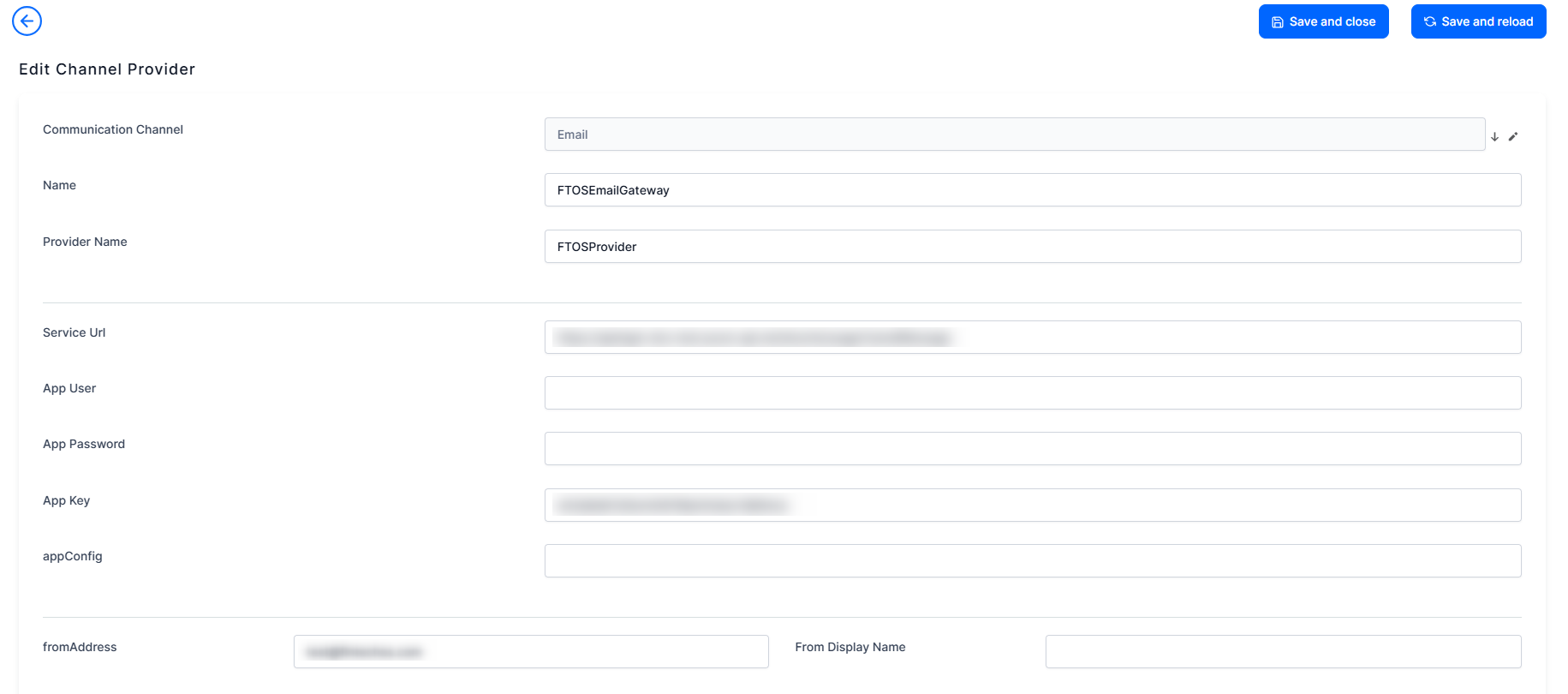
Field Data type Description Communication Channel Option set Select email from the option set. For details, see View Channel Configurations. Name Text The FTOSEmailGateway name is filled in. Provider Name Text Insert the name of the provider. Service Url Text The URL provided by FintechOS App user Text It is the user credentials given by the provider. App Password Text It is the password given by the provider. App Key Text The subscription key provided by the FintechOS Services Portal for the FintechOS Omnichannel Communication Automation processor. appConfig Text The configuration file. From Address Text The email address from which the emails will be sent to customers. It is the email address displayed in the From field of the email sent to customers.
IMPORTANT!
Please, be sure to consult FintechOS to create an email address with the name of the company.From Display Name Text The name that appears next to the sender's email address in the recipient's inbox. Bulk No Whole Number The number of emails that are processed in one step. Days Before Expire Whole Number How many days are left before the email expires. Interval Min Text It is the limit for sending messages. The job will send messages only in this time frame (HH:MM:SS) (UTC time). Interval Max Text It is the limit for sending messages. The job will send messages only in this time frame (HH:MM:SS) (UTC time). Retry Max Attempt Whole number The maximum number of times the server tries sending the message if the message status is 'Error'. Pool Time Retry Text The time interval the server waits until it attempts to send the message that has previously failed (message status is 'Error'). The format is HH:MM:SS (hours:minutes:seconds). Open Setting Bool Tracks the open email events. Click Setting Bool Tracks the clicked links within the email body events. - At the top-right corner of the page, click the Save and reload icon to save the changes.
- The Channel Provider Statuses section displays the list of channel provider statuses. Failed requests return an error that contains: a response code, a message explaining the reason for the error and a link to any relevant documentation that might help you troubleshoot the problem.
Double-click a status to edit it.
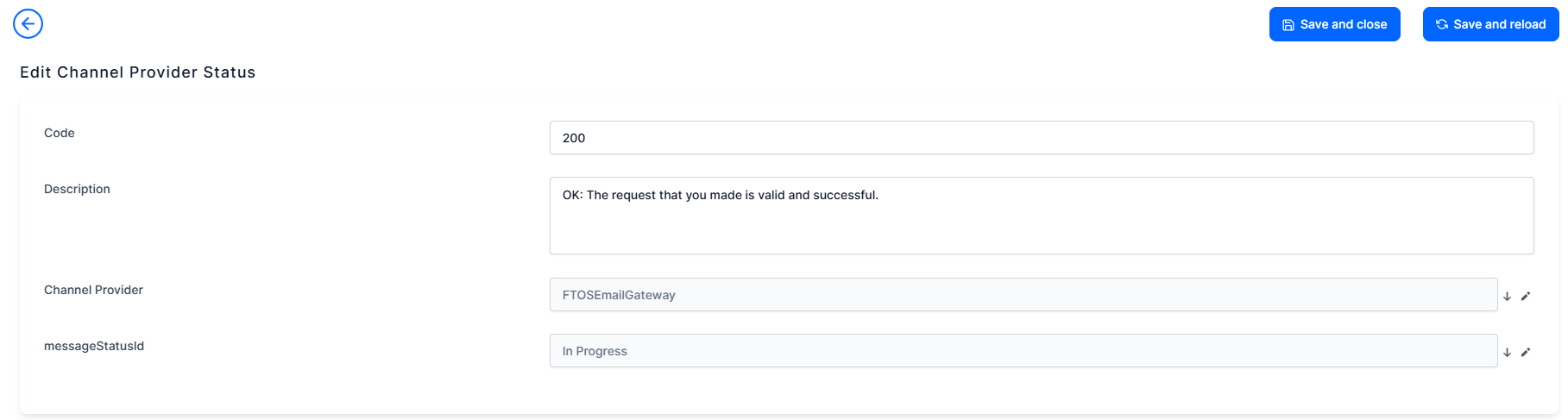
The list of statuses and their codes is below. Please keep in mind that each email provider might have other codes, therefore if you're using an email provider different than SendGrid, the below list might not apply.
Error Code Error reason Description 200 OK Your message is valid, but it is not queued to be delivered. 202 ACCEPTED Your message is both valid, and queued to be delivered. 400 BAD REQUEST 401 UNAUTHORIZED You do not have authorization to make the request. 403 FORBIDDEN 404 NOT FOUND The resource you tried to locate could not be found or does not exist. 405 METHOD NOT ALLOWED 413 PAYLOAD TOO LARGE The JSON payload you have included in your request is too large. 415 UNSUPPORTED MEDIA TYPE 429 TOO MANY REQUESTS The number of requests you have made exceeds the rate limitations. 500 SERVER UNAVAILABLE An error occurred on the server. 503 SERVICE NOT AVAILABLE The Email Gateway v3 Web API is not available. bounce ERROR The receiving server could not accept the message. delivered OK The email was sent successfully delivered to the recipient. dropped ERROR athe email will not be sent.