Writing Off a Loan
A write-off is an accounting action that reduces the value of an asset while simultaneously debiting a liabilities account. It is primarily used by financial institutions seeking to account for unpaid loan obligations. The write-off is the last action taken in the attempt of recovering a non-performing loan. If there are collaterals linked to the loan, those are turned into cash to be used to recover the loan's remaining notified and unpaid amounts. Usually before writing off a loan, it passes a Doubtful loan classification at 90 days overdue, and thereafter, depending on the internal risk procedures, the financial institution can write it off or sell the loan to collection agencies. Regardless of the financial institution's decision, such a process involves a loss.
In Loan Management, the write-off functionality is intended for non-performing loans, allowing you to "delete" any or all notified overdue amounts from the loan contracts if your financial institution approves this action and assumes the loss. Using the specific settings defined at the product admin configuration level, the system can automatically write off non-performing loan contracts, using the Process Contracts For Auto WriteOff scheduled job, after their maturity day passes and the remaining notified and unpaid value on the contract is under the specified threshold. Loan Management also allows you to manually perform write-off transactions, even if the remaining notified and overdue amounts on the contract are above the defined threshold. In this case, you can perform the write-off either for a partial or the full amount.
Regardless of how the write-off transaction is performed, manually or automatically, it results in taking the write-off amount from the specified internal write-off account and crediting the loan's main bank account for the loan principal, respectively the product's self bank account for all the other operation items. The DefaultWriteOffReconciliationAccountBankingProduct system parameter holds the internal write-off account defined for the system's default currency and automatically populates this field, but you can change the account according to your needs.
 Adding a Write-Off Transaction To an Approved Contract
You can add write-off transactions to an approved contract via Loan Management's user interface or through API calls using the FTOS_CB_AddUpdateWriteOff and FTOS_CB_ApproveWriteOff endpoints. Read more about these endpoints in the Loan Management Developer Guide.
In order to add a write-off transaction to a loan contract through the menus available in Loan Management, follow these steps:
-
In FintechOS Portal, select a contract with Approved status and double-click to open it.
-
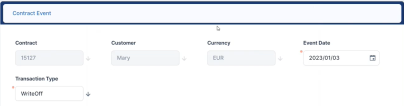
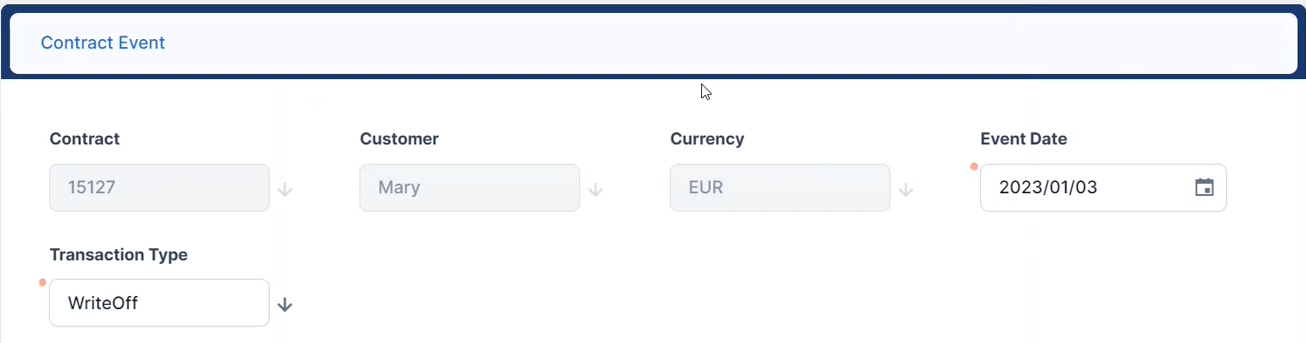
Navigate to the contract's Payments tab and click the Insert button above the Transactions section. The Event page is displayed.
-
Fill in the following fields:
-
Transaction Type - Select from the list the WriteOff transaction type. If you can't find it, then the transaction type is not associated with the banking product's service configuration.
-
Event Date - This is pre-filled with current date.
Other values are automatically completed: contract, customer, and currency.
-
-
Click the Save and Reload button.
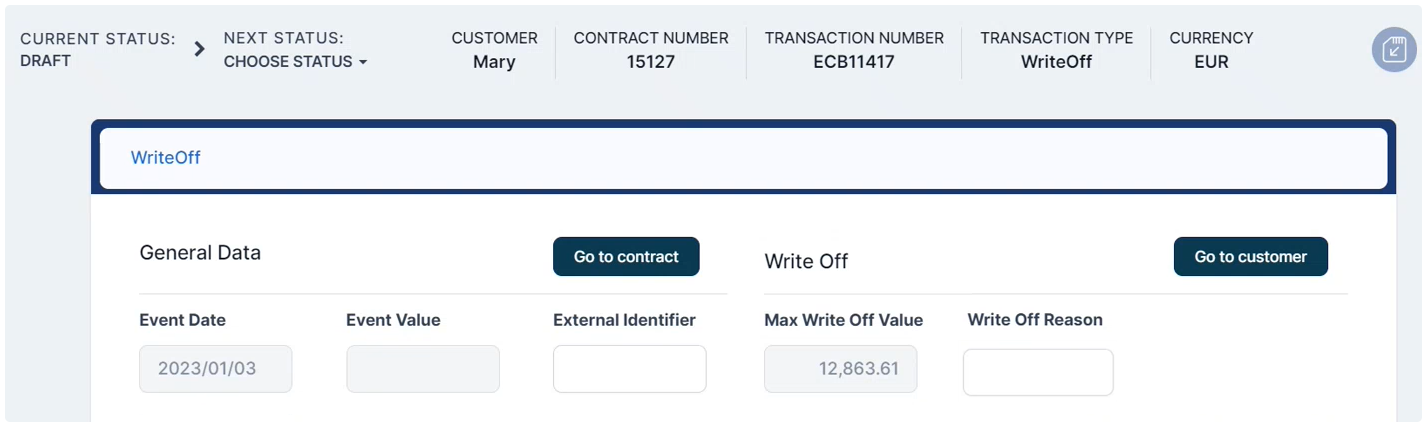
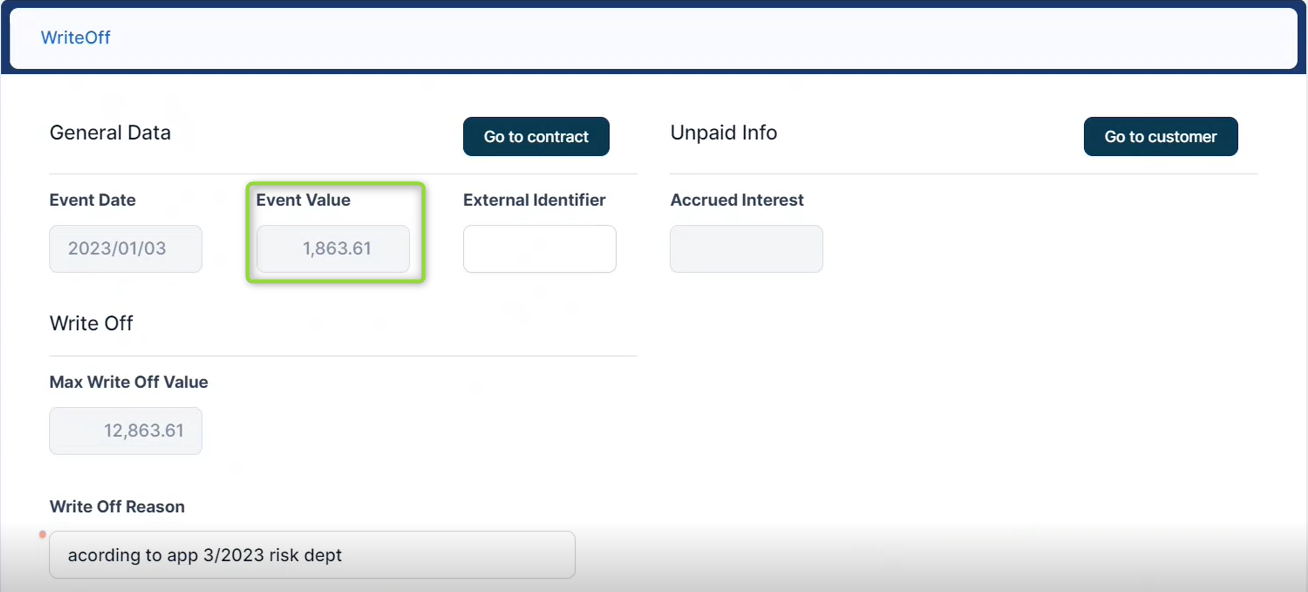
The event is saved in Draft status and a transaction number is automatically generated for it. The Edit Contract Event page corresponding to the selected transaction type is displayed. The contract's maximum possible write-off value is automatically calculated and displayed. You can't edit this field.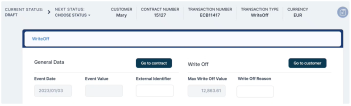
-
Fill in the external identifier of the transaction, if available.
-
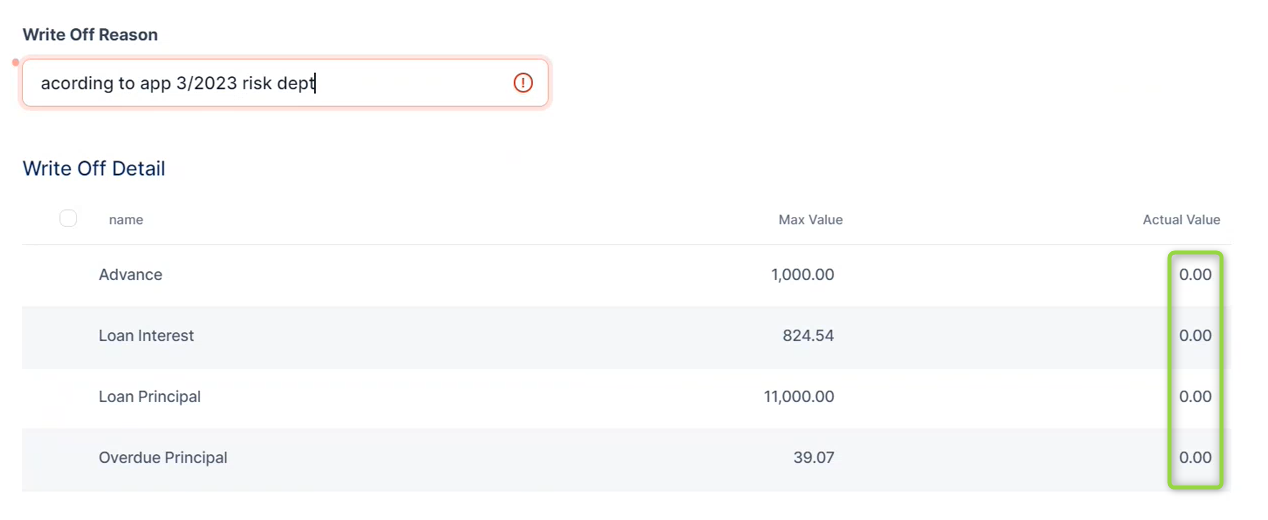
In the Write Off section, fill in the Write Off Reason, entering the reason for performing the write-off transaction, according to your financial institution's internal procedures.
-
View the Max Write Off Value field, displaying the contract's maximum possible value for the write-off transaction, automatically calculated as
Remaining Principal (absolute main balance) + Accrued Interest + unpaid values from Repayment Notifications (interest, commissions, penalties, or insurances). -
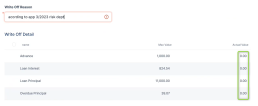
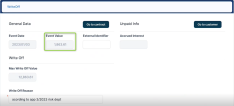
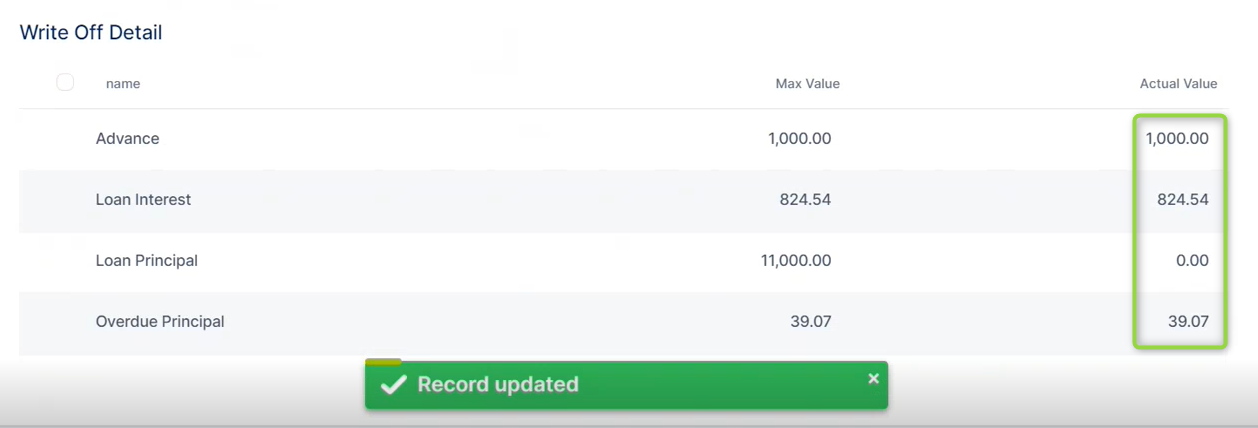
Adjust the actual write-off amount, displayed in the Event Value field, changing the values for each operation item displayed in the Write Off Detail section. Initially, the actual values for the write-off transaction are defaulted as zero, as pictured below:
For example, you can specify to perform a write-off transaction for the maximum values for the advance, the loan interest, and the overdue principal, leaving the loan principal unchanged:
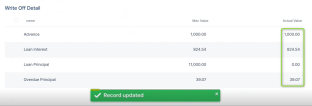
For each write-off detail, you can't specify a value greater than the maximum value.
The Event Value is automatically recalculated after changing the actual values of the operation items.
-
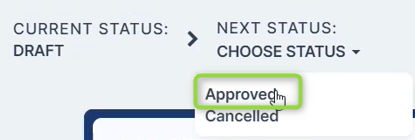
Approve the transaction by changing its status to Approved in the upper left corner of the Event page.
-
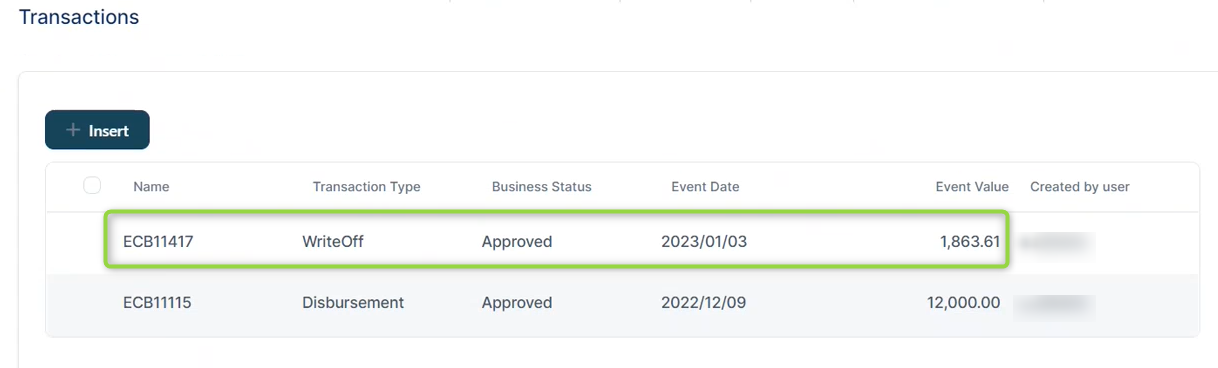
Confirm the change of status in the Confirmation window, clicking Yes. The transaction is now in Approved status, visible in the Transactions section.
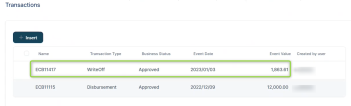
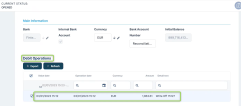
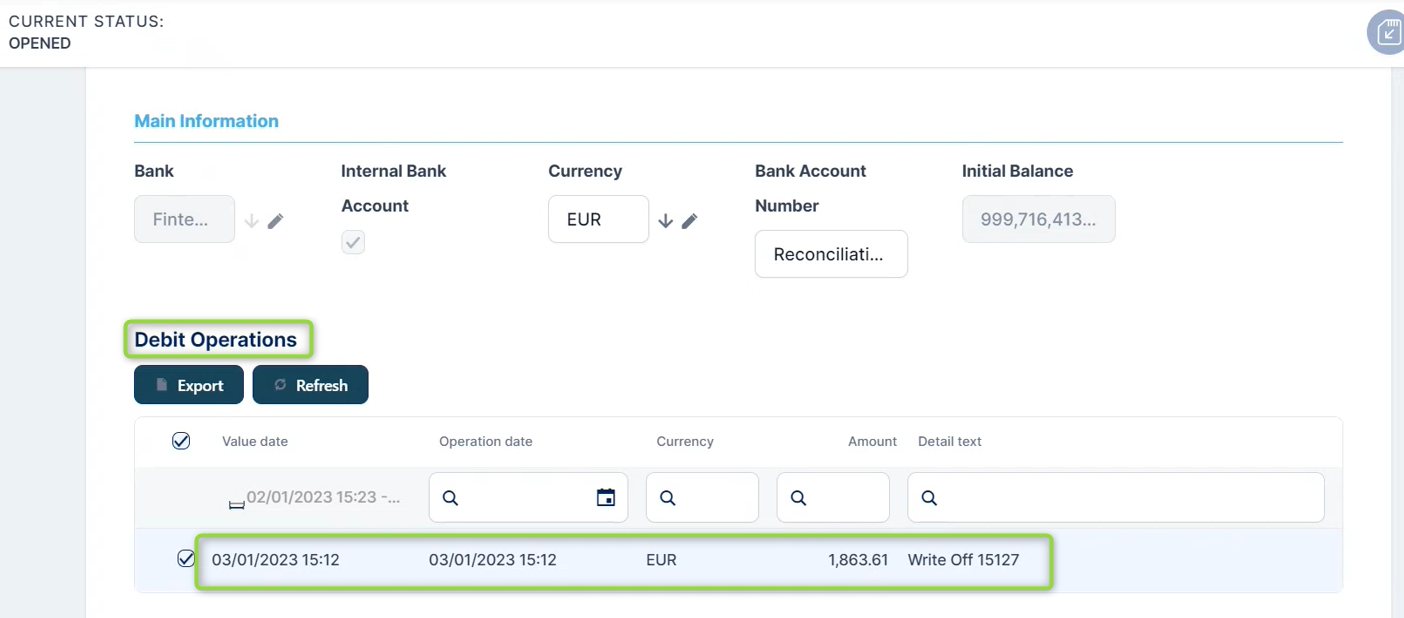
Loan Management performs the write-off transaction for each operation item's actual value. It takes the amounts from the internal write-off account defined at the product admin configuration level and credits the loan's main bank account for the loan principal, respectively the product's self bank account for all the other operation items. The example below shows the debit operation performed on the write-off account:
 NOTE
NOTE
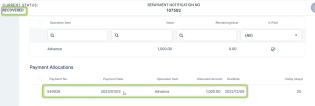
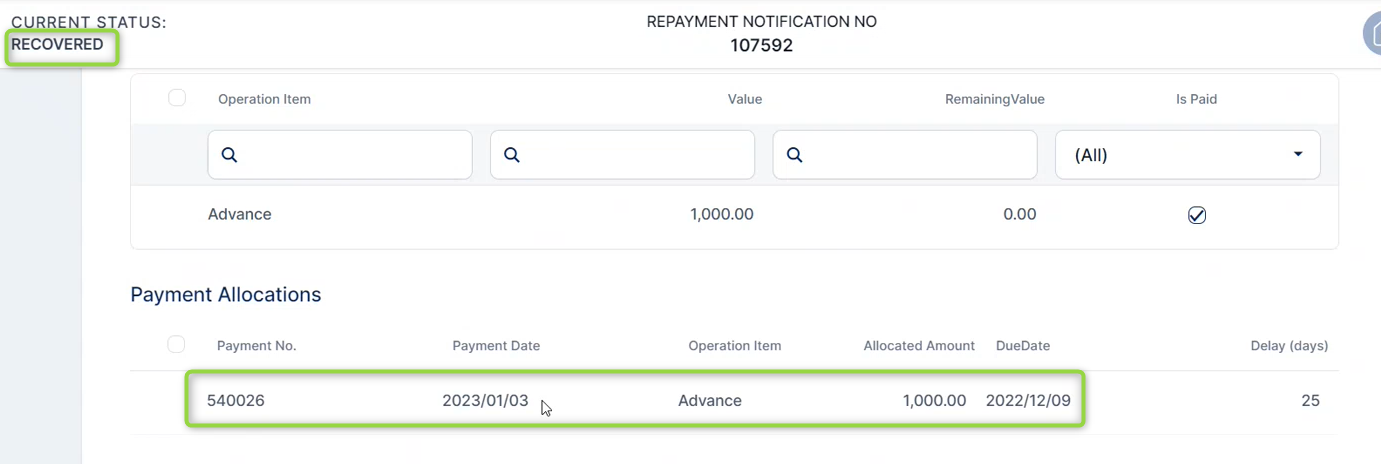
In case of partial write-off, Loan Management performs the allocation of amounts according to the allocation method, closing the oldest unpaid values first.The affected repayment notifications are processed. If the write-off amount covers the repayment notification's amount, then the notification's status becomes Recovered, otherwise it remains in the same status, but its amount is lower. The example below shows the repayment notification containing the advance of 1000, fully recovered after performing the write-off:
The contract is automatically closed after write-off as required, as long as there are no pending amounts on the contract, the loan is not revolving, and if the contract closure settings are in place.
Loan Management allows you to add write-off transactions to approved loan contracts that have notified and overdue amounts regardless of their classification, as long as you perform a partial write-off. You could use partial write-off transactions as a method of adjusting existing repayment notifications.