Working with Limits
Limits are used in order to have control over risk exposure. You may approve for a particular customer to take up to certain maximum amount across multiple products or you might want to approve types of products or even have a limit for a specific product alone. The granularity of control you can enforce is up to each financial institution’s way of driving the business. Limits capability supports financial institutions to properly manage the company exposure, giving control over their exposure in the market and alignment with their market strategy.
Setting up limits is mandatory before creating loan contracts. Approved and disbursed loan contracts affect the available limit amounts, so make sure you've configured the limits settings according to your financial institution's needs.
The idea behind working with limits is that when you insert the loan contract, Core Banking performs a validation against the available limit and, if the amount exceeds the available limit, you can decide to increase the limit or decrease the loan.
Once you create a limit record, Core Banking automatically identifies it and links the relevant contracts to it, you can see them on the Customer Limit page's Contracts section.
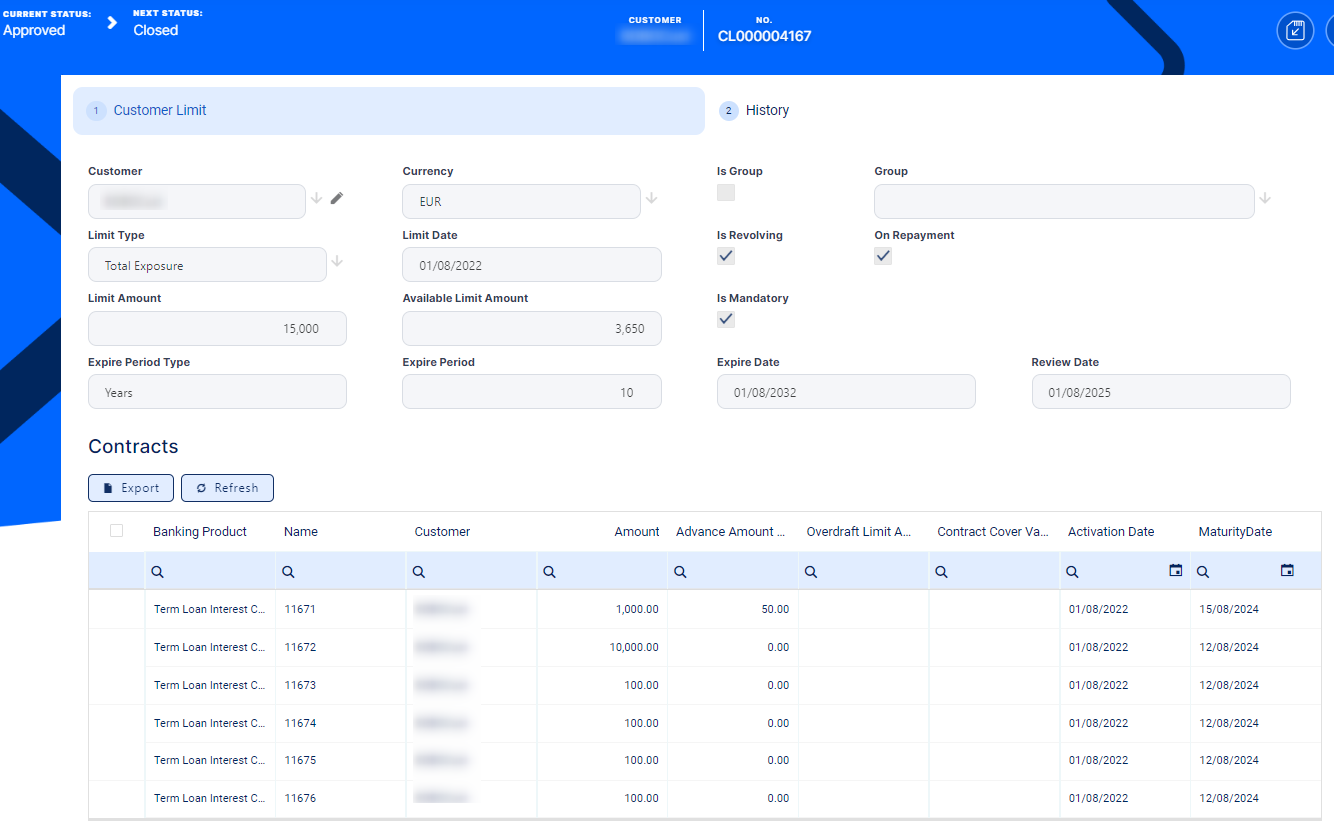
Some contracts can be linked to multiple limits if you have a complex limit structure approved: Total Exposure includes all contracts, then Product Type Exposure has also contracts that may be found under Product Exposure. You can only have one limit of each type of exposure valid in the system. Each exposure is limited in its own and by the higher level. If a customer that already has approved contracts becomes a member of a group, all its active limits are suspended. The same applies when excluding a customer from a group. Read more about group and customer exposure types.
Apart from the limit types available out-of-the-box, Core Banking allows you to add your own limit types based on roles associated to contract participants specific to your business, and use them throughout Core Banking with all the functionality of any other default limit type. Read more about managing limit types and role-based limits.
Similar to contracts, the limits can be revolving or not. For revolving limits, after performing a repayment, the amounts become available on the limit after closing the loan contract or after each repayment transaction.
As for contracts, the History tab allows you to you see when and who created each version of the limit and access the history version to spot the differences.
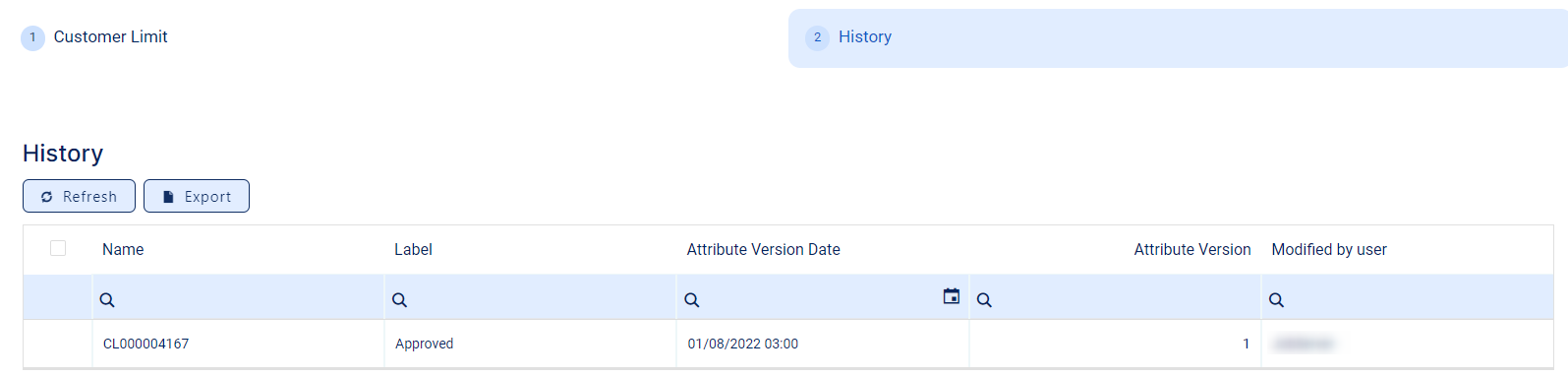
When versioning a limit, you can change certain details, while other can no longer be amended. Usually, you would change the amount and term/ review date for the limits.
You can have the limit in one currency and the underlying contracts in other currencies, unless you have product specific limits. Core Banking uses the available Exchange Rate to translate the amount into the limit currency and impact the usage and available figures.
 Jobs, System Parameters, and Reports for Limits
Core Banking uses the following jobs to recalculate limits:
-
Start Of Day (SOD) Jobwith the following services:-
Set Limit Available Amount Due To FX Change- The service recalculates the available amount on limits depending on the currency's exchange rate on a specific day -
Set Contract Amount (Overdraft) Due To Plan Due Date Reached (Increase/ Decrease)- The service increases/ decreases the limit amount on overdraft contracts that reached their reevaluation plan due date. -
Set Credit Facility Amount Due To Plan DueDate Reached (Increase/ Decrease)- The service increases/ decreases the limit amount on credit facilities that reached their reevaluation plan due date.
-
-
End Of Day (EOD) Jobwith the following services:-
Set Limit Expired- The service sets the limits which are about to expire in the current day as Expired. -
Set Limit Available Amount Due To FX Changes- The service sets the limit amounts available to all contracts due to exchange rates changes.
-
The system parameters used for limits management are listed below:
-
LimitMandatoryForIndividuals- specifies whether Core Banking should validate the limits for individual customers or only validate them for legal entity customers. -
DefaultIntervalLimitsReport- represents the default number of months considered when running the reports within the Limit Report dashboard. -
CreditFacilityLimitPercent- represents the default limit of credit facility records.
Here are the reports that help you view the limits in Core Banking:
-
Customer Limits - displays a list of the existing customer limit records, a list of the customer limit approval requests, and a button for adding new customer limits.
-
Limit Report - displays different sections for expired limits, limits with available amount lower than 0, limits about to expire and limits to be reviewed, the latest two with the option to select the desired interval of dates.