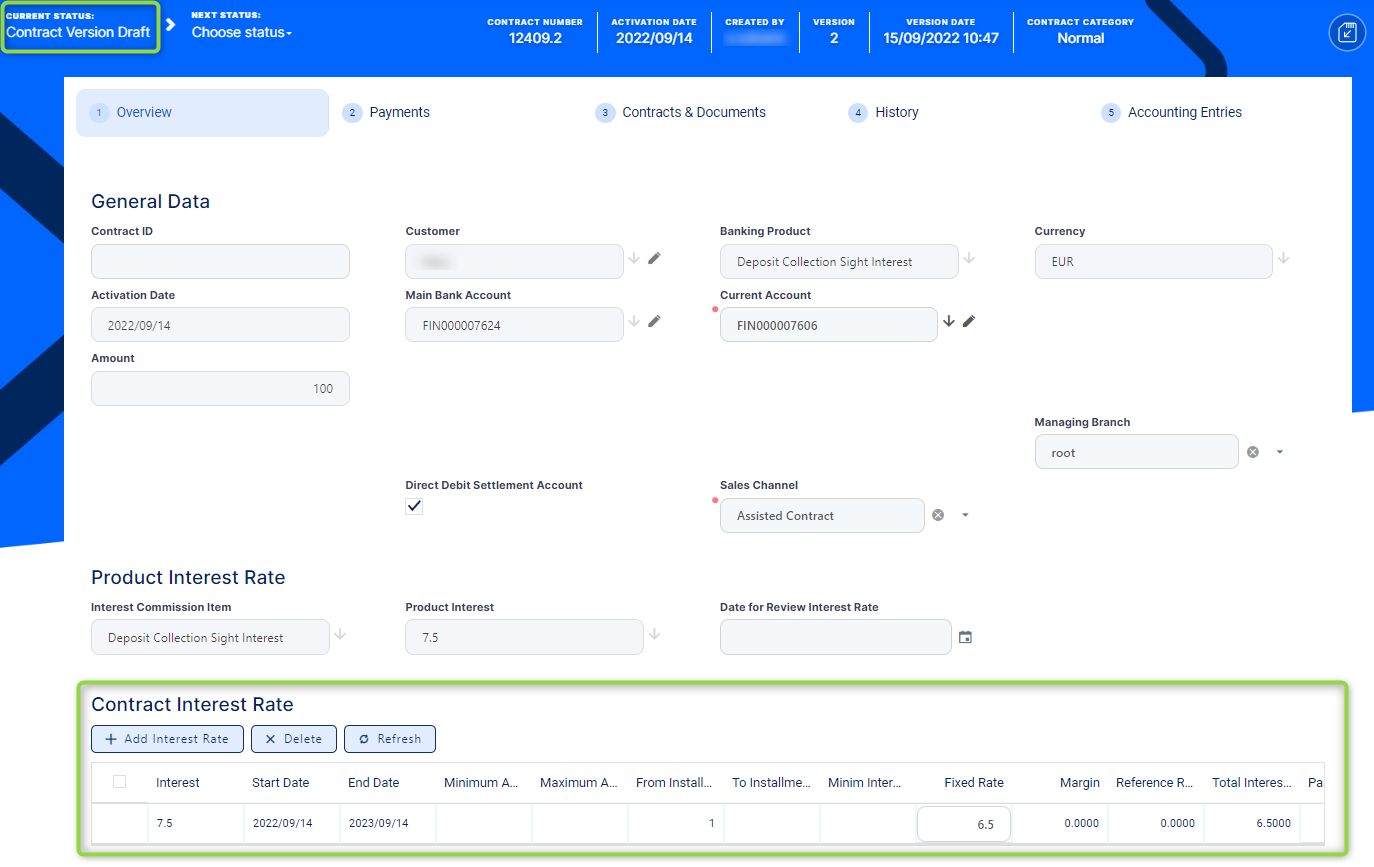
Changing Interest Rates on Active Deposit Contracts
Once a contract is approved, hence active, you can't edit the interest rates. However, in certain cases, you might have to change the interest rates due to inflation, renegotiation of the contract, and so on. For such cases, follow these general steps:
-
Select and open an
Approvedcontract. -
Create a new version for the contract, as described on the Creating New Versions of Existing Deposit Contracts page.
-
Edit the values within the Contract Interest Rate section in the Overview tab of the contract in
Contract Version Draftstatus according to your needs. IMPORTANT!
You can change the contract interest rates only if the product interest was defined withIs Negotiable = True.Read more about the fields that you can modify in the 5. Manage Contract Level Interest & Penalty Interest Rates section of this user guide.
-
Approve the contract version, as described on the Approving a Deposit page.
Core Banking calculates the interest capitalization according to the interest rates found on the approved contract version.
-
You can view the previous interest rates accessing the History tab and viewing the older contract information, as described on the Viewing a Contract's History page.