Changing the Interest Rate
During the life-cycle of a contract, there may be situations when you need to change the interest rates applicable to the contract.
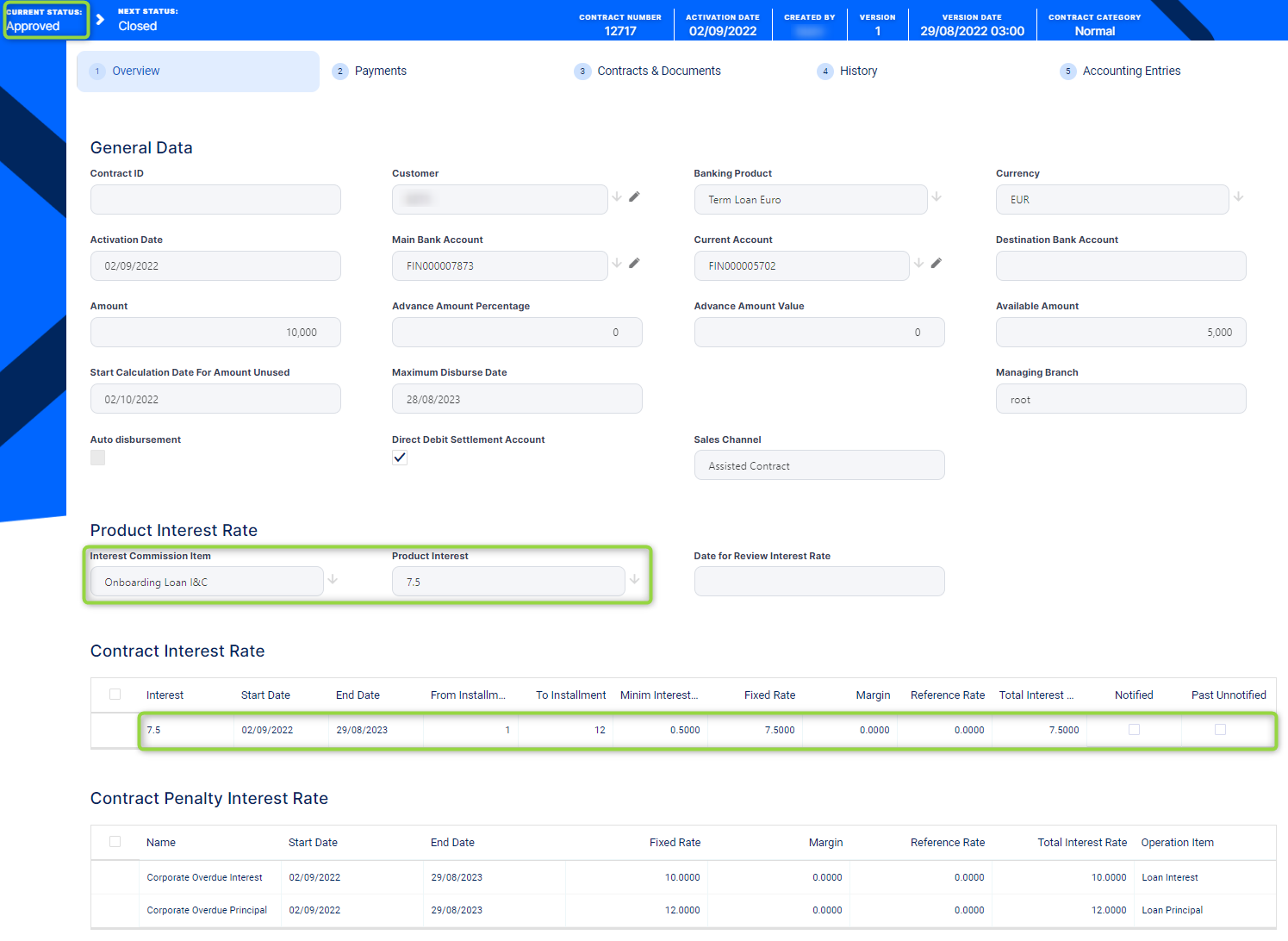
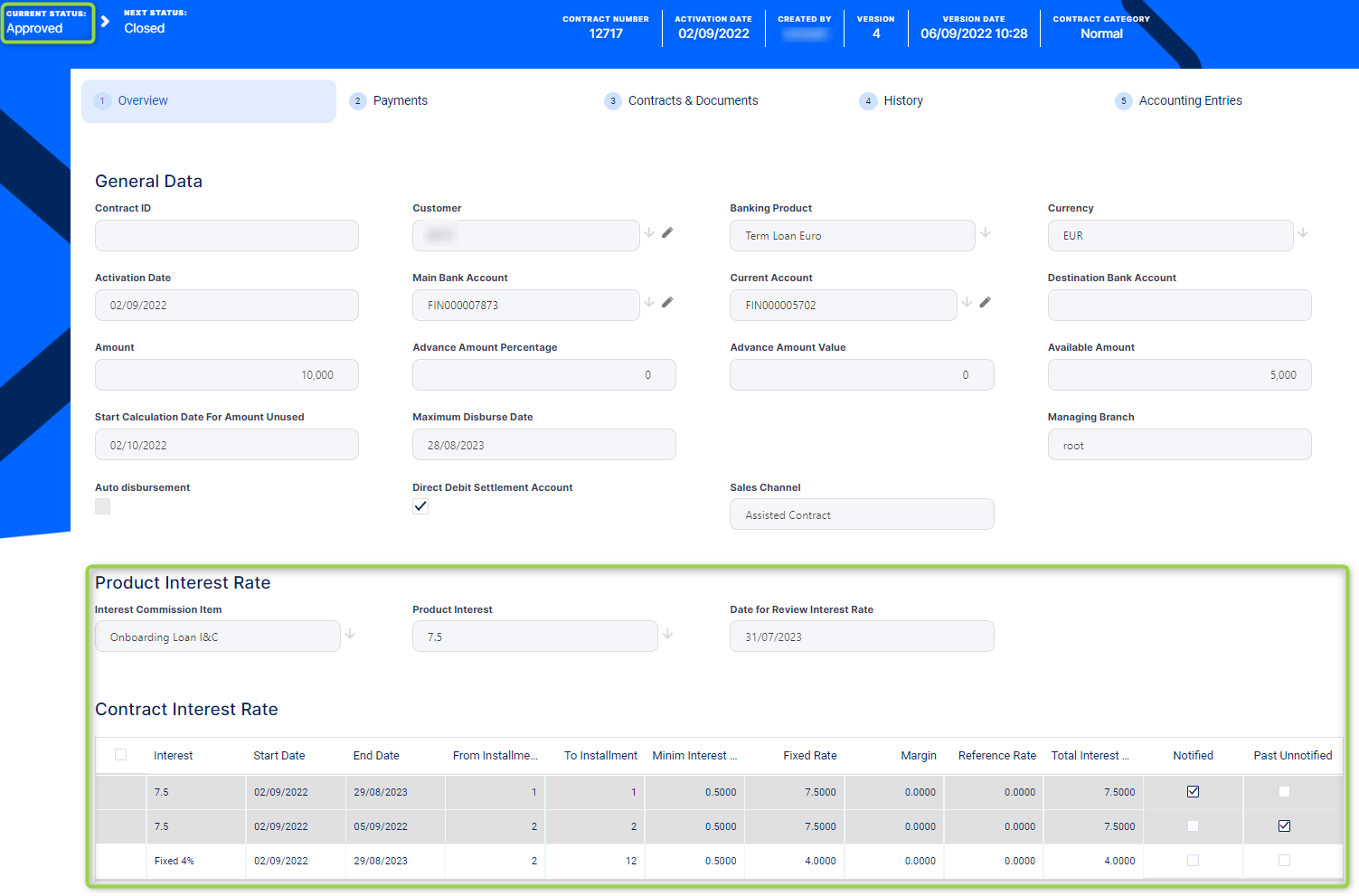
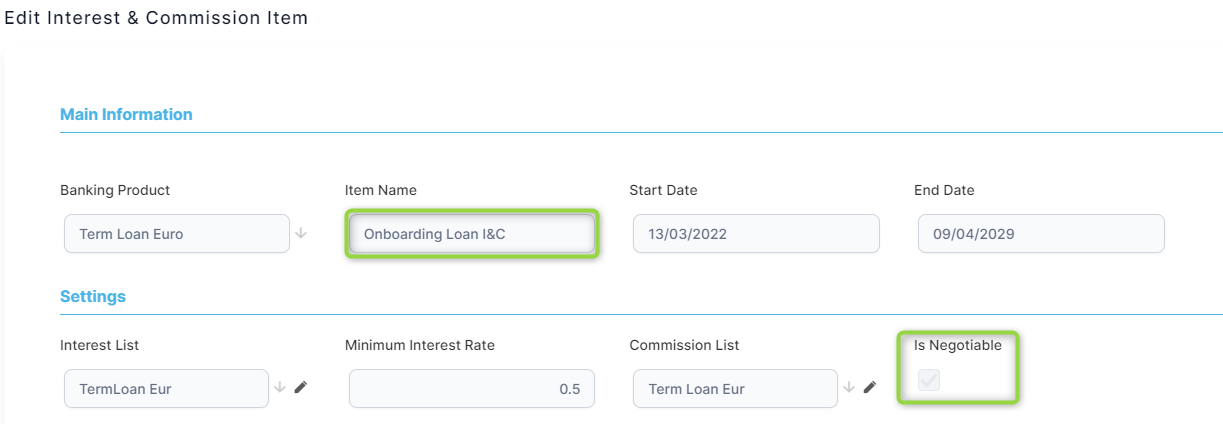
You can do this if the interest is defined as negotiable:
-
To modify an approved contract's interest, you must first create a new version as described in the dedicated topic.
-
In the contract with
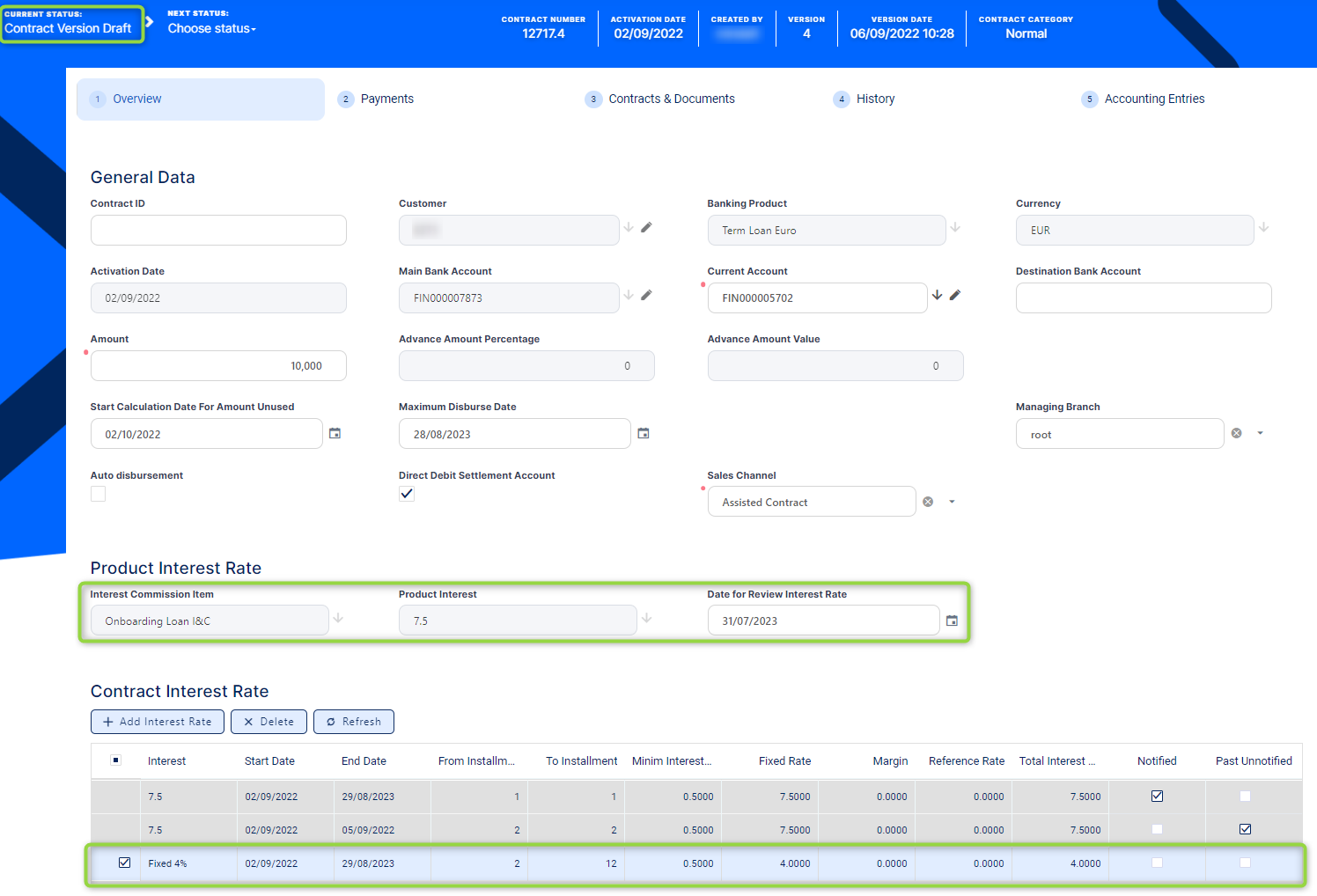
Version Draftstatus, you can change the interest rates either using another definition of interest from those listed in product setup, or modifying the fixed rate, margin, or minimum interest rate, in the Overview tab's Product Interest Rate and Contract Interest Rate sections.
For contracts in
Version Draftstatus, you can't perform any changes to the contract interest rates for notified installments or for days that have elapsed already from the current month's installment (if either the Notified or the Past Unnotified checkboxes are selected). -
Remember to recalculate the repayment schedule before approving a contract in
Version Draftstatus for which you performed interest rate changes, otherwise an error prevents you from approving the contract!
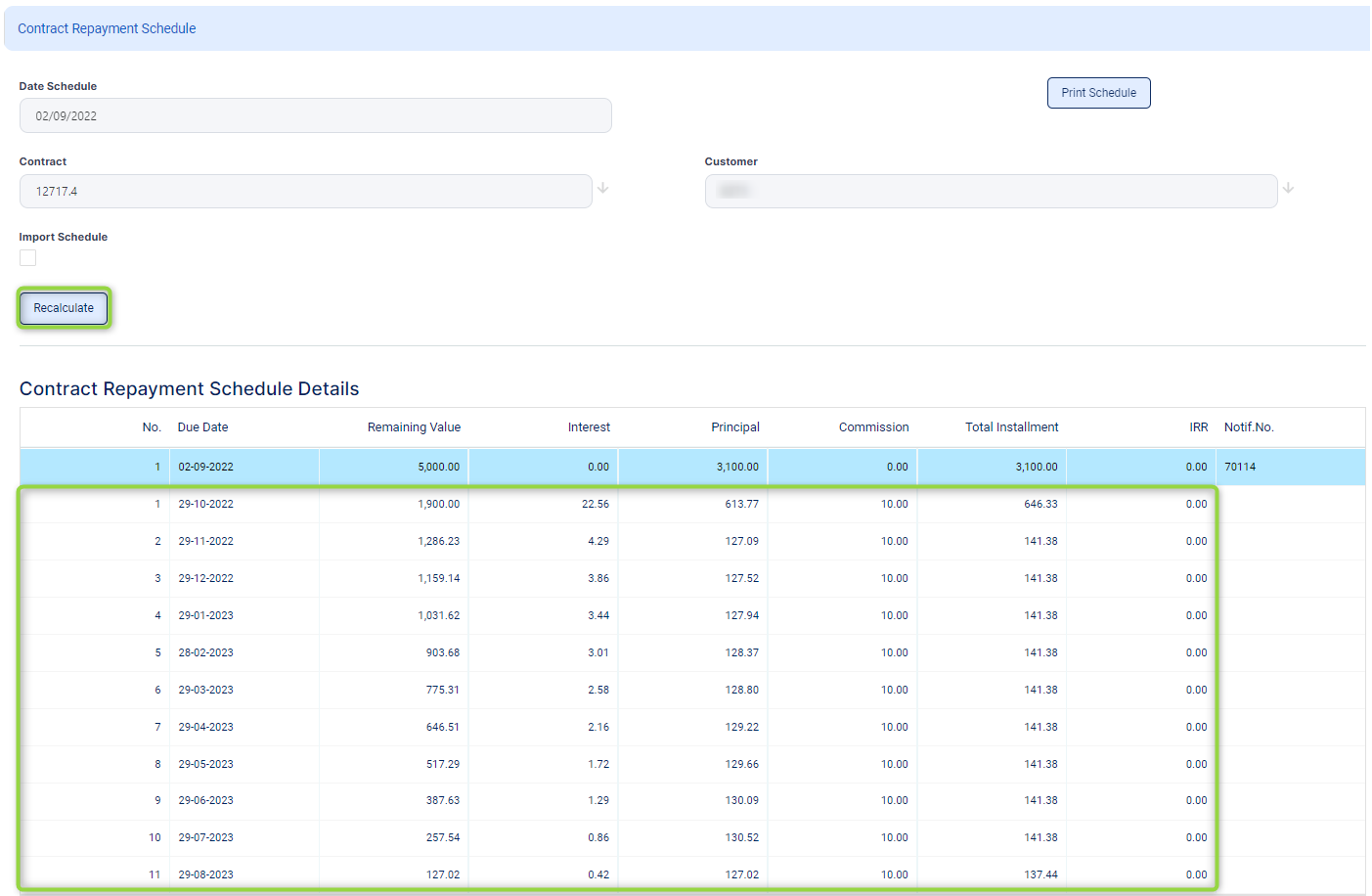
Navigate to the Payments tab -> Contract Repayment Schedule section and double-click the repayment schedule generated for contract version.
-
On the displayed Contract Repayment Schedule page, click Recalculate. Core Banking recalculates the repayment schedule for the remaining installments, using the changed interest rates.
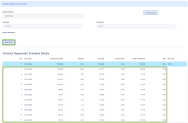
-
Click the Save and Close button.
-
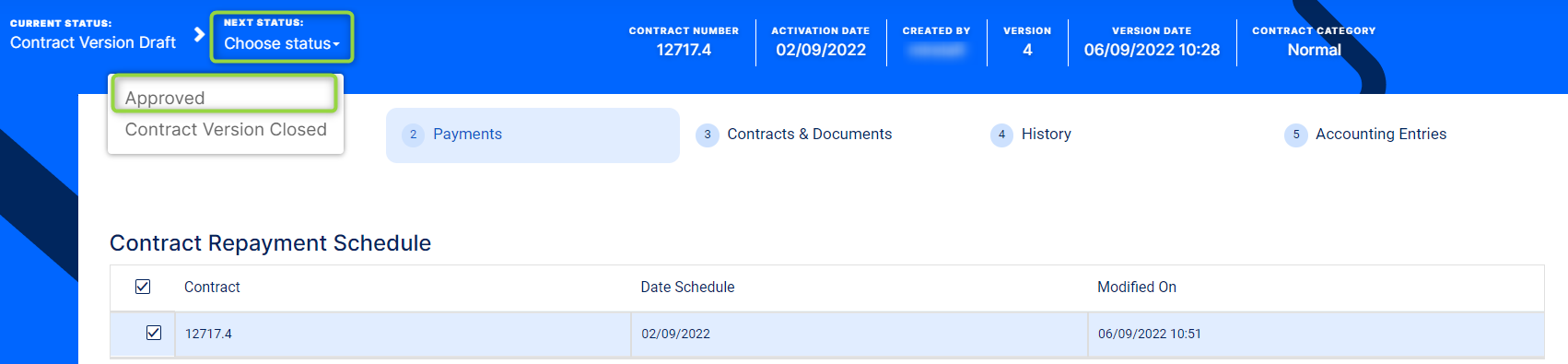
Approve the contract in
Version Draftstatus, changing its status toApprovedand then confirming your action. Thus, Core Banking applies the new recalculated repayment schedule to the contract.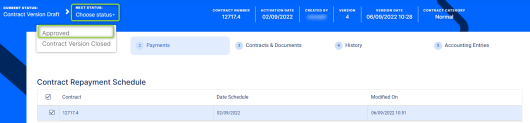
-
View the approved contract's changed interest rates in the Overview tab.