Digital Journey APIs
Digital journeys support API configuration, so you can load and access them in a custom application/ web application/ front-end, etc. This functionality applies to existing digital journeys as well. Currently, only Form Driven Flows are supported (Custom Flows cannot be used).
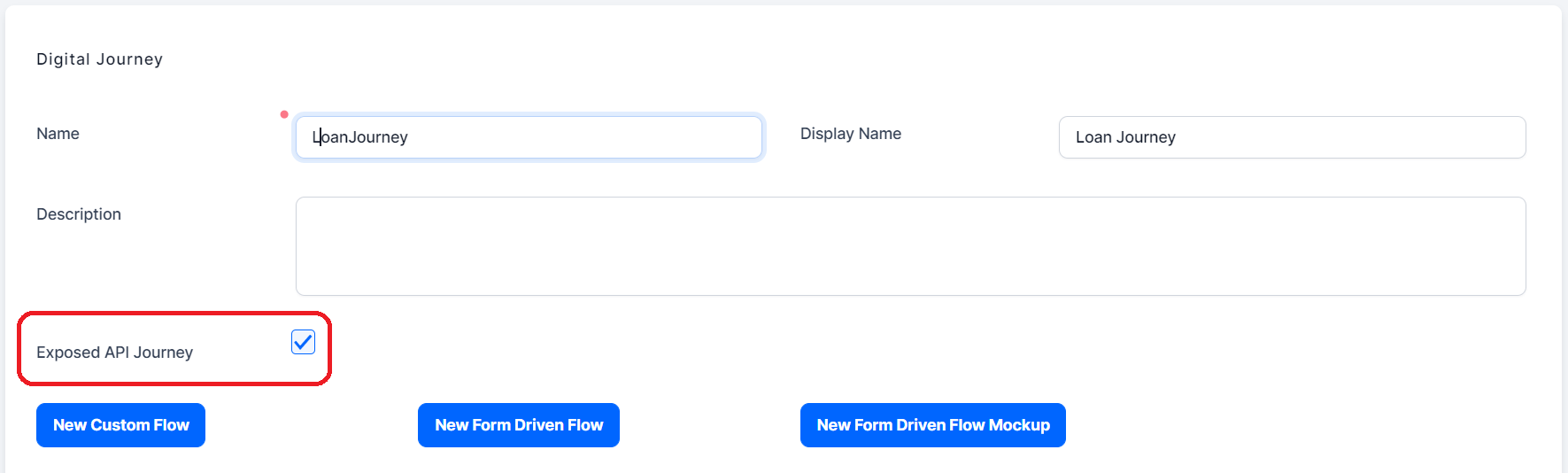
When creating a new digital journey in Innovation Studio, you will see an option “Exposed API Journey”. Ticking it allows you to call API endpoints in your digital journey.
The Digital Journey API uses the existing FTOS system of authorization based on the method: api/authorize/gettoken. For details, see Authentication API.
The following table describes the endpoints you can use to start, load, and explore the various steps of your digital journey.
| API Endpoint | Description |
|---|---|
| Start journey | Starts the digital journey. |
| Load current step | Loads the current step of the journey. |
| Next step | Sends the next instruction to the server in order to be able to load the next step. |
| Previous step | Sends the previous instruction to the server in order to be able to load the previous step. |
| View step info | Displays information about a specific step of the journey. |
| Load metadata | Displays the metadata of a digital journey. |
| Get lookup values | Displays the lookup values for the current step of the journey. |
| Call step action | Saves and executes form actions. |