Data Domain
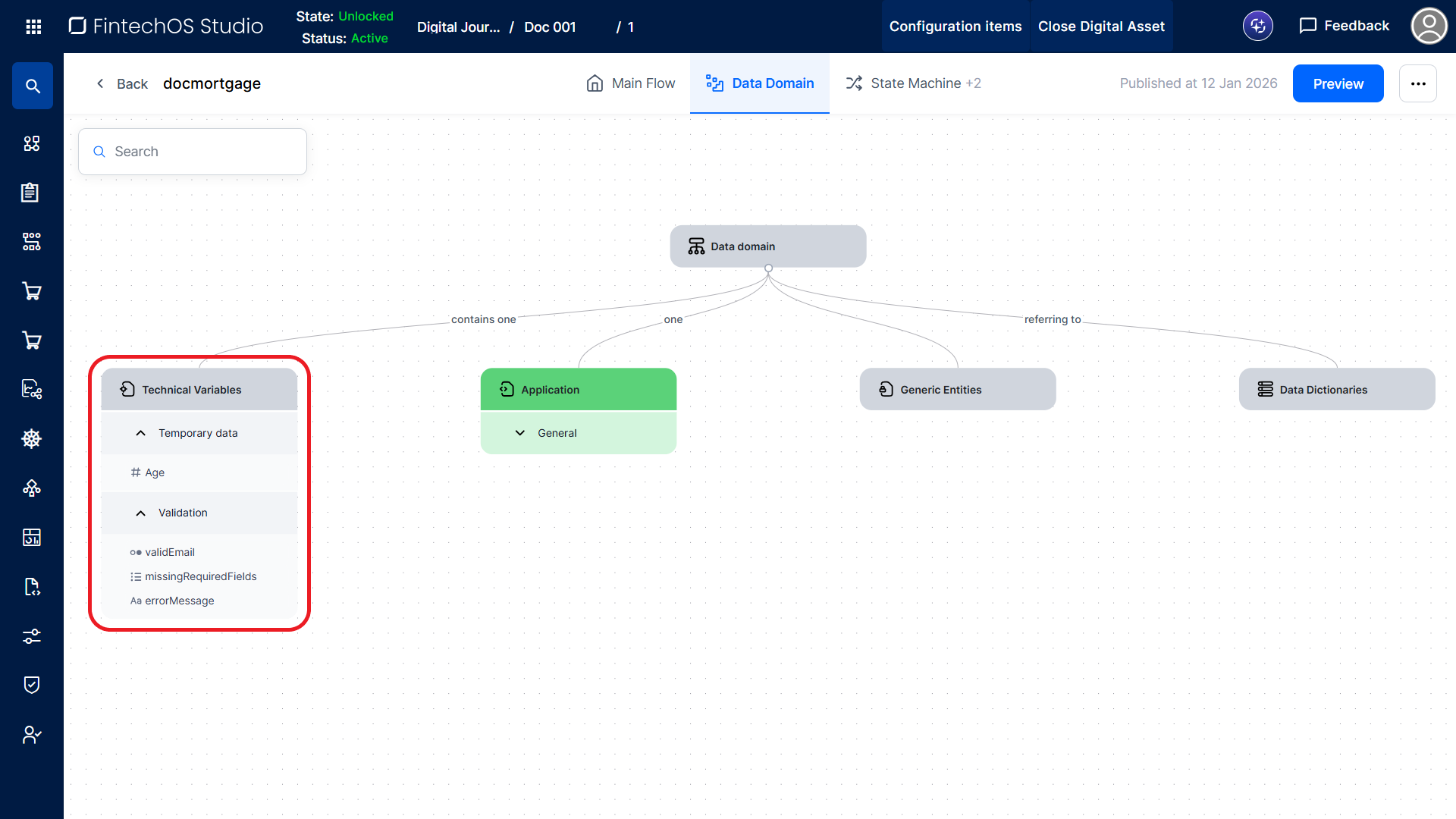
The data domain defines the workflow's display data and UI logic inputs. It is composed of data objects: Technical Variables, Data Entities, and Generic Entities.
Each data object contains attributes, which are grouped into categories. Attributes describe the properties of the data object. For example, a data entity representing a customer may include attributes such as first name, last name, social security number, and date of birth.
Data Object Categories
To manage a data object's categories:
- Click the data object node to open the editor.
- Select the Attributes tab.
A default category named General is provided. This category can be renamed or deleted after additional categories are created.
Data Object Attributes
In the data object editor, you can add attributes to a data object either:
- From a Lexicon Term: Click + Add From Lexicon and select a value from the list.
- From Scratch: Click + Create New and fill in the attribute details manually.
To refine an attribute definition, open the Settings slide-out panel from the data object editor or click the attribute directly on the Data Domain canvas.
Technical Variables
Technical variables store the visibility states, validation statuses, and other behavioral aspects of the UI components (e.g., toggled sections based on user inputs). These variables influence UI behavior but do not represent business data.
To configure them, click the Technical Variables data object and use the point-and-click interface to define their Data Object Categories and Data Object Attributes.
Data Entities
Data entities represent the structured business data the UI displays or modifies, such as customer information or application details. Unlike technical variables, you can create multiple data entities and define relationships between them with various cardinalities.
To create a data entity
- Open the ellipsis (...) menu on the parent node (either the root Data Domain node or another data entity).
- Select Add child entity. This creates an empty data entity on the Data Domain canvas.
- Click the new data entity to open it and use the point-and-click interface to define its Data Object Categories and Data Object Attributes.
Generic Entities
Generic Entities are reusable templates that define a common attribute structure. They can be applied to Technical Variables, or Data Entities that share the same data model. They improve speed and consistency by allowing a common set of attributes to be defined once and reused across multiple data objects.
For instance, in a loan origination workflow, you can create a generic entity to represent person's details. You can then use this generic entity to define data entities for different user roles, such as the loan applicant or codebtors, without replicating the structure each time.
- Data objects bound to a generic entity inherit all attributes exclusively from it.
- You cannot modify bound data object attributes independently.
- Changes made to a generic entity are automatically propagated to all associated data objects.