Code Extension
The Code Extension allows you to attach custom JavaScript code to your workflow.
To open a code extension in the Visual Studio Code FintechOS Extension:
- Click the ellipsis button (...) in the top right corner of the Workflow Designer.
- Select Code Extension.
- Choose your code scope:
- Custom Business Services for server-side core business logic and data processing
- Presenter for client-side UI interaction and rendering logic
- Application Logic for client-side workflow behavior and service interaction
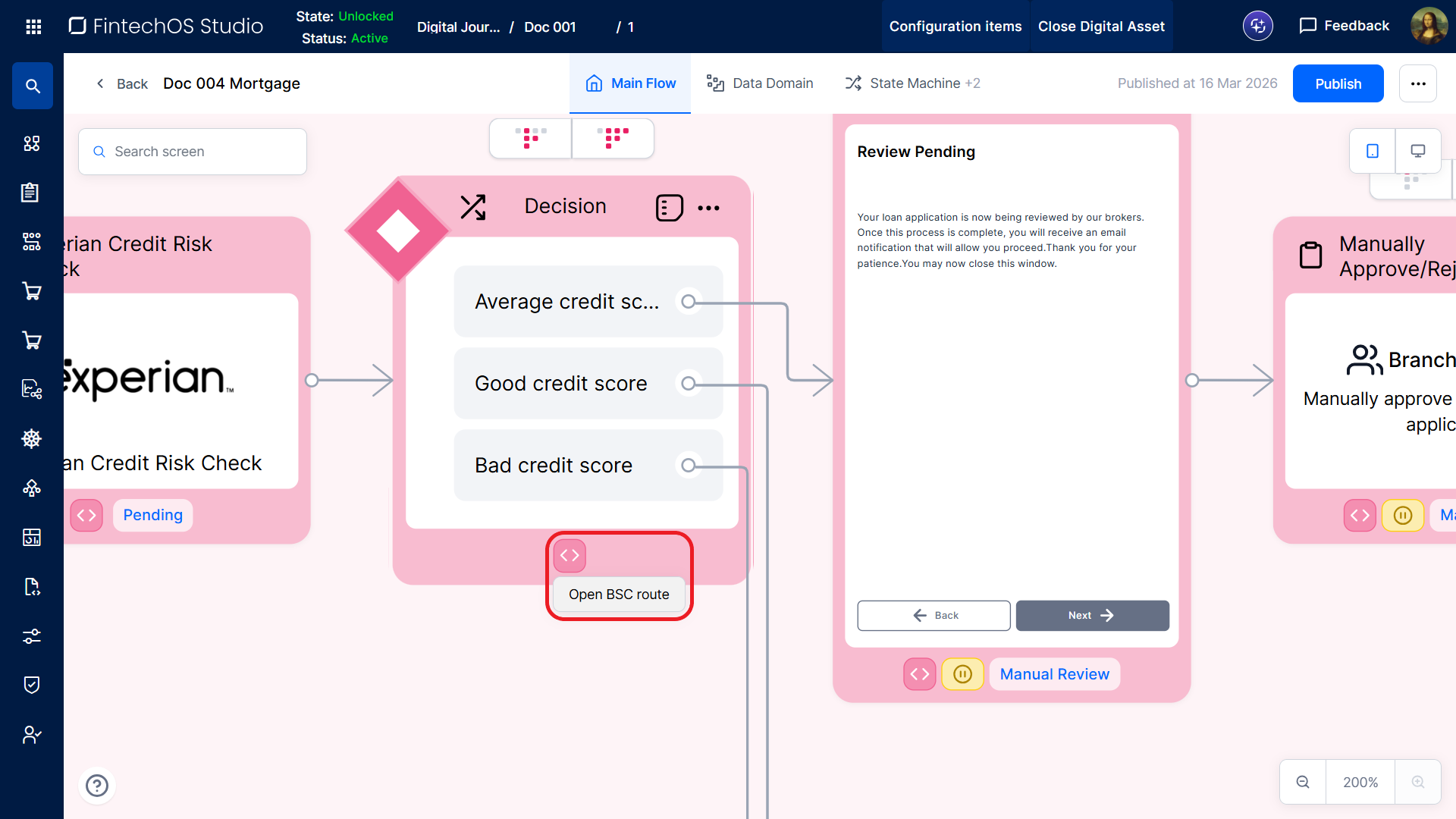
You can also access Custom Business Services by clicking the <> menu on the bottom edge of a workflow element (with the exception of screens) and selecting Open BSC Route.
Custom Business Services
Each workflow has a dedicated Custom Business Service which allows you to define server-side code that implements its core business logic (e.g., eligibility rules, interest and fee calculations, determining credit limits, or fraud detection).
Custom Business Services are based on business service components which consist of 3 JavaScript modules that implement distinct layers for data access, business logic, and interfacing:
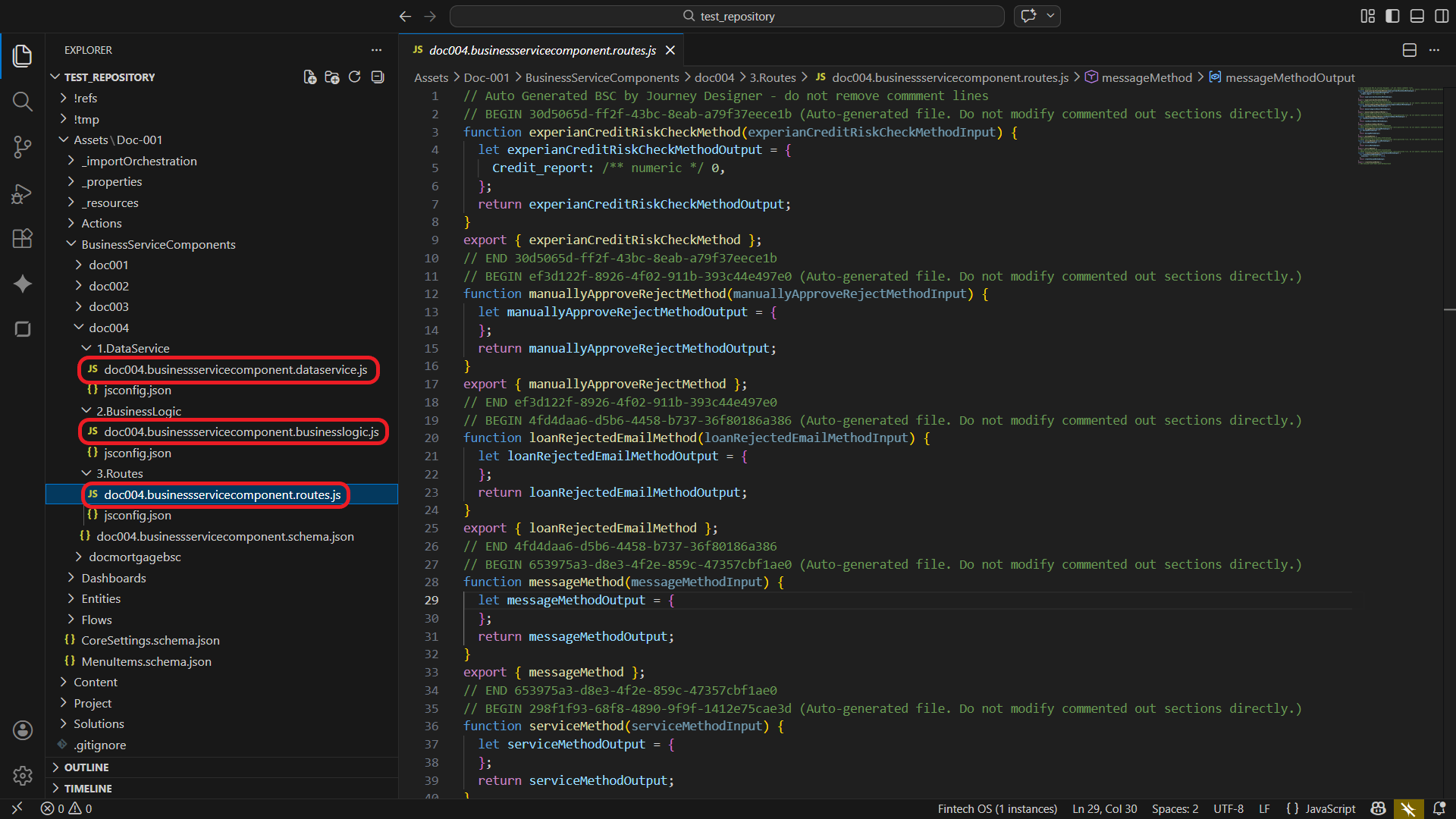
For detailed information on how to configure your Custom Business Service's Data Service, Business Logic, and Routes, see the dedicated Business Service Components documentation.
Auto-Generated Route Definitions
For each Integration, Service, Message, Document, and Task defined in the workflow, the system generates a corresponding function in the Routes module. These functions provide consistent naming, predefined input and output structures, and the necessary export definitions to make them publicly available to the workflow runtime. For example:
function experianCreditRiskCheckMethod(experianCreditRiskCheckMethodInput) {
  let experianCreditRiskCheckMethodOutput = {
    Credit_report: /** numeric */ 0,
  };
  return experianCreditRiskCheckMethodOutput;
}
export { experianCreditRiskCheckMethod };
Use the generated functions as a starting point for implementing your routes:
- Use the provided input object to access workflow data.
- Add the necessary processing logic.
- Populate and return the output object with the expected results.
Each generated function is wrapped in protected comment blocks:
// BEGIN <unique-id> (Auto-generated file. Do not modify commented out sections directly.)

// function definition
// export <function name>

// END <unique-id>Do not modify the auto-generated comment blocks. They are automatically maintained by the Workflow Designer.
Presenter
The Presenter is client-side code you can use for the workflow's interaction and rendering logic, e.g.:
- Handle UI events (e.g., button clicks, input changes)
- Perform immediate, UI-level input validation (e.g., required fields, email formats, IBAN structure)
- Format data for display (e.g., currency values, percentages)
- Update the user interface (e.g., display validation messages, update summaries)
Presenter Integration with Workflow Event Handlers
Public functions defined in the Presenter are exposed as callable methods within the Workflow Logic Blocks' Logic Actions.
Application Logic
The Application Logic defines how the workflow operates at a use-case level. Use it for client-side code that coordinates workflow behavior and interactions between the UI and server-side services. This includes:
- Service Request Logic – Send requests to Custom Business Services (e.g., save, fetch, submit) and process incoming responses.
- Data Logic – Perform lightweight, workflow-specific data handling:
- Cross-field validation (e.g., ensure consistency between inputs)
- Basic transformations (e.g., set default values, normalize input values)
- Prepare data for service requests or UI displayIMPORTANT!
Core business rules and data integrity validation must be implemented in server-side services.
- UI Behavior Logic – Control how the UI responds to workflow state and data:
- Enable or disable UI elements
- Mark fields as required or read-only based on context
- Show or hide UI elements (e.g., attributes, widgets, buttons)
- Navigation Logic – Transition between workflow steps or redirect to external pages.
Application Logic Integration with Workflow Event Handlers
Public functions defined in the Application Logic are exposed as callable methods within the Workflow Logic Blocks' Logic Actions.