Product List
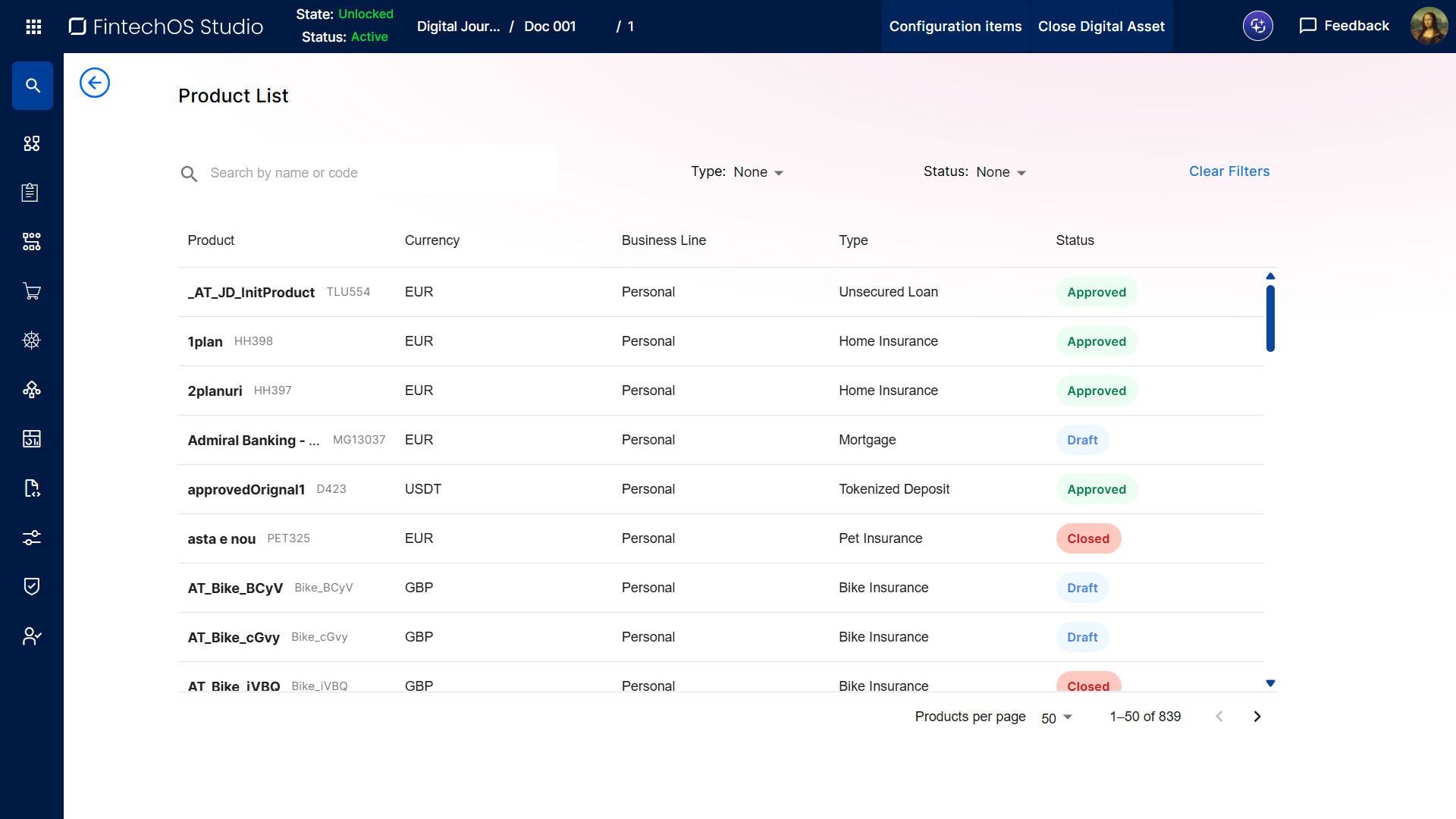
The product list allows you to browse and access all products that are configured in your environment.
Browse Available Products
To open the product list:
- In FintechOS Studio, go to Main Menu > Products > Products.
- Click the Products button at the top of the screen. The product list is displayed as a grid containing all currently configured products.
Filter the Product List
Use the controls at the top of the product list to filter the displayed products:
- Search box: Enter keywords that match product names or product codes.
- Type: Filter products based on their type. You can select more than one type at the same time.
- Status: Filter products based on their Product Life Cycle and Replication state.
- Clear Filters: Remove all currently applied filters.
Open Products
To open a product, double click a row in the product list. Depending on the product status, this will:
- Open the Product Overview Page, if the product is in the approved or closed status.
- Open the product in the product designer, if the product is in the draft status.