Test Products and Offers
You can run simulations for your approved products and offers using various inputs to evaluate how your eligibility, underwriting, and pricing rules perform under different scenarios.
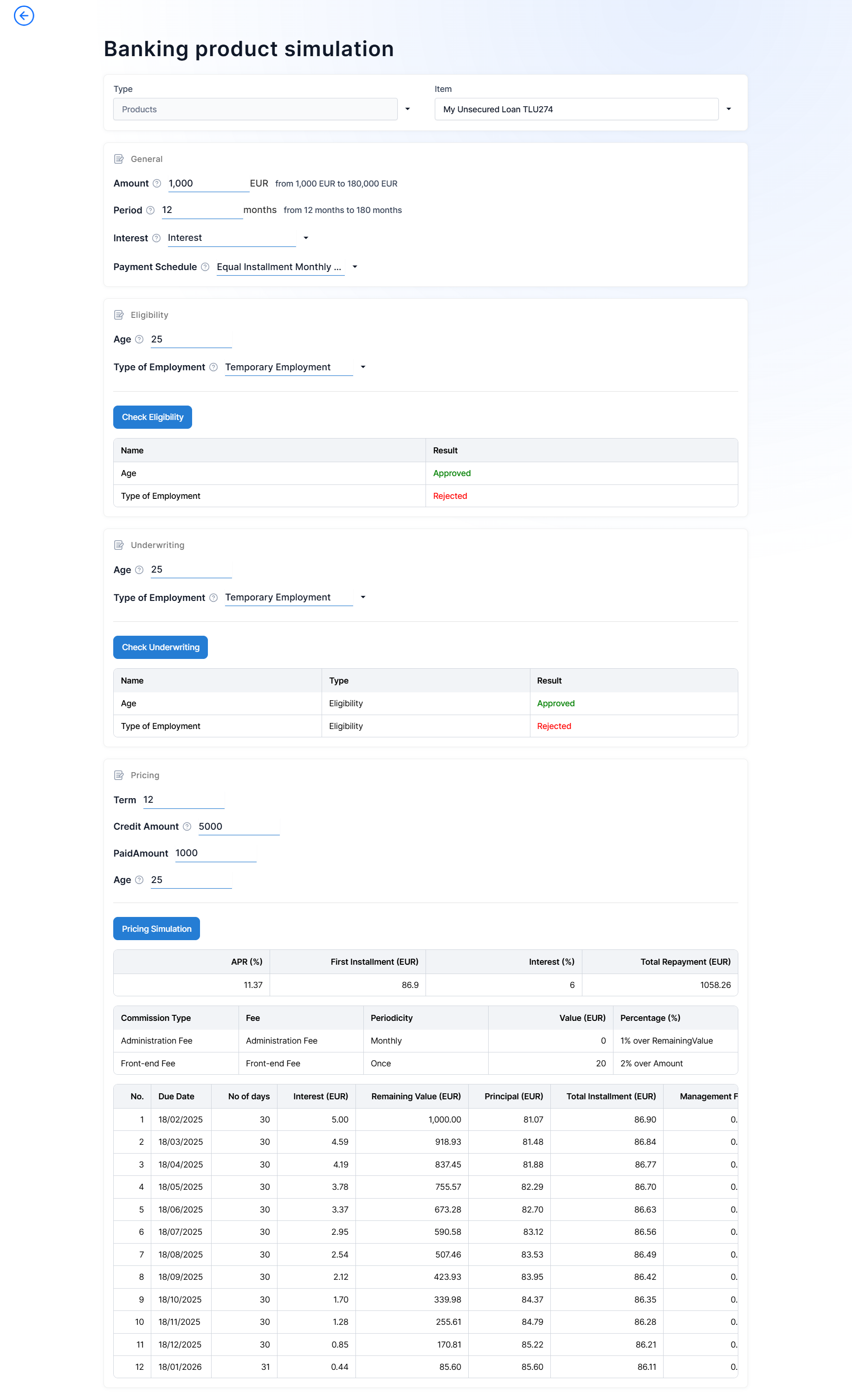
- In FintechOS Studio, go to Main Menu > Products, and select an approved product from the list.
- Click the Test Product button at the top right corner of the screen to open a simulation page for the selected product.
- To test a different product or an offer, use the Type drop-down menu to switch between products and offers, and the Item drop-down menu to select the respective product or offer.

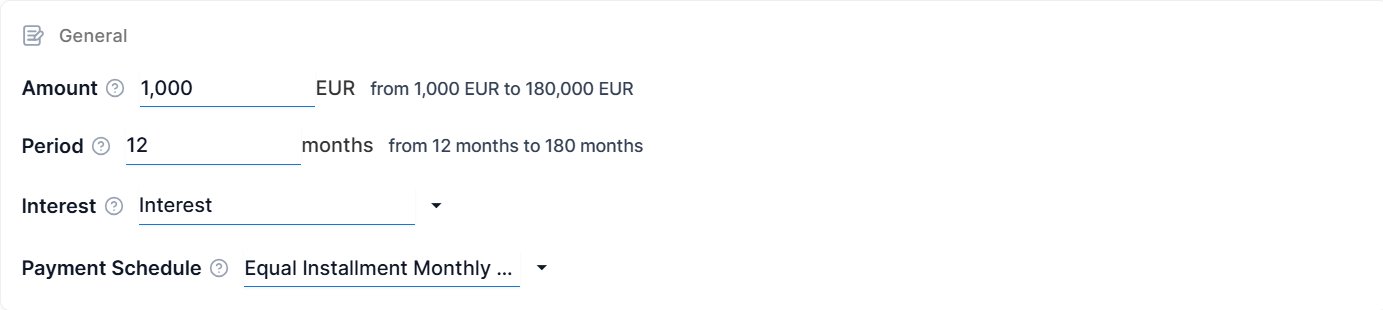
- In the General section, provide values that you wish to simulate for the various inputs in the product configuration.

- If testing an offer, define the audience settings that you wish to simulate in the Audience rules section.

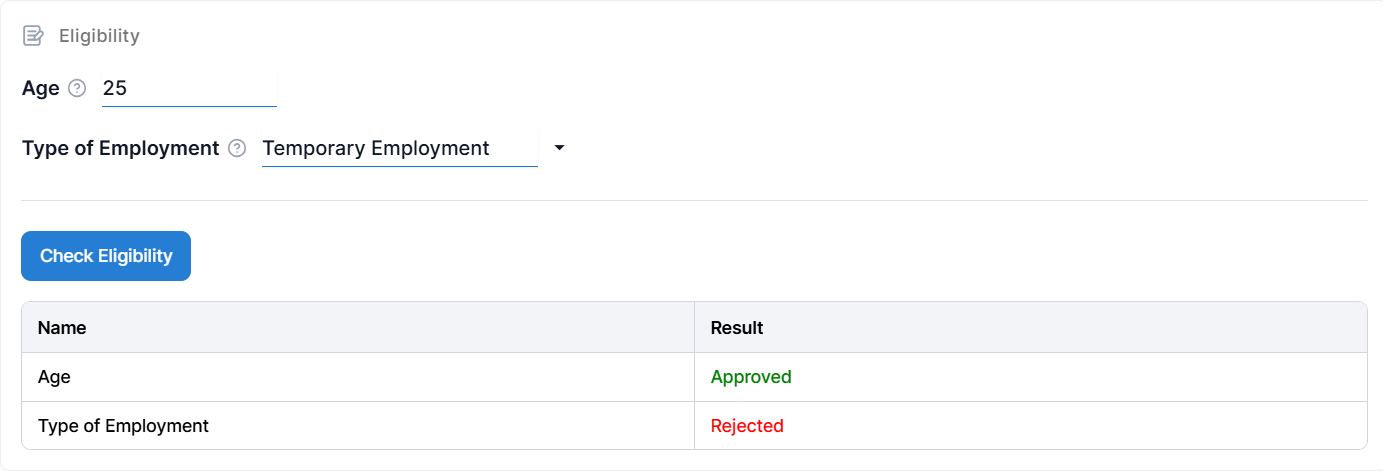
- To check eligibility, enter the eligibility rules inputs in the Eligibility section and click Check Eligibility.

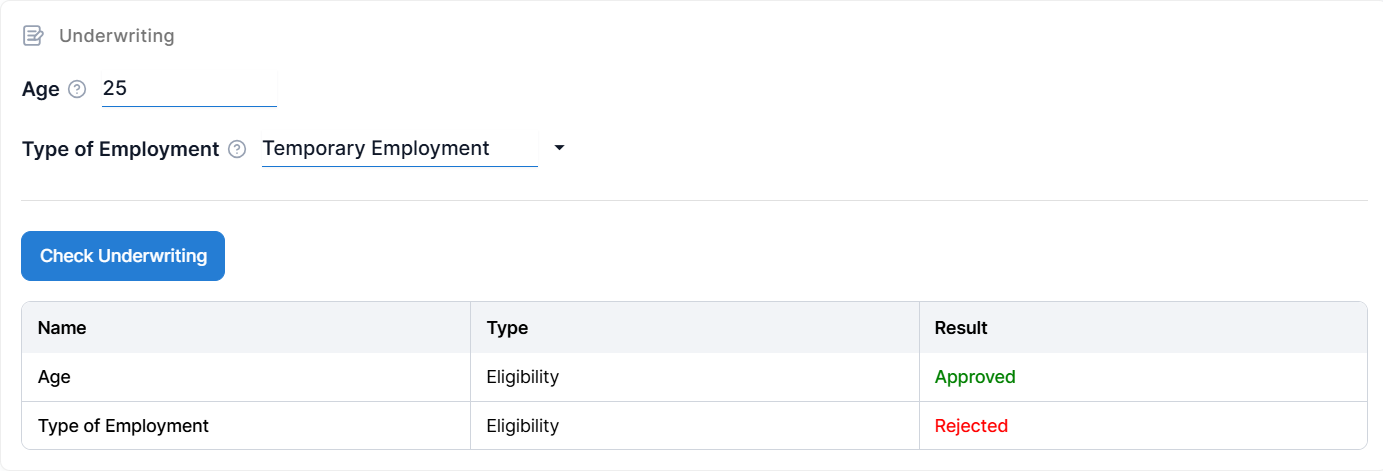
- To check underwriting, enter the underwriting rules inputs in the Underwriting section and click Check Underwriting.

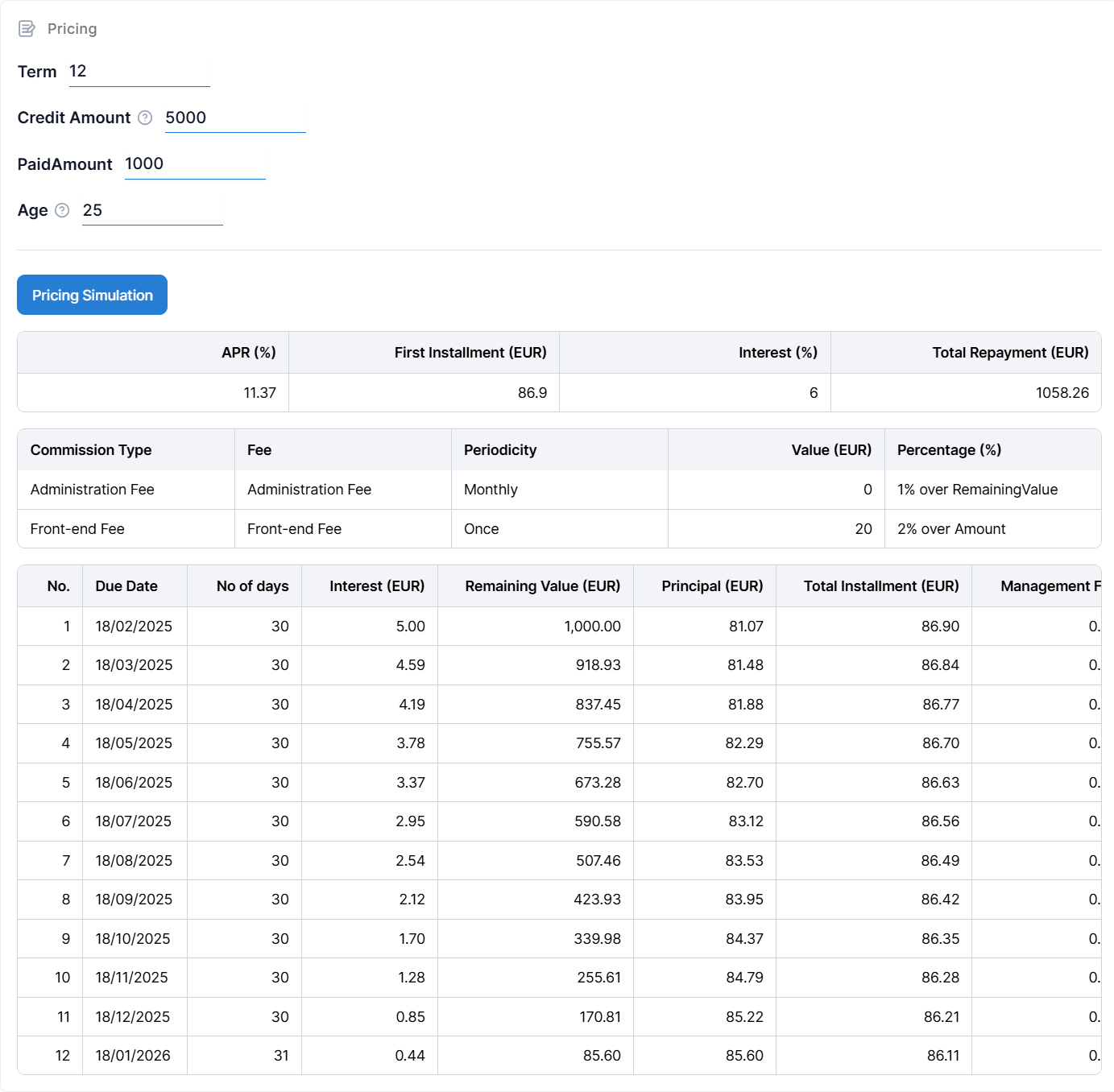
- To assess pricing, enter the pricing rules inputs in the Pricing section and click Simulate Pricing.