Customize the Delete Confirmation
The figure below shows the default delete confirmation dialog for view records:

To customize the delete confirmation dialog displayed when deleting records from a specific entity view:
- Go to the entity view configuration page, Code tab > Display Options.
- Customize the delete confirmation dialog by updating the code provided by default.
ebs.createViewDisplayOptionsObject({
   deleteConfirmation: {
        yesButtonLabel: "Yes, sure",
        noButtonLabel: "Nope",
        getDeleteConfirmationOptions: function (selectedRowsData, nameAttribute) {
            //console.log(selectedRowsData, nameAttribute);
            var msg = "<h4>Are you sure you want to delete these records?</h4>";
            var noOfRows = selectedRowsData.length;
            var cancel = false;
            for (var i = 0; i < noOfRows; i++) {
                msg += "<div>" + selectedRowsData[i][nameAttribute] + "</div>";
                if(selectedRowsData[i]["a_status"] == "pending")
                cancel = true;
            }

            if(cancel){
                ebs.showMessage("You cannot delete pending records", "info");
            }
            return {
                yesButtonLabel: "Yes delete " + noOfRows + "records",
                 message: msg,
                cancelDelete: cancel
            }
        }
    }
});
The figure below shows how the delete confirmation dialog customized above will look like:
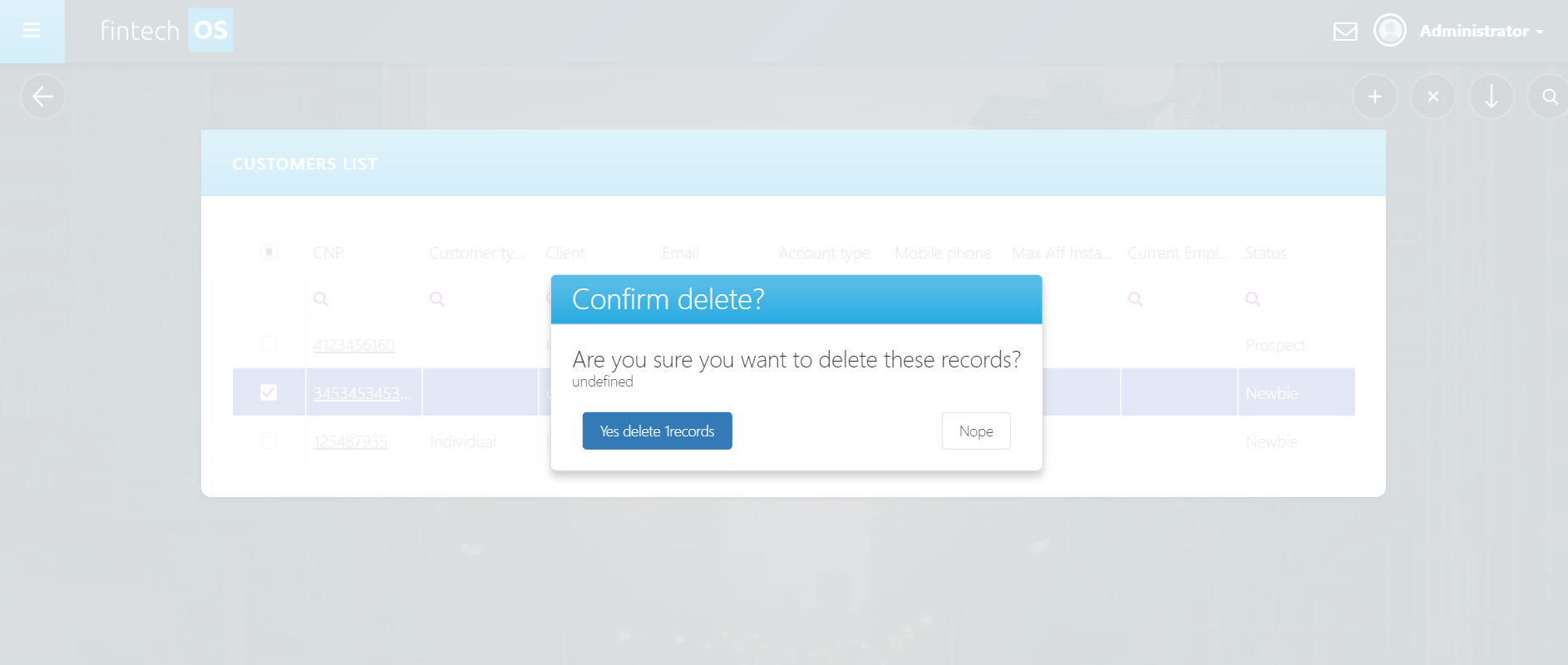
The table below describes the properties of DeleteConfirmation.
| Property | Default Value |
|---|---|
| title | $resources.DeleteRecords_Confirmation_Title |
| message | $resources.DeleteRecords_Confirmation_Message | DeleteRecords_Confirmation_Message_Singular |
| yesButtonLabel | $resources.DeleteRecords_Confirmation_Yes_Label |
| noButtonLabel | $resources.DeleteRecords_Confirmation_No_Label |
| cancelDelete | false |
| silentDelete | false |
Setting the cancelDelete property to true will prevent the selected record(s) deletion and no confirmation will be displayed.
Setting the silentDelete property to true will delete the selected record without confirmation.
If both cancelDelete and silentDelete are set to true, the selected record(s) will not be deleted and no confirmation will be displayed.