Create and Design Views
Introduction
An entity can have many views defined, but only one will be used as default without mentioning the name. Other views could be used to display data through relationships or through lookup view option.
Each entity has a default auto-generated view, which displays by default only the primary attribute (defined when the entity was created), but can be customized at any time.
Add Views
The view configuration page allows you to create a new view or edit an existing one.
To add a view to an entity, follow these steps:
- Go to the entity edit page, scroll-down to the Data Views section, and click the section header. The Data Views section expands.

- Click Insert . The view configuration page appears. It is comprised of three sections and the General tab will be displayed by default. You can navigate through the view configuration sections by clicking the tabs.
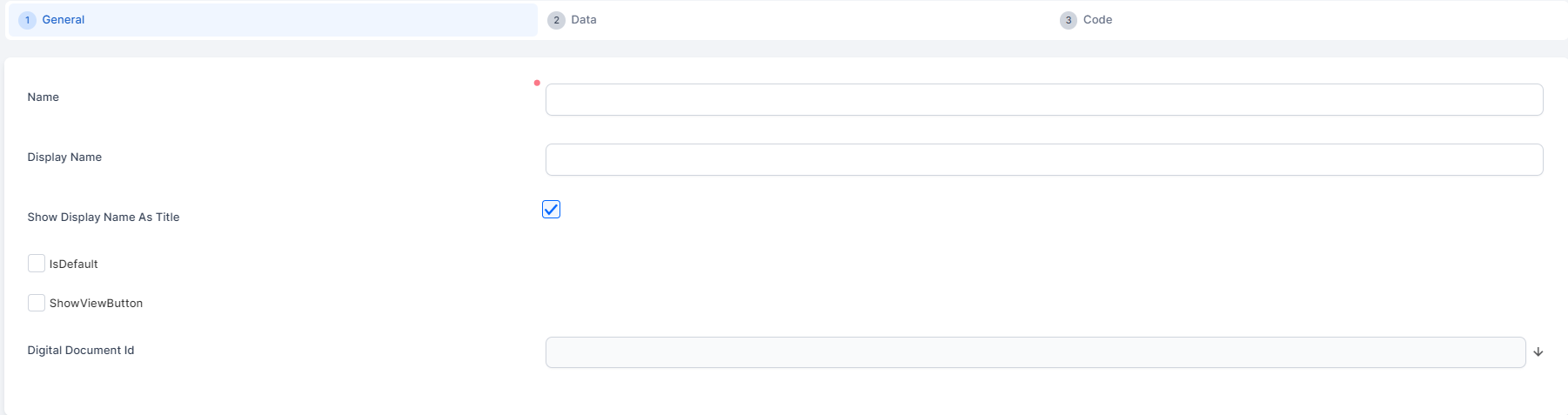
- Provide View General Information
- Define View Data
You can also enable Inline Editing for view and Apply Conditional HTML Formatting.