Export a Formula or Data Set
When creating a package to be exported from the current environment to another environment, the digital actor is going to select the formula version to be included in the deployment package, regardless of its status:
- draft
- active
- closed.
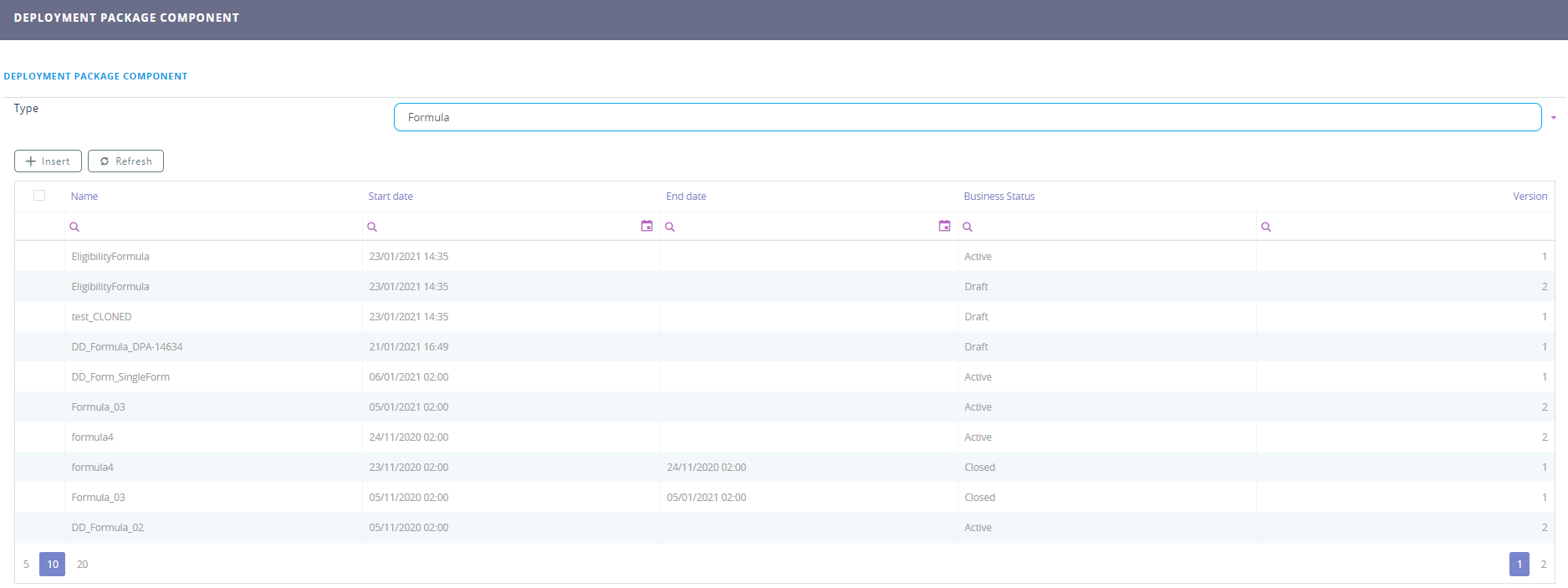
To deploy a package containing a formula from one environment to another, the system will proceed as indicated below by checking:
- the formula name to see if there are any existing formulas on the deployment environment. If the formula exists on the deployment environment, the input parameter and output formula steps will be checked and if they are the same (environment vs. package) the deployed formula will become the latest version of the existing formula.
- on the deployment environment if the existing formula has a draft version. If there is an existing draft version the system will display an error message on importing the package. (The user will have to remove/delete the draft version to deploy/import the formula from the package.)
- If there is no draft version, the deployed formula will be imported with Draft status, begin date = current date when beginning data < current date and all links of parent formula and master formula will be reinitialized.
- If the input and output parameters are different from package formula the formula could be imported as a new one with change name "name_importdate" or the import will raise an error.
- If the name is not found then the formula will be imported as a new one, in draft status, version 1 and begin date = current date.