
Entity versioning
After having created an entity and a Business Workflow attached to it corresponding to either draft, approved, version draft and version closed, and the entity has passed through one of the statuses, you can configure the entity versioning. For more information about the prerequisites, see Business Workflows Processor. For each of the statuses, the user can determine the value from the Business Workflow created by the user.
For FintechOS V20.1.0 and higher, click on Business Workflow Designer, select “FTOS_VersioningWorkflow” , select your entity configuration from the Attached to relation for edit, and uncheck : “Allow Only Defined Transitions”, save the record.
For example, for a banking use case, a user has a type of deposit with a list of rates depending on the time spam of the deposit made by a client. By creating a new entity for the deposit, the user needs as well the list of interest rates.
identically, for insurance, a user has a policy with monthly rates and premium amounts or of risks insured. hence, the user can version the lists as well by configuring the VersionSettingItem.
In the e.g. interest rates/ risks entity, there is the FK depositID/policyID in order for the VersionSettingItem configuration to work. Therefore, if the user wishes to version the corresponding entity, there has to be an attribute FK to create a relation to the main entity.
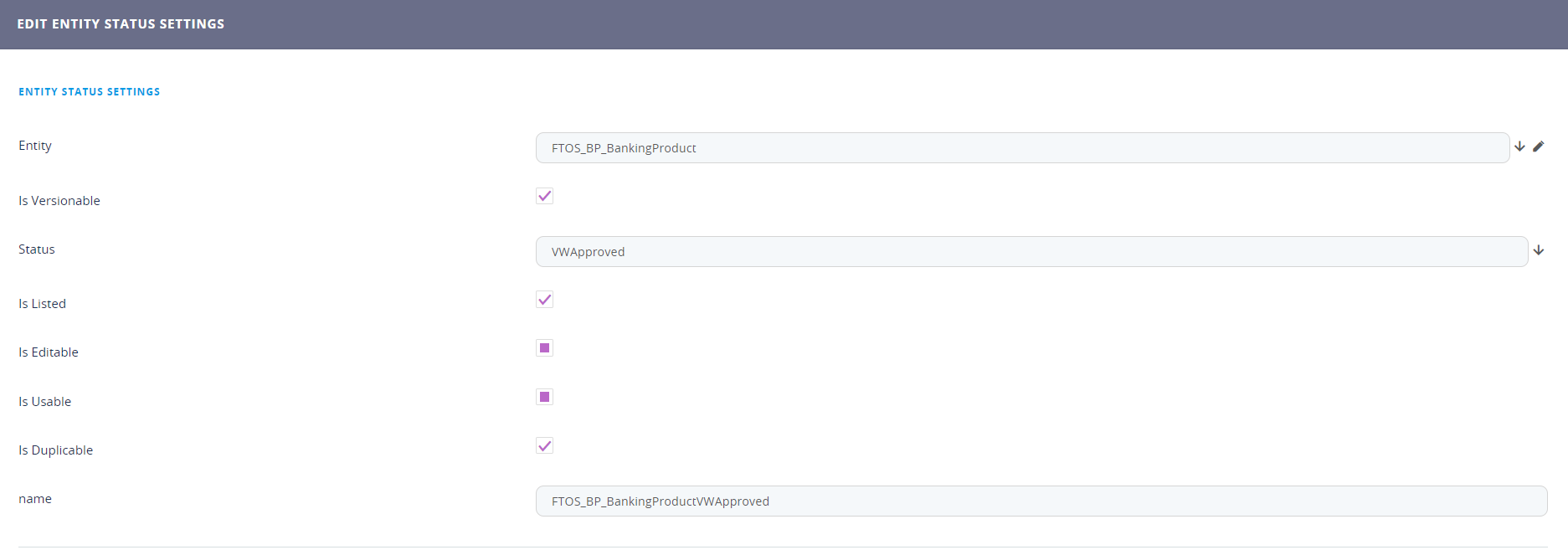
To create a new entity status, follow these steps:
- Open the main menu, select the Admin chapter, click Entity versioning and select the Entity Status settings.
- To add a new status click the ''Insert'' button. To delete, click on the ''Delete'' button on the right side of the screen.
- Fill in the fields:
Field
Data type
Description
Entity Option set Select the entity you wish to add the status to. Is versionable Bool Tick the check box if the Status Option set Select one of the statuses. Is listed Bool If the entity is listed. is editable Bool Tick the check box if the entity is editable. is Usable Bool If the entity is used. is duplicable Bool Tick the checkbox if the entity is reproducible. name Text Insert a name for the status. -
Click the ''Save and close'' button.
Version settings
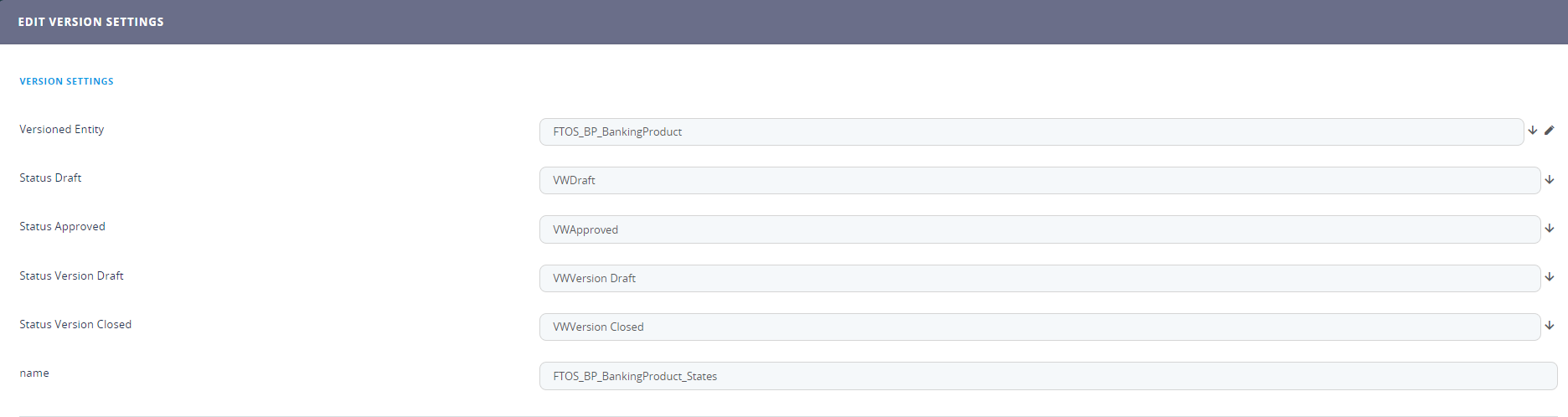
- In version settings, fill in the following:
Field
Data type
Description
Version entity Option set This is the entity proposed for versioning. Status Draft Option set Select the name of the corresponding draft status. Status approved Option set Select the name of the corresponding approved status. Status version draft Option set Select the name of the corresponding version draft status. Status version closed Option set Select the name of the corresponding version closed status. name Text Insert a name for the setting. - Click the ''Save and reload'' buttton.
- In the grid, VERSIONSETTINGSITEMS, the user can configure if the main entity has grids itself in order to define those records from the grid to be versioned as well.
- Click the ''Insert'' button to add a new item.
-
Click the ''Save and close'' button. Repeat as many times as needed.Field Data type Description Related Versioned Entity Option set Select the relation you wish to use. Versioning Attribute Option set Select the attribute to be added. Parent Versioned Entity Option set name Text Insert a name for the settings item. Version Settings Option set It is automatically filled in with the name from step 1 of version settings.
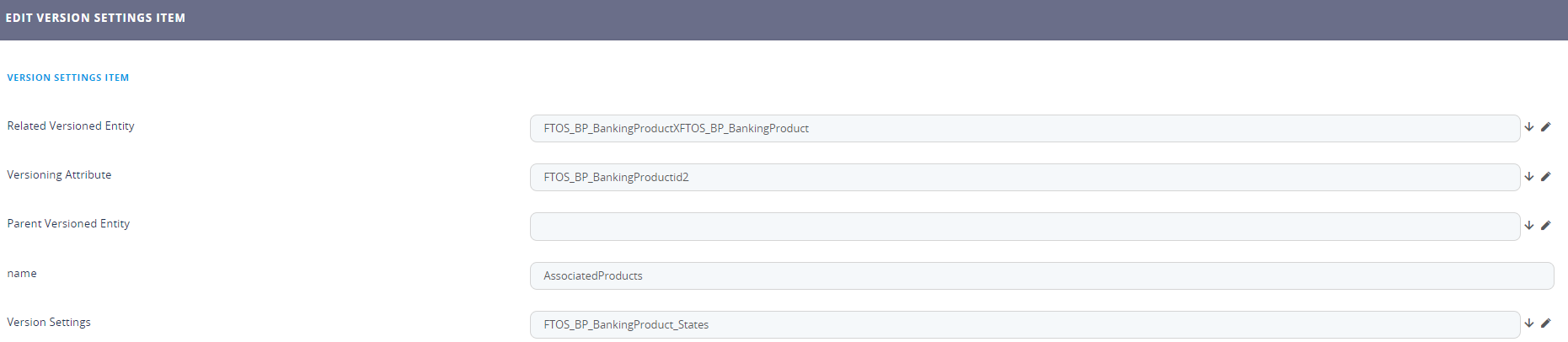
Fill in the following: