
Creating Event Triggered Automation Scripts
To create an event triggered automation script, follow these steps:
- From the menu, click Advanced > Server Automation Scripts. The Server Automation Scripts List page appears:
- At the top-right corner of the page, click the Insert icon. The Add Server Automation Script page appears:
- In the Name field, type the script name.
- In the Description field type a description of the script logic. The field is optional, but we recommend you to provide description so that developers have a clear view on what the script is intended to do.
- From the Script Type drop-down, select Event triggered.
- From the Event drop-down, select the event type that triggers the script: Read, Update, Insert or Delete.
- From the Stage drop-down, choose the stage of event that triggers the automation script:
- From the Entity drop-down, select the entity triggering the server automation script.
- In the Code field, enter the server automation script code (using Server SDK functions). If you want to use an automation script library, you can do so, by calling functions defined in the library.
-
To prevent recursive run of the scripts, stick the Prevent Recursivity checkbox.
- Specify if the script is active or disabled. Tick the Disable checkbox to disable the automation script code execution (select it for debugging purposes or for obsolete automation scripts).
- At the top-right corner of the page, click the Save and close icon to save the automation script.
|
Stage |
Description |
|---|---|
| Before |
Executes a block of code before read, update, insert or delete events occur. Use cases: To validate information for update / read events and restrict access /filter information for read events. |
| After | Executes a block of code after read, update, insert or delete event. Using the record ID, you can use it to create single or cascading events. |
| After Transaction |
Waits until the current SQL transaction finishes and then the automation script runs in a new transaction. Use case: To insert and update the same record at the same time. If using an after event in the automation script, the second transaction (update) will execute after the first one (insert) completes. |
Copy
log('Client - BeforeUpdate - START - ' + context.Id);
log('CONTEXT: ' + serialize(context));
setAdminMode(true);
if(context.ExecutionDeapth < 2){
    var clientName = isNullOrEmpty(context.Values.AgreementCounterpartyName) ? context.BeforeValues.AgreementCounterpartyName : context.Values.AgreementCounterpartyName;
    clientName = clientName.trim();
    context.Values.AgreementCounterpartyName = clientName;
    context.Values.InitialCounterpartyName = clientName;
    var fenergoClientId = isNullOrEmpty(context.Values.FenergoClientId) ? context.BeforeValues.FenergoClientId : context.Values.FenergoClientId;
    var clientId = context.Id;
    if(!isNullOrEmpty(fenergoClientId)){
        var duplicateClient = getByQuery({
            "entity": {
                "alias": "a",
                "name": "Client"
            },
        "attributelist": [
            {
            "name": "AgreementCounterpartyName"
            },
            {
            "name": "Clientid"
            }
        ],
    "where": {
        "type": "and",
        "conditionlist": [{
            "first": "a.FenergoClientId",
            "type": "equals",
            "second": "val(" + fenergoClientId + ")"
            },
        {
        "first": "a.Clientid",
        "type": "notequals",
        "second": "val(" + clientId + ")"
        }]
        }
    }
);
if(duplicateClient !== null && duplicateClient.length !== 0){
    throwException(getErrorMessage("61111"));
    }
}

    var duplicateClient = getByQuery({
        "entity": {
        "alias": "a",
        "name": "Client"
    },
    "attributelist": [
        {
        "name": "AgreementCounterpartyName"
        }
    ],
    "where": {
        "type": "and",
        "conditionlist": [{
            "first": "a.AgreementCounterpartyName",
            "type": "equals",
            "second": "val(" + clientName + ")"
        },
        {
        "first": "a.Clientid",
        "type": "notequals",
        "second": "val(" + clientId + ")"
        }]
        }
    }
);
if(duplicateClient !== null && duplicateClient.length !== 0){
    throwException(getErrorMessage("61111"));
    }
}
log('Client - BeforeUpdate - END - ' + context.Id);
To avoid calling the wrong methods and attributes, you can use the ‘$m’ mechanism when writing the code. For more information on how to the mechanism, see $m Mechanism.
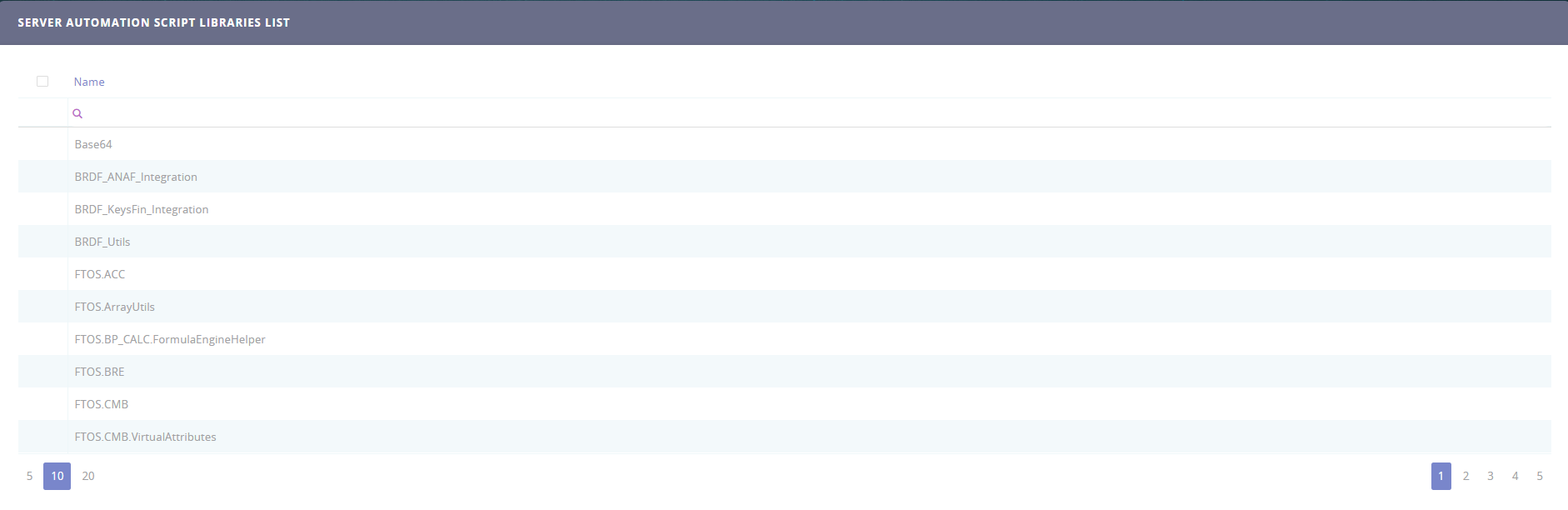
If you want to use an automation script library (the one whose functions you appended in the Code field), after saving the automation script, go to the Edit Automation Script page, from the List of Automation Script Libraries section, click the Insert existing button and select the desired script library by double-clicking it.