Manage Quotes
The Quote Admin solution enables you to manage quotes and offers. In FintechOS Portal, you can view the list of all quotes, together with details like coverages, insured amounts, etc.
View Generated Quotes
There are two ways you can access the list of existing quotes in FintechOS Portal:
-
Go to Offer Management > Offers > Insurance Quotes.
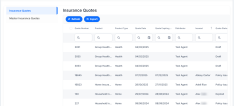

Double-click any quote record to view its components. The quote form opens with the following sections:
 Main Info

-
Quote Number: The unique identifier of the quote record;
-
Quote Type: The type of the quote.
-
Quote Date: The date when the quote takes effect;
-
Quote Expiring Date: The expiration date of the quote. When the current date is greater than the expiring date, the quote transitions to the Expired status;
-
Renewal: The renewal type for the contract;
-
Product Type: The insured product type;
-
Product: The insured product;
-
Policy Validity Type: The policy validity type: months, days etc;
-
Policy Validity: The numeric value of the policy validity;
- Policy Start Date: The date when the policy takes effect;
-
Policy End Date: The date when the policy effect ends;
-
External Number: The external reference of the quote;
-
Mentions: Mentions regarding the quote;
Quote Parties

- Insured: The insured party of the quote;
-
Policyholder: The policyholder;
-
Beneficiary: The beneficiary of the insurance;
-
Distributor: The quote distributor.
Double click a record to open the options for each party:
-
Quote Admin: the quote number;
-
Applicant: the individual or organization applying for insurance coverage;
-
Unique Id: a system-generated identifier used to track and manage the applicant's policy;
-
Main Phone: the primary contact number for communication regarding the insurance policy;
-
Email: the applicant’s official email address for receiving policy documents and updates;
-
Industry Sector: field of employment or professional activity of the applicant;
-
Registration Number: personal identification number used for official records;
-
Registration Date: date the applicant was officially registered in a national or local database;
-
Unique Taxpayer Reference: a tax identification number used to confirm financial and legal compliance.

Insured Object
-
Audience Input: age of the applicant, used to assess eligibility and risk profile;
-
Insured Object Details:
-
Usage Type: purpose for which the insured property is used, such as residential or rental;
-
Year of Construction: year the insured property was built, relevant for evaluating structural condition and risk;
-
Home Type: classification of the unit, such as apartment, detached house, or townhouse;
-
Resistance Structure: features of the building that enhance durability against hazards like fire, water, or earthquakes.
-
Insured object details depend on the type of insured objects. Fields here are different for households, personal insurance, etc.
Quote Admin Offers

Double click a record to open options in the Offer Details tab:
Main Info

-
Offer Number: unique identifier assigned to the insurance offer;
-
Card: payment card used to settle the insurance premium;
-
Premium Amount: base cost of the insurance coverage before any discounts;
-
Commercial Discount: reduction applied to the premium based on promotional or eligibility criteria;
-
Final Premium Amount: total amount payable after applying all discounts and adjustments;
-
Payment Type: method chosen to pay the insurance premium, such as card or bank transfer;
-
Payment Frequency: interval at which premium payments are made, like monthly or annually.
Coverages
This tab shows the insured amount, currency, excess for each coverage and subcoverage:

Pricing Result
This tab displays displays the values of inputs for several formulas, and formula results for parameters, for each coverage. In our example, it displays the formula related to death by accidents, with its inputs and results, the formula related to permanent disability, formula related to income compensations, and formula related to medical expenses.

Underwriting Result
This displays the underwriting rules results for each chosen coverage, based on their formulas.

History
The History tab shows modifications to offers, together with the timestamp and the user name.
Payment Details

-
Payment Type: method chosen to pay the insurance premium, such as direct debit or credit card;
-
Payment Frequency: interval at which premium payments are made, like monthly, quarterly, or annually;
-
Bank Account Number: number identifying the applicant’s bank account for premium payments;
-
Bank Sort Code: code used to identify the applicant’s bank and branch for payment processing;
-
Account Holder First Name: first name of the person who owns the bank account used for payment;
-
Account Holder Last Name: last name of the person who owns the bank account used for payment.
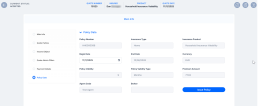
Policy Data

-
Policy Number: unique identifier assigned to the insurance policy;
-
Insurance Type: category of insurance coverage, such as health, home, or auto;
-
Insurance Product: specific insurance offering selected by the applicant;
-
Begin Date: date when the insurance coverage starts;
-
End Date: date when the insurance coverage ends;
-
Currency: monetary unit used for premium payments and policy values;
-
Policy Validity: status indicating whether the policy is currently active or expired;
-
Policy Validity Type: classification of the policy’s duration, such as fixed-term or ongoing;
-
Premium Amount: cost of the insurance coverage before any discounts;
-
Agent Code: identifier for the insurance agent managing the policy;
-
Broker: intermediary who facilitated the insurance agreement between applicant and insurer.
Accept a Quote Offer and Issue the Policy
-
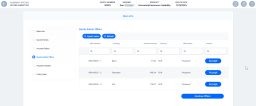
Go to the Quote Admin Offers tab of a quote in Offer Submitted status. You can open each individual offer to view. If the Accept button is greyed out, then the quote's decision type is automatic and generated with clientDecision API.
-
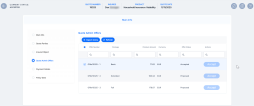
After clicking Accept on the quote offer button, the status of the quote transitions to Accepted.
-
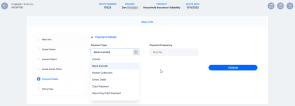
Go to the Payment Details tab. Choose the Payment Type and enter the necessary details.
-
Click Validate. The invoice and the mandate details are generated, and displayed in the newly unfolded Invoice details section.
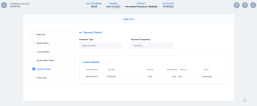
Double click the invoice to open details:
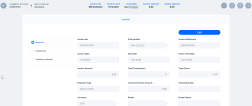
-
Go to the Policy Data tab, inspect the basic details of the policy to be generated, choose a Begin Date, and click Issue Policy. Now, the system updates the policy status from Proposed to Issued and triggers an alteration process that creates a new policy version with the revised start date, recalculated end date, and an updated payment schedule.
-
Click Save and close.
-
Go to Contract Management > Policies > Policies, and open the newly issued policy.


