Rejection, Journal, and Third Party Details
These are the final steps of the Claims Management customer journey. Use them to insert information about rejection or third party related to the claim, if the case, or to manage the claim documents. If you have unapproved or declined the payment for the claim, you can find the record in the Declining Proposals tab.
On the Declining Proposals tab, you find the Unapproved and Decline options. Click Cancel when the client chooses to discard the claim. Click Decline when the insurance company chooses to discard the claim - for example the claim does not fall under the policy scope.
After choosing any of the options, the flow stops, and you cannot continue or return to the payment flow.
If you click Risk Covered this step is not shown in your flow.
-
Click the Declining Proposals tab to view declined proposals.
-
Double-click a proposal to open its details, such as resolution reason, proposal date, and loss adjuster.
-
In the Journal tab you can find all the documents that you have added in the claim process. Double-click an entry to edit.
-
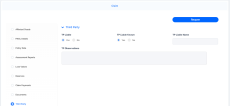
In the Third Party tab, you can see if the claim has been set to be TP Liable in the FNOL form, and view any observations that have been made.