Policies Renewal
This helps insurers to continue providing coverage to the customer once the initial policy period has passed, at the end of the term period, so the beneficiary never goes without coverage in any field of insurance.
Automatic renewals may also include changes in the premium insured by rate increases or decreases.
At product level, you can configure the Renewal when creating the product in the Product Factory user guide. In the image below, we've configured renewal for a home insurance policy.

The daily scheduled job, FTOS_PA_PolicyRenewal, is running in order to find all the policies from the system which have to be renewed according to their end date and the parameter set for the number of days before renewal mentioned above. The job verifies all the policies which have the Policy End Date (policy to be renewed Initial End Date) - No. of days before renewal (parameter set) = Current Date, and applies the renewal process to them.
For both manual and automatic renewal cases, the renewed policy can be generated with or without a quotation being generated.
Manually Renew a Policy
 Renew a Policy and Generate a Quote
You can manually renew a policy, when at product level, the Renewal Type is set as Renewal Offer. Read the details about this renewal type below.
Renewal Type set as Renewal Offer
The renewal offer has the following validity:
-
Renewal Offer Start Date: Transition to Submitted;
-
Renewal Offer End Date: MIN [quote submitted transition date + quote validity config ; expiring policy end date].
For the products that have the Renewal Type set as Renewal Offer, Policy Administration provides a number of days before expiration (Policy End Date). This is equal to the number stored in the No of Days Before Renewal configuration, at product level. Policy Administration also provides the necessary information as it is available in the most recent InForce version of the policy:
-
Expiring policy number;
-
Offer type: Renewal;
-
Product and Insurance Type;
-
Validity: Expiring Policy validity (begin date, end date, validity in days: this is calculated as the difference between the end date and the begin date);
-
Parties;
-
Expiring policy end date;
-
Insured object (dimensions, address, declarations);
-
Agent or broker, and distribution channel;
-
Payment type and the same payment frequency;
-
Coverages;
-
Claims summary and affected coverages;
-
Card name;
-
Renewal policy Begin Date: expiring policy End Date + 1;
-
Renewal policy End Date: calculated according to Renewal policy Begin Date + Validity.
Renewal Offers
According to the configuration at product level, when the quote is generated, this may contain different types of offers:
-
For products with the Renewal Business Offer Type set as Proposal Offers, combined with the Renew Business Offer Type as Proposal Offers, Quote Admin generates a quote that displays the offers obtained from the proposal. The proposal is determined by using data form the expiring policy, the premium, and validity configured at product level;
-
For products with the Renewal Business Offer Type set as Expiring, combined with the Renew Business Offer Type As Expiring configurations at product level, Quote Admin generates a quote that contains one offer. This offer's premium represents the expiring policy coverage structure, the sums insured, and the deductibles, if any;
-
For products with the Renewal Business Offer Type set as Both, a new quote is generated. The quote contains the all the offers for both the cases above.
Follow the steps below to renew a policy:
-
Open a policy that is anywhere within the No. of Days Before Renewal.
-
Run the
FTOS_PA_PolicyRenewaland theFTOS_PA_OfferRenewaljobs. This triggers the issuance of the renewal offer and the quote. -
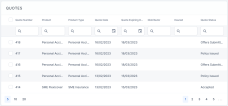
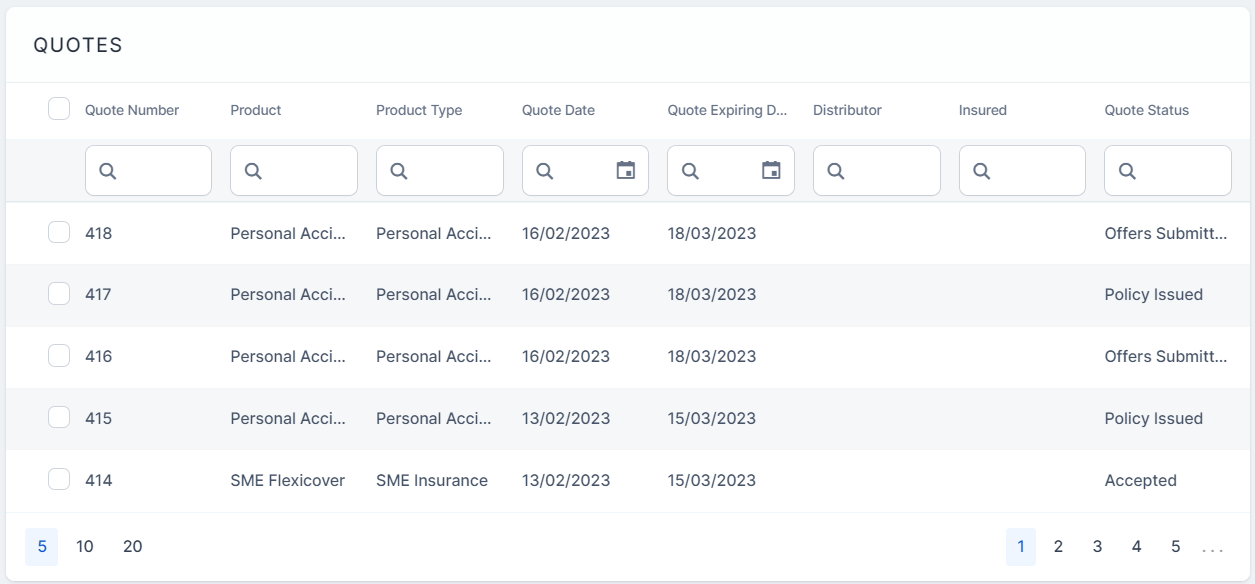
Go to Main Menu > Quote Admin > Quotes. The list of generated quotes is displayed.
-
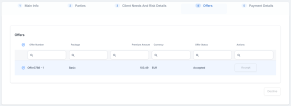
Open the record of the newly generated quote, and go to tab Offers. Here, the grid displays a list of offer proposals.
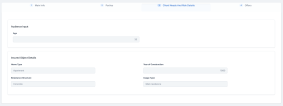
You can find the Client Needs and Risk Details grid with the sections Audience Input and Insured Object Details.
-
Choose the suitable offer and click Accept. Alternatively, if you cannot find a suitable quote proposal, you can select all of the quotes and click Decline.
-
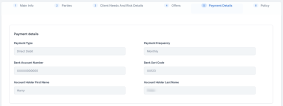
After you have clicked Accept, go to tab Payment Details. Choose Payment Type for the new quote. The options are: Bank transfer, Broker Collection, Direct Debit, Continuous card payment, and Card payment. The Payment Frequency field is read-only, containing the value stated on the policy.
If you choose the Direct Debit option as a payment type, four new fields are displayed and are mandatory to be filled in, as shown below.
-
Once you have input the payment details, click Validate. After you have validated the payment details, you cannot make any changes to the quote details.
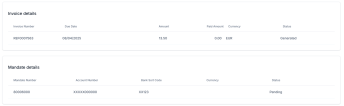
In case of Direct Debit payment type, the Invoice details and Mandate details grids are unfolded.
-
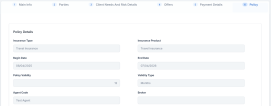
Go to tab Policy. Here, the details of the renewed policy to be issued are displayed.
-
Click Issue Policy.
-
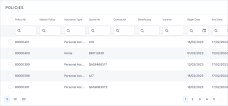
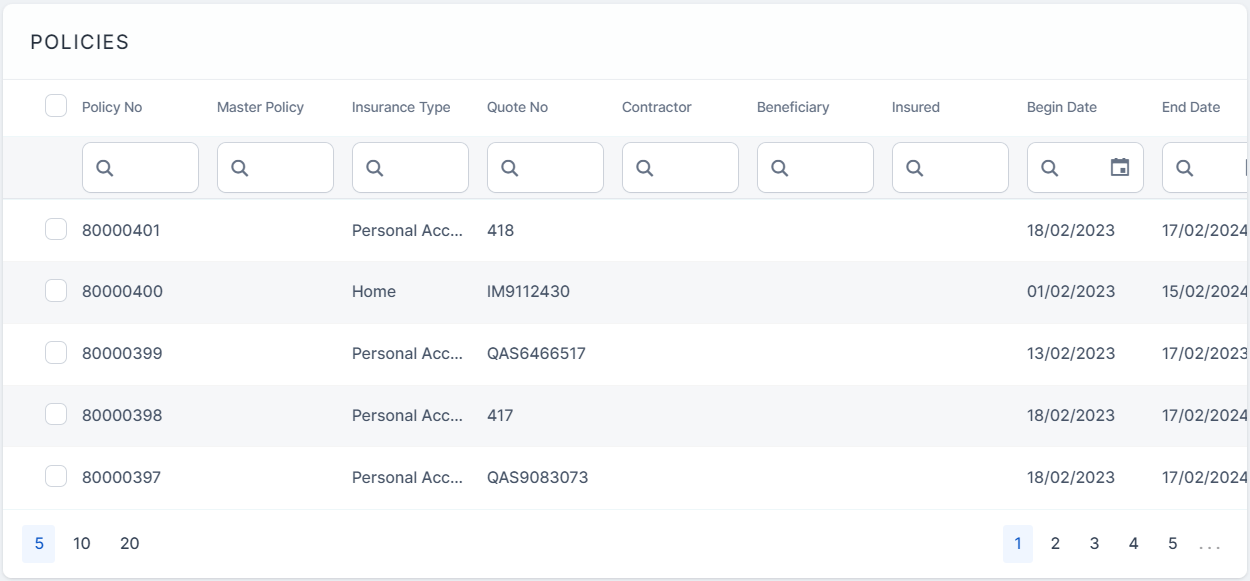
Go to Main Menu > Policy Admin > Policies. The renewed policy is displayed in the list. The Quote ID is the number of the quote above, that you have used to generate the renewed policy.
-
Open the policy record to view its details.


 Renew a Policy Without Generating a Quote
Follow the steps below to generate a renewal offer.
-
Open a policy that is anywhere within the No. of Days Before Renewal.
-
Run the
FTOS_PA_PolicyRenewaljob. This triggers the issuance of the renewal offer. -
Access the Renewal Offers entity list, and choose the suitable offer.
When you choose to renew a policy without generating a quote, there are two scenarios on how the policies are generated:
Renewal Offers/Same Validity/Actual Tariff
The system generates renewal offer policies for those which are due to expire and have the following product configuration:
-
Types of Renewal: Renewal Offers;
-
Renewal Validity: Same Validity;
-
Renewal Tariff: Actual Tariff.
The policies found through the FTOS_PA_PolicyRenewal job which have to be renewed, need to generate insurance offers which include the following information:
-
Renewed policy;
-
Same Product and Insurance Type;
-
Validity: Renewed Policy validity;
-
Begin Date: Initial Policy End Date + 1;
-
End Date is calculated according to the Start date + Validity;
-
Same parties;
-
Same insured object;
-
Same agent or broker and distribution channel;
-
Same payment type and the same payment frequency;
-
Same coverages and indemnity limits;
-
The total premium has to be calculated based on the currently approved product version.
Renewal Offers/Same Validity/Same Tariff
The system generates renewal offer policies for those which are due to expire and have the following product configuration:
-
Types of Renewal: Renewal Offers;
-
Renewal Validity: Same Validity;
-
Renewal Tariff: Same Tariff.
The policies found through the FTOS_PA_PolicyRenewal job, which have to be renewed, need to generate insurance offers including the following information:
-
Renewed policy;
-
Same Product and Insurance Type;
-
Validity - Renewed Policy validity;
-
Begin Date = Initial Policy Begin Date + 1;
-
End Date is calculated according to the Start date + Validity;
-
Same Parties;
-
Same insured object;
-
Same agent/broker and distribution channel;
-
Same payment type and the same payment frequency;
-
Same coverages and indemnity limits;
-
The total premium is calculated based on the product version valid at the issuance date of the renewed policy.
Automatically Renew a Policy
Automatic Renewal with Generated Quote
For policies that are subject to the Automatic Renewal process and did not pass the UW rules check, Policy Administration triggers the issuance of a Renewal Quote in Quote Admin.
The information from the expiring policy that is provided for this flow has the same structure as the one provided for the Renewal Offer use case. In this case, Quote Admin always applied the Renewal Offer Type As Expiring.
Automatic Renewal without a Generated Quote
When at product level, the Renewal Type is set as Automatic Renewal, the policies subjected to this process do not need a new quote offer.
When configuring the automatic renewal, there are two scenarios on how the new policies are generated:
New Policy/Same Validity/Actual Tariff
The system generates renewal offer policies for those which are due to expire and have the following product configuration:
-
Types of Renewal: New Policy;
-
Renewal Validity: Same Validity;
-
Renewal Tariff: Actual Tariff.
The policies which have to be renewed, need to generate insurance offers which include the following information:
-
Status of newly renewed policy - Proposal;
-
Validity - Renewed Policy validity;
-
Begin Date = Renewed policy End Date + 1;
-
End Date is calculated according to the Begin Date + Validity;
-
Same parties;
-
Same insured object;
-
Same agent/broker and distribution channel;
-
Same quote number;
-
Same payment type and the same payment frequency;
-
Same coverages and indemnity limits;
-
The premium has to be calculated based on the currently approved product version;
-
The Payments Schedule is generated according to the standard logic;
-
The old policy has to be mapped as renewed and have completed the Renewed by attribute with the new Policy number;
-
For the new policy, save the Renewed Policy number of the old policy.
New Policy/Same Old Tariff/Same Validity
The system automatically renews policies having the same premium amount. These are updated as new policies to update the system's contract. The configuration is given below:
-
Renewing Policy = New Policy;
-
Renewal Validity = Same Validity;
-
Renewal Tariff = Same Tariff.
The policies found through the FTOS_PA_PolicyRenewal job which have to be renewed, for products with the above configuration are renewed as follows:
-
Status: Proposal;
-
Validity: Renewed Policy validity;
-
Begin Date: Initial Policy End Date + 1;
-
End Date is calculated according to the Start date + Validity;
-
Same Parties;
-
Same insured object;
-
Same agent or broker and distribution channel;
-
Same Quote;
-
Same payment type and the same payment frequency;
-
Same coverages and indemnity limits;
-
The premium has to be calculated based on the product version valid on the issuance date of the initial policy;
-
The Payment Schedule is generated according to the standard logic;
-
The old policy has to be mapped as renewed (existing attribute) + have completed the Renewed by attribute with the new policy no;
-
For the new policy, we need to save the Renewed Policy no of the policy (existing attribute);
-
for the new policy, Start Date = Renewed policy End Date + 1 and End Date is calculated according to the Start date + Policy validity (to be taken from Renewal Validity attribute).
Underwriting Rules for Eligible Renewals
The following underwriting (UW) rules are available for eligible renewals:
-
The rules do not apply to the policies that have the Renewal Type set as Renewal Offer;
-
For all policies that have Automatic Renewal configuration, Policy Administration checks the UW rules before doing the pricing module;
-
For renewed policies that had the UW check result not passed or manual, a record is saved with the policy data and the result of the UW check in the same entity, Renewal Offer, where the renewal offers are saved currently;
-
The renewal offers entity gets an upgrade to encompass an additional attribute that captures if the record type is UW or not. By this attribute the job of UW, the check is triggered or not.