Cancel a Policy
When an insurance policy is terminated, whether by the insured or by the insurer, you can review how the cancellation request aligns with the policy's terms and conditions to ensure it is processed accordingly. Once approved, payment, if applicable, is issued either to the insured or to an authorized third party on their behalf. Clients utilize this module to streamline and automate the handling of such routine scenarios, boosting both operational efficiency and accuracy.
Conditions for Policy Cancellation
A policy is terminated and is not considered active if:
-
The first installment wasn’t paid. If so, after the prescribing period, the policy becomes Withdraw.
-
The customer wants to terminate the policy before 14 days from issuance. If so, the policy becomes Withdraw on Client Request.
-
The policy reached Maturity.
-
The customer didn’t pay the installment. If so, after the grace period, the policy becomes Lapsed.
-
The customer wants to terminate the policy even the payments are up to date. If so, the policy becomes Cancelled.
-
The customer’s risk class was changed into unacceptable risk. If so, all the customer’s active polices are terminated with Decline by Screening status.
-
The insurer reserves the freedom to decline the policy for any Other reason.
The above conditions currently shape the policy termination flows but Service Insurance is a highly customizable solution and you are able to change it according to your needs. For doing so, read the Policy Configurations page.
 Manage Policy Cancellation Requests
In order to process a policy cancellation request, you must access the Policy Cancellation List that displays all the available Policy Cancellation requests.
- In the main menu, navigate to Policy Admin > Cancellations. The Cancellation List is displayed.
- In the Policy Cancellation List page:
- Add a new Policy Cancellation record, by clicking Insert.
- Edit a Policy Cancellation record from the grid, by double clicking it. When opening an existing Cancellation request, the Edit form becomes available, with the information previously introduced. Use the form to update the desired fields. Click Save and Close.
- Delete a Policy Cancellation record from the grid by selecting it and clicking Delete.

Alternatively, you can initiate the cancellation flow explained above from the policy form. The Actions section at the end of the form enables you to trigger this journey directly from the policy. Click the Cancel Policy button to initiate the flow.
Policy Search
-
To find a specific Policy Cancellation record, click Insert on the Cancellation List page.
-
The Policy Search form is displayed. Use it to input data about the policy you need to cancel and hit the Search button to find it.
NOTEThe same Search form is used for both type of customers: individuals and companies. Only the policies that are in the status of InForce are displayed in the list of policies.
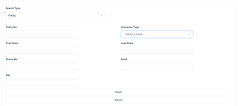
-
Click Search. A new list of policies is displayed. Choose the policy to be closed.
-
Click Refresh to reload the existing search results. If needed, reset the search process by clicking Reset. All the information displayed in the previous search is erased.
-
From the search results, you can choose only one policy for the Policy Cancellation. Click Choose option near the policy record. A new form related to the cancellation process is displayed.
-
At this stage, a new cancellation record is registered by default in Draft status. This record is later transitioned to other statuses according to the Policy Cancellation process steps. You cannot save a request if there is no owner or no policy.
-
Proceed forward with the change request form.
 Change Request and Policy Details
This is where the registration of the request for the policy's cancellation begins. The Edit form of a new Policy Cancellation record initially opens with only 2 tabs: Change Request and Policy Details. The other tabs are displayed after completing the minimum information required. Consequently, completing the Change Request Summary fields subsequently triggers the actual calculations for the payment amounts to be returned to the client - if the case and the calculations are displayed inside the Policy section specific fields.

-
Fill in the Change Request Summary fields.
-
Choose a Reason Type. This triggers the calculation for the Requested End Date and the Final End Date fields as per the table below:
Reason Type Requested End Date Final End Date Withdrawal In this case, it is automatically completed with the Policy Begin Date. In this case, it is automatically completed with the Policy Begin Date. Property sold In this case, the Requested End Date is set to any day before or including the day of the request for cancellation. Final End Date is filled with the value from Requested End Date but with the possibility to edit. Cancelled by Client Here it can be manually completed with any date. If Notification Date -Policy (Issued) Date <= 15 then this field will be automatically completed with the Policy Begin Date with the possibility to be adjusted.
Otherwise this will be automatically completed with the Notification Date + 21 days to go
Decline by screening In this case, it can be manually completed with any date. It can be filled with the value from Requested End Date but with the possibility to edit. Cancelled Here it can be manually completed with any date, by the following rule:
If the Notification Date - Policy (Issued) Date <= 15 days, then the Requested End Date is filled with the Policy Begin Date.Here it is automatically completed with the Notification Date + 21 days to go.
If the Requested End Date meets the rule explained above, the Final End Date is filled with the Policy Begin Date.Closed by Claim It is pre-filled with Notification Date + 21 days from the present on. It is filled with the value from the Requested End Date but with the possibility to edit. In case of the Pet Passed Away value for insured object Pet, this reason triggers the Cancelled status for the policy. The effective date is the final end date for both cancellation reason types, Cancelled by Client and Pet Passed Away.
-
On the next section with details regarding the chosen policy, the fields are automatically filled. The pre-filled details are extracted from Policy basic information section and from the results of the calculation made by selecting the information in the Change Request Summary section.
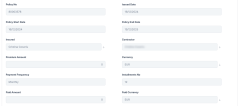
Field Description Policy No. The number of the policy when issued. Policy Date The date when the policy was issued. Policy Begin Date The day when the policy becomes enforced. Policy End Date The day when the policy is no longer be available, according to the contract. Insured First and last name of the insured person on the policy. Contractor First and last name of the contractor on the policy. Premium
AmountThe premium amount of the policy. Premium Currency The currency of the policy. Paid Amount The total amount of the payments made by the customer on a contract. Paid Currency The currency in which the amount has been paid. Earned Premium The earned premium on the Cancellation process:
The amount is calculated after the following formula:- If there are no paid or opened claims and
2. If [Cancellation Date – (Policy Begin Date+1)] > 15, then the amount is filled in with the following: Premium Amount/ 12 * (12 – No. of uninsured months);
- If there are no paid or opened claims the Earned Premium is equal with the Premium Amount.
Earned Premium Currency The specific currency of the earned premium is, by default, the premium currency. Canceled Premium The cancelled premium. Canceled Premium Currency The currency of the cancelled premium. Uninsured Period Type The values on a monthly or daily basis according to the Prorata type configured in the system. Uninsured Period Calculated as the number of months or number of days from the Policy Begin Date to the Policy End Date according to the uninsured period type set. Claims It should be checked if there are any claims on the policy. -
Fill in the information regarding the customer to whom the payment must be made, in the Payment Beneficiary section. Provide the information for all the fields in this section, in order for the payment to take place. However, leave this section blank when there is no amount to be returned to the customer.
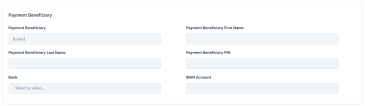
-
Click Register for it to go for approval.
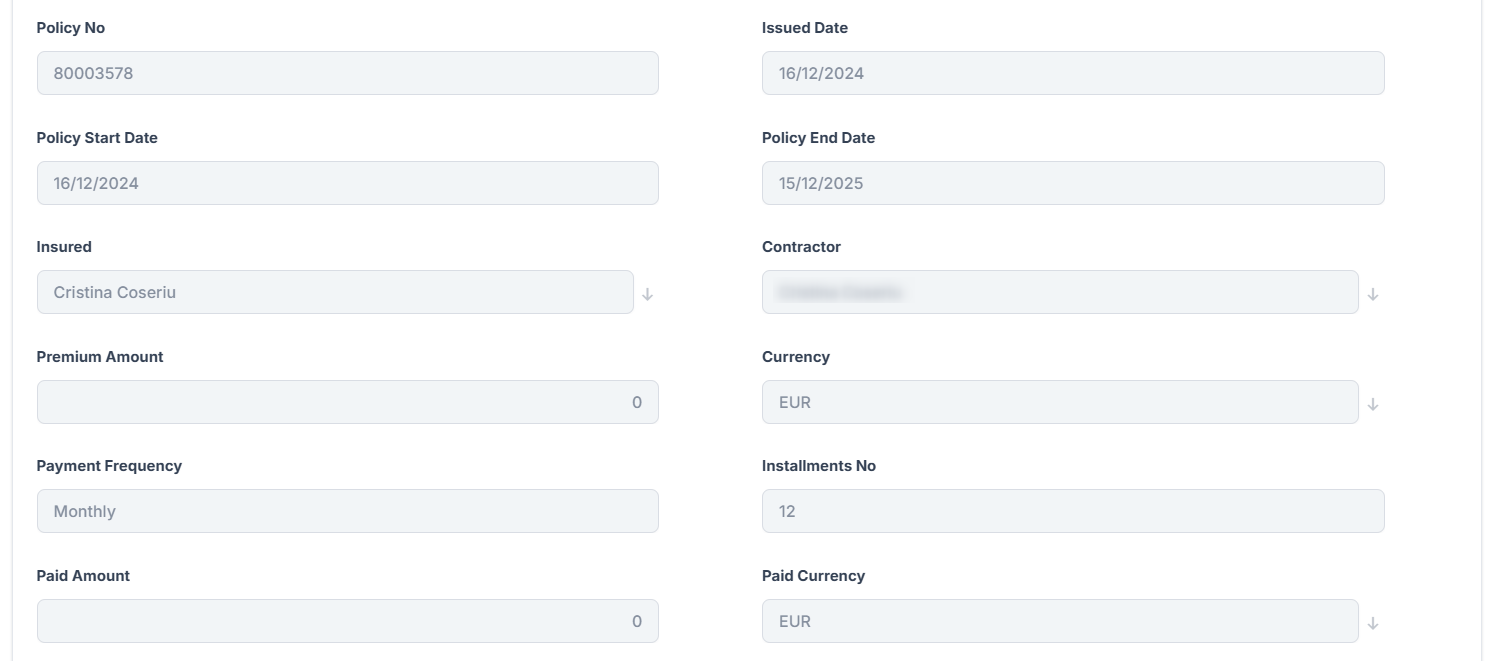

You can also cancel this request, provided you offer a cancellation reason.
-
If you continue with the current cancellation request, click the Register Request to open a tab with a new In Progress status, while the system calculates the amount to be returned to the beneficiary. Also, the Comments field becomes available if there is any observation regarding the request.
Field Description Comments Complete this field with relevant information regarding the cancellation process. This field is optional. Resolution Reason When choosing to cancel the registration of the policy termination request, provide relevant information about doing so. This field is mandatory. The values of the option set are: Product reasons, Other reasons, Company reason, Withdraw. -
Click Register request to switch to the next tab, which represents the third step of the process. This is where you find two predefined lists that contain the valid installments and the claims that have been opened on the current policy. On this tab there is no possibility to insert or delete records.
-
Edit a specific record by double-clicking the desired row, which redirects you to the specific Edit form of the installment or claim.
Premium Returned
This is a step where all details are automatically filled in as follows:

When the information regarding the value to be returned to the customer is displayed, decide whether the process continues towards the approval phase or towards closing the request.
-
Click Propose change request to continue with the cancellation process and send the request to approval or click Cancel and complete the Resolution Reason field. This field is mandatory.
-
Requesting approval opens a new tab, while automatically triggering the transitioning from In Progress status to In Approval status. Also, you can use the Comments field to transmit any observations regarding the current request.
Request Approval
Approving the request for policy cancellation requires the intervention of a Policy Admin Super User who holds the necessary security rights to approve or reject such cases.
| Field | Description |
|---|---|
| Proposal Date | The date when the cancellation request was scheduled for approval. It is completed with the current date. |
| Approval Date | The date when the request was approved. It is completed with the date the cancellation application is approved. |
| User | It is automatically completed with the name of the Policy Admin Super User who is logged in at the approval moment. |
| Comments | It can be filled with relevant information regarding the approval process or the cancellation flow. |
| Resolution Reason | In case of declining, the Policy Admin Super User must offer information on why the cancellation application was not approved. |

When the case is Approved, the flow continues on the approved branch as follows:
-
If the Returned Premium Amount is equal to 0 then the process ends and the status changes from In Approval to Approved.
-
If the Returned Premium Amount is not equal to 0 then the process continues with the Payment Return flow, explained in the Billing and Collection chapter. In addition, the status changes from In Approval to Approved. The system redirects the user to the tab where the date of the scheduled payment is displayed.
When the case is Declined, the status changes from In Approval to Declined. The process reaches the end without the possibility of starting again.
Cancel a Policy with an Accepted MTA
You can cancel a policy when it is subjected to the MTA process, and the MTA is in Accepted status. The condition is that the MTA's Requested Effective Date is lesser than the cancellation Final End Date.
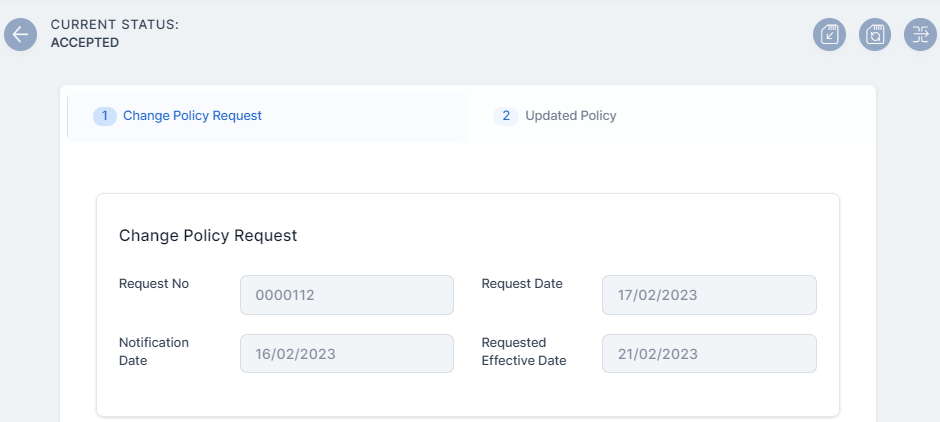
In the example below, a policy has an MTA in the Accepted status.
-
Open the policy's MTA record and check its Requested Effective Date. In this case, it is the 21st of February 2023.
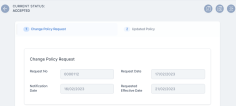
-
Click Cancel, in this case the final end date is the 23rd of February 2023.
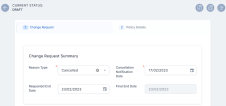
-
The MTA is successfully cancelled.
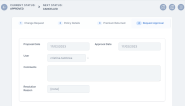
-
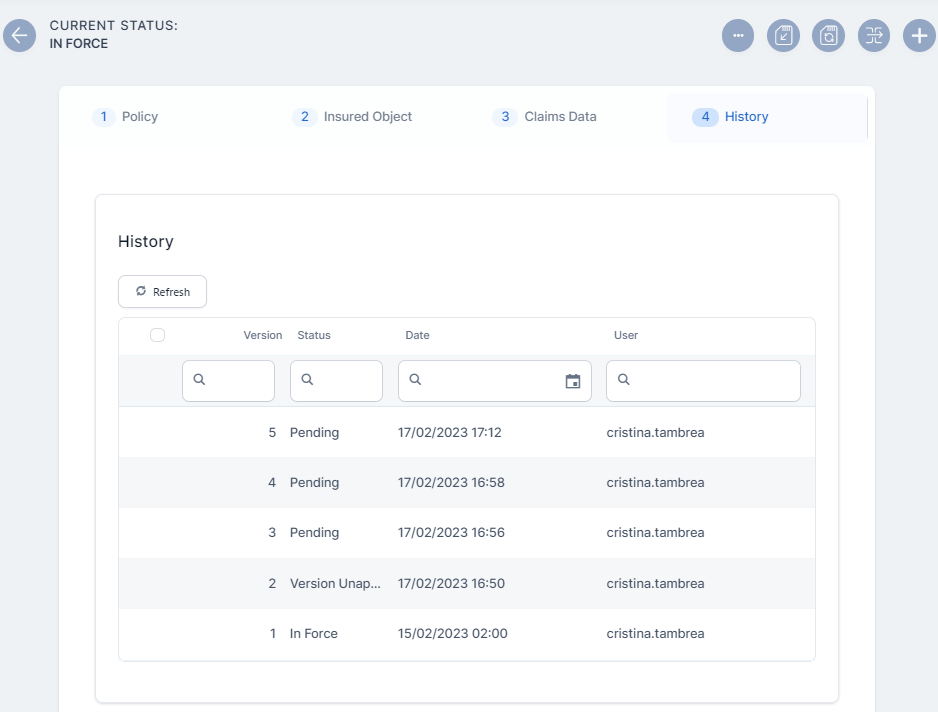
The status of the policy is now Pending, and when it reaches to the Final End Date, it transitions to the Cancelled status.
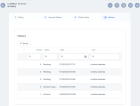
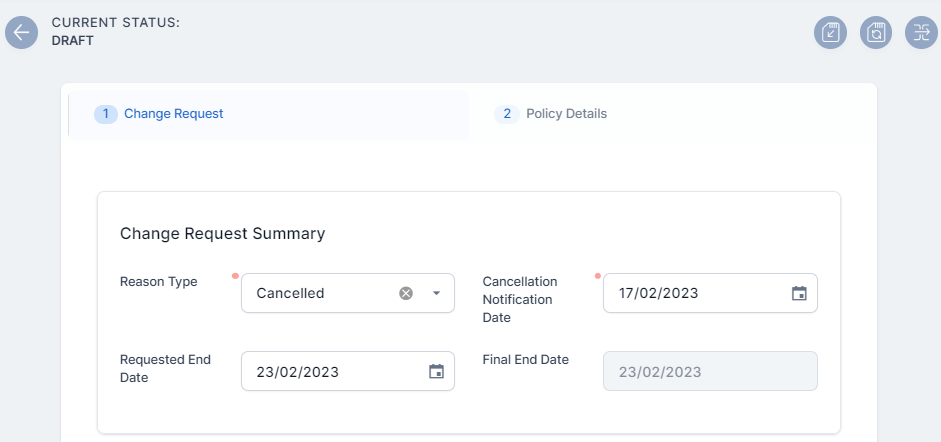
Let's say that for the same MTA record, the cancellation Final End Date is the 20th of February 2023, as per below:
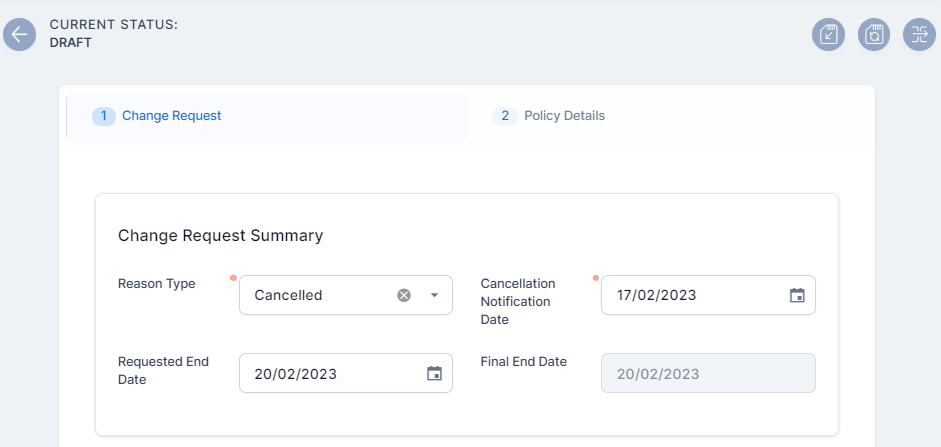
If you click Cancel on the MTA change request, the following warning message is displayed, and you cannot cancel the MTA.

You cannot cancel a policy if it has an MTA request in Draft or Registered status. If you try to cancel it in this condition, an error message is displayed.
Cancel a Policy in the Renewal Process
There are 3 possible scenarios then you choose to subject to Cancellation a policy that is to be renewed:
Scenario 1
In case you are subjecting to a Cancellation process a policy to be renewed, while the automatic renewal offer process is going on, then when the cancellation process is completed (Approved), the renewal offer corresponding to the cancelled policy is invalidated after a call from Policy Administration. An error message is displayed, as the quote is invalidated.
Scenario 2
If during the Cancellation process the renewed policy is issued based on the previously issued renewal quote, the Cancellation process cannot be completed as long as the new renewal policy is in a Proposed, Issued or InForce.
Within the initiated cancellation journey, a warning message is displayed that persists until the renewal policy status is either Proposed, Issued or InForce.
Scenario 3
In case a Cancellation is In Progress or Accepted, then the Renewal Offer process for that policy is not triggered.
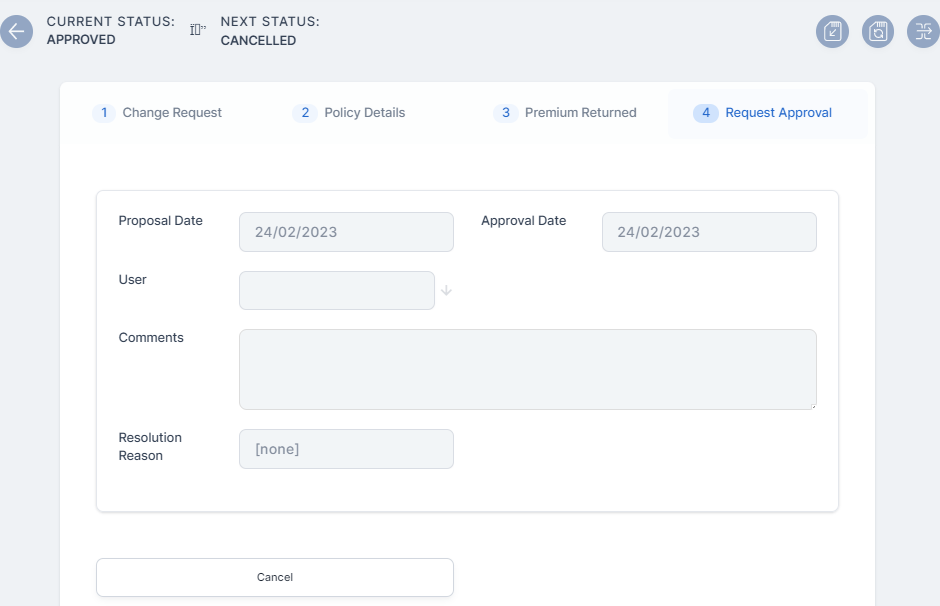
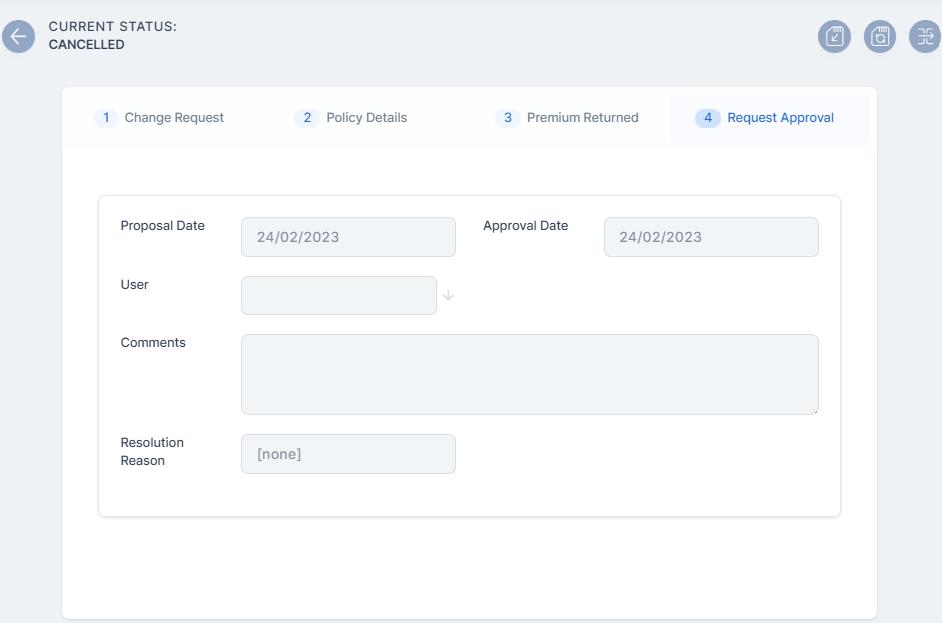
Cancel an Approved Cancellation
You can cancel an already Approved cancellation for a policy if the Final End Date of said cancellation is greater than the system date. Another condition is for the policy to have no MTAs in Accepted status with the Final End Date greater than the Final End Date of the cancellation.
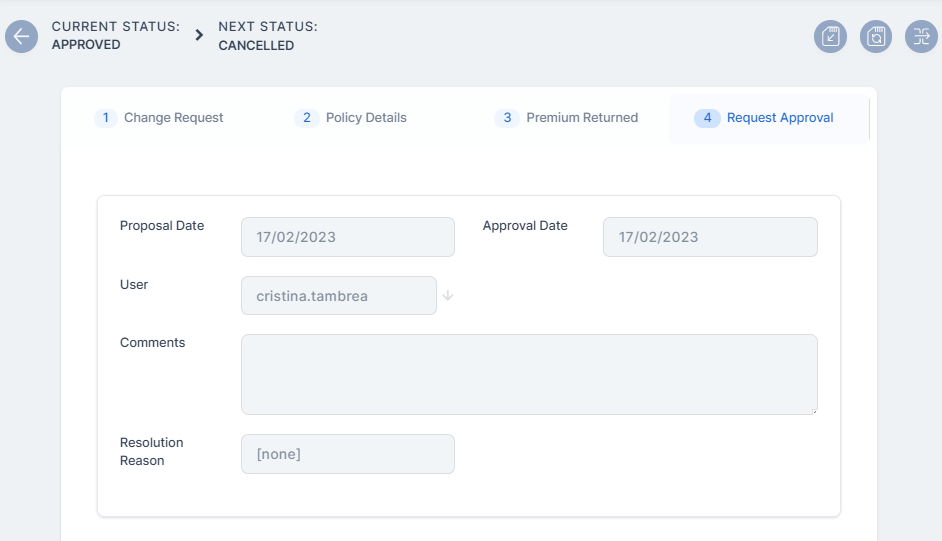
In the example below, the cancellation is Approved, and the Requested End Date is set as greater than the system date.
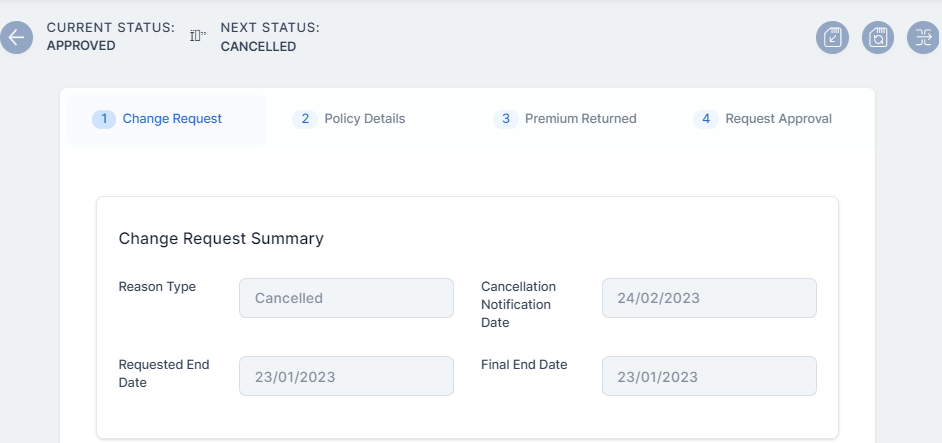
-
Go to the 4 Request Approval Tab, and click Cancel.
-
The cancellation record transitions from the Approved to the Cancelled status, and the policy transitions to versionUnapproved.
If the two conditions for this cancellation are not met, the cancellation is not possible, and an error message is displayed.
Policy Transitions and Notifications
Policy Cancellation Status Transitions
The Policy Cancellation statuses are as follows:
| Status name | Description |
|---|---|
| Draft | When you open the policy, the Cancellation record is by default in the draft status. |
| In Progress | When you input the notification date. You can move forward by pressing Register request. |
| In Approval | Following the registration of the request, for approval use Propose change request button. |
| Approved | The cancellation request is approved by the Policy Admin super user. |
| Declined | The cancellation request is declined by the Policy Admin super user. |
| Cancelled | The cancellation request is cancelled. |
Policy Cancellation Notification
The system automatically informs the client of the Policy Cancellation process for their insurance contract through a specific notification sent to them.
The policies which are included in the notification are those which have the Policy Status = Decline by screening/ Closed by Claim/ Withdraw on client’s request/ Cancelled, transitioned due to a Cancellation process.
The notification is sent when the policy status is changed to a specific cancellation status, on the effective date.
The following are the tokens used in the notification:
-
Contractor name;
-
Policy number;
-
Insurance type;
-
Policy End Date (new End Date) - the Effective date from the Cancellation process which will be updated on the last active version of the policy;
-
Email template name : HomeInsurance_ClientPolicyCancelledNotification.
Lapsed Policy Notification
Similarly to the cancellation process, the system informs the client of the Policy Lapsing process for their insurance contract through a specific notification sent to them.
The Policies which included in the notification are those which have the Policy Status = Lapsed.
The following are the tokens used in the notification:
-
Contractor name;
-
Policy number;
-
Insurance type;
-
Email template: homeInsurance_ClientPolicyStatusLapsed.
fasfafaf