Bank Holidays
The bank holidays & non-working days configuration is used for the Billing and Collection module. This setting controls the behavior of the direct debit generation endpoint; it prevents the endpoint from generating a direct debit file on a date corresponding to a bank holiday - like Easter or other dates declared as non-working days by authorities.
The bank holidays details are stored in the Bank Holiday entity, and the Service Insurance solution allows you to add, edit or delete this kind of data. In order to do so, take the following steps:
-
Open your FintechOS portal and click the main menu at the top left corner. The main drop-down opens. From the drop-down choose Settings.
-
Inside the Settings menu, click Bank Holidays. The Bank Holidays List page is displayed.
-
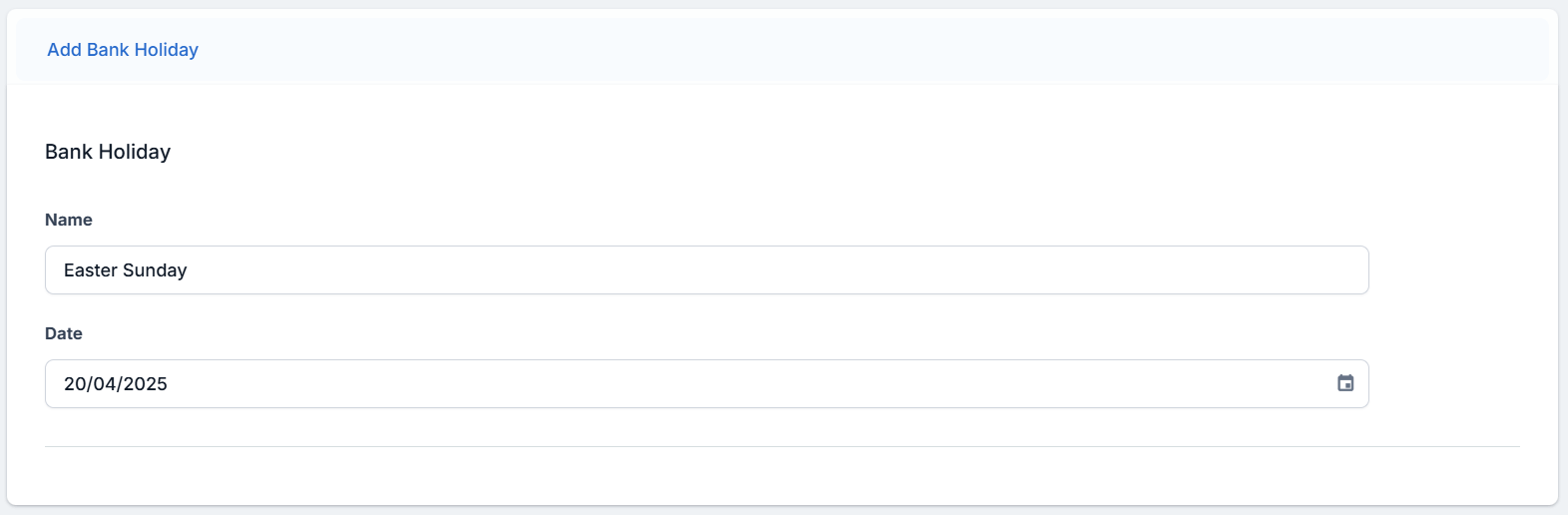
In the Bank Holidays List page, click Insert. The Bank Holiday form opens.
-
Add a Name for the holiday and pick a date from the calendar view.
-
Click Save and reload to save the record.
At the beginning of each year, you must configure your bank holidays for your area, country, and for that respective year - from your FintechOS Portal, by following the instructions above.