Manage Claims Management
The Claims Management solution is designed to offer you an easy route for claims processing. The solution is comprised of the following key flows:
-
The First Notification of Loss flow: For collecting information about the policy, the notifier, the people involved, with the option to continue to the Create claim or Cancel notification steps. Creating a First Notification of Loss (FNOL) is mandatory in order for any claim to be processed by the system. All the information that you insert in this step is re-used during the Claims Management solution, in automatic auto-complete and read-only fields;
-
The Claim flow: For creating, documenting and managing claims, with upload options and tools to facilitate the assessment of the claim;
-
The Payment Proposal flow: For creating and scheduling payments. A payment can be configured anytime after the FNOL is initiated;
-
Rejection, Journal & Third Party Details: Pages for adding supplementary information and managing the related documents and third party details, if applicable.
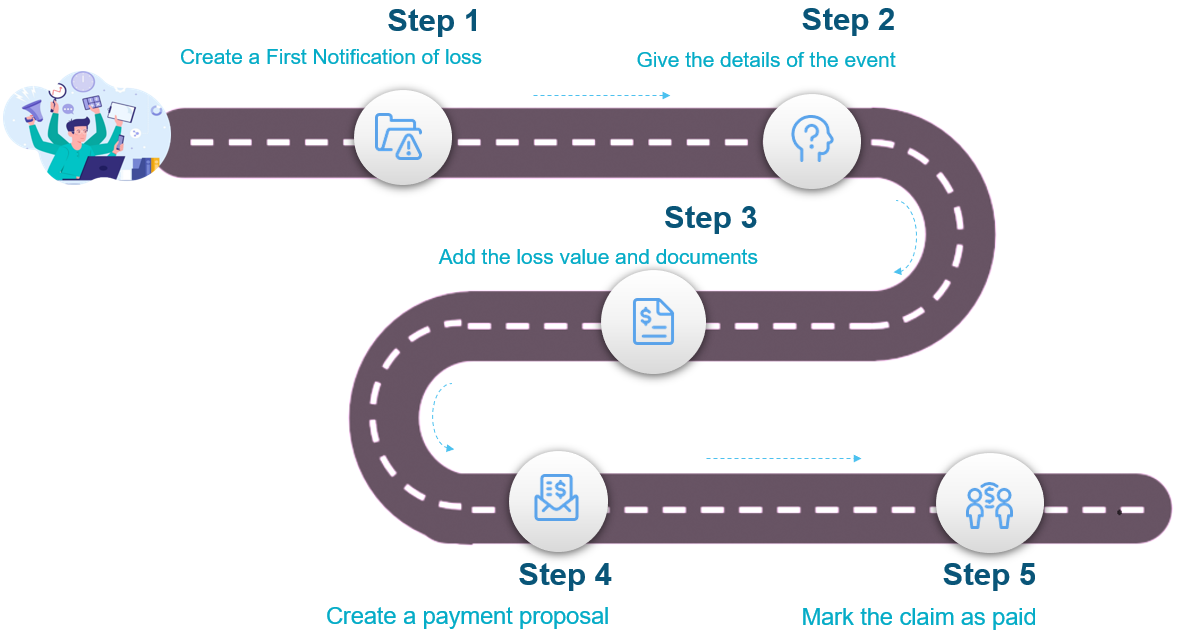
An illustration of the Claims Management process is given below:
 Service Insurance Key Steps
To process a new claim with the Claims Management solution take the following steps:
- Open the FintechOS Portal and log in with your credentials.
- In the menu, go to the Claim > First Notification of Loss list and click Insert, at the top right of the screen.
- Create a First Notification of Loss by filling in the requested information and documents.
- Use the Claims page to create the new claim record.
- Use the Assessment page to upload the assessment documents and trigger validation. If validated, create a Reserve.
- Create a Payment Proposal to send to the client. Register the customer's agreement, request Payment Approval and Schedule the transaction. Mark the claim as paid.
-
Insert information about the Rejection of the claim, manage related Documents and Third Party details, if applicable.
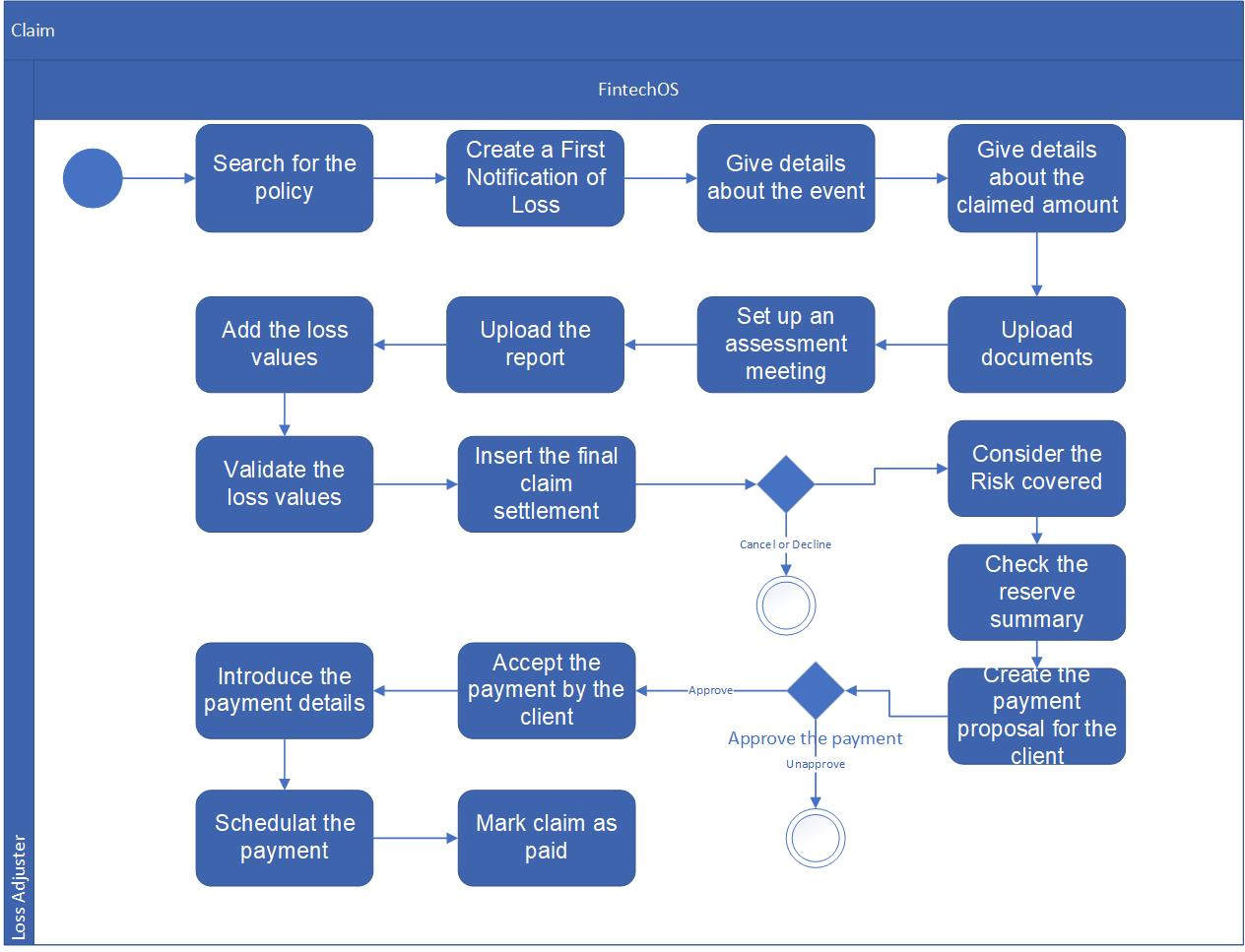
Business steps model
Below are the steps for the Claims Management solution:
Business statuses model
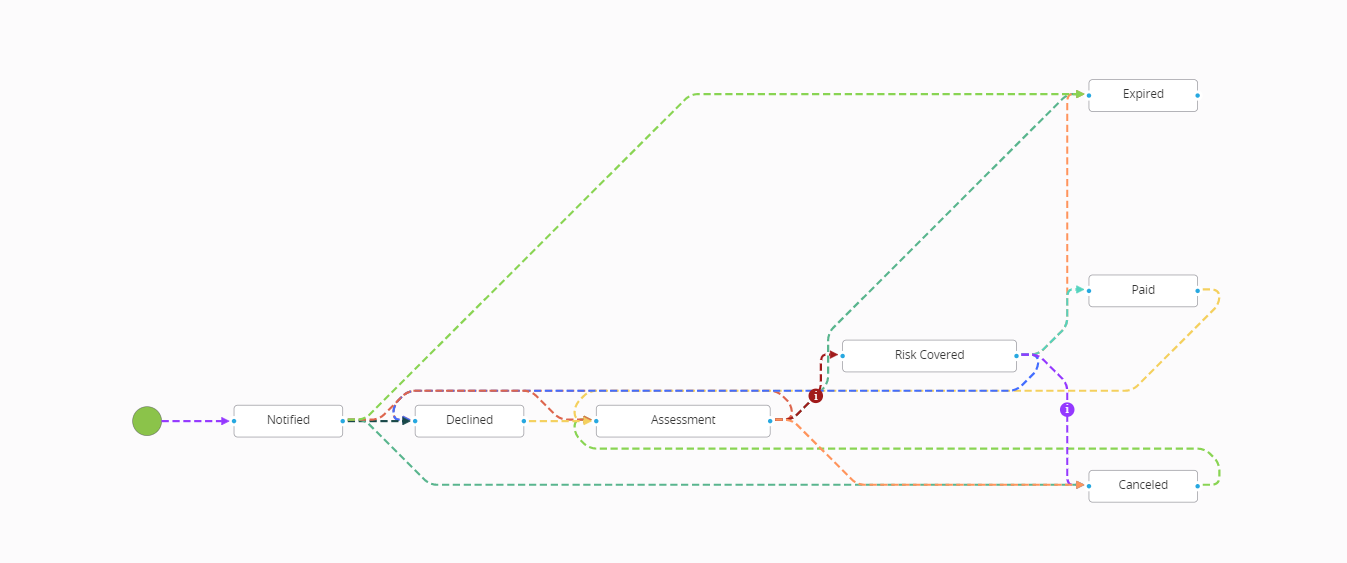
Below are the statuses for the Claims Management solution: