Invoice Types
You can manage the invoice types generated by Distribution Management through the Invoice Type dictionary menu item. The invoice types are later used when creating the Distribution Management invoicing configurations.
To manage invoice types:
-
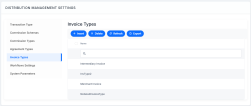
In FintechOS Portal, click the main menu icon > Distribution Management > Distribution Management Settings > Invoice Types.
- On the Invoice Types List page, you can create a new invoice type record, search, edit, or delete an existing one. You can't delete records already used by other records.

Creating Invoice Types
Follow these steps to create new invoice type records:
-
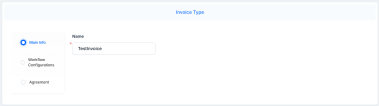
In the FintechOS Portal, click the Insert button. The Invoice Type page is displayed.
-
In the Main Information section, fill in the Name field with the desired name for the invoice type.
-
Click the Save and Reload button.
