Commission Type
Third-party commission types are used to categorize commissions according to their intended usage. For example, there are third-party type commissions and third-party clawback type commissions.
You can add other third-party commission types if needed, just bear in mind that the business logic must also be implemented for your new third-party commission types.
To manage third-party commission types:
-
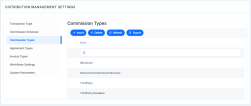
In FintechOS Portal, click the main menu icon > Distribution Management > Distribution Management Settings > Commission Types.
- On the Commission Types List page, you can create a new third-party commission type, search, edit, or delete an existing one. You can't delete commission types already used to define commissions.
Creating Third-Party Commission Types
Follow these steps to create new third-party commission type records:
-
In the FintechOS Portal, click the Insert button. The Commission Type page is displayed.
-
Fill in the following fields from the Main Information section:
-
Commission Schema - Select the schema where this third-party commission type belongs.
-
Name - Enter the name of the third-party commission type.
-

-
Click the Save and Close button. The new third-party commission type is created.
-
Implement the business logic must also be implemented for your new commission types.