Core Banking 21.1.1000
August 6th, 2021
This release of FintechOS Core Banking brings a wide variety of new features and improvements, all compared to last year's version. Our competent team spent countless hours to rewrite most of the application and make it better fitted for today's banks' business needs. Integration with other systems is made possible via the new custom endpoints. Core Banking now benefits from new contract types, improved contract forms and functionality, predefined security roles for bank users who can perform their daily tasks in dedicated dashboards. Core Banking system parameters allow you to customize the working parameters of your system, while improved automated processes run within jobs scheduled for each starting and ending of a day. These are but a few of what this release brings, so continue reading for all the details.
What's New
Core Banking Custom Endpoints
Core Banking comes with a collection of endpoints built to offer integration and customization support for your digital journeys. You can access customer and contract related functionality, such as creating or updating individual or legal entity customers, their respective addresses, representatives, bank accounts, collateral, contracts, contract participants, adding and approving contract tranches, covenants, fees, guarantors, disbursements, and many more.
For your convenience, the endpoints are grouped in categories:
-
Customer Endpoints - The customer-related custom endpoints allow data manipulation operations on customer records such as creating or updating legal entity or individual customers, addresses, customer representatives, groups, as well as approving collaterals and limits.
-
Contract Endpoints - The contract-related custom endpoints allow data manipulation operations on contract records such as creating or updating a contract, contract participants, tranches, covenants, fees, collaterals, disbursements, approval of contracts, tranches, and disbursements, and retrieval of contract repayment schedule.
-
GET Data Endpoints - These custom endpoints retrieve information stored within the records of Core Banking entities. No data alteration is possible via these endpoints.
For details about using the Core Banking custom endpoints through API calls, see our bright new FintechOS Platform Developer Guide. Remember to check the dependencies and the prerequisites before performing the requests.
Contracts Based On Current Account with Overdraft Banking Products
Catering for the newly introduced Current Account with Overdraft banking product, we've adapted our contract records to fit this type of banking product. Thus, contracts based on a current account with an attached overdraft functionality allow customers to withdraw funds from the account even if the available balance goes below zero. The customers may use the accounts beyond their available balance (credit balance) and may have a debit balance as low as the approved overdraft/ limit.
Make sure you fill in the required overdraft details in the contract's Overview tab > Overdraft section:
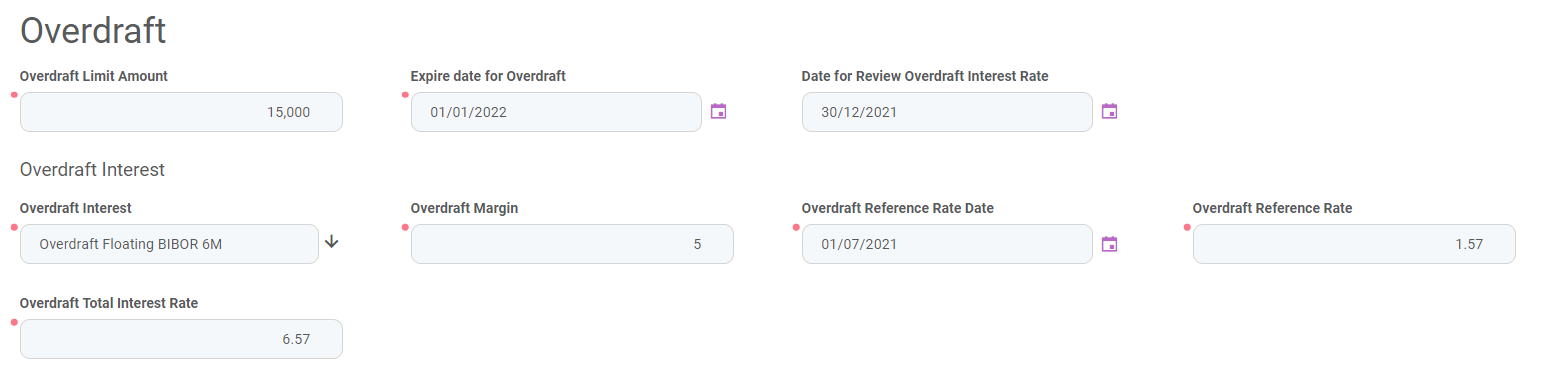
The overdraft amount can fluctuate seasonally or be reduced or increased according to a schedule defined in the Contract Reevaluation Plans section of the contract:
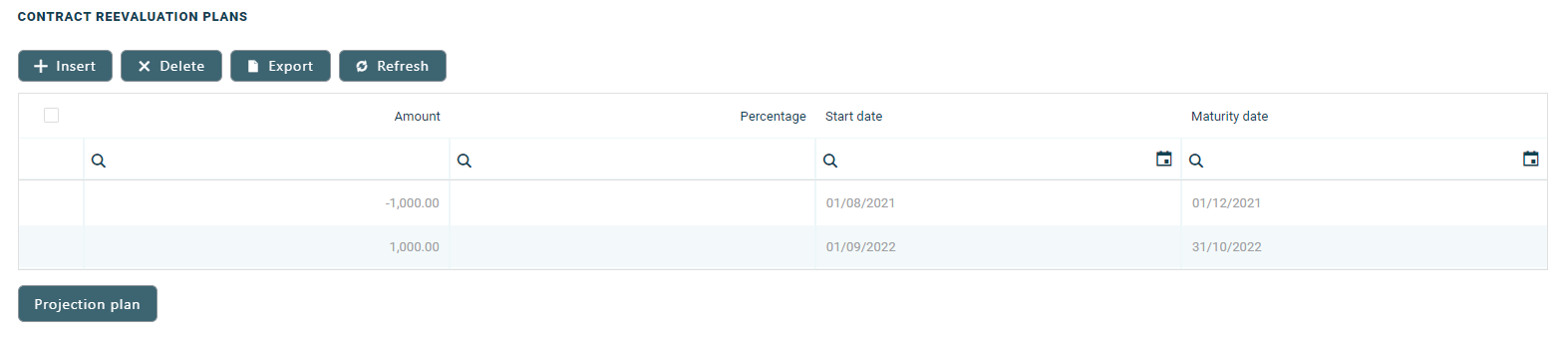
For detailed information about such contracts and how to create them, visit the Current Account with Overdraft page within the user guide.
Dashboards
Starting now, Core Banking facilitates user interaction with a series of in-built dashboards. According to their specific destination, they aid the bank employees in their daily tasks, displaying important, up to date information on the statuses of different contracts, events, limits, needed approval tasks, generating reports or offering easy navigation through a button to record creation pages.
The following dashboards come along with your Core Banking package:
-
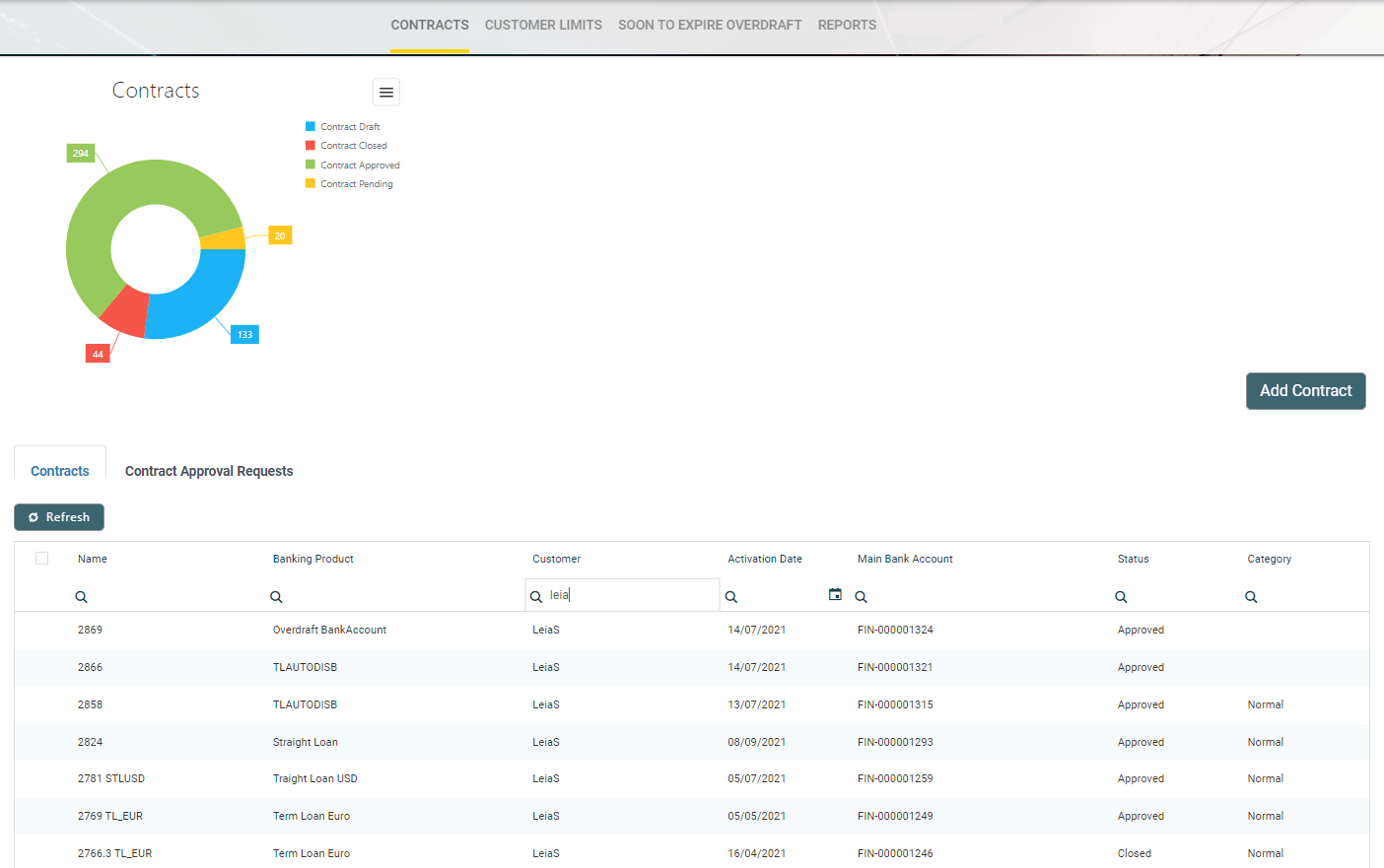
Contract - displays a list of the contract along with a pie-chart specifying the number of contracts in each business status, a list of contract approval requests and a button to access the Add Contract page.
-
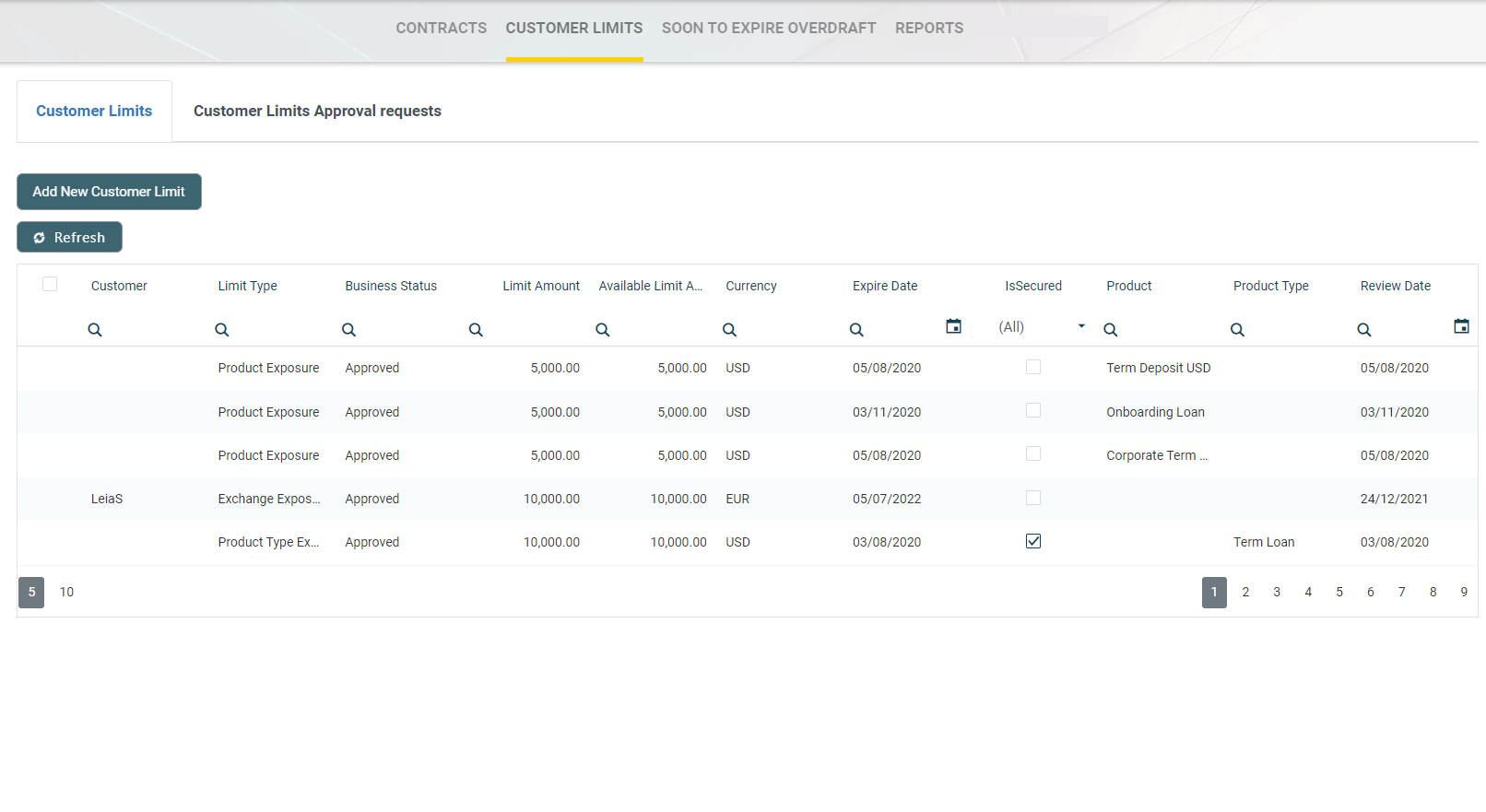
Customer Limits - displays a list of the existing customer limit records, a list of the customer limit approval requests and a button for adding new customer limits.
-
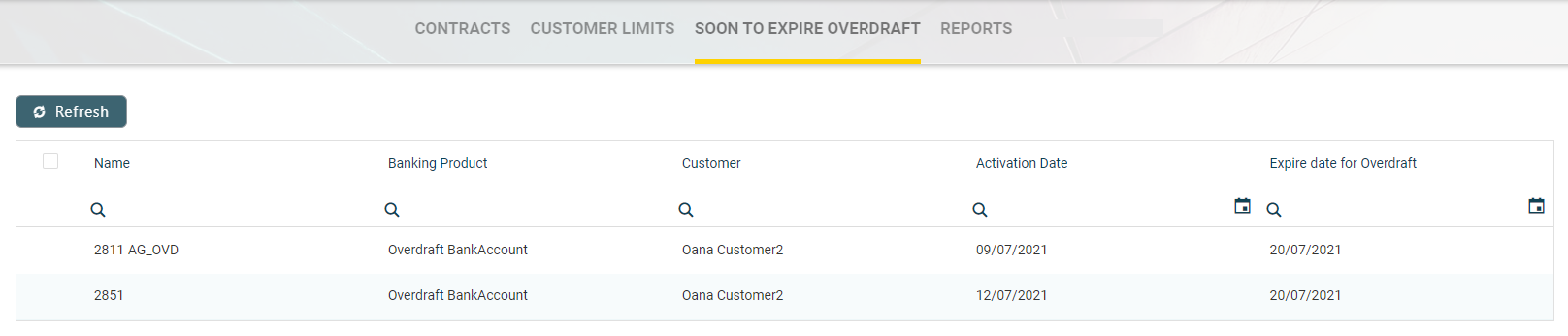
Soon to Expire Overdrafts - displays a list of contracts based on current account with overdraft banking products whose overdraft functionality is about to expire.
-
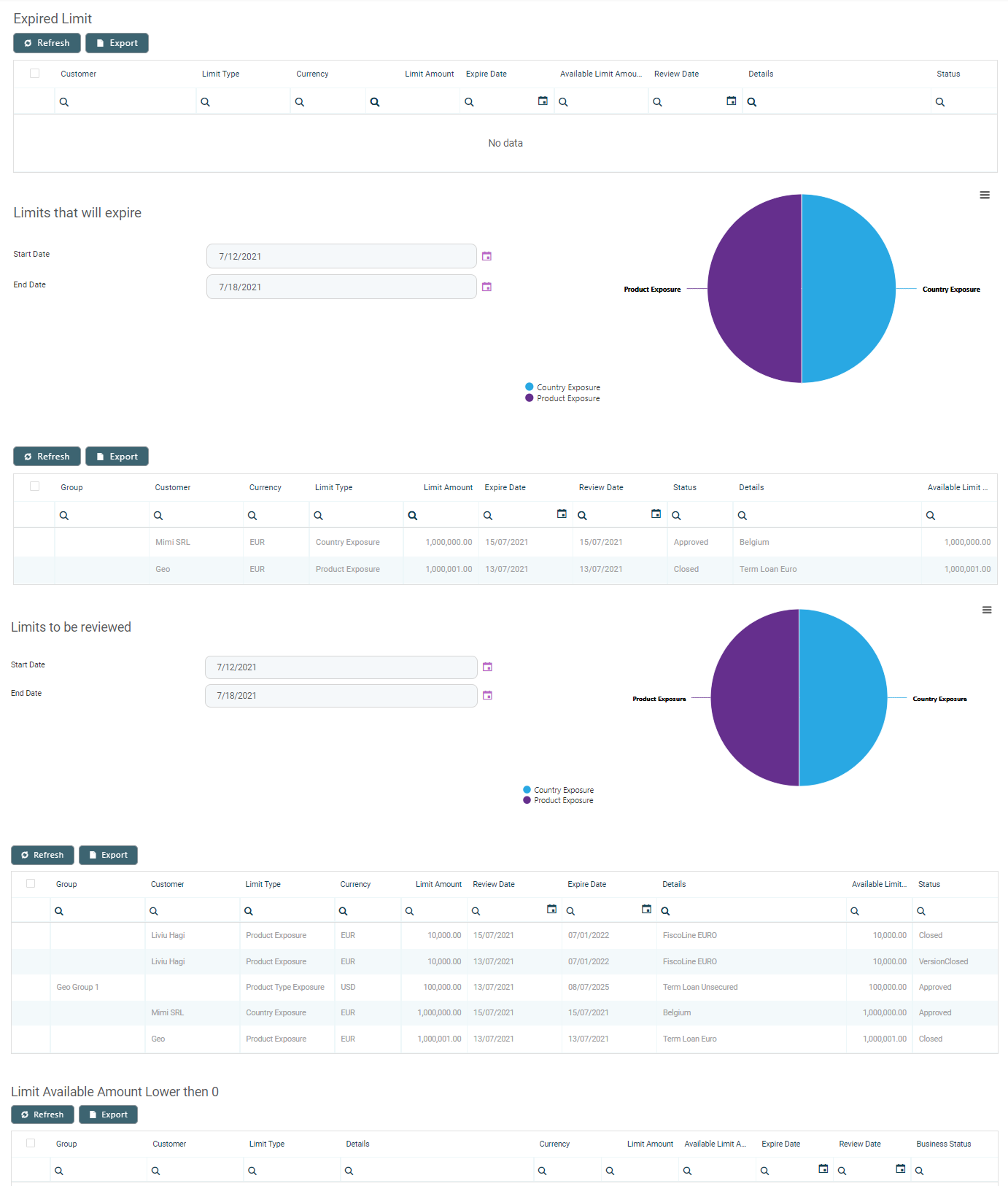
Reports - contains links to a series of reports such as repayment notifications past due, collaterals in default or limits.
Security Roles
Core Banking eases the time-consuming job of creating specialized access rights to be assigned to bank employees. Instead of creating such roles from scratch, the banks can now make use of our predefined security roles and associate such roles to the users in FintechOS Studio. Thus, bank employees gain granular access to the system, based on their role in the organization.
The following predefined security roles granting specific access rights to the platform's actions and functions to the users associated with one or more of these roles are available:
|
Security Role |
Description |
|---|---|
| Loan Admin Officer | Users with this security role have read, write and authorize access rights to the Loans and Accounting records in all modules of Core Banking within their organization. |
| Accounting Read | Users with this security role have read access rights to the Accounting module of Core Banking within their organization. |
| Corporate Credit Officer | Users with this security role have access rights to read and write access rights to the Contract, Contract Version, Contract Event, Limits, Collateral Register records of Core Banking within their organization. |
| Retail Credit Officer | Users with this security role have access rights to read and write access rights to the Contract, Contract Version, Contract Event, Collateral Type and Collateral Register records of Core Banking within their organization. |
| Accounting Officer | Users with this security role have read and write access rights to the Accounting module of Core Banking within their organization. |
| Supervisor Risk Officer | Users with this security role have read access rights to the Contracts, Collateral Register records of Core Banking within their organization, and authorization rights to the Limits records, all within their organization. |
| Risk Officer | Users with this security role have read access rights to the Contracts, Collateral Register, and write access rights to the Limits records of Core Banking within their organization. |
Core Banking Credit Facility
The Credit Facility feature which allows a type of loan to be configured offering the possibility of the borrowing business to take out money over an extended period of time rather than reapplying for a loan each time it needs money. This is accessible through the FintechOS Portal's new Credit Facility menu.
Keep in mind that this is available only with the Core Banking Corporate Addon package.
Improvements
Better Lending Contracts
Apart from the bright new current account with overdraft contracts, Core Banking now benefits from improved contract forms and functionality, better fitted to today's banks' business needs and customers' expectations. For example, the repayment schedule calculation was improved for annuity repayments where holiday treatment was included to shift the due date backward or forward. More fields already present at the banking product level were added to term loan contracts and you can now specify an advance amount or percentage as the first installment for the contract.
Core Banking System Parameters
For an easier overview of the parameters that define how your Core Banking implementation works, we've separated the Core Banking-specific system parameters from the FintechOS system parameters and placed them into a new menu accessible from FintechOS Portal. Take a look at the parameters in the dedicated page.
Updated Services Running Within Jobs
All the cost elements of new features are calculated seamlessly behind the scenes via the automated processes happening while the end of day and start of day jobs are being run.