FintechOS Platform 24.3.1
March 11th, 2025
This release brings enhancements to Product Factory, bug fixes, and several other improvements.
What's New
Enhanced Offer Cards for Insurance Products
The offer cards configurations for insurance products have been significantly improved:
- You can now create multiple cards for a single offer, each reflecting different coverage variations.
- Each offer card is based on an existing insurance plan, but can be fully customized, allowing you to override the included coverages or subcoverages, deductibles, indemnity limits, waiting periods, or event limits, that were set at the plan or product level.
- Optional coverages and subcoverages can be marked as preselected, ensuring they are enabled by default when the user opens the card.
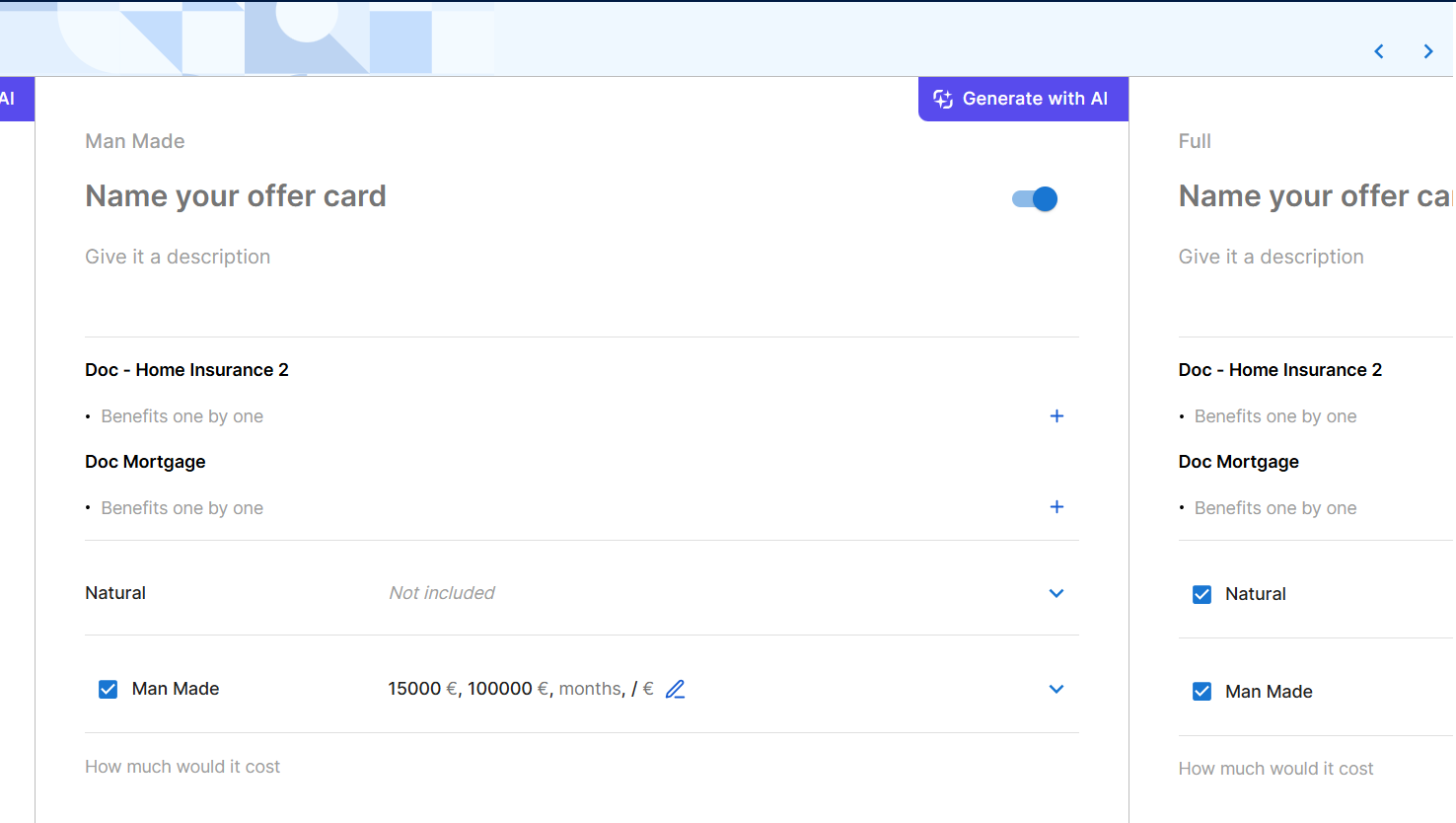
For more information, see the FintechOS Studio User Guide.
Product Metadata Included in Offer Metadata API Response
The Get offer metadata by offer Id API has been enhanced to include a productMetadata section in its response, containing detailed metadata for each product within the offer. This avoids additional calls to the product metadata endpoints by including all the relevant information in the offer metadata API response, for a more efficient and comprehensive service.
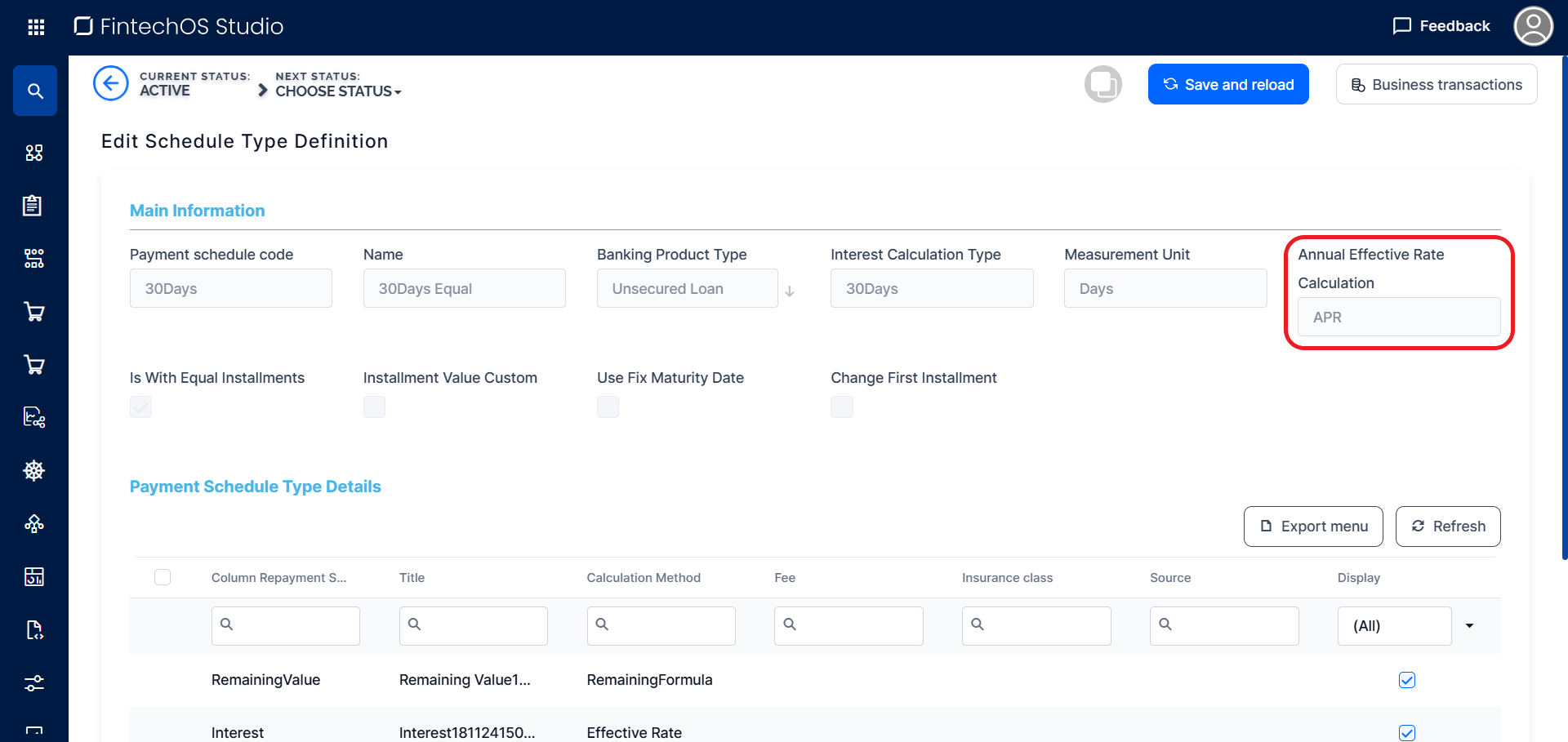
APR/APRC Support for Payment Schedules
The payment schedule types now include an Annual Effective Rate Calculation setting which allows you to select whether the annual cost of borrowing is calculated using the Annual Percentage Rate (APR) or the Annual Percentage Rate of Charge (APRC).
Equal Principal Monthly 30/360 Interest Calculation Override in the Repayment Schedule API
When calling the repayment schedule API, you can now use the useAnnuity30By360 boolean parameter to override the default interest calculation defined in the payment schedule type. When enabled, this option generates a payment schedule with equal principal payments, assuming each month has 30 days and each year consists of 360 days.
Configurable Maximum Number of Insurance Plans
The maximum number of plans available for insurance products, previously fixed at 4, can now be adjusted from the kv/<environment name>/mkexp-bff/appSettings/numberOfAllowedPlans Configuration Manager key.
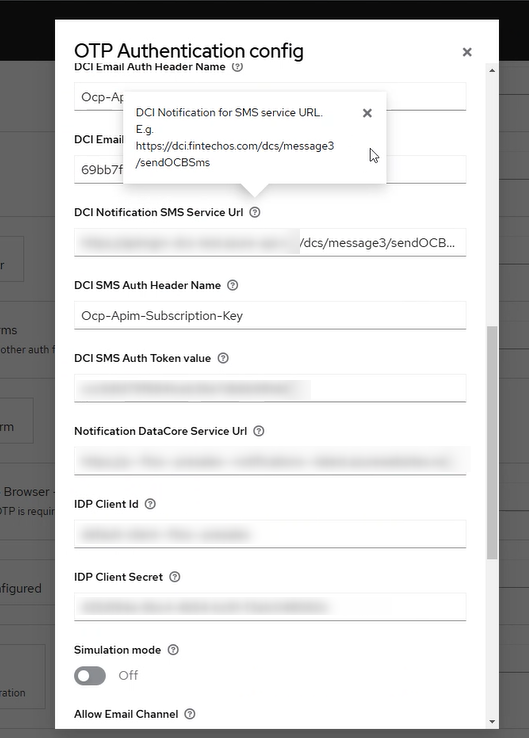
SMS Notifications for Authentication
Starting with this release, when setting up authentication via FintechOS IDP, you can configure yet another service for sending the SMS, as part of the OTP authentication flow. Follow the instructions in the documentation.
Fixed Issues
| No. | Summary |
|---|---|
| 70493 | The FintechOS Portal menu items did not refresh immediately after changing the language, resulting in a delay or failure to update to the selected localization. |
| 70153 | The placeholder and preferred countries for the phone placeholder UI templates did not work as expected. |
| 71338 | After an insert form transitioned to an edit form (initial data save), the Back button required two clicks to navigate back one step. |
| 71480 | Fixed an issue that caused the import to fail for a deployment package containing a form that hasn't changed from the previous version which has a default navigation step enabled. |
| 71569 | Optional data source parameters in reports based on SQL stored procedures were incorrectly treated as mandatory, causing errors when generating the reports. |
| 72111 | Using an entity view UI element to populate an entity different from the form's base entity (e.g., using the Insert button to populate a referencing entity) caused the Back button to bypass the form's editing history and return to the prior screen, exiting the form. |
| 72280 | Digital journey analytics were not displayed for newly created journeys, resulting in a Highcharts is not defined error message in the browser console. |
| 72460 | Fixed an issue that logged out users from the Portal after 30 minutes of inactivity, although the session was set to timeout after 1 day. |
| 72507 | The styling for read-only boolean attribute fields was incorrectly displayed. |
| 72694 | The Call step action digital journey API endpoint failed to include the response object from the triggered server-side script in the actionResponse field of the API response. |