Authentication SDK
Authentication flow
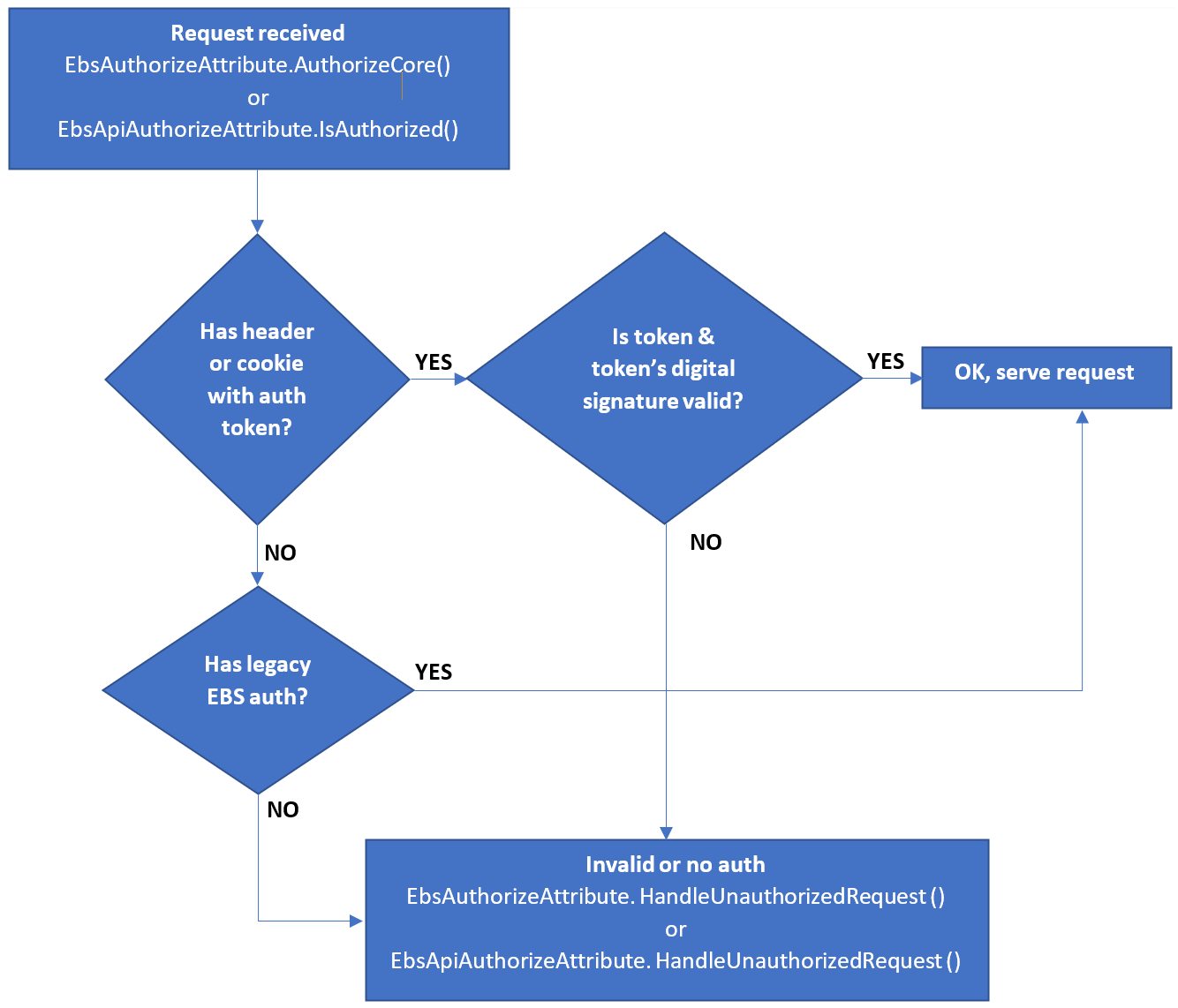
Any URL called from either the platform or portal passes through a reverse proxy that checks if prior authentication was made (the check is made against a cookie). If authentication exists, the login is successful, and the URL is accessed. However, if no previous session is found, the proxy automatically redirects to IDP and the user is presented with the login screen. Once manually logged in, IDP redirects back to the URL that was initially called, passing through the proxy again. This time, the proxy adds an authentication header, and the user is sent to the destination URL. Here, the built-in SDK kicks in and verifies if the token signature is valid and was not altered in transit.
Tokens
Identity token – Contains information displayed in the UI (e.g. a name).
Access token – Contains functional info (claims, roles e.g. email, telephone).
Refresh token – Does not contain any information, instead is used for SSO purposes to renew the access token and extend validity.
For more information about authentication and tokens, see the FintechOS API Guide.
Scenarios
Expired access token – The user is not redirected to the login page, instead, a new token is provided.
Expired refresh token – The session is lost, and the user is redirected to the log-in page.
Dependencies
Token validity – Cannot be altered in any way and the value must be on par with the configuration in IDP.
Refresh token validity – Cannot be altered in any way and the value must be on par with the configuration in IDP
Redirect URI – Must be set up in the FintechOS platform IDP client configuration. If this field is not correctly configured, the authentication process will return an error.