Temporary Blocked User
A temporary blocked user is the account that has opened the FintechOS Portal, inserted the wrong password for that said account for a maximum of five times or for a maximum that was set previously and cannot access the Portal anymore.
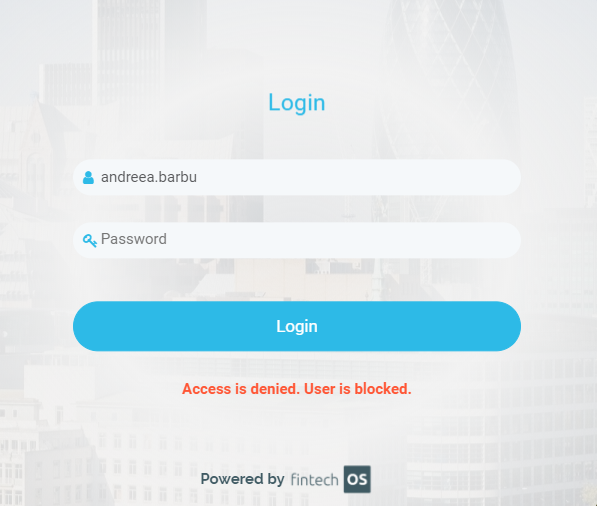
When the temporary block time interval has passed and the user wishes to reset the password, click Forgot password and follow the steps to receive the email with reset password which implies opening the e-mail and follow the reset password link. The user is unblocked so that reset password flow can be followed.
How to setup the number of retries Portal - Web.config setup
In order to create the setup, head over to installation files of the FintechOS environment where you wish to make the necessarily modifications, and in the web.config file add the following configurations.
To configure the the maximum amount of retries (the default value is zero):
<add key="core-setting-ebsauth-account-lockout-duration" value="5"/>
<add key="feature.reset-password" value="1" />
When using the EbsAuth provider
For those who are using the EbsAuth provider, to web.config insert an up to date key (“core-setting-ebsauth-account-lockout-duration“) to set the amount of minutes the user will not be able to access the account after having tapped in the false password. The key inserted earlier can be zero/ can be a negative value/ empty, then only the administrator has the power to unblock the account for the user.
The userId present in TemporarilyLockedAccount is deleted when an admin unlocks an account.
The system entity “TemporarilyLockedAccount“ tracks the modifications happening when an user's account is blocked after having inserted the wrong password.
The feature temporary blocked user has the key set to a positive value, the user wishes to open the FintechOS Portal and EbsAuth provider states that the account has been locked after failed attempt to log in, there are two situations:
Firstly, the user was previously temporarily locked out with the current date/ time bigger than the Lockeduntil value, the user will be automatically unlocked, the data from the system entity “TemporarilyLockedAccount“ is eased and the user will be able to use the Portal. However, when the current date/ time is smaller than the Lockeduntil value, the system will not automatically unlock, but the block will be effective.
Secondly, when the user is not blocked, the LockedUntil value is equal to aspnet_Membership.LastLockoutDate plus value of “account-lockout-duration“. Then, when the current date/ time is bigger than the LockedUntil value, the user's account is automatically unblocked and the user will be able to use the Portal. Nevertheless, when the current date/ time is equal or smaller than the LockedUntil value, there is an entry in the TemporarilyLockedAccount and the user cannot log in the Portal.