Customize Your Card
The SME Mobile Onboarding digital journey offers the option to customize the debit or business cards part of the bundle of products. In addition, this screen also allows you to pick a color, upload the company logo to be fitted on the card, and choose a delivery method.
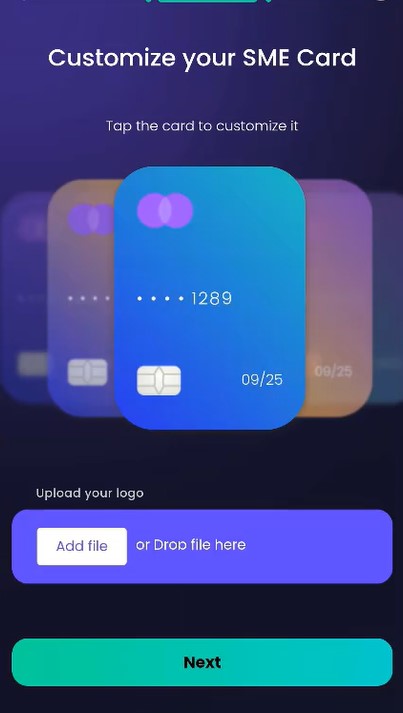
You can add the logo of your company on the card by clicking Add file and selecting from the local drive the photo.
Choose a delivery location:
-
Office - street name and number;
-
Home - free standard delivery of 2 business days or next day delivery that costs 5£.
-
In a branch.
Click on the drop-down list to choose the address for delivery. Select the address you wish to use and click Next.
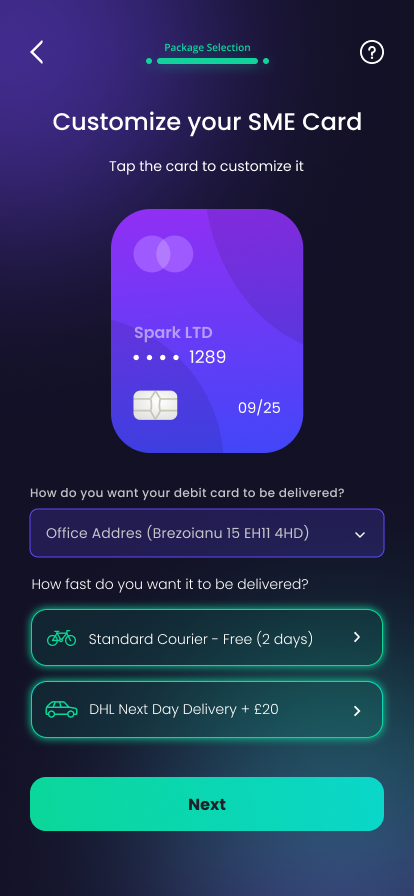
You can choose to tap the card and a new screen offers you the possibility to change the card color and to upload the company logo to be imprinted on the card. Tap on the desired color and click Next.
Delivery in a Branch
If you choose to deliver the card in a branch, you are able to pick from a list of branches near your location by typing in the name of the city. The auto-complete feature automatically populates the list with available options to choose from. In addition, the available map allows you to pinch in and out, and locate a branch. By tapping on a branch, information such as the branch full address is displayed.
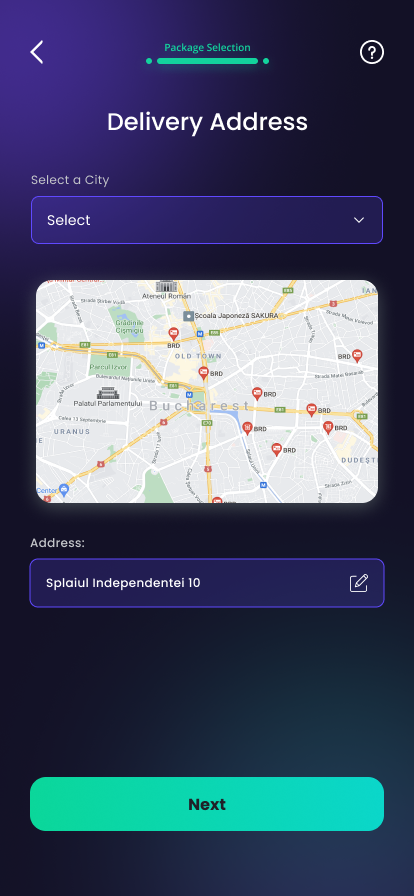
The address and type of delivery are mandatory, but yoy can advance to the next step without choosing a color for the card or uploading an image with the company logo.