Sign the Loan Documents
For the amount to be disbursed and the loan to be contracted, you need to sign both documents You’re almost done! Below you can preview and sign your loan documents. A copy of the contracts was also sent to your email address.
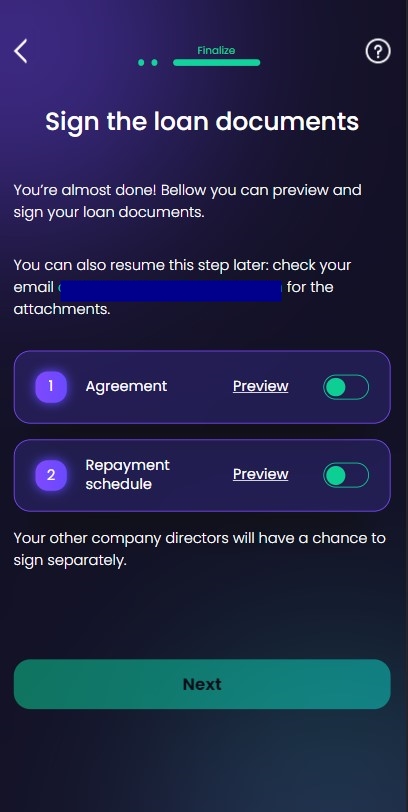
- Agreement (all the documents on the banking product selected)
- Repayment schedule (
PDFformat).
The process can continue only if the two documents are signed. These documents are sent to your email address as well. If you choose to sign them at a later date, the email contains the link from where to resume the journey. This page allows you to preview the documents and download them on your local drive.
Toggle the two documents and click Next.
For details on how the documents are generated, see .
Insert the One-Time-Password
The signing process is done by sending a One-Time-Password (OTP) code in a text message to your phone number and you are required to input the code on another screen. All documents are mandatory to be signed, but this can be configured by the bank. You have five retries.
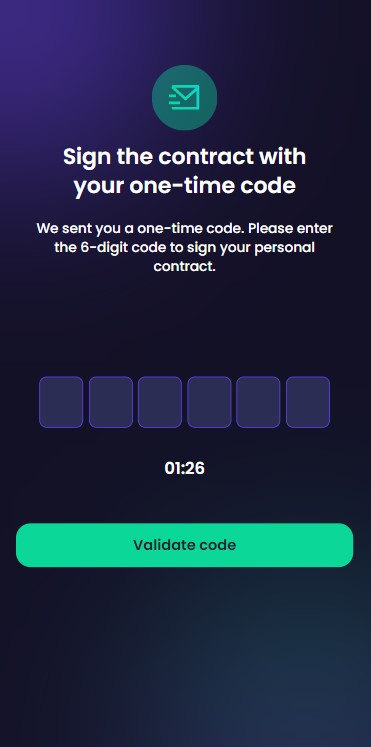
Insert the six digits in the designated field, and click Validate code.