Select the Final Offer
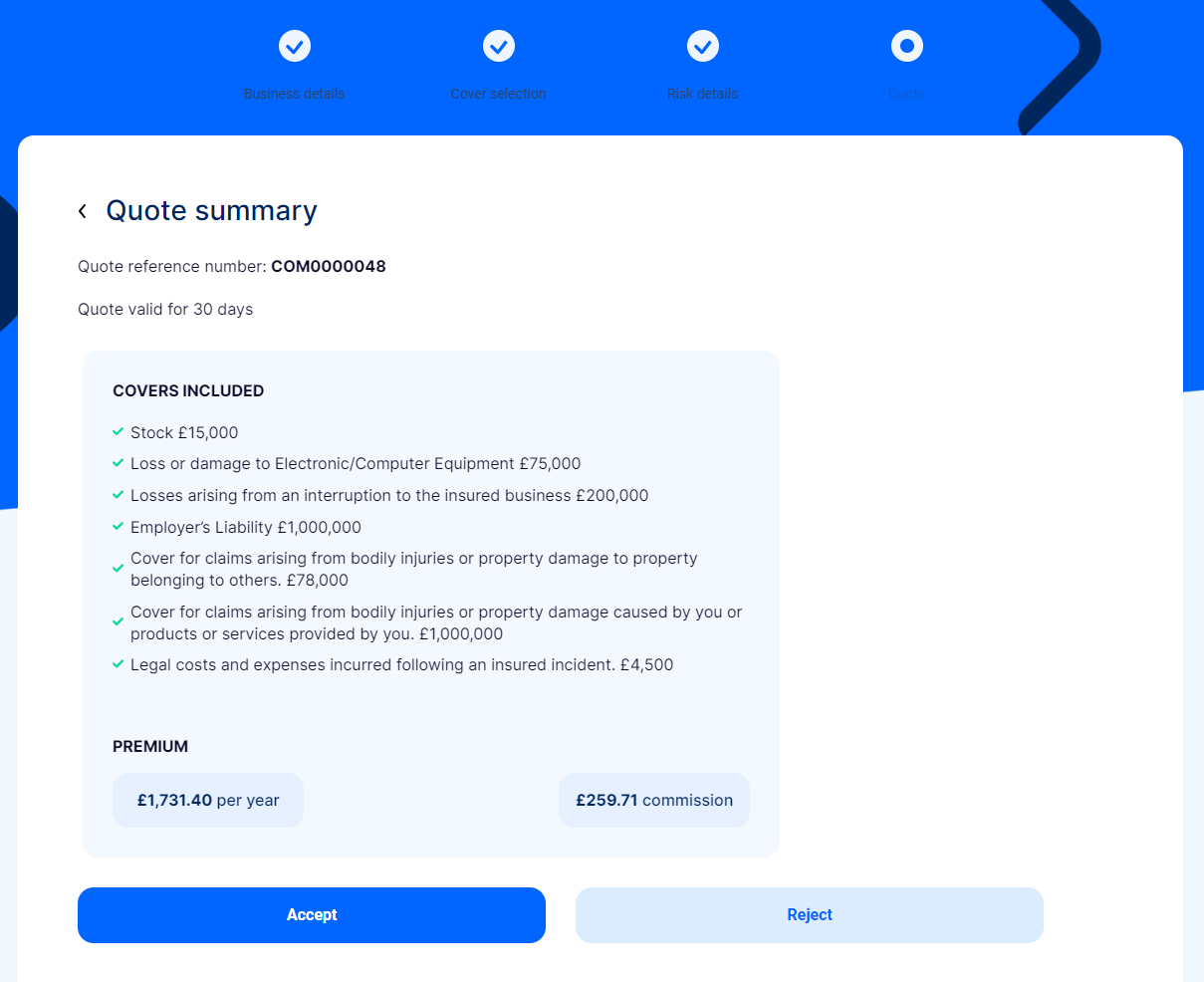
This is the final step of the journey. In the Quote section, you can view the quote summary, with all the included covers and their prices. At the end, you can find the final premium amount and the commission.
-
View the summary of the quote. After you read it thoroughly, you can choose to accept or reject the offer.
-
If you click Accept:
-
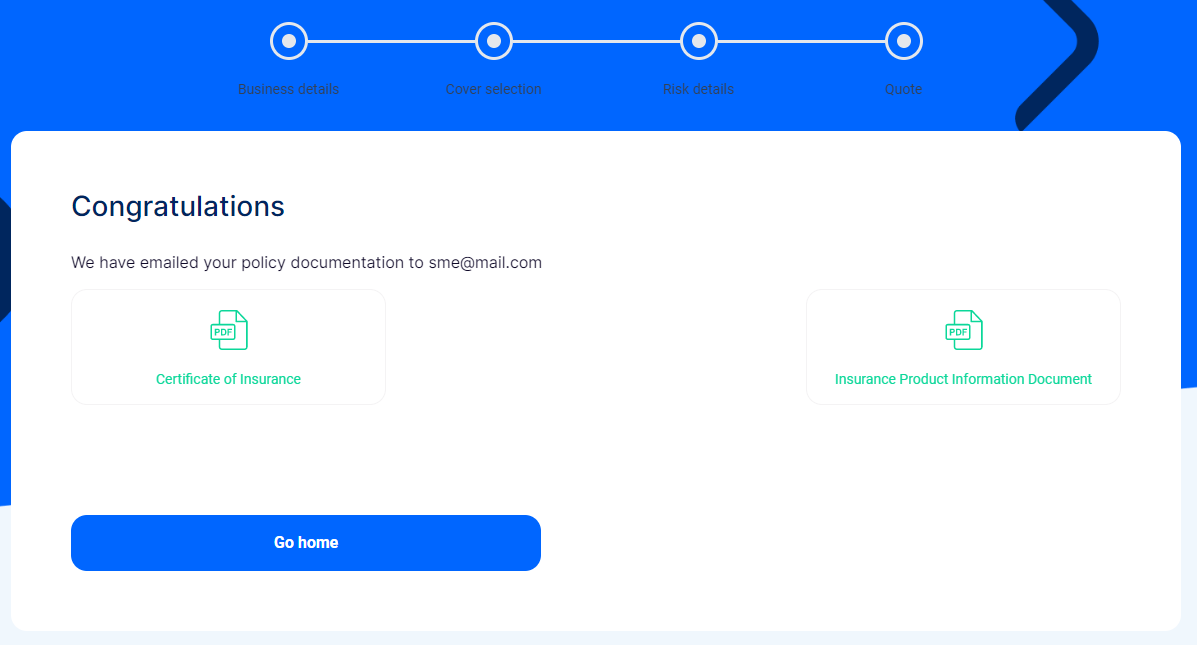
The policy is created, and you receive an email with the policy documentation.
-
Download and view the following documents: Certificate of Insurance, Policy Terms Conditions, and Insurance Product Information Document.
-
Click Go Home to finish the journey. You can view the record of the newly created quote in the Quotes dashboard. The record is not editable.
-
-
If you click Decline, the journey ends, and you are redirected to the home page. You can view the record of the quotation, however, it is not editable. If you want to apply for another offer, or if you changed your mind, and want to accept the previously generated offer, you need to restart the journey.
-