Add Owner Details
You arrived to the Owner Details section. Provide the contact details for receiving the Pet Insurance Quote & Buy purchase documentation and the account registration information.
-
Provide your telephone number and e-mail address, as per the example below.

-
Check that you agree to the terms, conditions, and privacy notice. This is mandatory to continue to the next step in the process.
-
Set your marketing preferences by checking the option, if you want to receive newsletters.
-
Click Continue to advance.
-
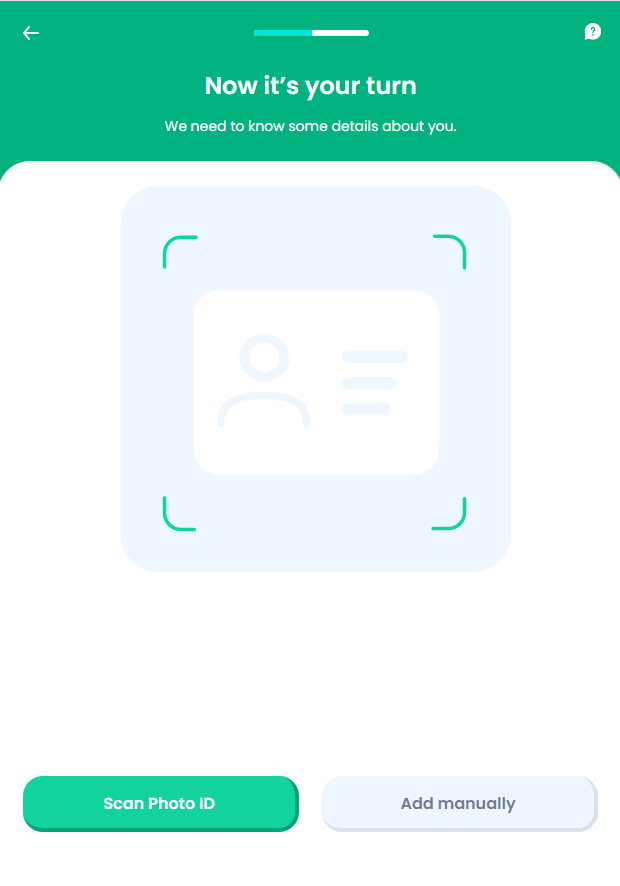
Add your personal details, by uploading your ID card. You can choose either to scan your ID card, or manually enter your details.
-
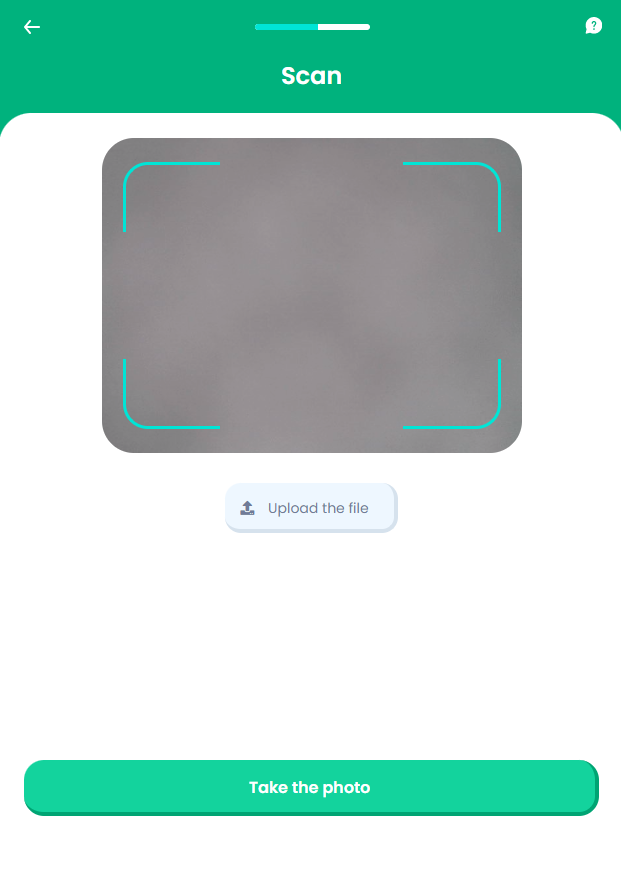
To scan your ID, click Scan Photo ID.
-
Take a photo of your ID card to input your personal details.
-
Click Process the file.
-
You are redirected to the Personal Details screen, where the fields are filled with the information from your scanned ID card.

-
If you choose to manually input your details, click Add Manually in the Now it's your turn screen, and you are redirected to the Personal Details section, as above, to write your information.
-
Click Save to advance to the Payment Details section.