Accounting Entry
This menu contains the accounting entries generated from the operation transaction and the operation transaction value records.
Creating Accounting Entries
1. Log into the FintechOS Portal.
2. In the main menu, expand General Ledger Transactions and select Accounting Entry. The Accounting Entries List page opens.
3. At the top-right corner of the page, click the Insert button to create an accounting entry.
4. Fill in the following fields:
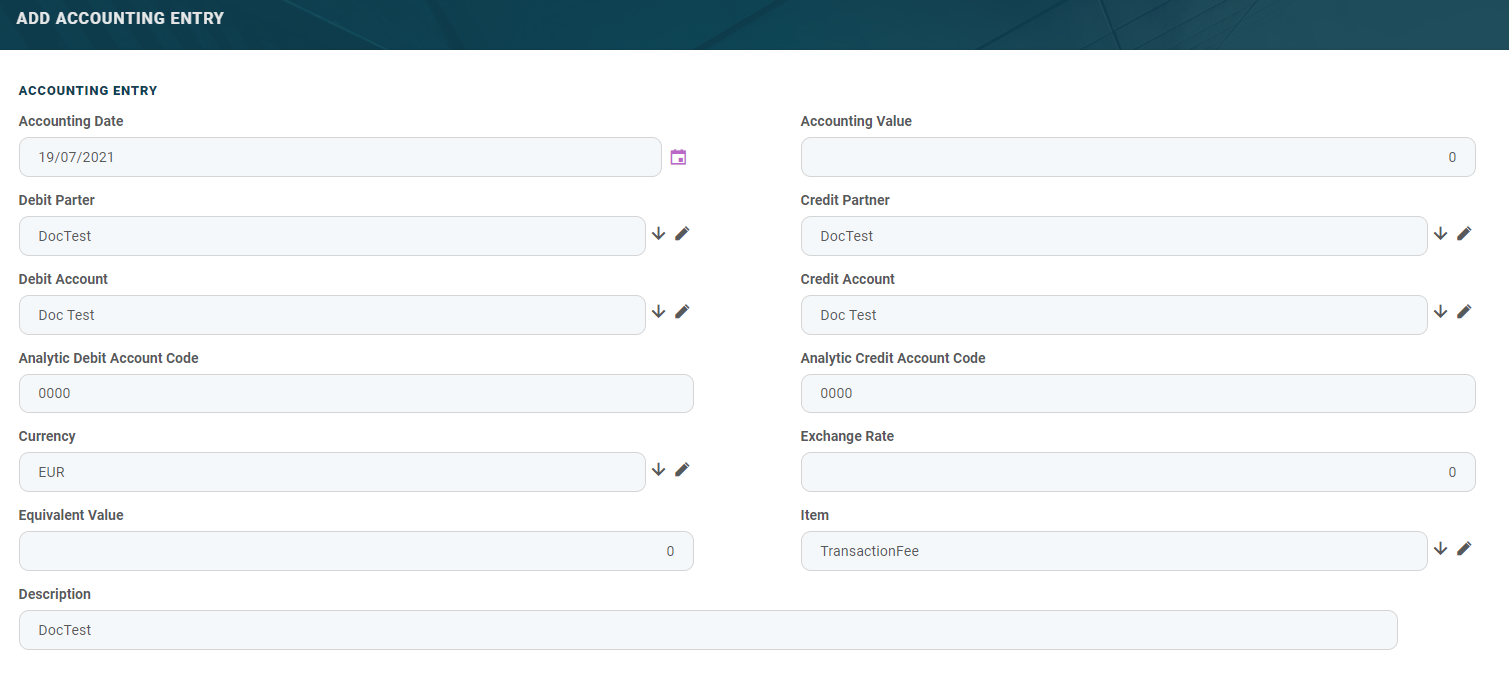
| Field | Required | Type | Description |
|---|---|---|---|
| Accounting Date | No | Date | The date of the accounting entry line. |
| Accounting Value | No | Numeric | The value of the entry. |
| Debit Partner | No | Lookup | The debit partner. |
| Credit Partner | No | Lookup | The credit partner. |
| Debit Account | No | Lookup | The debit account |
| Credit Account | No | Lookup | The credit account. |
| Analytic Debit Account Code | No | Numeric | The code of the analytic debit account. |
| Analytic Credit Account Code | No | Numeric | The code of the analytic credit account. |
| Currency | No | Option set | The currency of the accounting entry line. |
| Exchange rate | No | Numeric | The exchange rate of the accounting entry line. |
| Equivalent Value | No | Numeric | The value after the exchange rate has been applied. |
| Item | No | Lookup | The accounting registration item. |
| Description | No | Text | The description of the accounting entry. |
5. Click Save and close.
HINT
Users can add, delete, or export accounting entries.
Users can add, delete, or export accounting entries.