Open a Savings Account or Term Deposit
The Online and Mobile Banking application offers the possibility to open a savings account directly from within the app, without having to go to a bank branch. Follow the steps below to open an account:
-
On the home screen, click Savings to open the Start Saving screen.
-
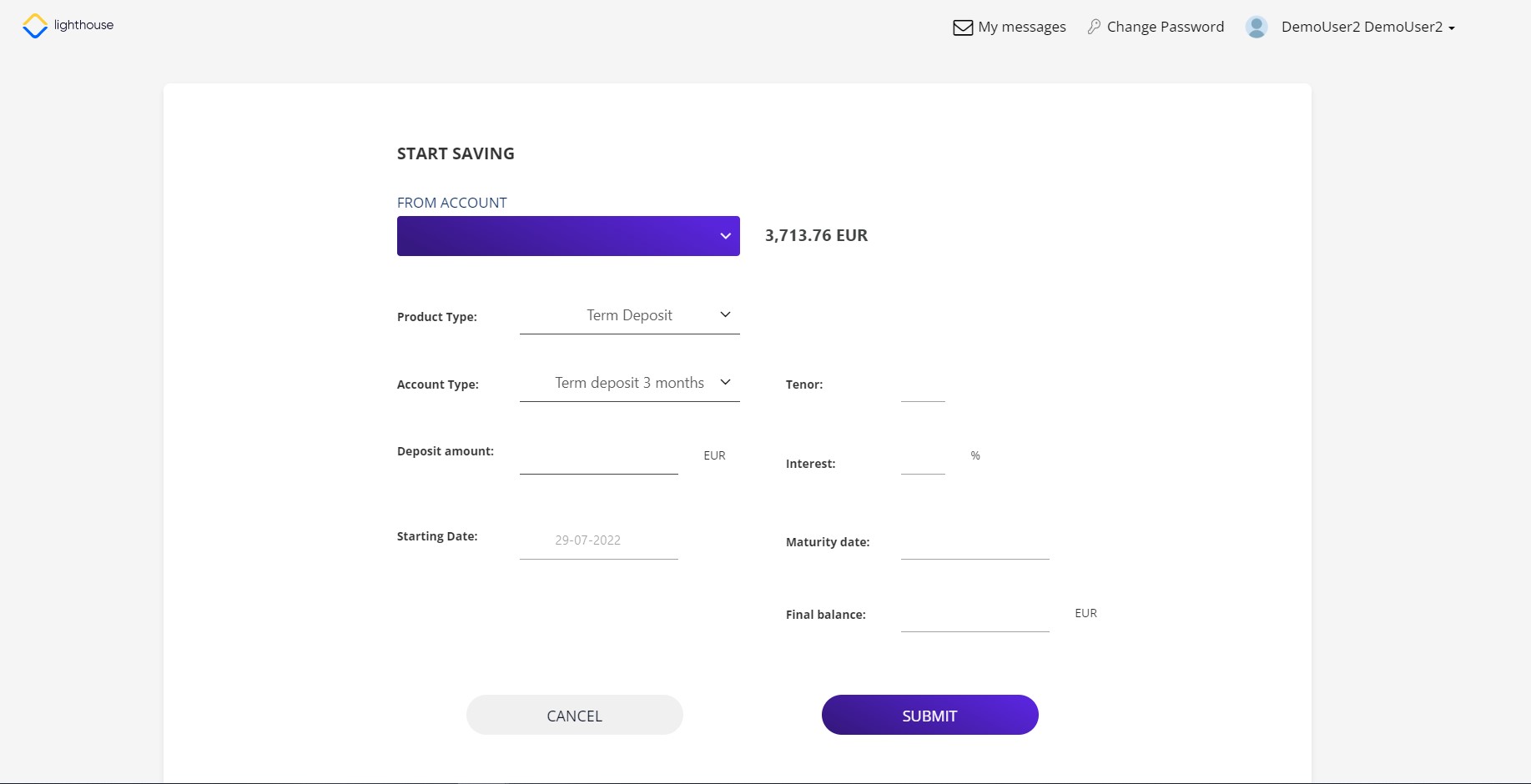
Fill in the necessary information, such as the current account from where the funds are drawn, the balance, the type of account either term deposit or savings account.
If you pick term deposit, you can choose between 1, 3 or 6 months deposit. For both savings and term deposits, the interest rate set by the bank is automatically displayed.
-
Click Submit to continue. This button is disabled until all the mandatory fields are completed. Or Cancel to abandon. The page Review your data is displayed with the read-only details of the new savings/deposit:
-
account type
-
deposit amount
-
final balance
-
interest
-
maturity date.
-
-
Click I agree for the savings account or term deposit to be created.