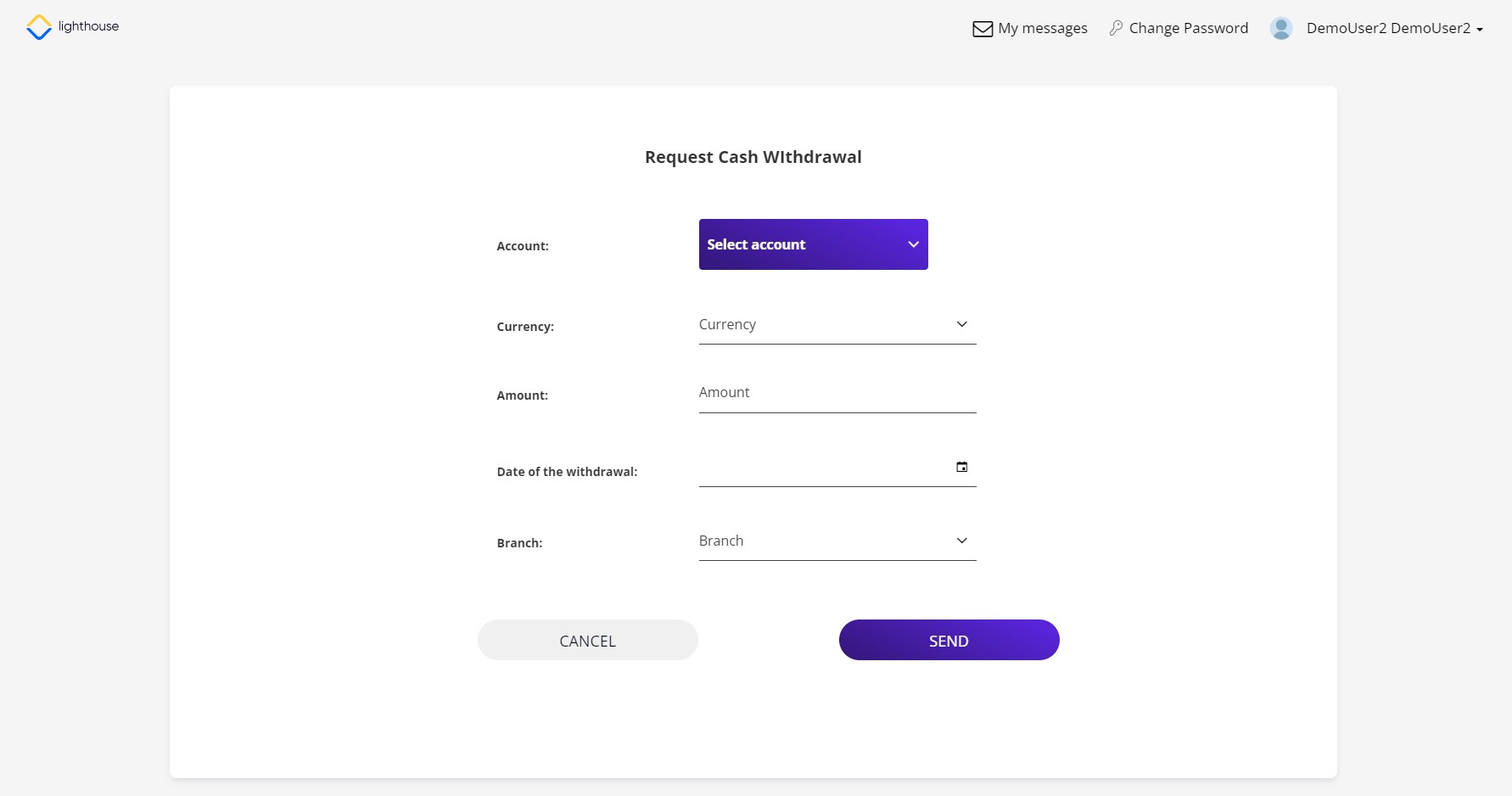
Request Cash Withdrawal
The Online and Mobile Banking application allows you to schedule a cash withdrawal. This operation notifies the bank that you wish to withdraw funds from your current or savings account and intend to take a trip to the bank to do so. Follow the steps below to start the cash withdrawal process:
-
From the home screen, click Request Cash Withdrawal. The cash withdrawal form opens.
- Select the current or savings account from where the funds are to be withdrawn.
- Add the currency, the amount to be withdrawn, the date when you wish to go to the bank and the branch.
- Click Send to confirm the request or click Cancel to abandon.
- The page We have sent you a code via SMS is displayed. Each appointment must be signed using an OTP code. Insert the code. You have 5 retries to insert it, otherwise, the request is not successful if the correct code is not inserted.
- Click Check to continue. A confirmation message is displayed.
- Click Go to Mailbox to view the message sent to the bank with the appointment. This step is optional.