Credit Management
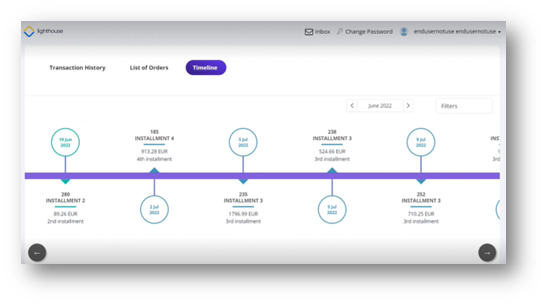
This section displays the repayment schedule of all the loans you have. It is displayed only to the customers that have loans acquired. Both active and inactive loans are displayed here.
Filtering Loans
The filters are on the top right hand corner of the section. You can filter them by month or by category name. To filter by month, use the left and right arrows to move from one month to another. To filter based on category, click the drop-down and select the name of the corresponding loan of select the All option to view all the loans.
Navigation
The timeline has the installments displayed in bubbles that are color-coordinated. Green bubbles mark the paid installment, red bubbles mark the overdue due dates of unpaid installments. The first bubble in the schedule is the upcoming due date. For the timelines with multiple loans with the same next due date, then the order of the bubbles is given by the value of the total installment. The first displayed is the highest to smallest.
To scroll the horizontal line use the two bottom left and right arrows. the right arrow displays the following installments, while the left arrow returns you to the previous bubbles.