Make a Bulk Payment
Use the bulk payment feature whenever you need to make multiple payments from your account at the same time, either for personal or business purposes. Follow the steps below to make a bulk payment:
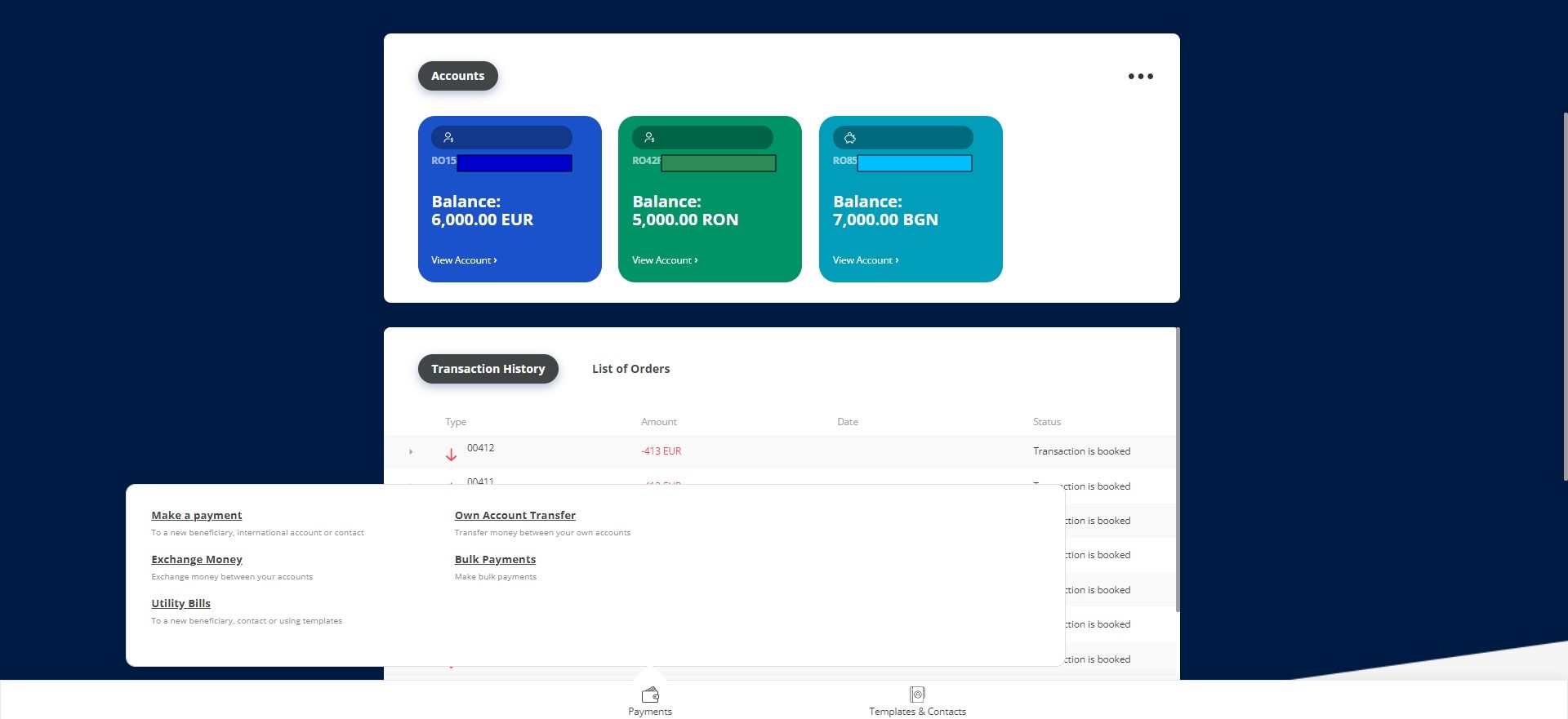
- On the homepage, click Payments.
Or select an account from where to wire the payment. From the account page, click Payments.
- From the module, select Bulk Payments. The Bulk Payments List is displayed.
- To initiate a new bulk payment, from the grid, click Insert on the top left-corner of the grid.
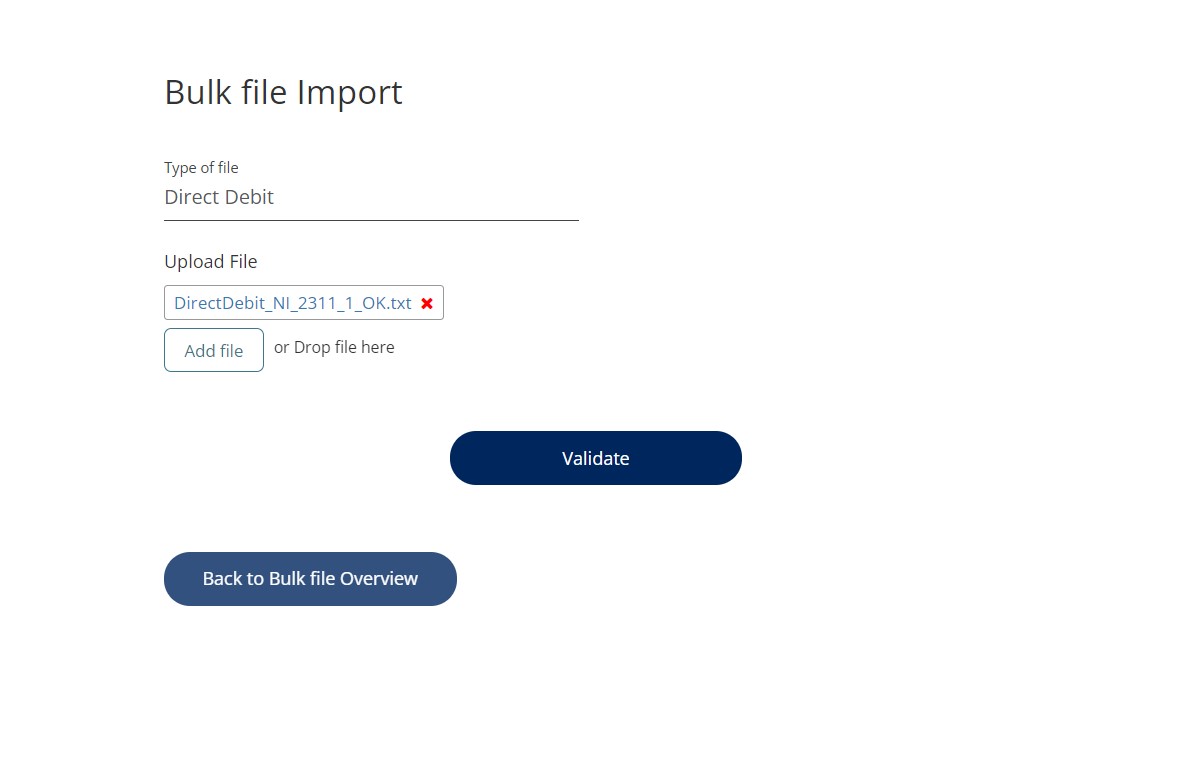
- Access the page Bulk files Overview. Select the type of file and upload it.
- Once you added the file, the Validate button is displayed. You can also drag and drop the file directly into the page. Click Validate.
- To proceed, click Continue to signature.
- The Terms & Conditions page is displayed informing you that an SMS is sent with an OTP that must be inserted.
- Click Send to receive the email with the code.
- Insert the OTP. Click Authorize. The bulk payment is completed.