Reports and Logs
Product and Channel Managers from the financial institution require information to steer the business. The reports dashboard enables the financial institutions to view the following information in the reports:
- Dashboard client report: metrics regarding total registered customers, active users, type of roles, etc.
- Transactions report: detailed analytic information regarding the payments initiated through online and mobile banking
- Application logs allow the admin users of the financial institutions’ to view the browser agent and IP addresses.
To support the activity, the back-office employees with specific roles can access data valuable to the business:
- Reporting and Audit log: viewing analytics on users (registered, active, passive, blocked, closed), customer types, and user types.
Role of the back-office employee: Channel Manager/Internal Audit.
- Mailbox: sending messages to customers and users.
Role of the back-office employee: Channel Manager/CRM Campaign Manager
- CRM Campaign: setting-up campaigns.
Role of the back-office employee: Channel Manager/CRM Campaign Manager
- Settings: changing of certain system parameters such as cut-offs, payment schemas active in the bank.
Role of the back-office employee: Channel Manager/System Administrator.
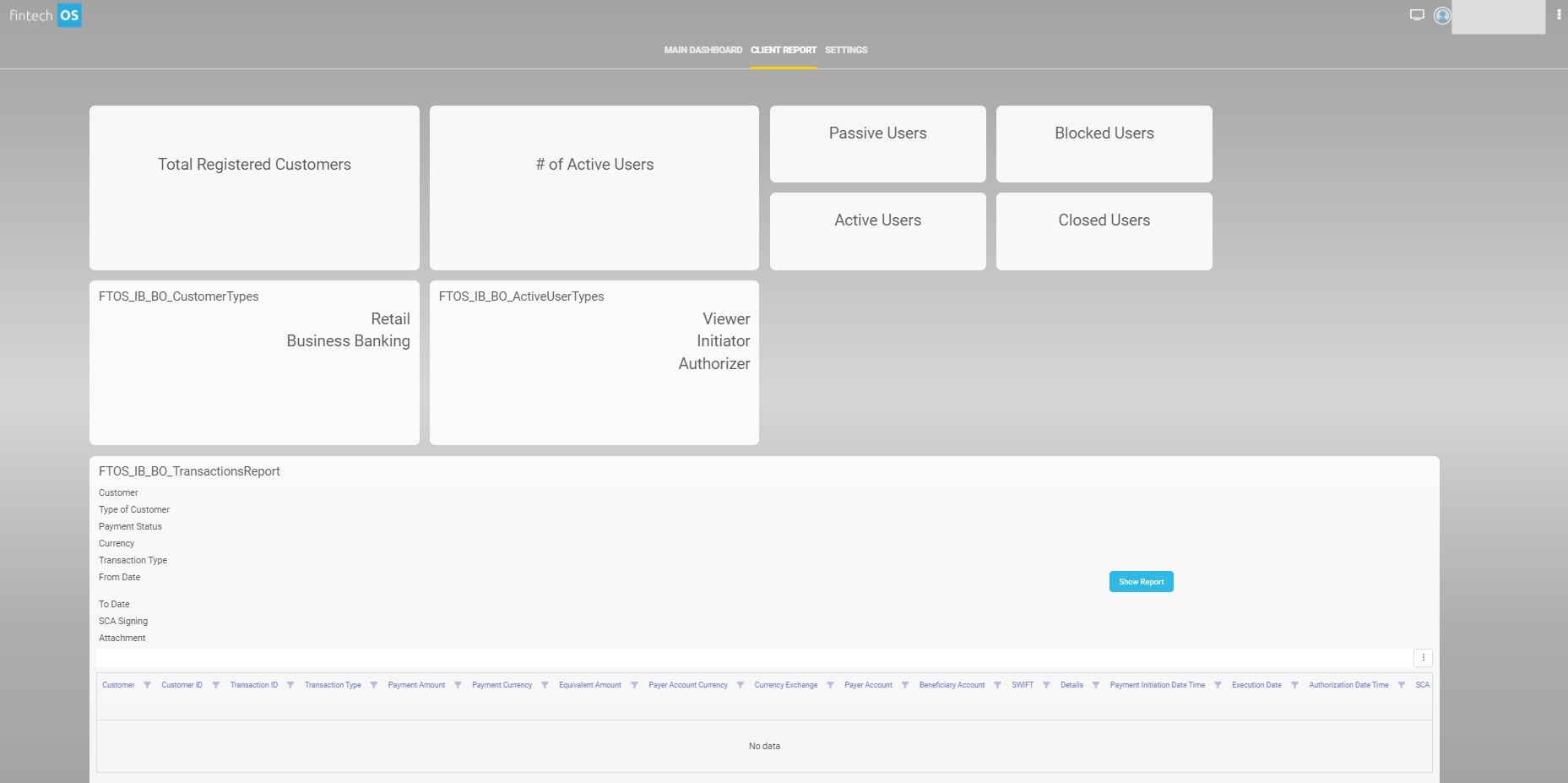
Dashboard Client Report
The first section of the dashboard contains an information analysis of the current situation of the users of Online and Mobile Banking. Eight widgets are displayed with numbers for the categories:
- registered
- % of the registered are active users
- active
- passive
- blocked
- closed
- customer types: retail and business banking
- active user types: viewer, initiator, authorizer.
The second part of the dashboard displays the Transactions Report, a report that presents the transactions for specific customers between specific dates. It exhibits data based on the information inserted into the filters:
To display data in the drop-down filters, type the letters of the word to receive a suggestion from the system.