Master Policy Contract
This functionality enables insurers to create their bundled policy offerings, covering general insurance, healthcare, and life protection. It offers the ability to manage a mix and match of insurance coverages that can be extended to family members, affinity groups, employees and other logical groups.
Master Policy Generation
You can manually generate a Master Policy in the system through a journey, in order to administer a product where there are multiple policies issued under the same Master Policy.
In FintechOS Portal, in the menu, under the Quote and Apply section, the Policy Admin section is found, containing the Masterpolicies subsection.
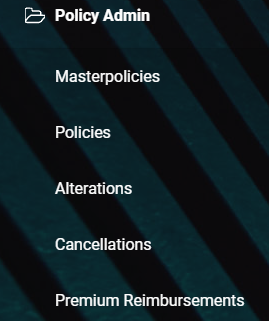
Click the Master Policies subsection. A grid called Master Policies List is displayed, which contains all the created master policies.

The grid contains the following columns:
| Name | Description |
|---|---|
| Master Policy No | The number of the Master Policy. |
| Contractor | The full name of the contractor. |
| Start Date | The start date of the Master Policy. |
| Premium Amount | The premium of the Master Policy. |
| Currency | The currency of the Master Policy. |
| Business Status | The business status of the Master Policy. |
You can manually add a new master policy by clicking the Insert (+) button on the top right corner of the screen. Fill in the newly opened form:
-
The Master Policy tab contains the following sections:
-
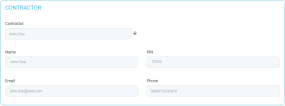
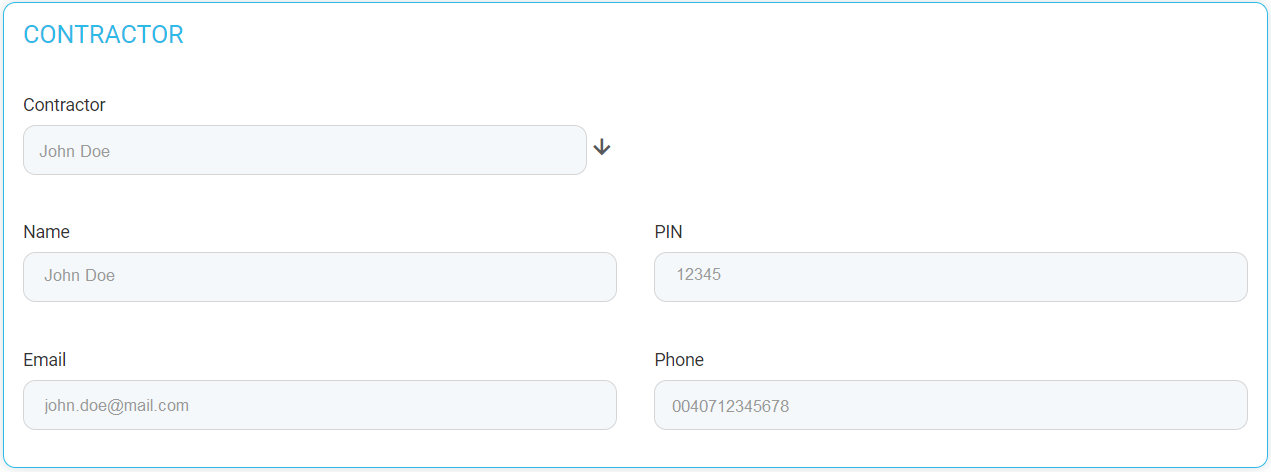
Contractor, containing the following fields:
Name Description Name The full name of the contractor, concatenated. PIN Personal Identification Number. Email The email of the contractor. Phone The phone number of the contractor. Choose a Contractor from the drop-down to automatically fill in the fields with their details.
-
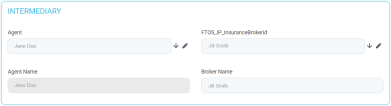
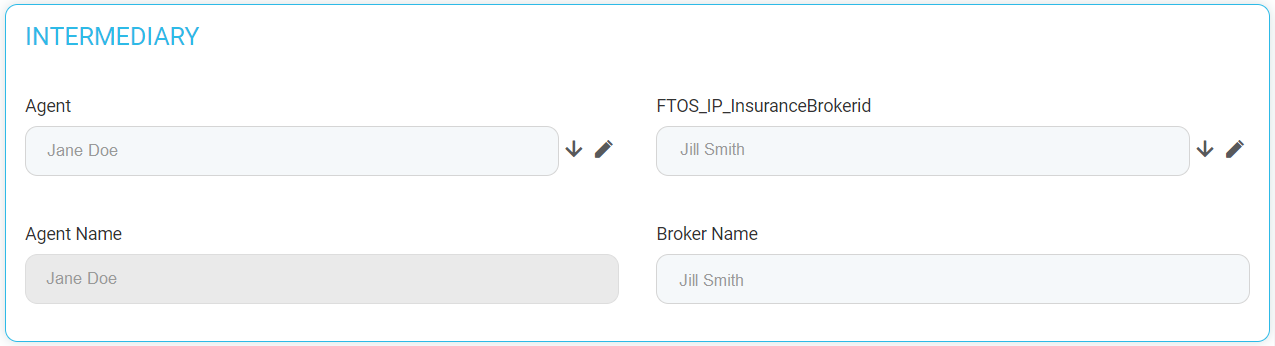
Intermediary, containing the following fields:
Name Description Agent Name The full name of the agent. Broker Name The full name of the broker. Only one of the Agent or Broker name fields can be filled. If you try to fill both, the following message is displayed: "A Master Policy can have either an Agent or a Broker".
-
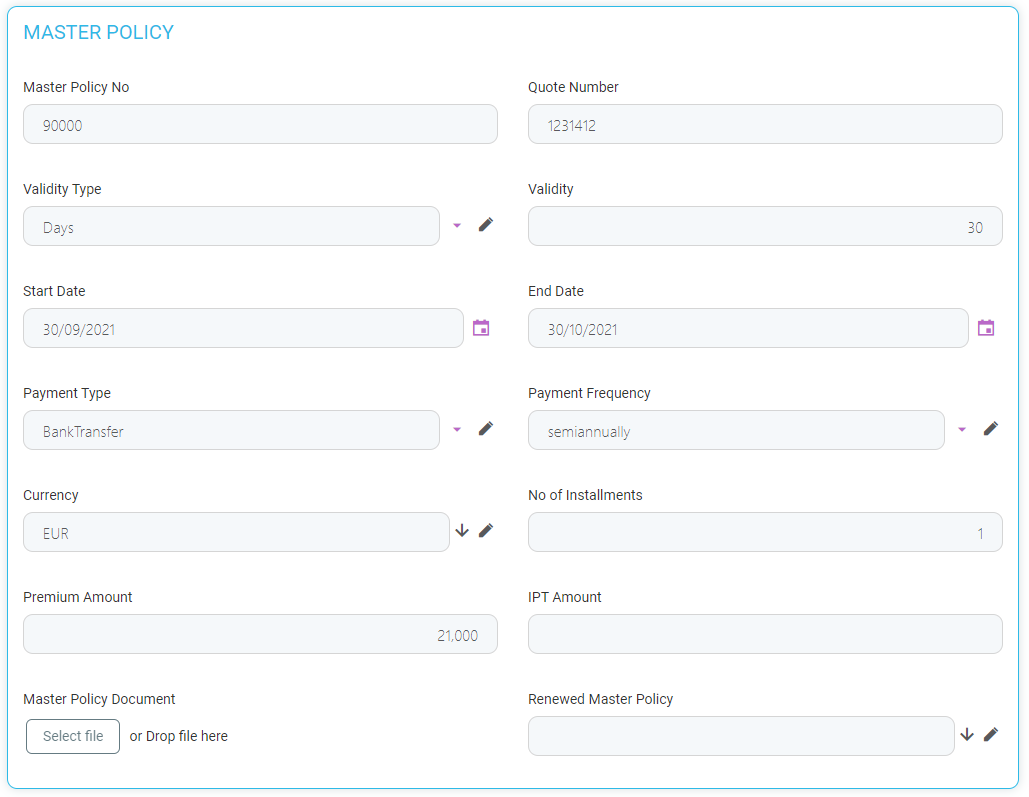
Master Policy, containing the following fields:
Name Description Master Policy No The unique number of the master policy. Quote Number The unique number of the quote. Validity Type Drop-down field with the following possible values: Days, Months, or Years. Validity The validity of the master policy expressed in the number of days, months, or years. Start Date The start date of the policy. End Date The end date of the policy. Payment Type Drop-down field, with the following possible values: Bank Transfer or PayU. Payment Frequency Drop-down field with the following possible values: annually, semiannually, quarterly, monthly. Currency The currency used for the policy. No of Installments The number of installments for the policy. Premium Amount The amount of the premium. IPT Amount The amount of the insurance premium tax. Master Policy Document The master policy file to be uploaded. Renewed Master Policy Option set to choose the master policy to be renewed. 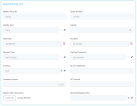
-
Mentions, where the user can add some free text, with mentions regarding the Master Policy.

-

-
Fill in these details and save the record. Two more tabs are displayed in the form:
-
Tab 1, first called Master Policy and now called Master Policy Summary, containing the above fields, plus, below them, 2 new sections called Premium Payments Schedule and Invoices.
-
These sections are empty at first, and populated with values after the associated policies are generated:
-
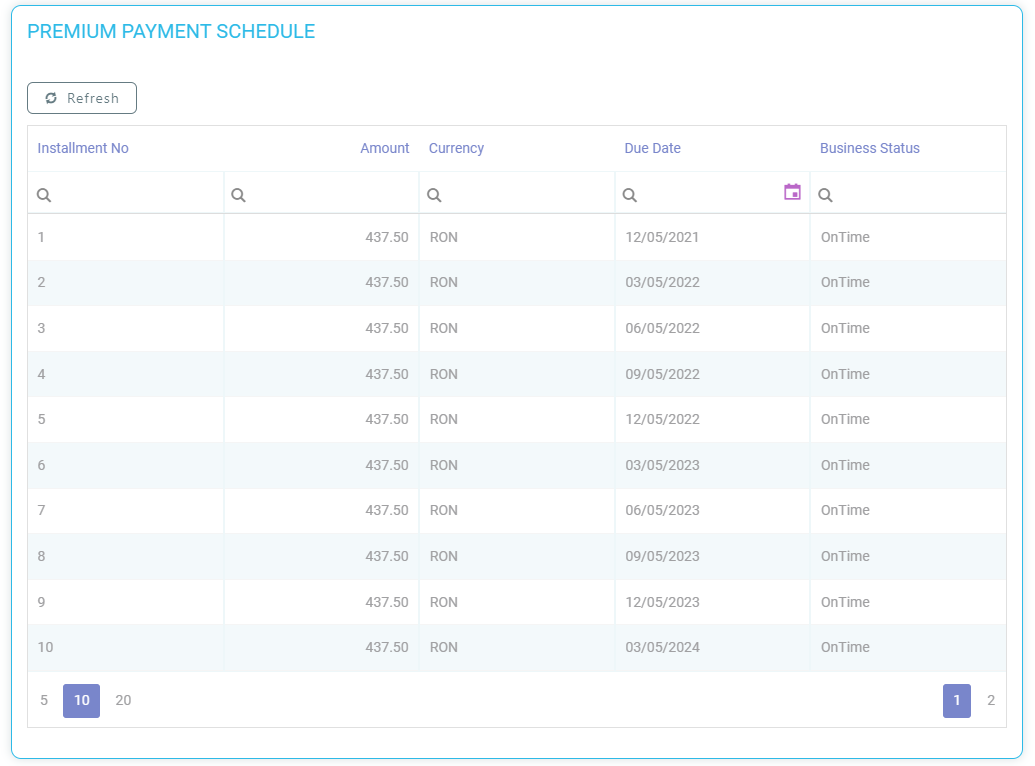
The Premium Payments Schedule section, the list with the installments, contains:
Name Description Installment No The number of the installment. Amount The premium amount for that record, for that installment. Due Date The due date for that installment. Business Status The status of the installment. 
-
The Invoices section, the list with the statements, contains the following columns:
Name Description Statement No The number of the statement. Amount The premium amount for that record, for that statement. Due Date The due date of that statement. Status The status of the statement.
-
-
-
Tab 2, called Policies List, is empty at first, and is populated with values after the associated policies are generated through the PolicyGenerationAPI endpoint.
-
The grid contains the following columns:
Name Description Insured Name The full name of the insured person. PolicyNo The number of the policy. Insurance Product The product type. Policy Start Date The start date of the policy. Policy End Date The end date of the policy. Premium Amount The amount of the premium. Currency The currency used for the policy. Business Status The status of the policy.
-
-
All the above fields are mandatory, except Renewed Master Policy and the Mentions section.
 Master Policies Versioning History
A History tab is available for each Master Policy with all the versions related to it, in order to keep track of the version number, starting from 1.
-
The History tab is displayed for the first time when the Master Policy is in the Proposal status, and the first version status of the Master Policy displayed in the History tab is Proposal.
-
After the Master Policy is issued, the version displayed in the History tab is Issued. The previous version is not displayed anymore.
-
When the Master Policy is in Inforce status, this is the version displayed in the History tab. The previous versions are not displayed.
-
When a version is approved, the previous version is closed , having the Version Closed status. This automatically starts with the effective date of the approved version. Unapproved versions are also displayed in the History tab.
-
There cannot be 2 or more Draft or Pending versions at the same time. Also, there cannot be a Pending and a Draft version at the same time.
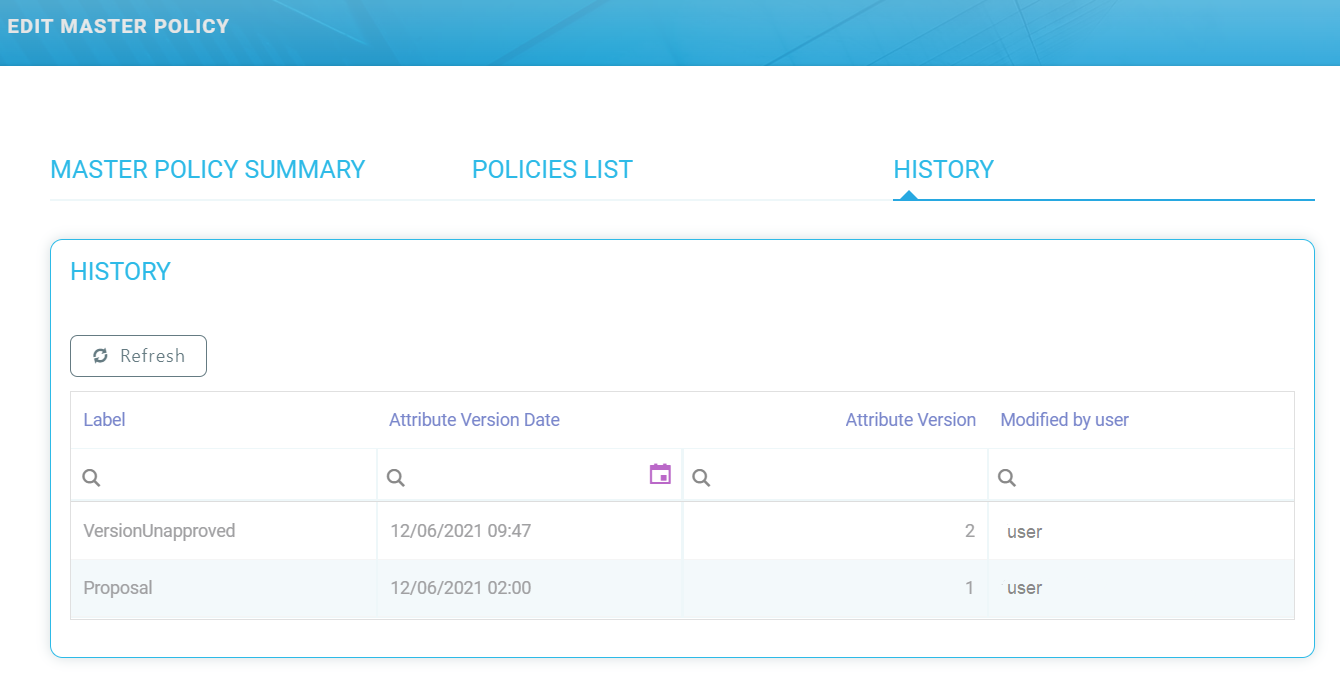
The History tab contains a grid with the following columns:
| Column Name | Description |
|---|---|
| Label | Contains the name (status) of the versions. |
| Attribute Version Date | Contains the date and hour when the version is created in Draft status. |
| Attribute Version | Contains the number of the version. The versions are displayed in reverse chronological order. |
| Modified by User | Displays the name of the user editing the policy. |
generateMasterPolicy Endpoint
The generateMasterPolicy endpoint is used to provide another way of adding a Master Policy into the system.
Request:
-
Contractor (ID);
-
Name;
-
Personal Identification Number;
-
Email;
-
Phone;
-
Agent (ID);
-
Agent Name;
-
Broker (ID);
-
Broker Name;
-
Currency;
-
Renewed Master Policy;
-
Quote Number;
-
Start Date;
-
Validity Type;
-
Validity;
-
Payment Frequency;
-
Payment Type.
Response:
-
Master Policy ID;
-
Master Policy No.
The only validation for the endpoint is that a Master Policy cannot have both an agent and a broker, but only one of the two.
The End Date of the Master Policy is calculated based on the Start Date and Validity.
PolicyGenerationApi Endpoint Update
The PolicyGenerationApi endpoint is updated in order to take into account the associated master policy terms and to calculate the premium amount and installments amounts of the master policy based on the allocated policies.
Generate Policy Endpoint - Initial Request
The system needs to take into consideration the information from the master policy for the generated policies.
For the policies which are included in the initial version of the master policy, when the master policy is initially issued, the Generate Policy endpoint must be updated in order to take into consideration the master policy number. The master policy number must be added to the request.
If there is a policy that is generated in the context of a master policy, the policy attributes are inherited from the associated master policy. Otherwise, for normal policies, the master policy ID is null.
The validity of a policy that has a master policy is the difference between the Master Policy End Date and the Policy Begin Date.
For the generation of a master policy, the system sends in the request some info. The same info is used for the Generate Policy endpoint for each policy in case there is a master policy number.
Master Policy update - Premium Calculation and Payment Schedule Update
The first update is made after the initial request, when the first set of policies is generated when calling the Generate Policy endpoint.
After the associated policies are generated by calling the Generate Policy endpoint initial request, the premium amount, IPT amount and the installments amounts of the master policy are updated and calculated based on the allocated policies.
The master policy transitions from the Draft into the Proposal status at update time.
The payment schedule of the master policy is updated. For the master policy, the system uses the same entities as for the policy, meaning: FTOS_INSQB_PaymentSchedule and FTOS_INSQB_PaymentScheduleDetail. Therefore, a lookup attribute, Master Policy ID, must be added for these entities.
PolicyMaturity Job Update for Master Policy
The PolicyMaturity job is updated in order to have the same behavior for the Master Policy.
The FTOS_PA_PolicyMaturity job runs daily at 23:59 and is set in order to automatically transition policies’ status from In Force or Suspended to Maturity status when the policies' Current Date is greater than the End Date.
The logic is extended also for a Master Policy regarding the transition from In Force to Maturity.
The job is updated in order to automatically transition Master Policies’ status from In Force to Maturity when Master Policies Current Date is greater than the End date.
IssuedToEnforced Policy Job Update for Master Policy
The current job, called FTOS_INSPA_Policy_IssuedToEnforced, which runs daily at 01:00 AM, is set in order to automatically transition the policies’ status from Issued to InForce when the policies' Begin Date is equal to the Current Date.
The logic is also extended for a Master Policy.
The job must be updated in order to automatically transition Master Policies’ status from Issued to InForce when the Master Policies Begin Date is equal to the Current date.